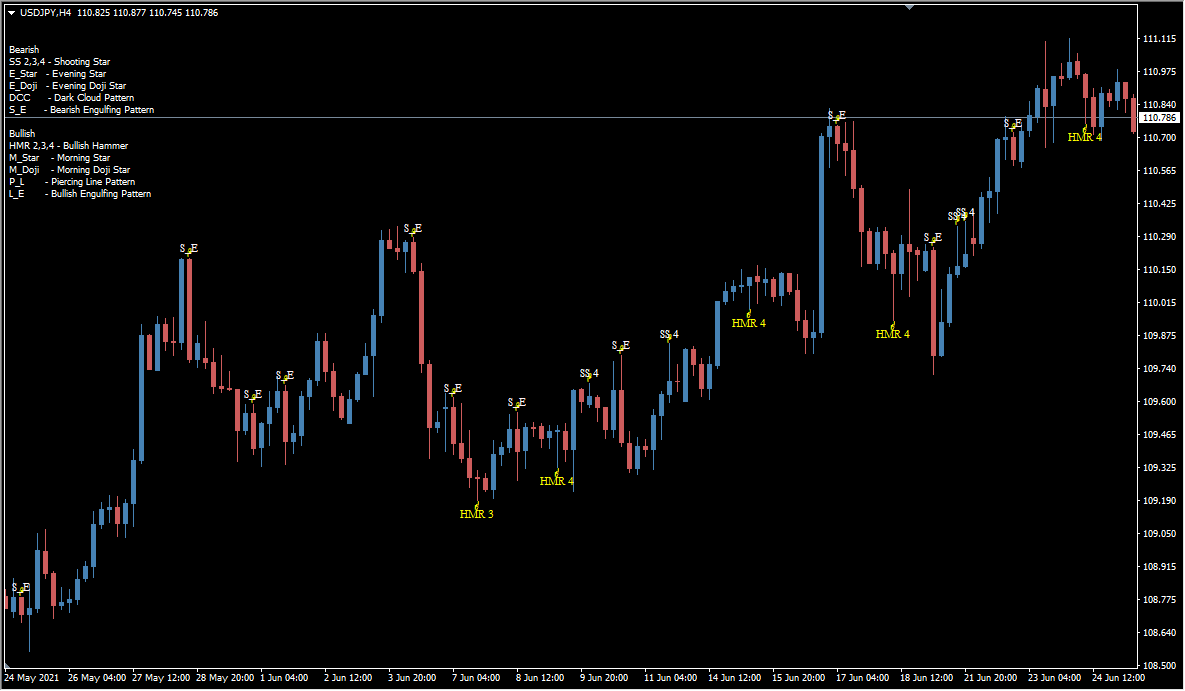
What is Pattern Recognition Master?
Pattern Recognition Master scans the chart for the candlestick patterns implemented in its MQ5 file and places arrows or labels for the selected pattern groups.
The package covers several pattern families, including shooting stars, hammers, doji, stars, dark cloud cover, piercing lines, and engulfing patterns. Each family has separate display, alert, and color inputs.
How to use Pattern Recognition Master
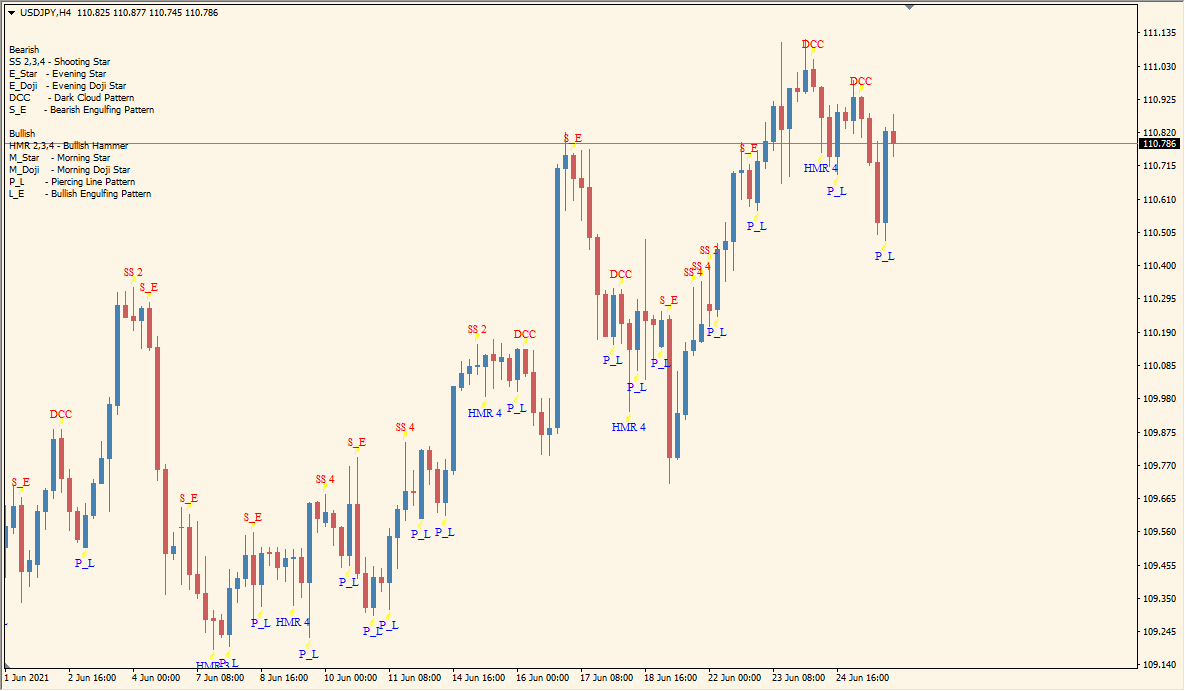
Review a displayed label with the candles around it and compare the named pattern against the chart context. The pattern display is a classification aid and does not establish a future price outcome.
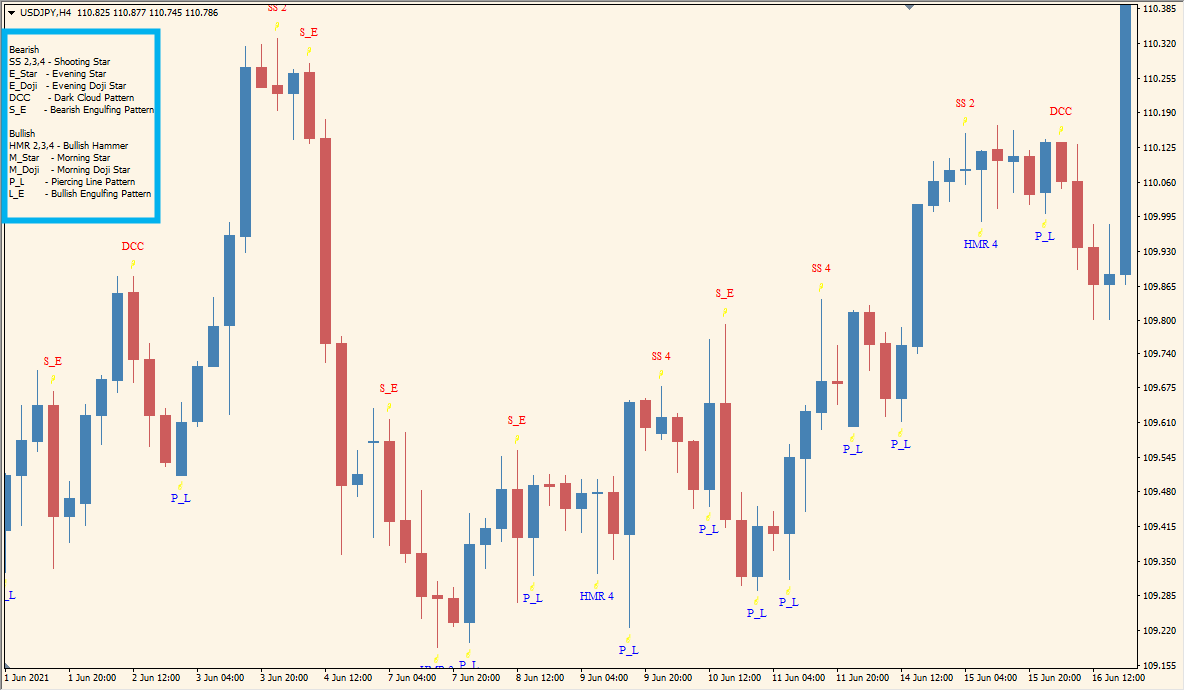
Use the Display_* inputs to control which pattern groups appear. The matching Show_*_Alert inputs control notifications, while the Color_* inputs control the visual color for each group.
Where it helps
Chart labels make the pattern names easier to review without manual annotation.
Display, alert, and color inputs are provided for the listed groups.
Pattern groups can be shown or hidden independently.
MT5 Indicator Parameters
The table below lists the available MT5 indicator parameters. You can customize these options in the MetaTrader Inputs dialog to match your trading preferences.
| Parameter | Description |
|---|---|
| Use Extra Digit | Adjusts the calculation for brokers using an extra quote digit when enabled. Default: false. |
| Show Alerts | Enables or disables the overall alert display. Default: true. |
| Display Shooting Star 2 | Shows or hides the second shooting-star pattern group. Default: true. |
| Shooting Star 2 Alerts | Enables or disables alerts for the second shooting-star group. Default: true. |
| Display Shooting Star 3 | Shows or hides the third shooting-star pattern group. Default: true. |
| Shooting Star 3 Alerts | Enables or disables alerts for the third shooting-star group. Default: true. |
| Display Shooting Star 4 | Shows or hides the fourth shooting-star pattern group. Default: true. |
| Shooting Star 4 Alerts | Enables or disables alerts for the fourth shooting-star group. Default: true. |
| Shooting Star Color | Sets the color for shooting-star labels or arrows. Default: Red. |
| Display Hammer 2 | Shows or hides the second hammer pattern group. Default: true. |
| Hammer 2 Alerts | Enables or disables alerts for the second hammer group. Default: true. |
| Display Hammer 3 | Shows or hides the third hammer pattern group. Default: true. |
| Hammer 3 Alerts | Enables or disables alerts for the third hammer group. Default: true. |
| Display Hammer 4 | Shows or hides the fourth hammer pattern group. Default: true. |
| Hammer 4 Alerts | Enables or disables alerts for the fourth hammer group. Default: true. |
| Hammer Color | Sets the color for hammer labels or arrows. Default: Blue. |
| Display Doji | Shows or hides doji pattern labels or arrows. Default: true. |
| Doji Alerts | Enables or disables alerts for doji patterns. Default: true. |
| Doji Color | Sets the color for doji labels or arrows. Default: Red. |
| Display Stars | Shows or hides star pattern labels or arrows. Default: true. |
| Star Alerts | Enables or disables alerts for star patterns. Default: true. |
| Star Body Length | Sets the body-length value used for star pattern classification. Default: 5. |
| Star Color | Sets the color for star labels or arrows. Default: Blue. |
| Display Dark Cloud Cover | Shows or hides dark cloud cover labels or arrows. Default: true. |
| Dark Cloud Cover Alerts | Enables or disables alerts for dark cloud cover patterns. Default: true. |
| Dark Cloud Cover Color | Sets the color for dark cloud cover labels or arrows. Default: Red. |
| Display Piercing Line | Shows or hides piercing line labels or arrows. Default: true. |
| Piercing Line Alerts | Enables or disables alerts for piercing line patterns. Default: true. |
| Piercing Line Color | Sets the color for piercing line labels or arrows. Default: Blue. |
| Display Bearish Engulfing | Shows or hides bearish engulfing labels or arrows. Default: true. |
| Bearish Engulfing Alerts | Enables or disables alerts for bearish engulfing patterns. Default: true. |
| Bearish Engulfing Color | Sets the color for bearish engulfing labels or arrows. Default: Red. |
| Display Bullish Engulfing | Shows or hides bullish engulfing labels or arrows. Default: false. |
| Bullish Engulfing Alerts | Enables or disables alerts for bullish engulfing patterns. Default: false. |
| Bullish Engulfing Color | Sets the color for bullish engulfing labels or arrows. Default: Blue. |
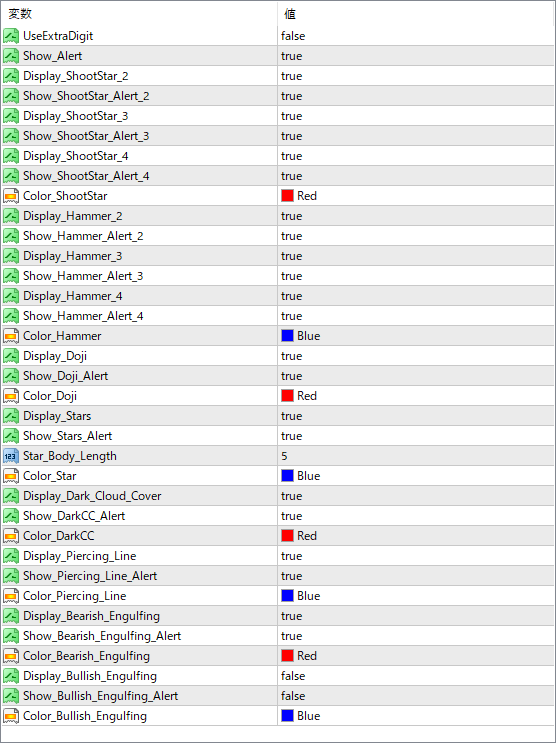
The screenshot above shows the default input parameters in the MT5 settings window.
How to Install .ex5 Indicator in MetaTrader 5
- Download the ZIP file and extract it.
- In MT5, select File → Open Data Folder.
- Open MQL5 → Indicators and copy the EX5 or MQ5 file into it.
- If the package includes library files, copy them to MQL5 → Libraries. Copy TPL files to the top-level templates folder.
- Restart MT5, find the indicator in the Navigator, and drag it onto a chart.
Test the tool on a demo account first. File contents and required folders can vary between packages.


