What is Boll_PocketV1.1 Indicator?
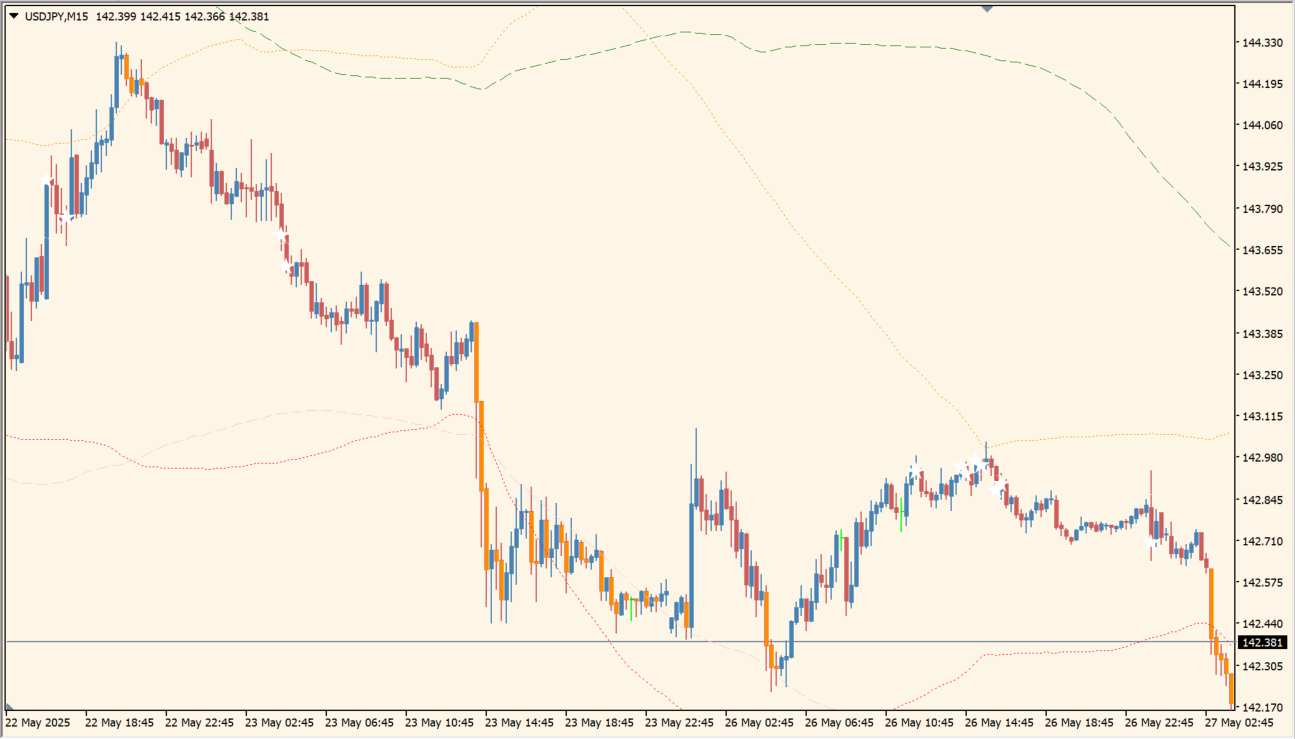
The Boll_PocketV1.1 indicator for MT4 is a modified Bollinger Bands tool that displays both long-term (200-period) and short-term (102-period) bands on the chart. When a candle breaks above or below either band’s outer edge, it changes color to visually mark the breakout. This helps traders quickly spot volatility spikes and potential trend moves.
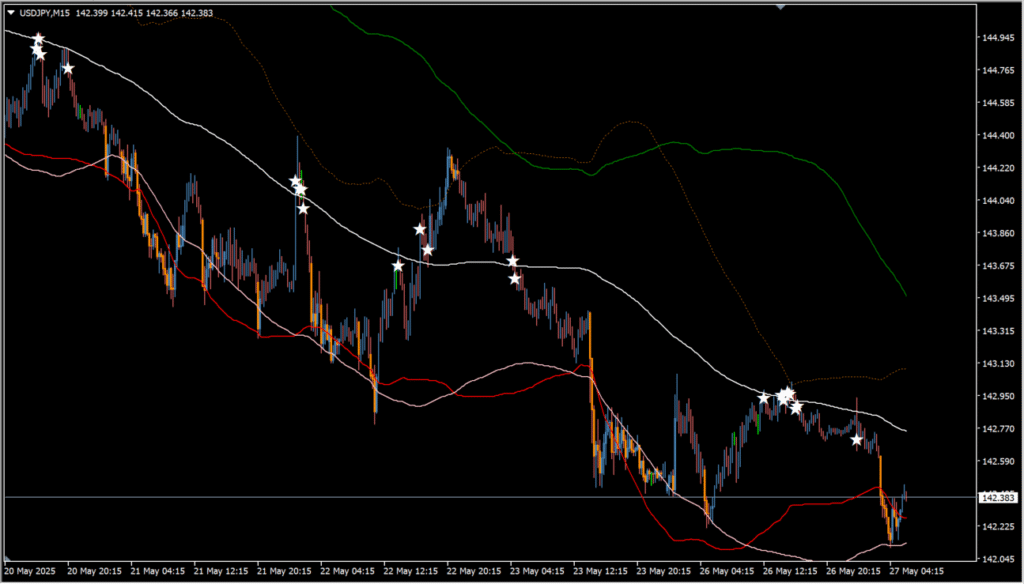
In addition, the indicator marks candles that touch the centerline of the long-term (200-period) Bollinger Band with a star icon. This makes it easier to recognize ranging market conditions where price tends to revert to the mean.
How to Use It in Practice
In live trading, Boll_PocketV1.1 can be used to:
- Identify potential breakout setups when candles push through upper or lower Bollinger bands.
- Spot ranging markets by looking for multiple stars around the centerline of the 200-period band.
- Combine short-term and long-term volatility data in one view to make better entry and exit decisions.
- Visually separate price action momentum from mean-reverting behavior using candle colors and markers.
Best Settings & MT4 Parameters for Boll\_PocketV1.1
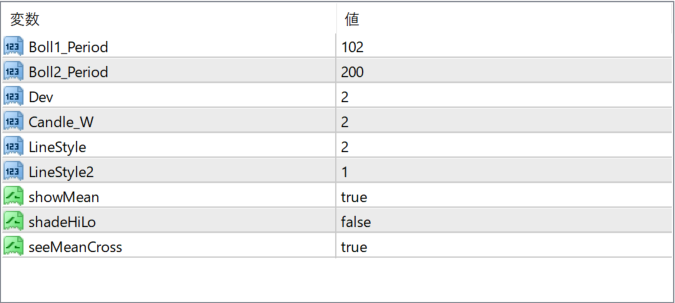
Boll1_Period
Sets the period for the short-term Bollinger Band. A shorter period responds more quickly to price changes.
Boll2_Period
Defines the period for the long-term Bollinger Band. This is used for detecting broader trends and for the centerline star marker.
Candle_W
Adjusts the width (thickness) of the candles drawn on the chart when color changes occur due to band breakouts.
LineStyle
Determines the line style used for the Bollinger Bands. Typically corresponds to solid, dashed, or dotted formats.
LineStyle2
Specifies the line style for the second (long-term) Bollinger Band independently from the short-term one.
showMean
If set to true, the indicator will show the centerline of the long-term Bollinger Band on the chart.
shadeHiLo
When enabled, it adds shaded areas between the high and low bands. Can be used for visual emphasis on volatility zones.
seeMeanCross
Enables the display of star icons when candles touch the centerline of the 200-period Bollinger Band.


