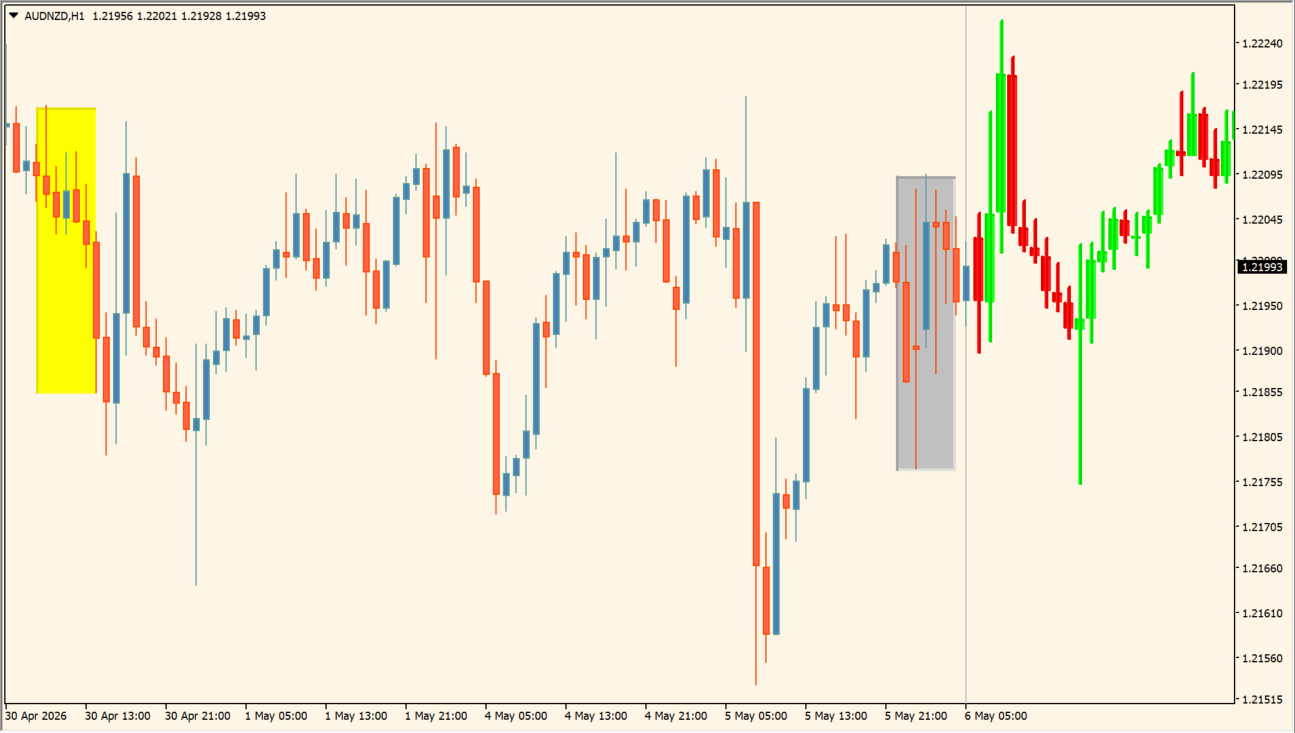
What is Price Action Color Forecast (advanced)?
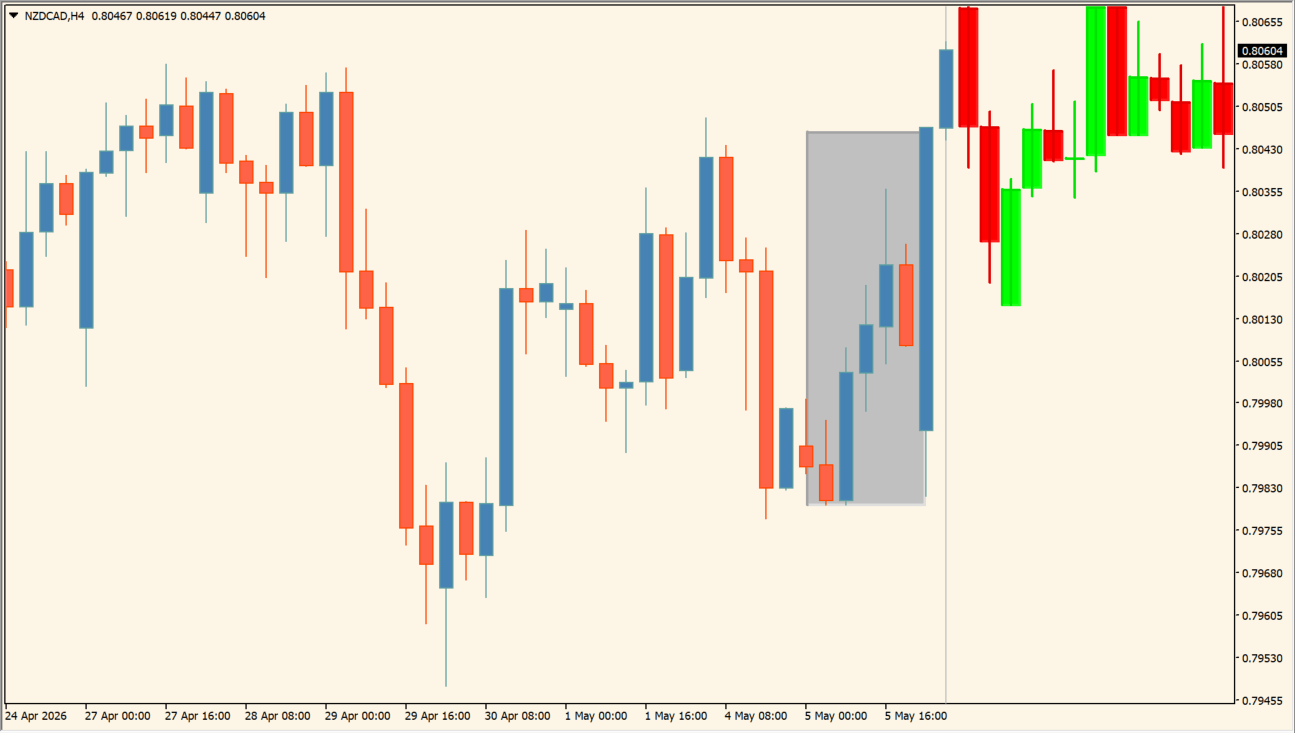
Price Action Color Forecast (advanced) searches historical candles for a pattern similar to the selected recent bars. It then draws the continuation that followed the matched historical sequence to the right of the current chart.
Yellow and gray boxes identify the compared pattern areas. The extended candles are a historical comparison output, not a prediction of future prices.
How to use Price Action Color Forecast (advanced)
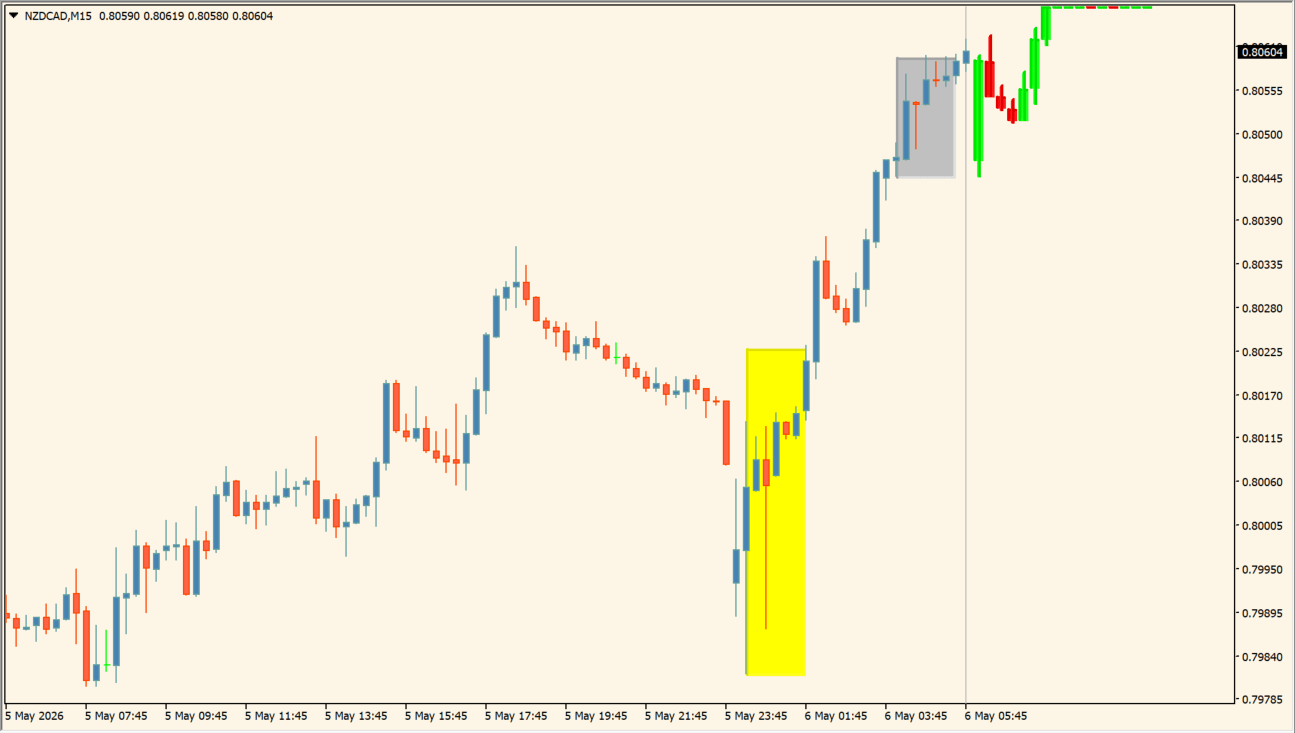
Inspect the selected pattern length and the matched historical area before comparing the drawn continuation with current price behavior. Use independent chart structure and completed candles when evaluating the comparison.
The Inputs control the number of bars used for matching and the number shown after a match, along with candle, box, divider, and chart-scale presentation settings.
Where it helps
The indicator searches previous candle sequences against the selected recent bars.
Pattern boxes distinguish the current and historical match areas.
Candle, box, divider, and chart-scale options are exposed in Inputs.
MT4 Indicator Parameters
The table below lists the available MT4 indicator parameters. You can customize these options in the MetaTrader Inputs dialog to match your trading preferences.
| Parameter | Description |
|---|---|
| How many bars for pattern? | Sets the number of recent bars used for pattern matching. Default: 7. |
| How many bars for forecast? | Sets the number of continuation bars displayed after a match. Default: 30. |
| Bullish Candle color: | Sets the color used for upward displayed candles. Default: Lime. |
| Bearish Candle color: | Sets the color used for downward displayed candles. Default: Red. |
| Doji Candle color: | Sets the color used for doji displayed candles. Default: Silver. |
| Show pattern boxes? | Shows or hides the compared pattern boxes. Default: true. |
| First pattern box color: | Sets the color of the first pattern box. Default: Silver. |
| Historical match pattern box color: | Sets the color of the historical-match pattern box. Default: Yellow. |
| Auto scale chart to forecast candles? | Automatically scales the chart to include displayed continuation candles. Default: true. |
| Show divider line? | Shows or hides the divider line. Default: true. |
| Divider color: | Sets the divider-line color. Default: Silver. |
| Divider style: | Sets the divider-line style. Default: Dash. |
| Divider width: | Sets the divider-line width. Default: 1. |
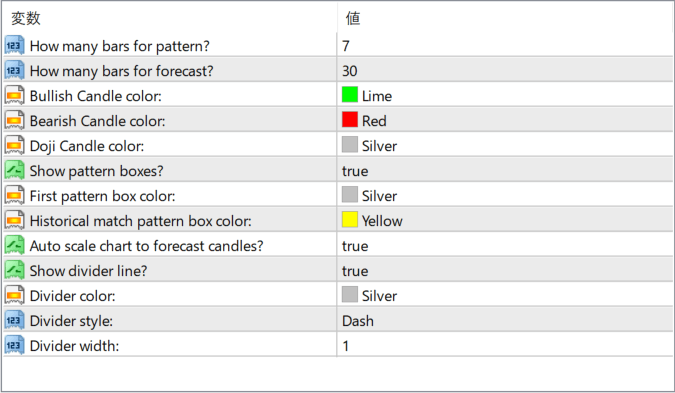
The screenshot above shows the default input parameters in the MT4 settings window.
How to Install .ex4 Indicator in MetaTrader 4
- Download the ZIP file and extract it.
- In MT4, select File → Open Data Folder.
- Open MQL4 → Indicators and copy the EX4 or MQ4 file into it.
- If the package includes library files, copy them to MQL4 → Libraries. Copy TPL files to the top-level templates folder.
- Restart MT4, find the indicator in the Navigator, and drag it onto a chart.
Test the tool on a demo account first. File contents and required folders can vary between packages.


