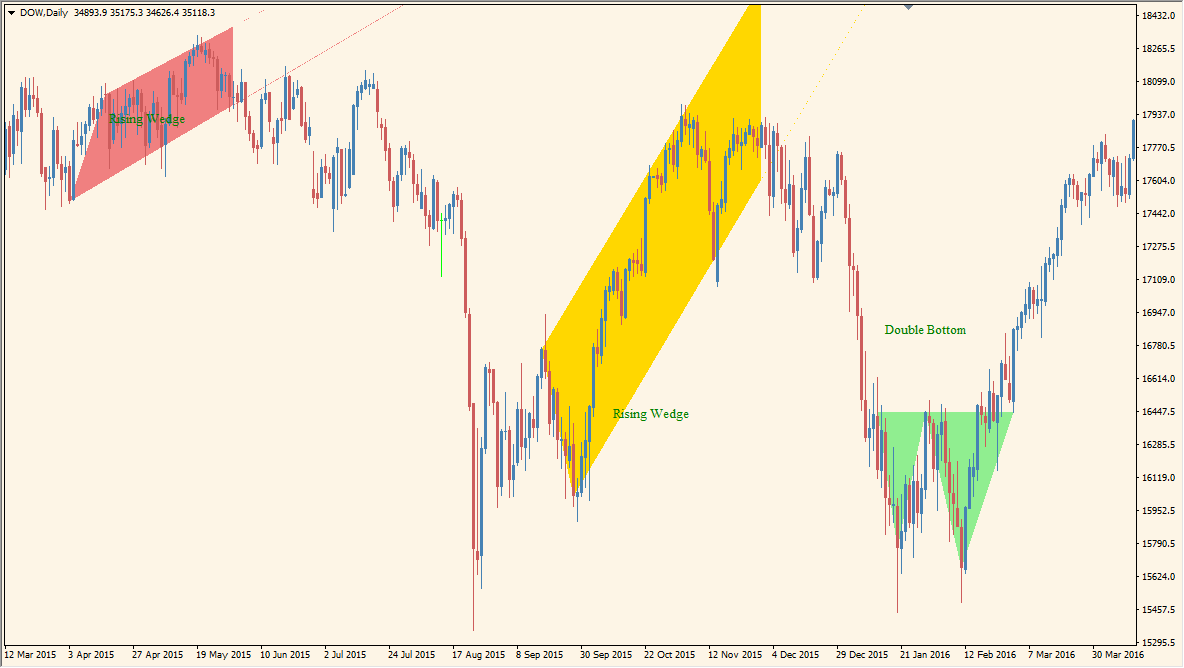
What is price-patterns?
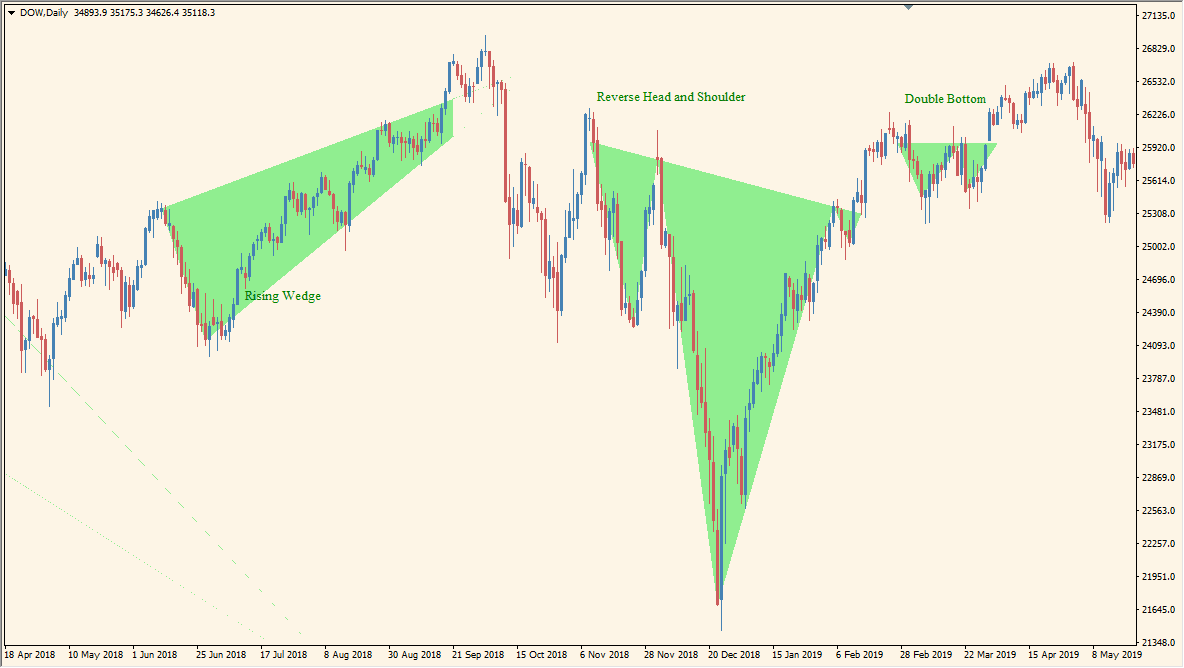
price-patterns scans displayed swing highs and lows for formations such as head and shoulders, double and triple tops or bottoms, triangles, and rising or falling wedges.
Green, red, and neutral colors organize the displayed pattern categories. The drawings are candidate annotations for chart review and do not determine what price will do after a formation appears.
How to use price-patterns
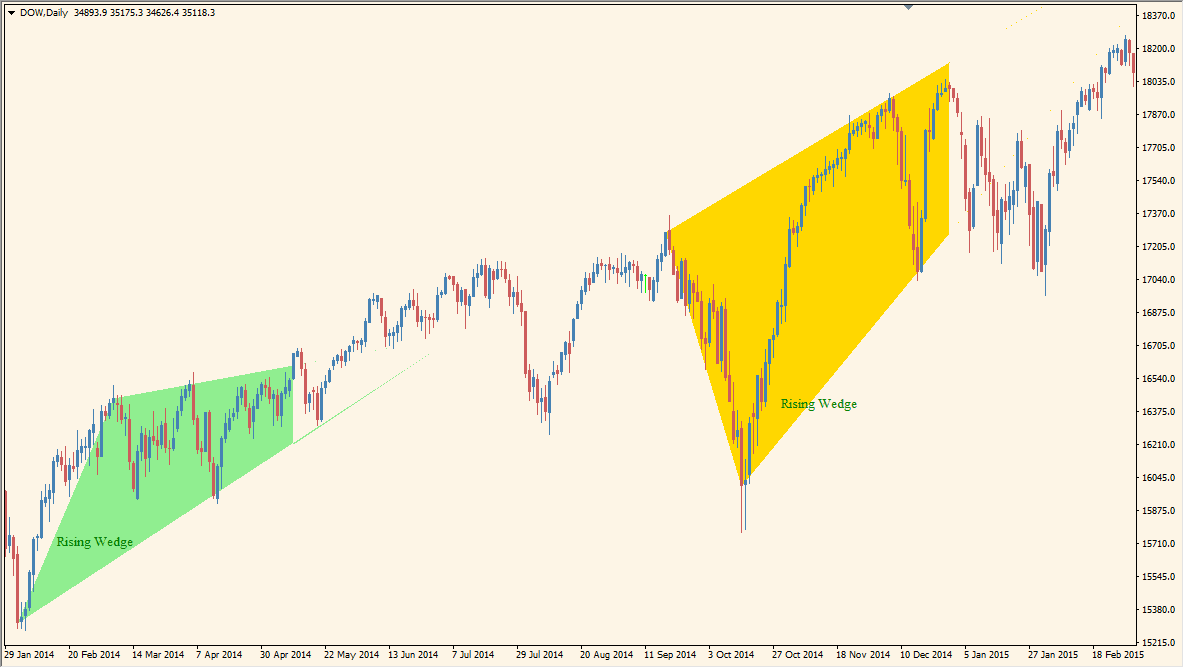
Inspect the color-coded chart formations, then check their swing structure and neckline context on the price chart:
- Use the labels to distinguish bullish, bearish, and neutral pattern categories shown by the indicator.
- Review the displayed double tops, double bottoms, head-and-shoulders, triangles, and wedges against the underlying highs and lows.
- For a neutral formation, keep the surrounding structure in view instead of assigning direction from the label alone.
- Avoid forcing a pattern onto a small or unclear swing; overly broad detection can make the chart harder to read.
More detected patterns do not mean better analysis
Chart patterns invite selective vision: once you want a reversal, almost any range can begin to look like a double top. The indicator is useful because it gives you a mechanical second opinion, but it can also produce too much noise when the swing settings are too sensitive. Increase the scale until the patterns are large enough to review calmly.
Where it helps
Common formations can be reviewed without manual marking, color categories separate the displayed pattern states, and swing or visibility settings help control chart density.
MT4 Indicator Parameters
The table below lists the available MT4 indicator parameters. You can customize these options in the MetaTrader Inputs dialog to match your trading preferences.
| Parameter | Description |
|---|---|
| General Settings Section | Labels the main detection-input section. |
| Price Proximity Percent | Sets how close pattern points must be in percentage terms. Default: 10.0. |
| Fill Patterns with Color | Fills detected formations with directional color. Default: true. |
| Show Head and Shoulders | Enables head-and-shoulders detection. Default: true. |
| Show Reverse Head and Shoulders | Enables reverse head-and-shoulders detection. Default: true. |
| Show Double Top | Enables double-top detection. Default: true. |
| Show Double Bottom | Enables double-bottom detection. Default: true. |
| Show Triple Top | Enables triple-top detection. Default: true. |
| Show Triple Bottom | Enables triple-bottom detection. Default: true. |
| Show Triangle | Enables triangle detection. Default: true. |
| Show Rising Wedge | Enables rising-wedge detection. Default: true. |
| Show Falling Wedge | Enables falling-wedge detection. Default: true. |
| Maximum Search Bars | Limits how far back the pattern search runs. Default: 10000. |
| Show Swing Lines | Shows the underlying detected swing structure. Default: false. |
| Swing Depth | Sets the swing-search depth used by pattern detection. Default: 7. |
| Swing Deviation | Sets the minimum price deviation used to form a swing. Default: 5. |
| Swing Backstep | Sets the minimum bar separation between swing points. Default: 3. |
| Display Settings Section | Labels the display-style input section. |
| Bullish Pattern Color | Sets the bullish-pattern color. Default: LightGreen. |
| Bearish Pattern Color | Sets the bearish-pattern color. Default: LightCoral. |
| Forming Pattern Color | Sets the color of neutral or still-forming patterns. Default: Gold. |
| Pattern Line Width | Sets the completed-pattern line width. Default: 3. |
| Forming Pattern Line Width | Sets the forming-pattern line width. Default: 1. |
| Line Style | Sets the pattern line style. Default: Solid. |
| Label Font Size | Sets the pattern-label font size. Default: 10. |
| Label Color | Sets the pattern-label text color. Default: Green. |
| Alert Settings Section | Labels the alert input section. |
| Alert Title | Sets the title used in alert messages. Default: PricePattern-Signal. |
| Popup Alerts | Turns MT4 popup alerts on or off. Default: false. |
| Email Alerts | Turns email alerts on or off. Default: false. |
| Push Alerts | Turns mobile push alerts on or off. Default: false. |
| Sound Alerts | Turns sound alerts on or off. Default: false. |
| Alert Sound File | Sets the WAV file played for sound alerts. Default: alert.wav. |
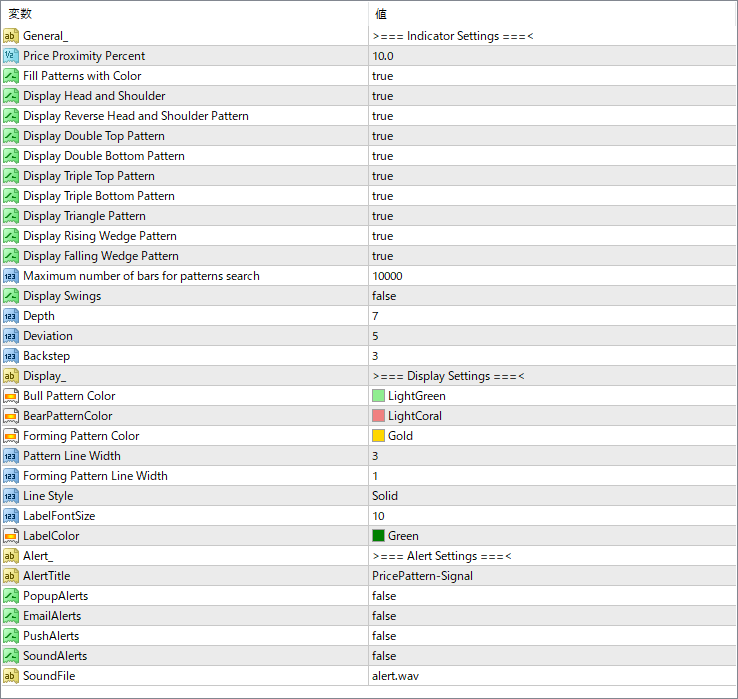
The screenshot above shows the default input parameters in the MT4 settings window.
How to Install .ex4 Indicator in MetaTrader 4
- Download the ZIP file and extract it.
- In MT4, select File → Open Data Folder.
- Open MQL4 → Indicators and copy the EX4 or MQ4 file into it.
- If the package includes library files, copy them to MQL4 → Libraries. Copy TPL files to the top-level templates folder.
- Restart MT4, find the indicator in the Navigator, and drag it onto a chart.
Test the tool on a demo account first. File contents and required folders can vary between packages.


