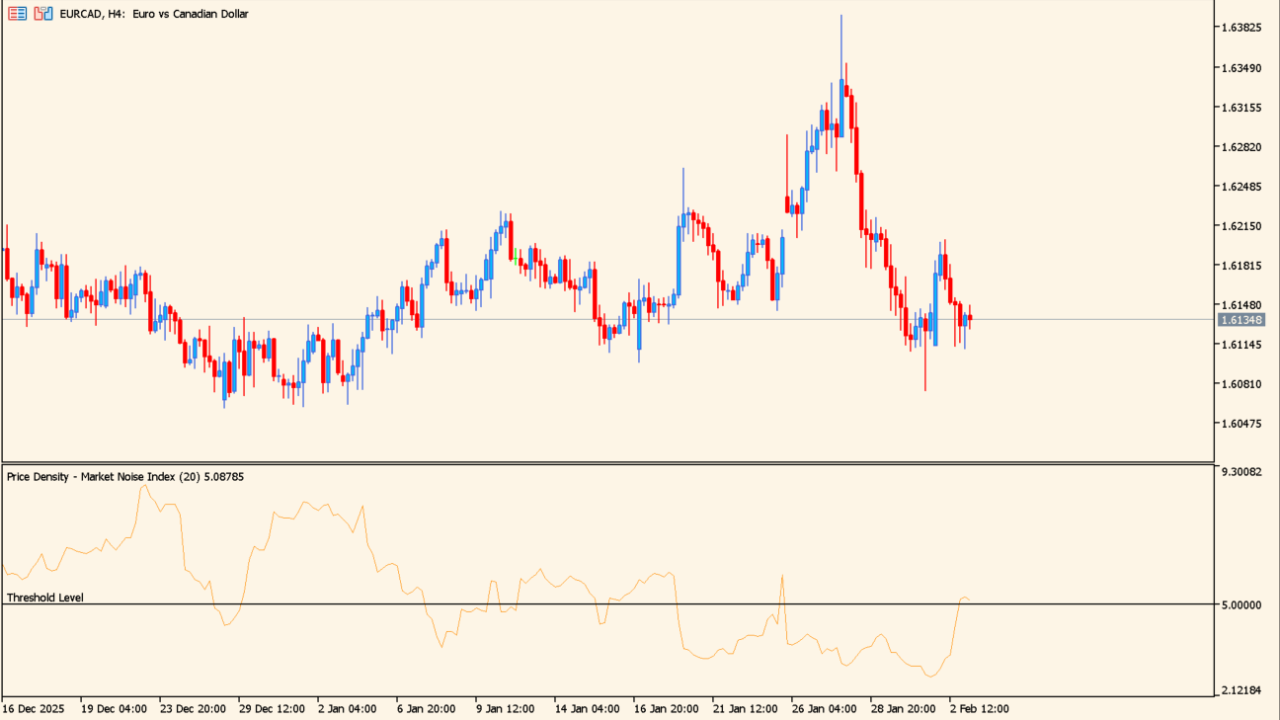
What is PriceDensity?
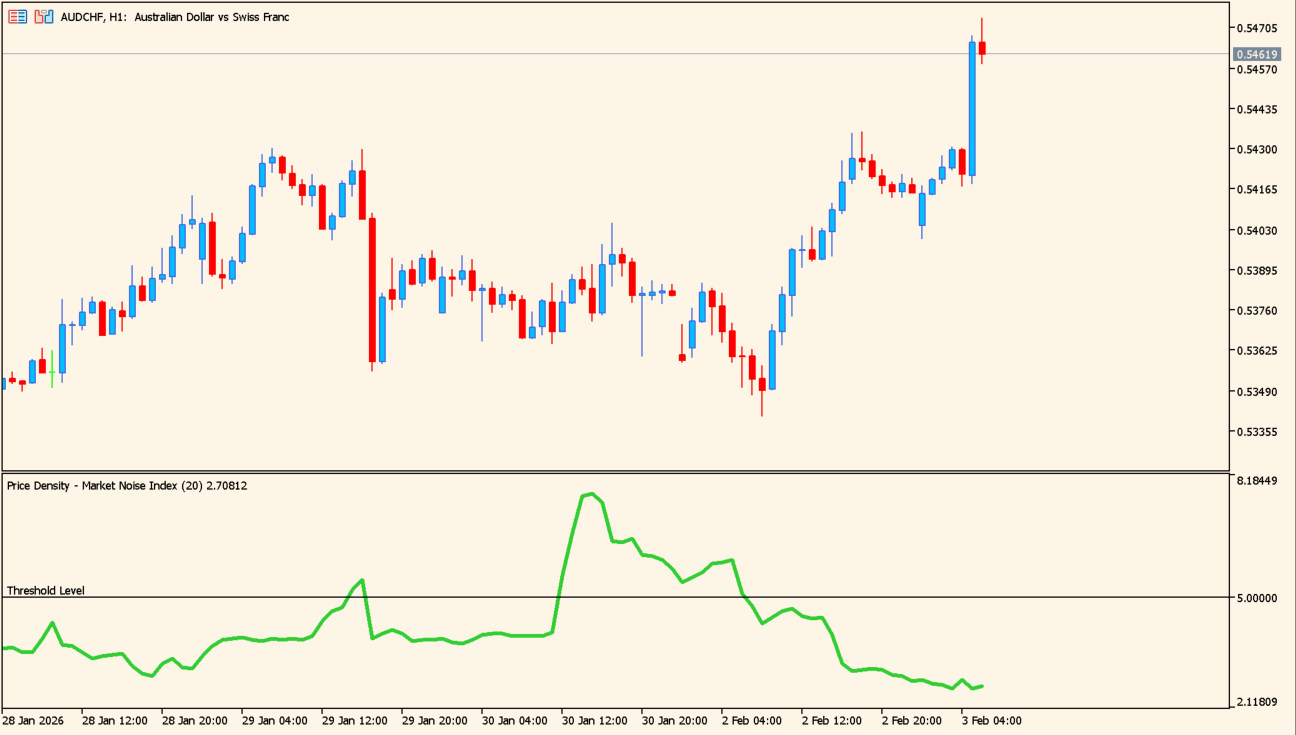
The higher the green line, the rougher the market; lower means steadier.
PriceDensity measures how much noise there is in price movement and turns it into a figure. It analyses movement over a set period and plots the disorder in it as a noise reading.
The higher the line sits, the more unsettled the movement; a lower reading points to steadier movement.
How to use PriceDensity
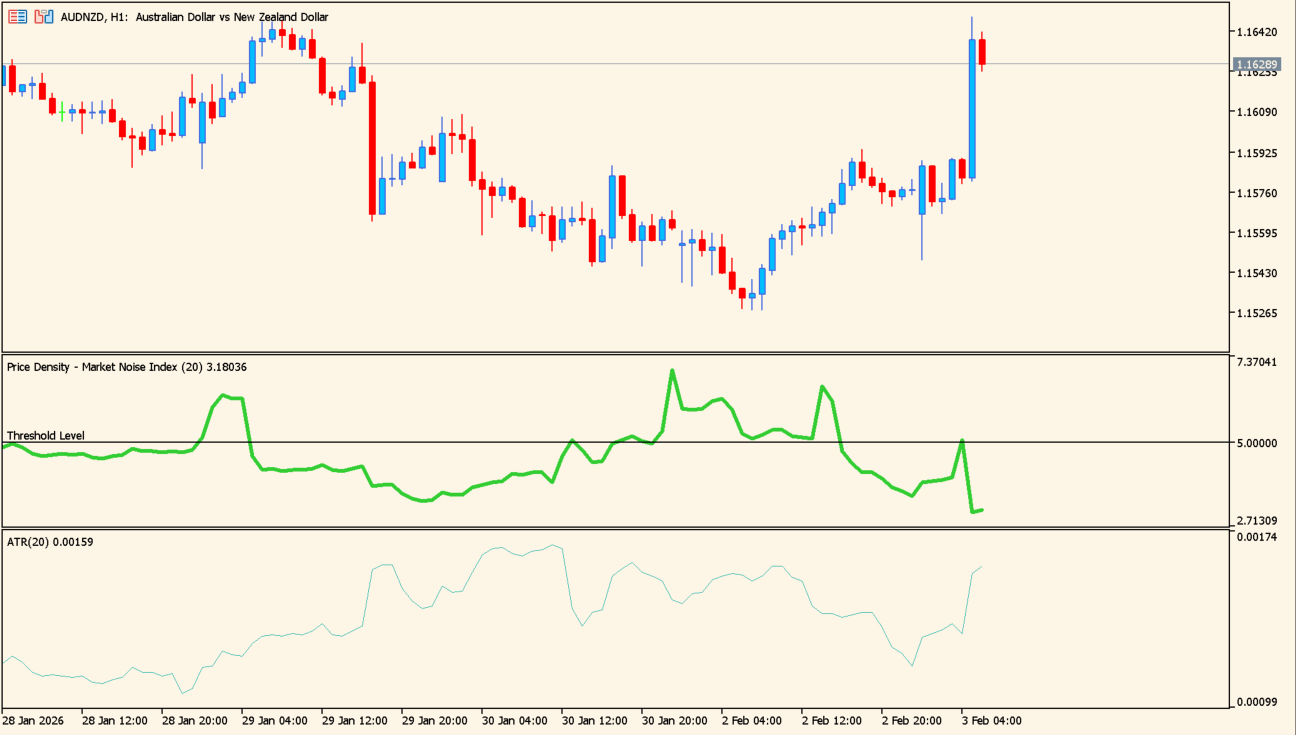
ATR is shown below for comparison; the two do not move alike.
Read the line against the threshold. A reading below the threshold marks steadier movement, and a reading well above it marks more unsettled movement.
The reading describes the disorder in the movement rather than its size, so it does not track what ATR shows. It is meant to be read alongside other tools.
Where it helps
The reading shows whether the current movement is steady or unsettled without reading the candles one by one.
A low reading points to cleaner movement and a high one to disorder.
This measures the disorder in the movement rather than its size, so it does not simply track what ATR already tells you.
MT5 Indicator Parameters
The table below lists the available MT5 indicator parameters. You can customize these options in the MetaTrader Inputs dialog to match your trading preferences.
| Parameter | Description |
|---|---|
| Indicator Periods | Sets the period used for the noise calculation. |
| Price Density Noise Threshold Level | Sets the noise threshold level. |
| Threshold Level Color | Sets the threshold-line color. |
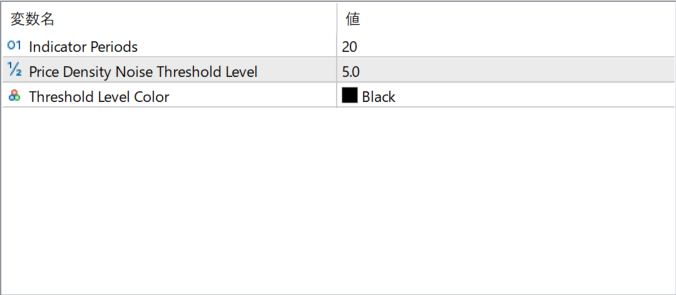
The screenshot above shows the default input parameters in the MT5 settings window.
How to Install .ex5 Indicator in MetaTrader 5
- Download the ZIP file and extract it.
- In MT5, select File → Open Data Folder.
- Open MQL5 → Indicators and copy the EX5 or MQ5 file into it.
- If the package includes library files, copy them to MQL5 → Libraries. Copy TPL files to the top-level templates folder.
- Restart MT5, find the indicator in the Navigator, and drag it onto a chart.
Test the tool on a demo account first. File contents and required folders can vary between packages.


