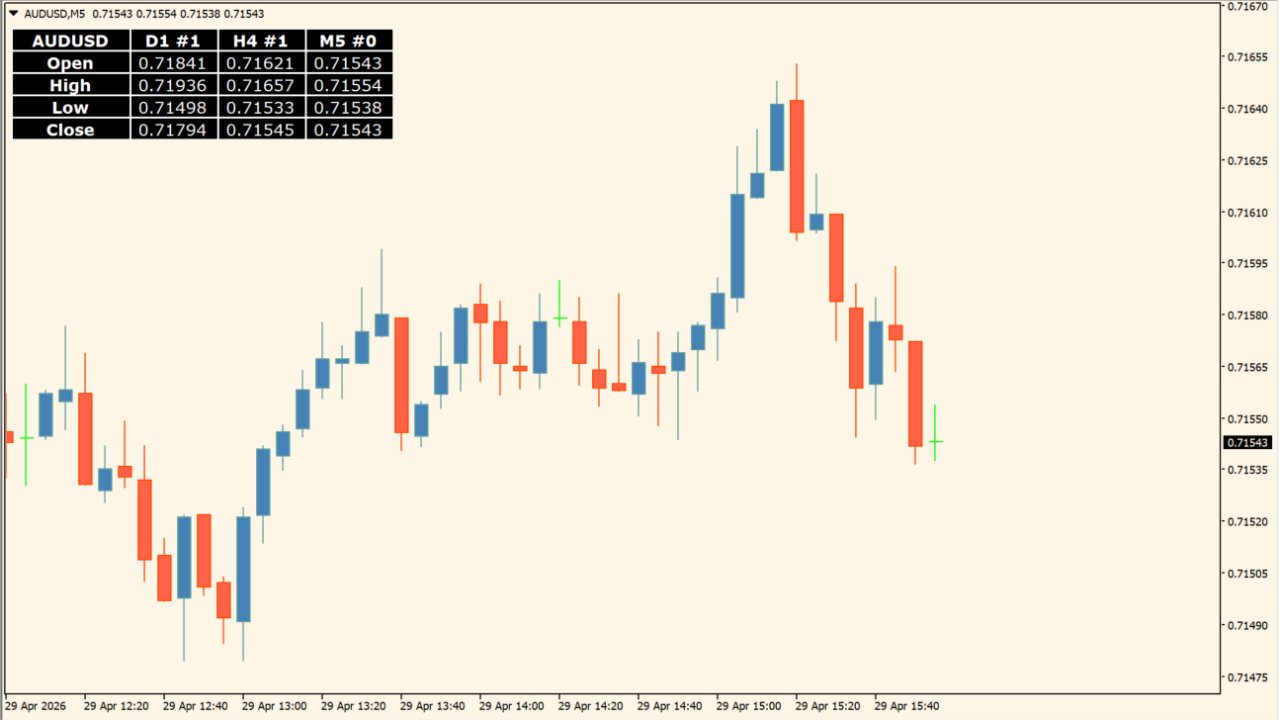
What is Prices_Panel_v1.2?
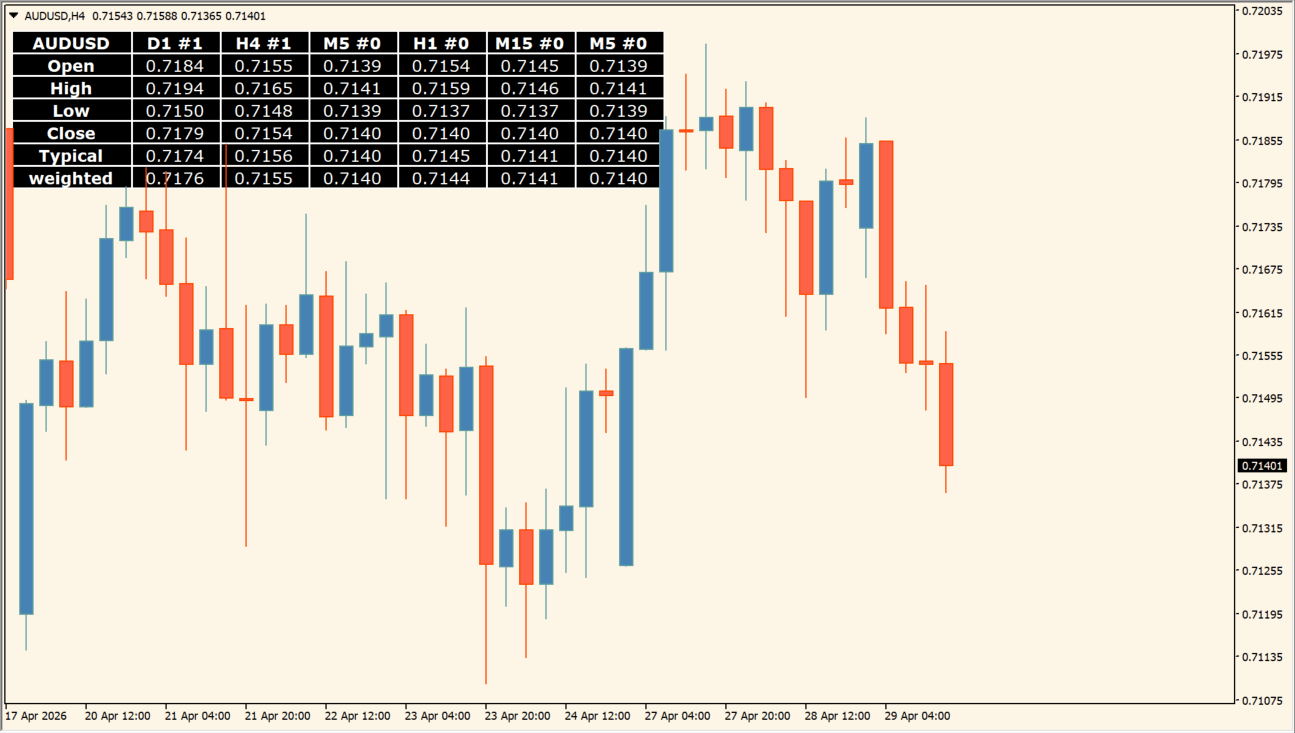
Prices_Panel_v1.2 shows selected price fields in a chart panel. The Inputs dialog groups the symbol, the price fields to show, and the timeframe/candle/color rows used by the panel.
This is a compact way to compare configured OHLC values without manually moving across multiple charts. The panel reports the values selected by its settings; it does not forecast a subsequent candle.
How to use Prices_Panel_v1.2
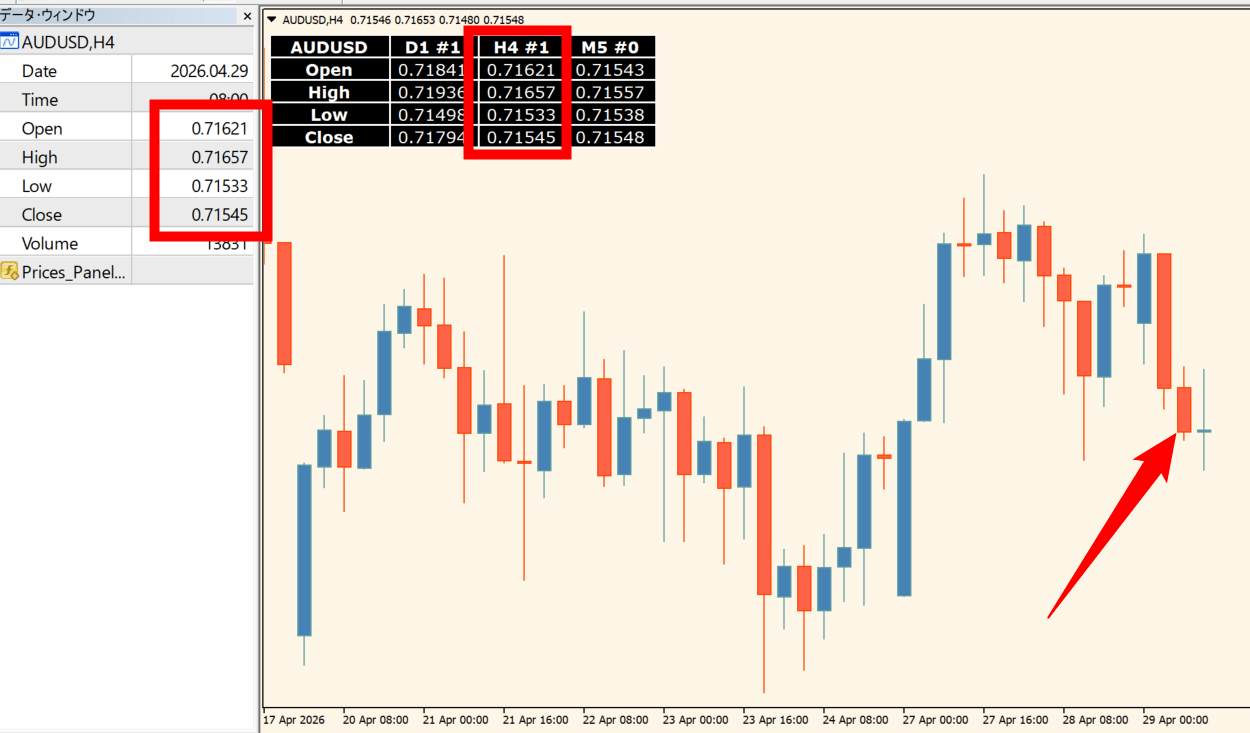
Select the symbol and the Open, High, Low, or Close items to display, then assign timeframes and candle numbers to the rows. A candle value of zero uses the current candle.
Use the optional final-digit setting and colors to make the panel readable on the active chart. Additional rows can be set to Skip when they are not needed.
Where it helps
Rows can reference different timeframes in one panel.
Each displayed item can be Open, High, Low, Close, or Skip.
Each timeframe row includes a color setting.
MT4 Indicator Parameters
The table below lists the available MT4 indicator parameters. You can customize these options in the MetaTrader Inputs dialog to match your trading preferences.
| Parameter | Description |
|---|---|
| Symbol (present in market watch, empty =...) | Sets the symbol shown by the panel. |
| Prices | Price-fields section label. |
| __ leaveout last point digit | Controls whether the final decimal digit is omitted. Default: false. |
| __ 1 | Selects the price field for this row. Default: Open. |
| __ 2 | Selects the price field for this row. Default: High. |
| __ 3 | Selects the price field for this row. Default: Low. |
| __ 4 | Selects the price field for this row. Default: Close. |
| __ 5 | Selects the price field for this row. Default: Skip. |
| __ 6 | Selects the price field for this row. Default: Skip. |
| __ 7 | Selects the price field for this row. Default: Skip. |
| TFs, candles (0=current), colors | Timeframe, candle, and color section label. |
| __ 1 TF | Sets the first timeframe. Default: Day. |
| ___ candle | Sets the candle number for the first timeframe. Default: 1. |
| ____ color | Sets the first row color. Default: DodgerBlue. |
| __ 2 TF | Sets the second timeframe. Default: H4. |
| ___ candle | Sets the candle number for the second timeframe. Default: 1. |
| ____ color | Sets the second row color. Default: Magenta. |
| __ 3 TF | Sets the third timeframe. Default: M5. |
| ___ candle | Sets the candle number for the third timeframe. Default: 0. |
| ____ color | Sets the third row color. Default: Gold. |
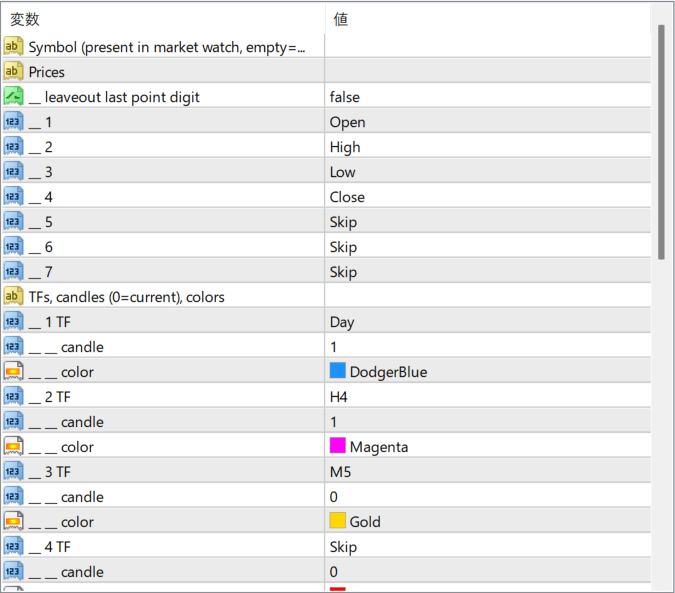
The screenshot above shows the default input parameters in the MT4 settings window.
How to Install .ex4 Indicator in MetaTrader 4
- Download the ZIP file and extract it.
- In MT4, select File → Open Data Folder.
- Open MQL4 → Indicators and copy the EX4 or MQ4 file into it.
- If the package includes library files, copy them to MQL4 → Libraries. Copy TPL files to the top-level templates folder.
- Restart MT4, find the indicator in the Navigator, and drag it onto a chart.
Test the tool on a demo account first. File contents and required folders can vary between packages.


