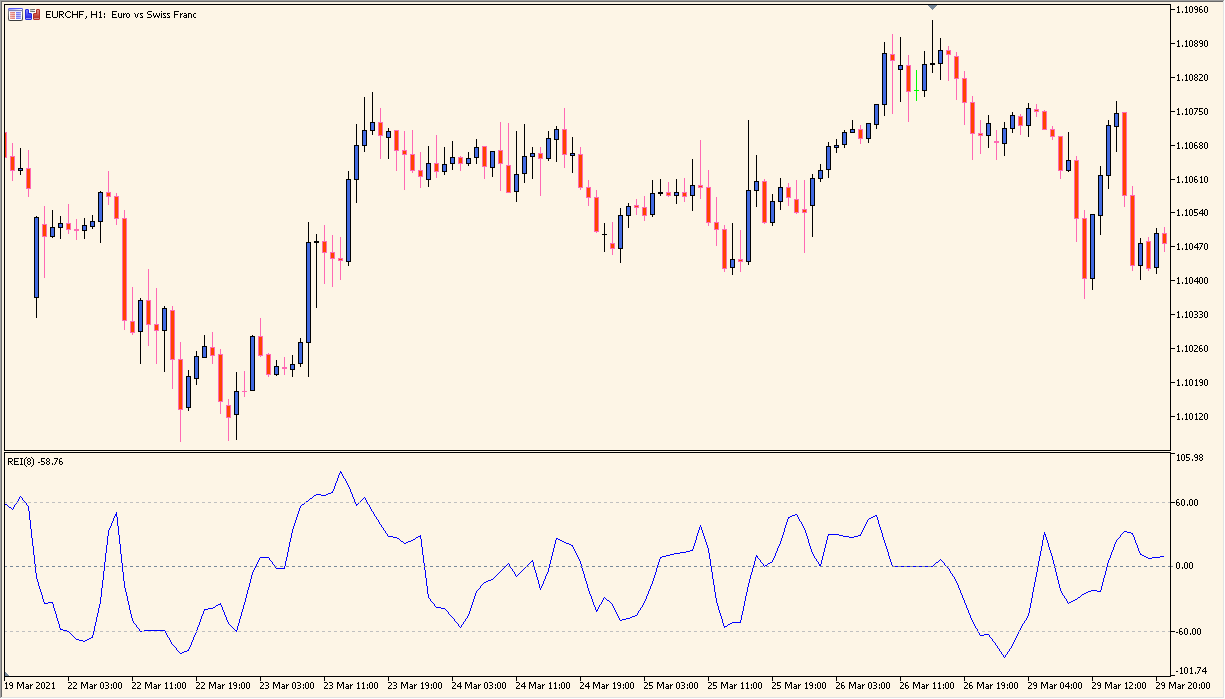
What is Range Expansion Index?
Range Expansion Index (REI) is an oscillator attributed to Tom DeMark. It measures the pace of price change and displays the result in a separate sub-chart.
The implementation includes horizontal reference levels at 60 and -60. The indicator value is calculated from the indicator rather than from a user-entered upper or lower range.
How to use Range Expansion Index
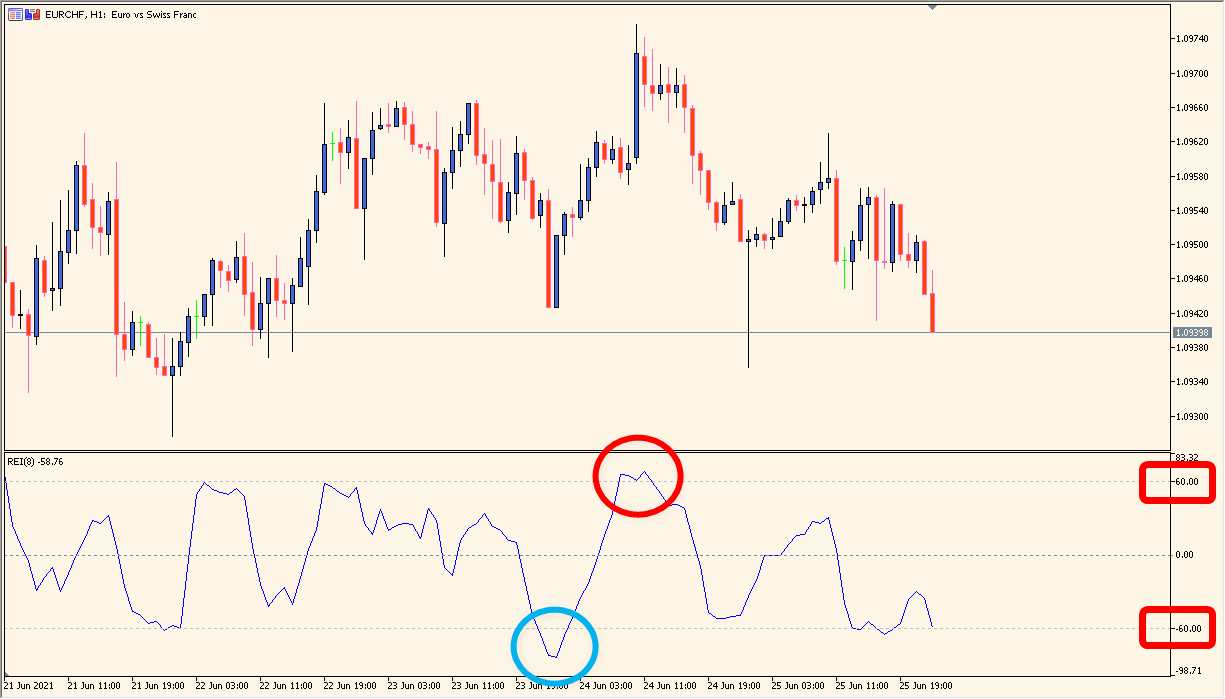
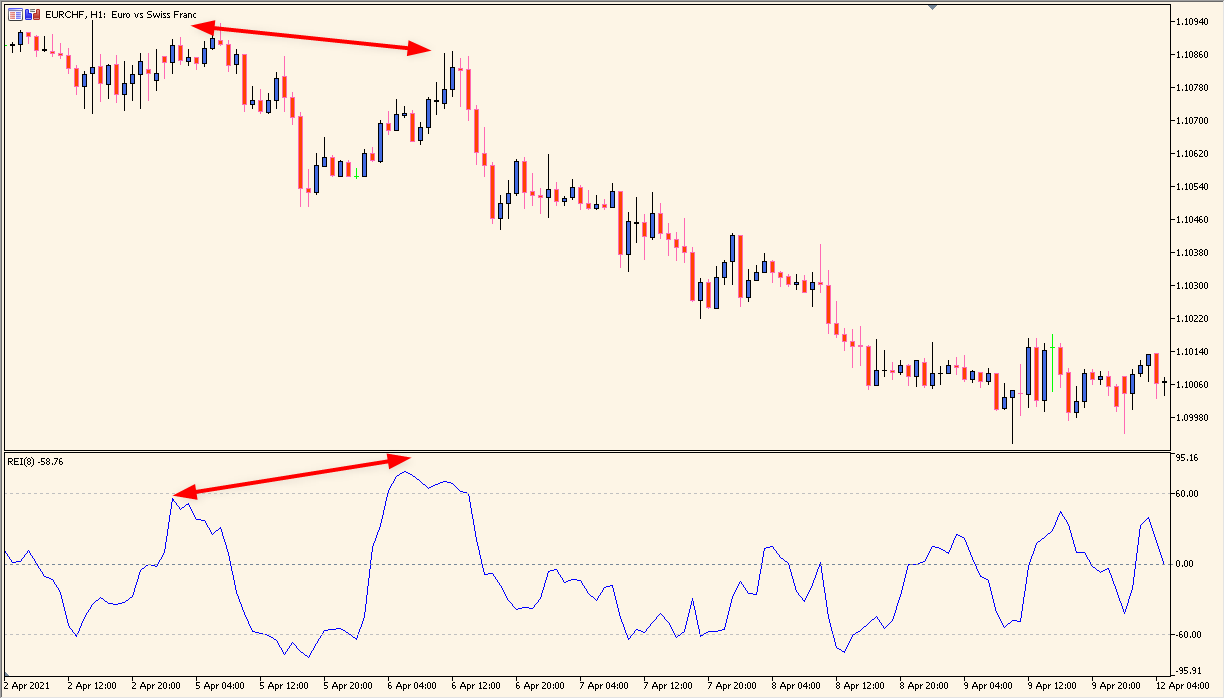
Compare the REI line with the 60, 0, and -60 reference areas while reviewing the corresponding price chart. Divergence and level interaction can be recorded as chart observations without treating them as a standalone forecast.
REI_Period controls the calculation window. The default is 8, and changing it alters the amount of historical movement included in the oscillator calculation.
Where it helps
The oscillator is displayed independently from the main price chart.
The indicator defines 60 and -60 as fixed chart levels.
REI_Period exposes the calculation window without adding unverified settings.
MT4 Indicator Parameters
The table below lists the available MT4 indicator parameters. You can customize these options in the MetaTrader Inputs dialog to match your trading preferences.
| Parameter | Description |
|---|---|
| REI Period | Sets the calculation period for the Range Expansion Index. Default: 8. |
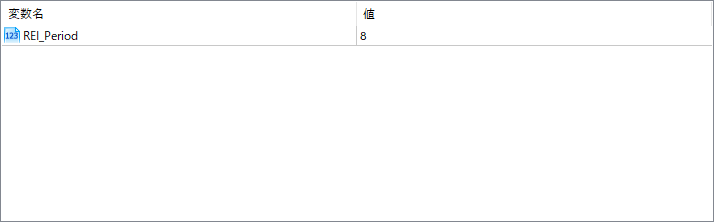
The screenshot above shows the default input parameters in the MT4 settings window.
How to Install .ex4 Indicator in MetaTrader 4
- Download the ZIP file and extract it.
- In MT4, select File → Open Data Folder.
- Open MQL4 → Indicators and copy the EX4 or MQ4 file into it.
- If the package includes library files, copy them to MQL4 → Libraries. Copy TPL files to the top-level templates folder.
- Restart MT4, find the indicator in the Navigator, and drag it onto a chart.
Test the tool on a demo account first. File contents and required folders can vary between packages.


