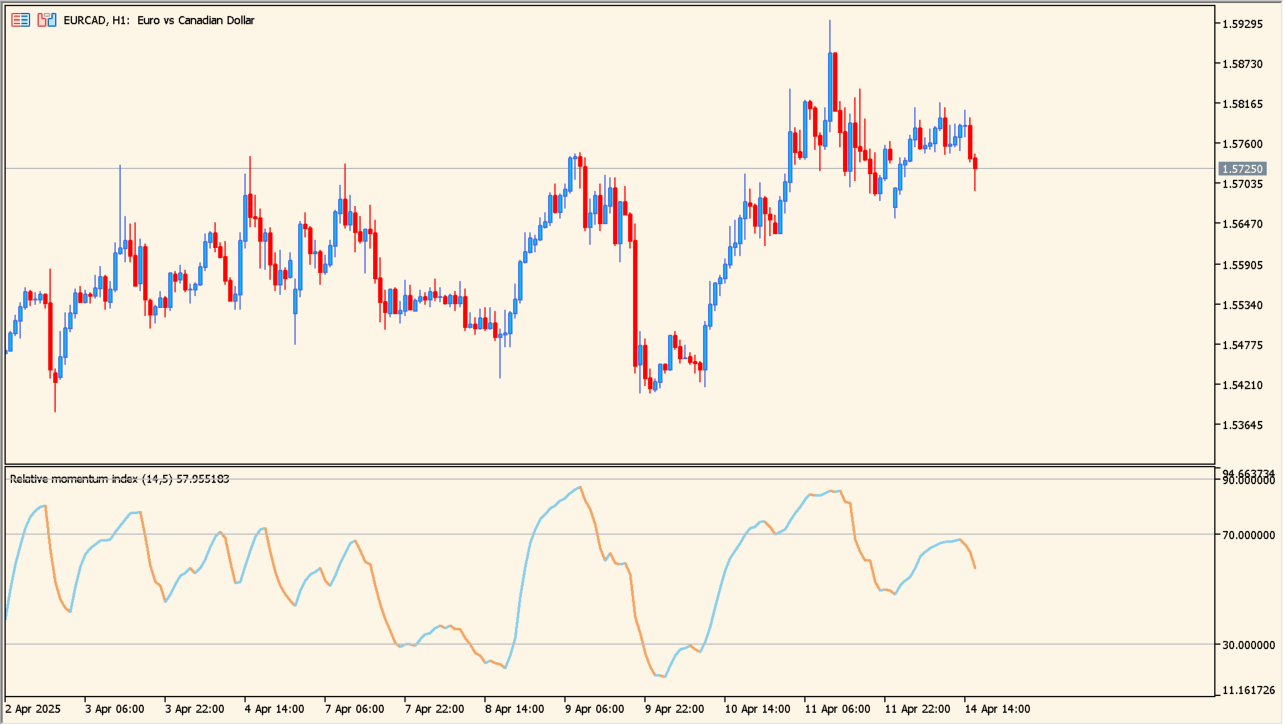
What is relative-momentum-index-indicator?
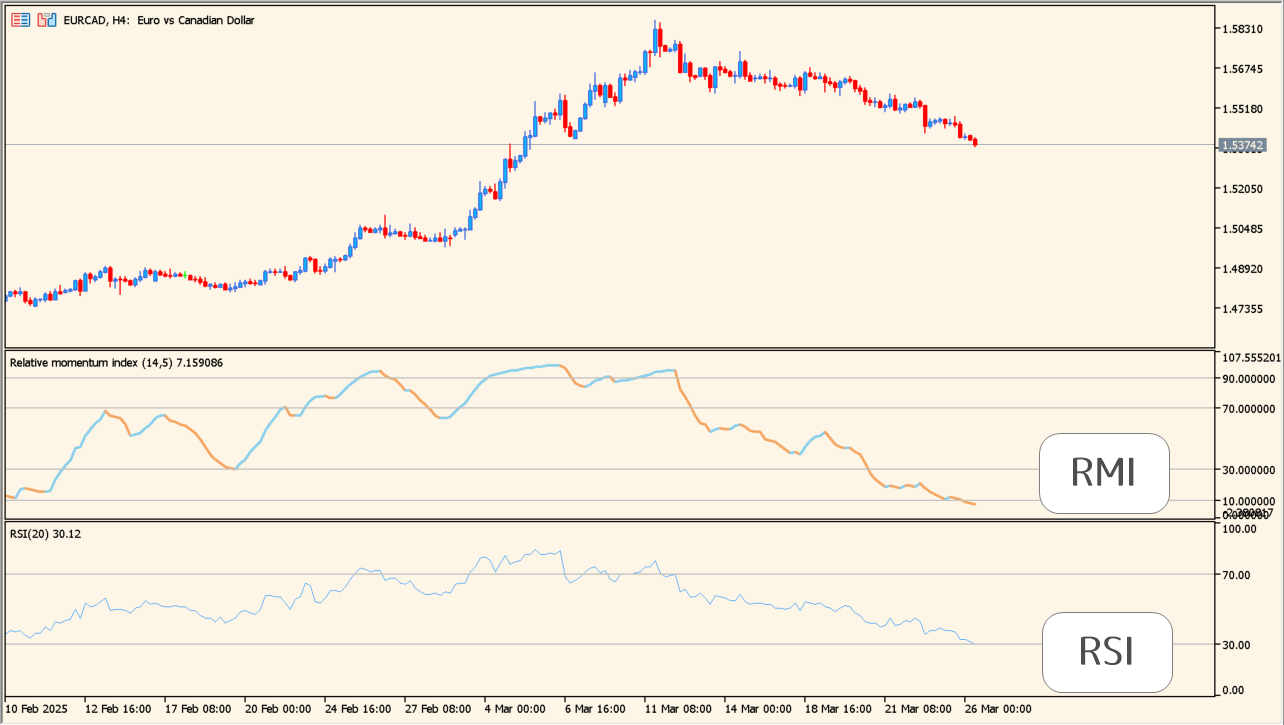
Relative Momentum Index uses the direction of price change over a selected momentum period rather than only a one-period change. This gives the oscillator a way to describe momentum strength and persistence alongside RSI-like levels.
30 and 70 serve as example reversal areas, and a longer period smooths the display while a shorter period reacts more quickly. Price selection also changes the behavior slightly.
How to use relative-momentum-index-indicator
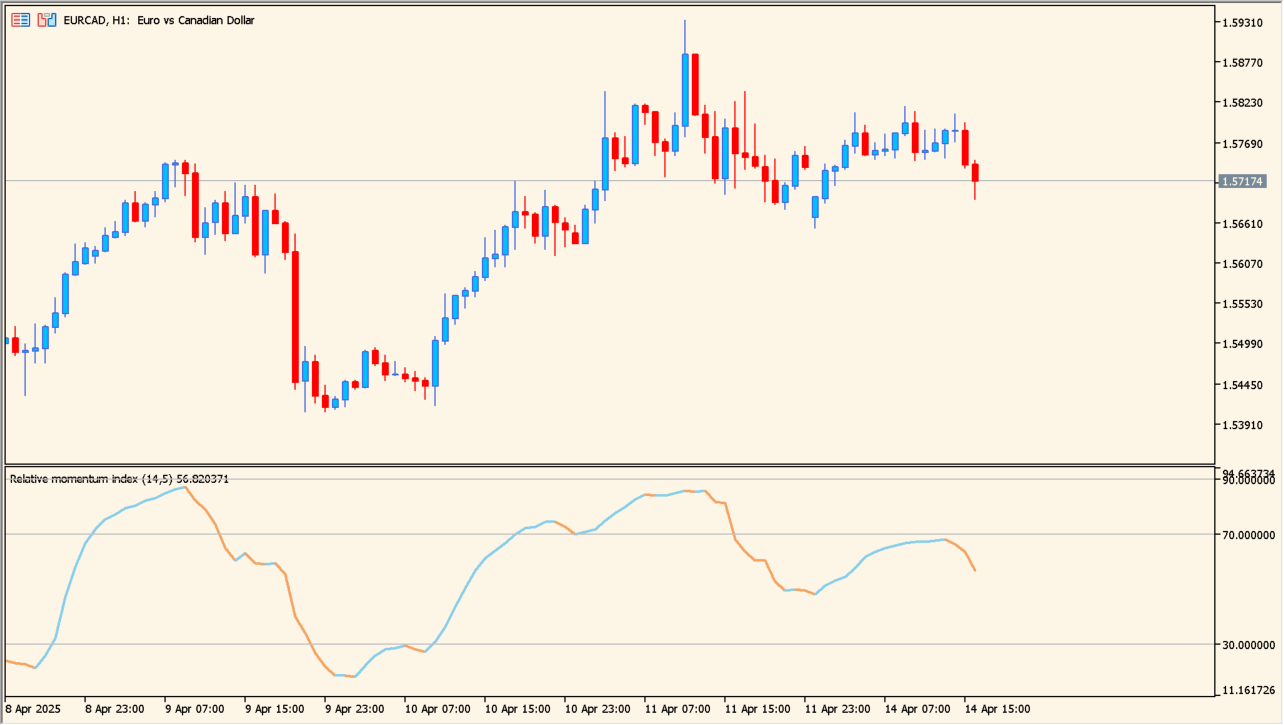
Apply relative-momentum-index-indicator to an MT5 chart and compare the RMI reading with the 30 and 70 reference areas.
Tune Relative momentum index period for smoothness, Momentum period for the comparison distance, and Price for the source price used in the calculation.
Where it helps
Looks several bars back to assess directional price change.
Keeps familiar overbought and oversold reference areas while emphasizing momentum.
Period and price inputs allow the display to be matched to the chart context.
MT5 Indicator Parameters
The table below lists the available MT5 indicator parameters. You can customize these options in the MetaTrader Inputs dialog to match your trading preferences.
| Parameter | Description |
|---|---|
| inpRmiPeriod | Sets this calculation or display option. Default: 14. |
| inpMomPeriod | Sets this calculation or display option. Default: 5. |
| inpPrice | Sets this calculation or display option. Default: PRICE_CLOSE. |
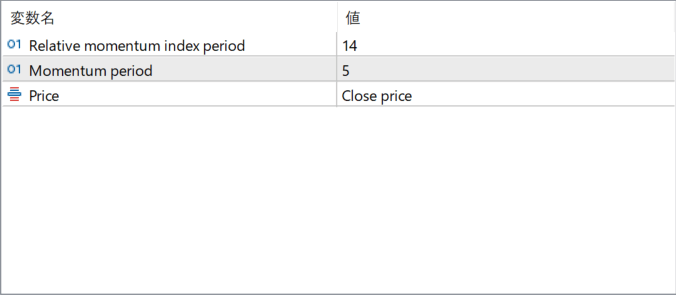
The screenshot above shows the default input parameters in the MT5 settings window.
How to Install .ex5 Indicator in MetaTrader 5
- Download the ZIP file and extract it.
- In MT5, select File → Open Data Folder.
- Open MQL5 → Indicators and copy the EX5 or MQ5 file into it.
- If the package includes library files, copy them to MQL5 → Libraries. Copy TPL files to the top-level templates folder.
- Restart MT5, find the indicator in the Navigator, and drag it onto a chart.
Test the tool on a demo account first. File contents and required folders can vary between packages.


