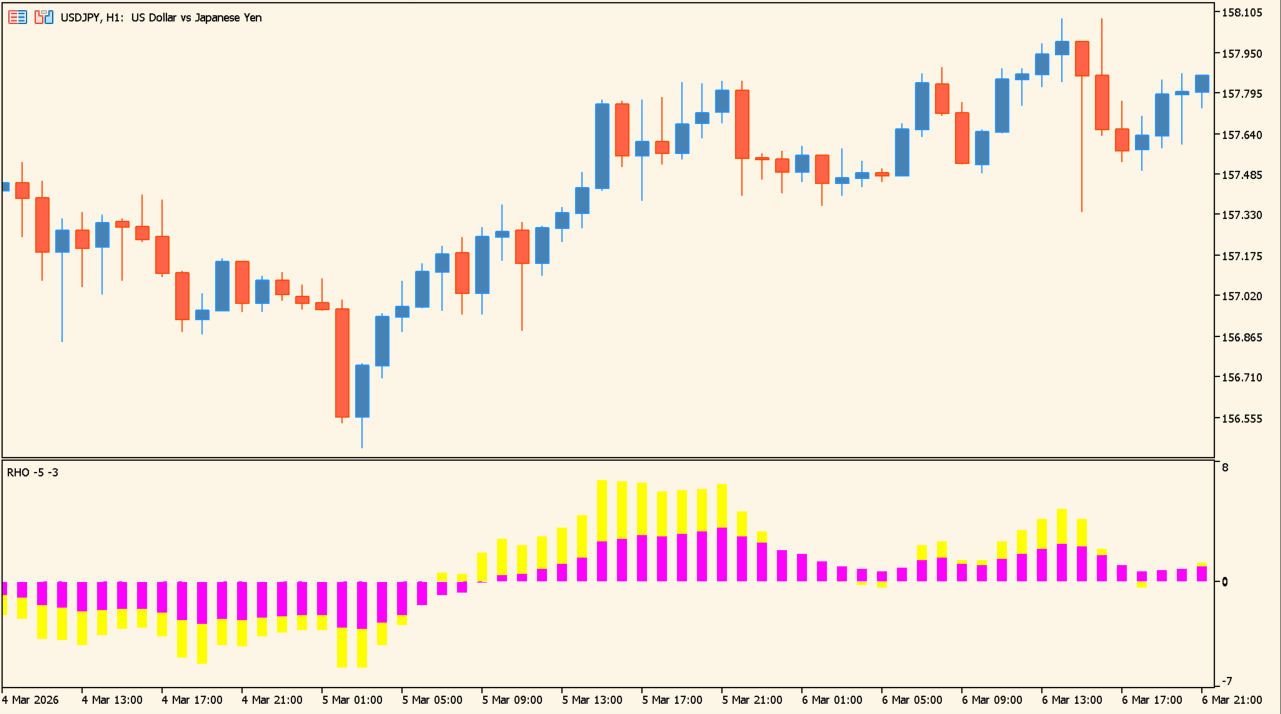
What is RHO?
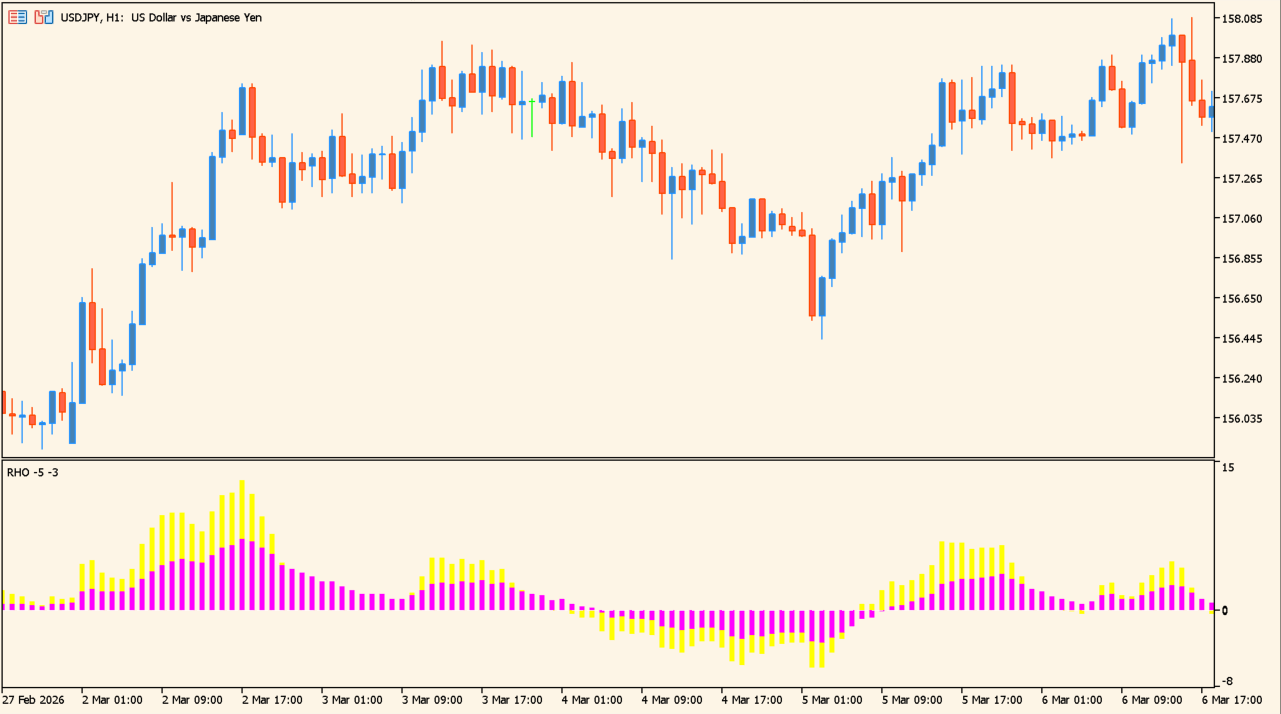
RHO works out the momentum in the market from the gaps between several moving averages and from their slopes, then draws the result as a histogram.
The color separates positive readings from negative ones, so changes in the histogram are readable without working through the averages themselves.
How to use RHO
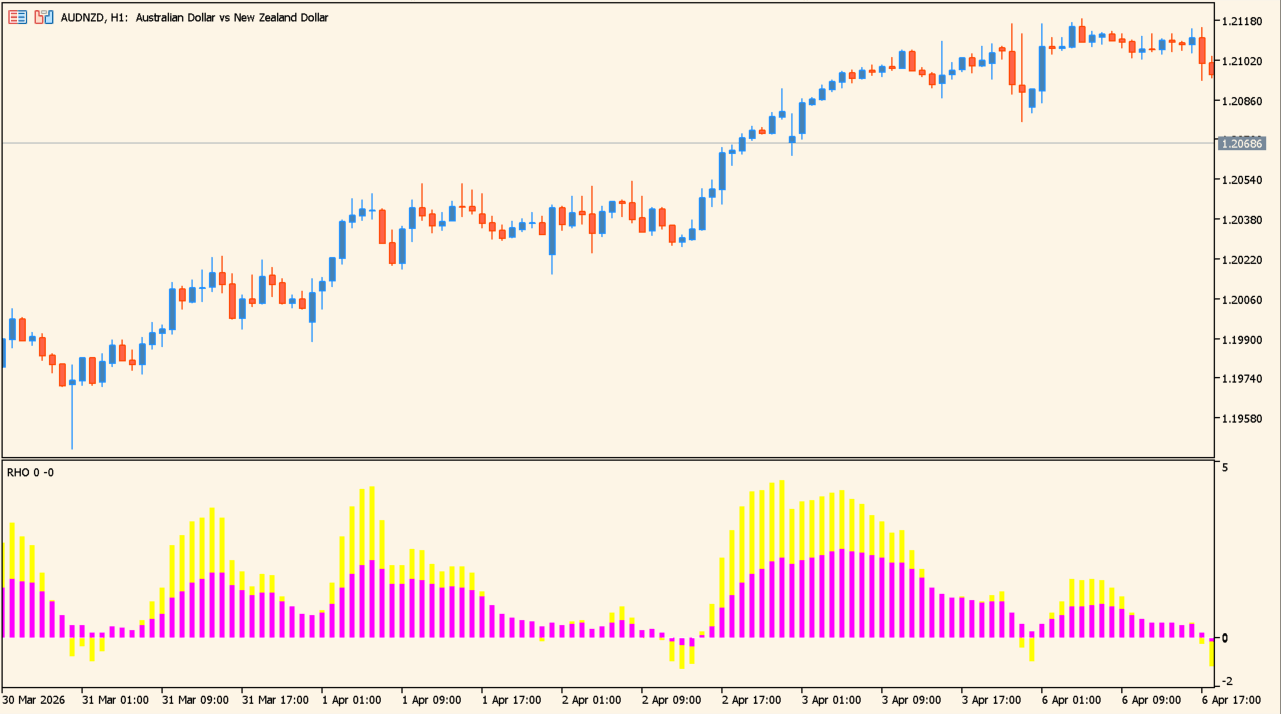
Read the histogram against the zero line: bars sit above it for positive readings and below it for negative ones. A change of color marks the bar where the reading crosses zero, and a run of same-colored bars growing taller shows the reading increasing.
Compare the histogram with the price movement on the main chart over the same bars. Because the calculation is built from moving averages, the histogram changes more gradually than raw price.
Where it helps
A move below zero and back above it puts the change on a specific bar rather than leaving it to interpretation.
A run of same-colored bars growing taller shows the reading increasing, which is separate information from its sign.
Because it is built from moving averages, the histogram moves more gradually than the candles it is calculated from.
MT5 Indicator Parameters
The table below lists the available MT5 indicator parameters. You can customize these options in the MetaTrader Inputs dialog to match your trading preferences.
| Parameter | Description |
|---|---|
| BarsToPlot | Sets the number of bars for which the histogram is displayed. |
| MA1 | Sets the period of the first moving average. |
| MA2 | Sets the period of the second moving average. |
| MA3 | Sets the period of the third moving average. |
| MA4 | Sets the period of the fourth moving average. |
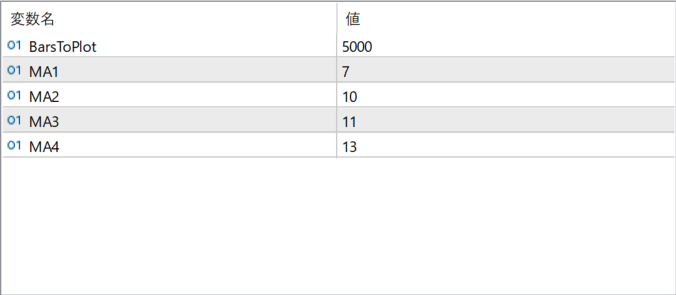
The screenshot above shows the default input parameters in the MT5 settings window.
How to Install .ex5 Indicator in MetaTrader 5
- Download the ZIP file and extract it.
- In MT5, select File → Open Data Folder.
- Open MQL5 → Indicators and copy the EX5 or MQ5 file into it.
- If the package includes library files, copy them to MQL5 → Libraries. Copy TPL files to the top-level templates folder.
- Restart MT5, find the indicator in the Navigator, and drag it onto a chart.
Test the tool on a demo account first. File contents and required folders can vary between packages.


