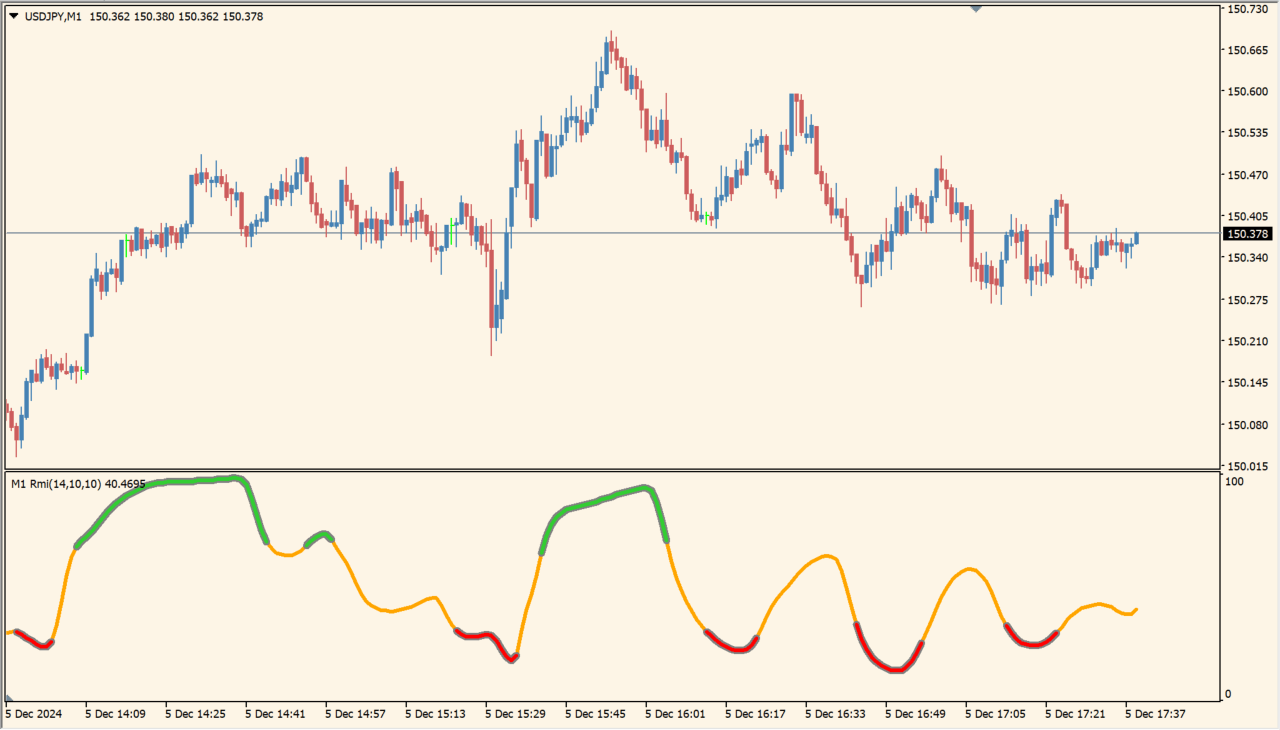
What is Rmi smoothed mtf?
Rmi smoothed mtf is an RMI-style oscillator that compares momentum rather than only one-period price change. Its smooth movement can reach the upper or lower scale, with colors marking overbought, oversold, and neutral conditions.
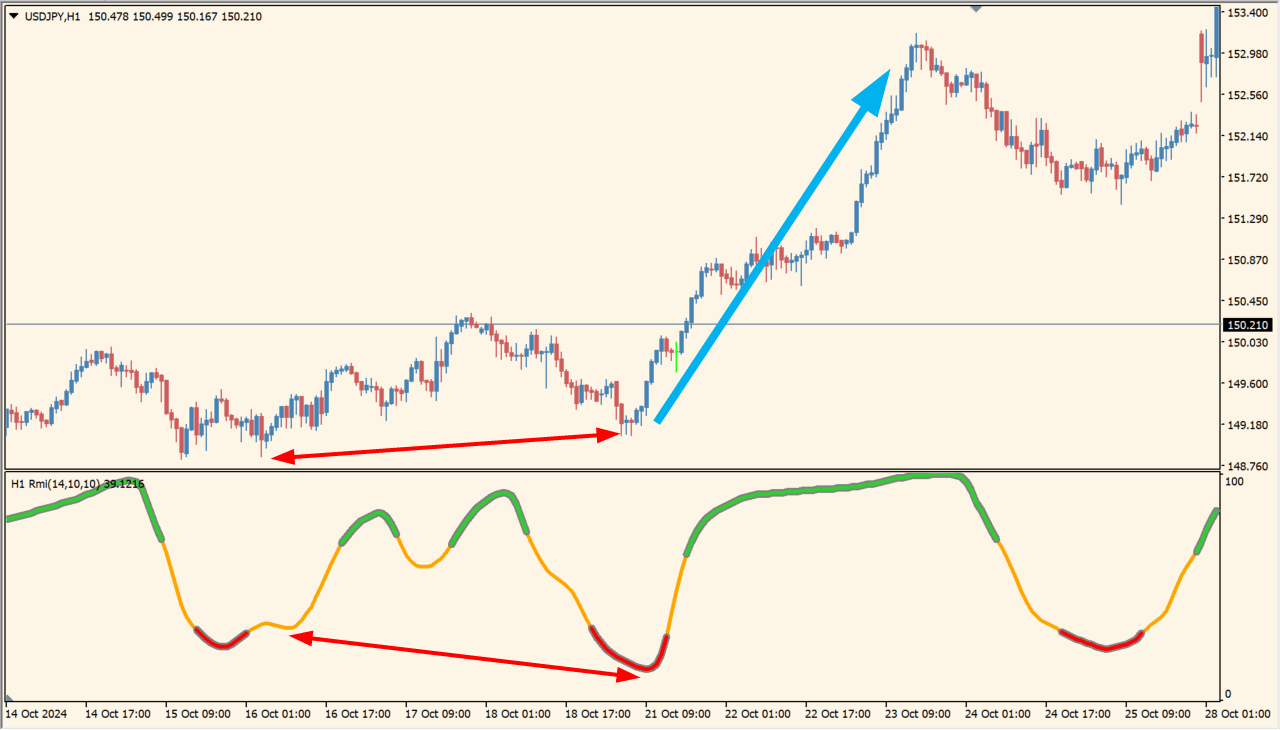
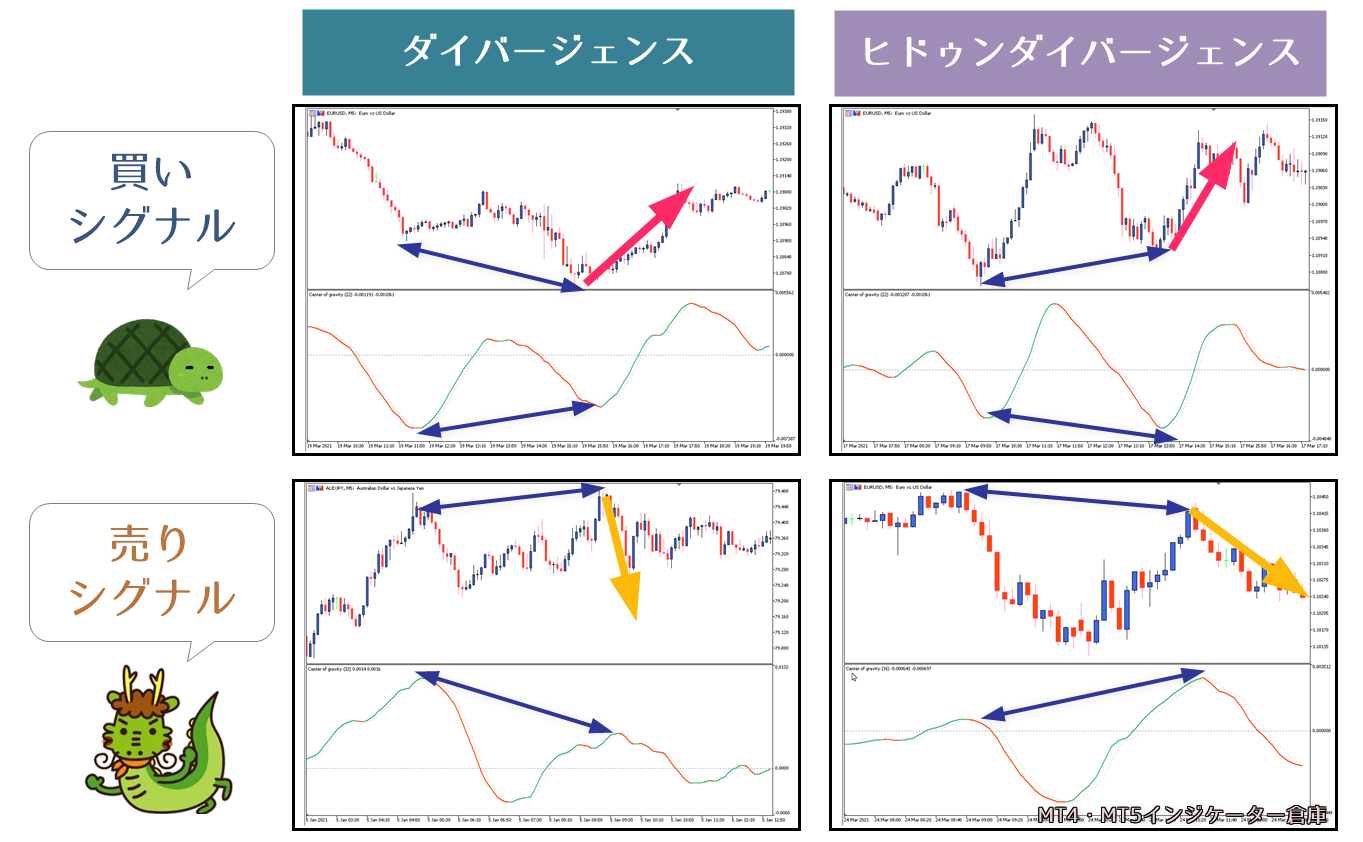
Divergence is a useful part of the display, and the tool can behave differently from standard RSI. The result should be compared with price structure rather than read as an automatic reversal command.
How to use Rmi smoothed mtf
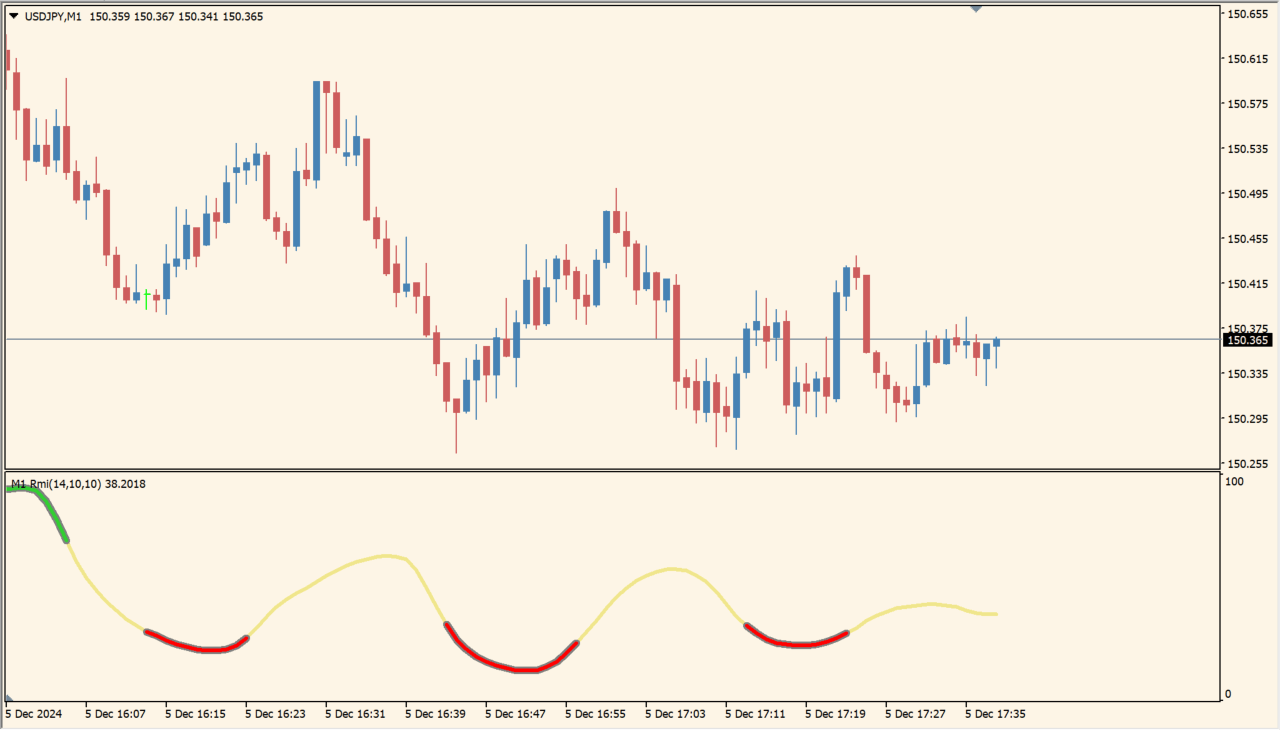
Add Rmi smoothed mtf to an MT4 chart and compare its colored oscillator with the selected timeframe and the recent price swings.
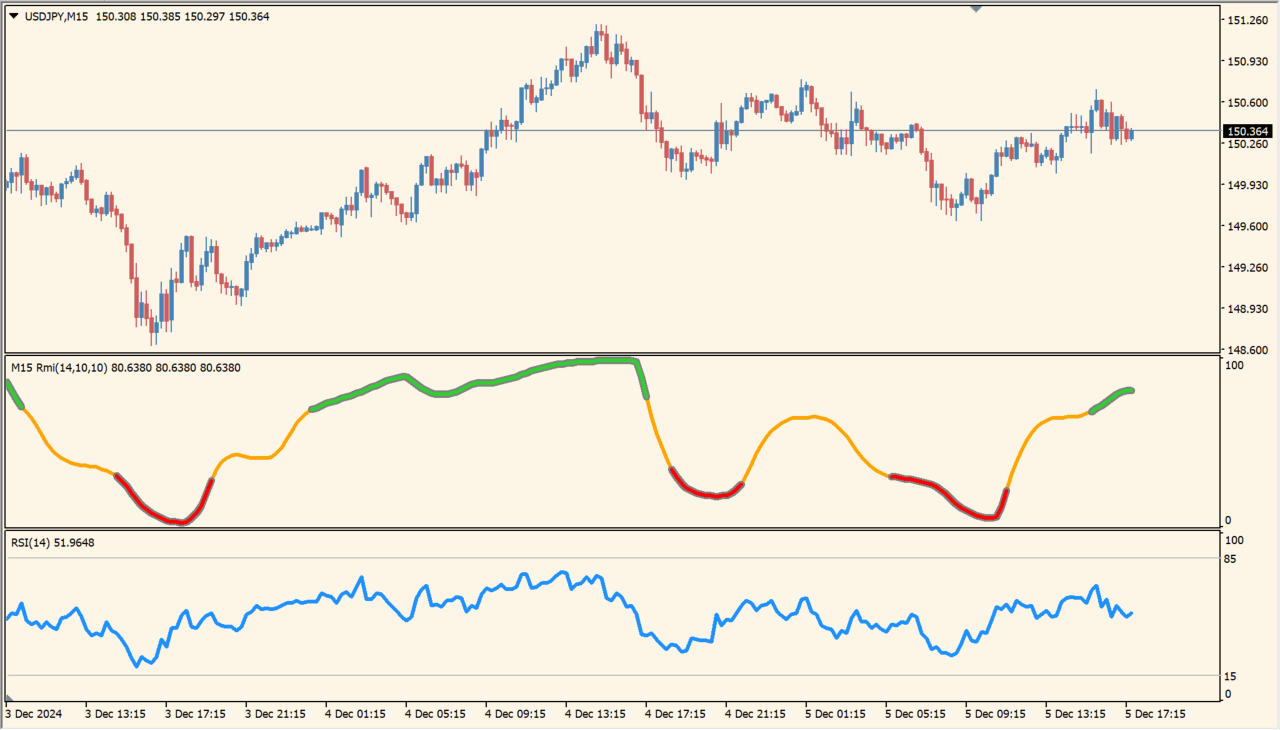
Set TimeFrame, Rmi period, Momentum period, and the overbought or oversold levels. Keep Momentum period no higher than Rmi period.
Where it helps
Uses multi-period momentum to frame overbought and oversold movement.
Makes price-versus-oscillator disagreement easier to inspect.
Allows the oscillator source timeframe to be changed independently.
MT4 Indicator Parameters
The table below lists the available MT4 indicator parameters. You can customize these options in the MetaTrader Inputs dialog to match your trading preferences.
| Parameter | Description |
|---|---|
| TimeFrame | Sets this calculation or display option. Default: PERIOD_CURRENT. |
| RmiPeriod | Sets this calculation or display option. Default: 14. |
| MomPeriod | Sets this calculation or display option. Default: 10. |
| RmiPrice | Sets this calculation or display option. Default: pr_close. |
| SmoothLength | Sets this calculation or display option. Default: 10. |
| SmoothPhase | Controls this indicator option. Default: 0.0. |
| SmoothDouble | Enables or disables this display option. Default: false. |
| levelUp | Sets this calculation or display option. Default: 70. |
| levelDn | Sets this calculation or display option. Default: 30. |
| ColorUp | Sets the display color for this option. Default: clrLimeGreen. |
| ColorDown | Sets the display color for this option. Default: clrRed. |
| ShadowColor | Sets the display color for this option. Default: clrGray. |
| LineWidth | Sets the display width or text size. Default: 3. |
| ShadowWidth | Sets the display width or text size. Default: 0. |
| Interpolate | Enables or disables this display option. Default: true. |
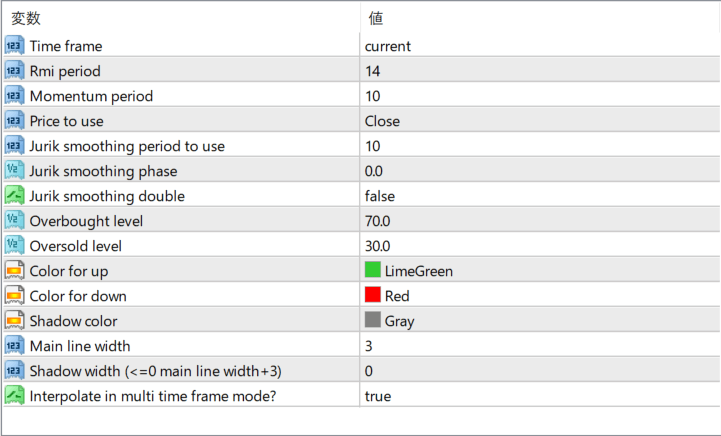
The screenshot above shows the default input parameters in the MT4 settings window.
How to Install .ex4 Indicator in MetaTrader 4
- Download the ZIP file and extract it.
- In MT4, select File → Open Data Folder.
- Open MQL4 → Indicators and copy the EX4 or MQ4 file into it.
- If the package includes library files, copy them to MQL4 → Libraries. Copy TPL files to the top-level templates folder.
- Restart MT4, find the indicator in the Navigator, and drag it onto a chart.
Test the tool on a demo account first. File contents and required folders can vary between packages.


