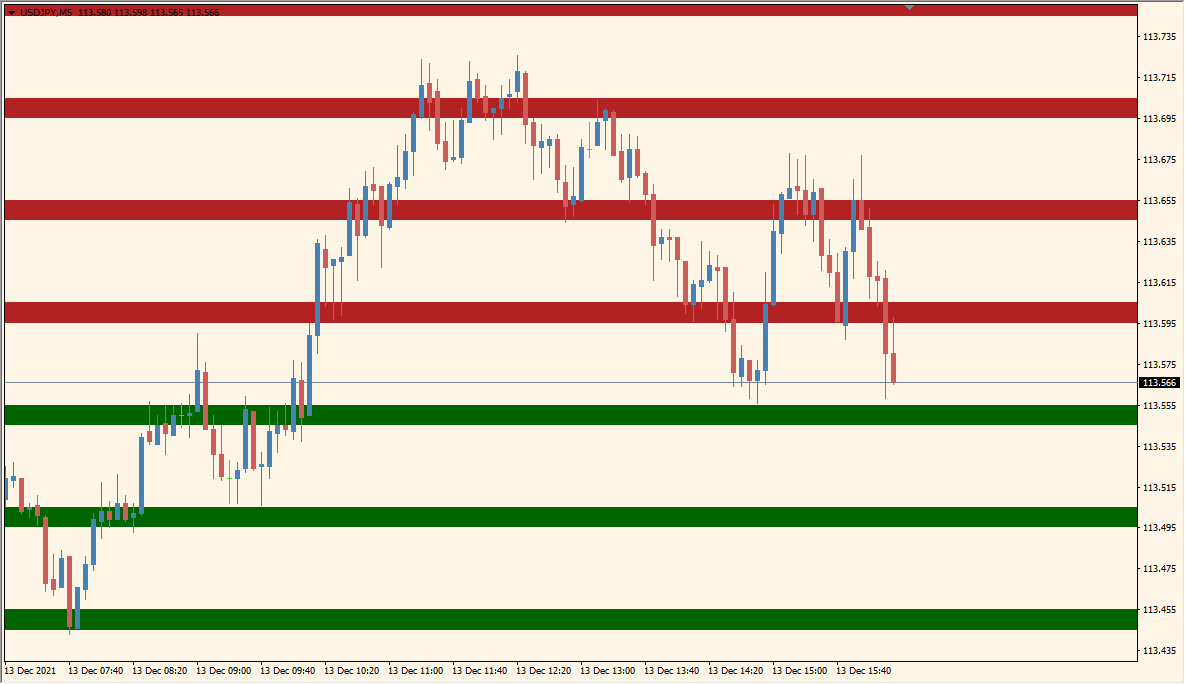
What is RoundLevels Indicator?
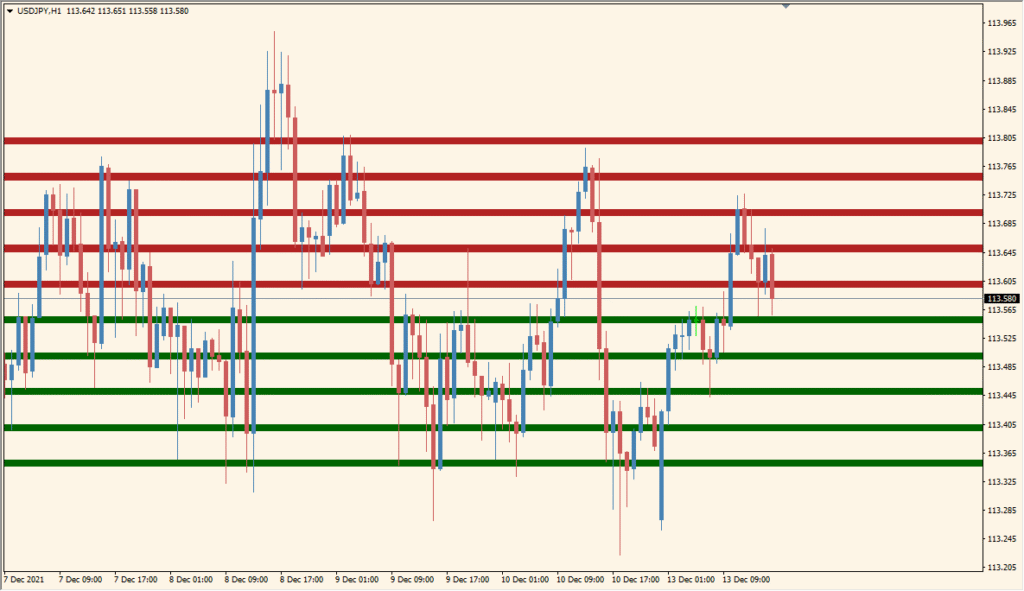
RoundLevels for MT4 plots horizontal zones at fixed price intervals above and below the current price. The display can include colored bands and optional lines to make the spacing between reference areas clear.
The number of zones, interval between zones, zone width, colors, and line options are available in the existing settings. These controls make it possible to show a compact or broader level layout.
How to Use It in Practice
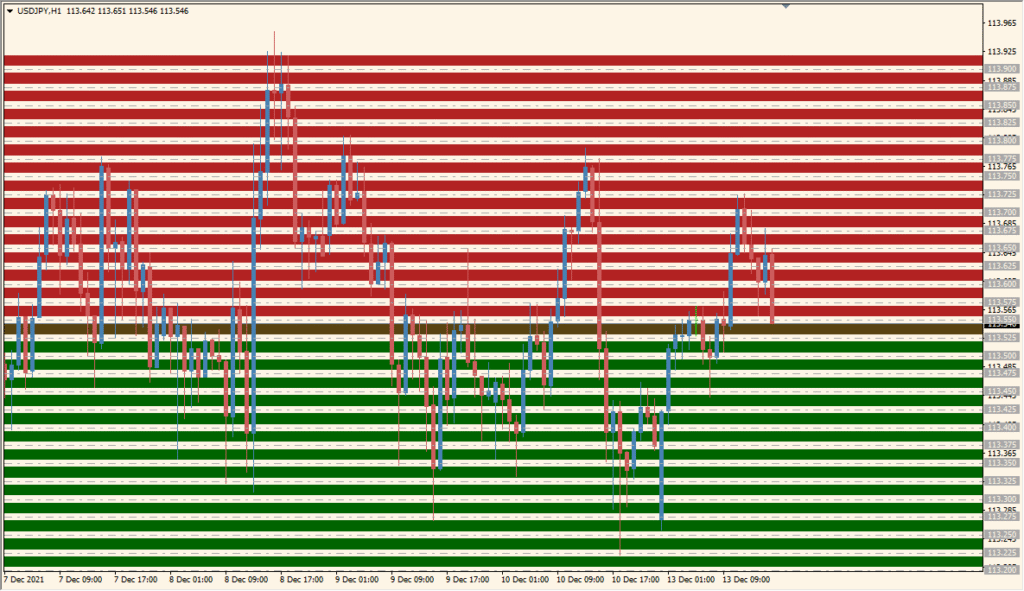
Round Levels draws red and green horizontal references around the nearby .00 and .50 round numbers, starting from the current-price area.
- Locate the evenly spaced red and green references above and below the current price; the default draws five on each side at .50 intervals.
- Set Levels for the number of lines on each side and Interval for the round-number spacing in points.
- Turn on InvertZones to reverse the displayed line colors.
- Use DrawLines when the precise round-number line itself should be visible rather than only the zone treatment.
Round-number zones are drawn automatically in both directions, their spacing and width are configurable, and optional lines provide an additional level reference.
MT4 Indicator Parameters
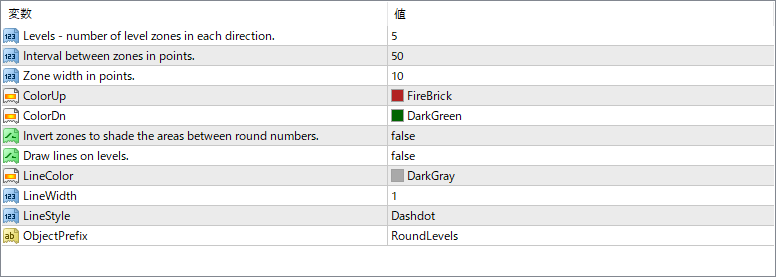
The screenshot above shows the default input parameters in the MT4 settings window.
| Parameter | Description |
|---|---|
| Levels – number of level zones in each direction | Specifies how many zones are drawn above and below the current price. |
| Interval between zones in points | Sets the spacing between each level zone. Smaller values create denser levels, while larger values create more spaced zones. |
| Zone width in points | Defines the vertical size of each highlighted zone. |
| ColorUp | Sets the color used for zones above the current price. |
| ColorDn | Sets the color used for zones below the current price. |
| Invert zones to shade the areas between lines | If enabled, it reverses the shading logic to fill gaps between levels instead of fixed width zones. |
| Draw lines on levels | If true, lines will be drawn at each level for added clarity in addition to the shaded zones. |
| LineColor | Sets the color of the lines drawn on each level. |
| LineWidth | Controls the thickness of the level lines. |
| LineStyle | Defines the line pattern, such as solid, dotted, or dashdot. |
| ObjectPrefix | Applies a prefix to all objects created by the indicator to avoid conflicts with other tools or scripts. |


