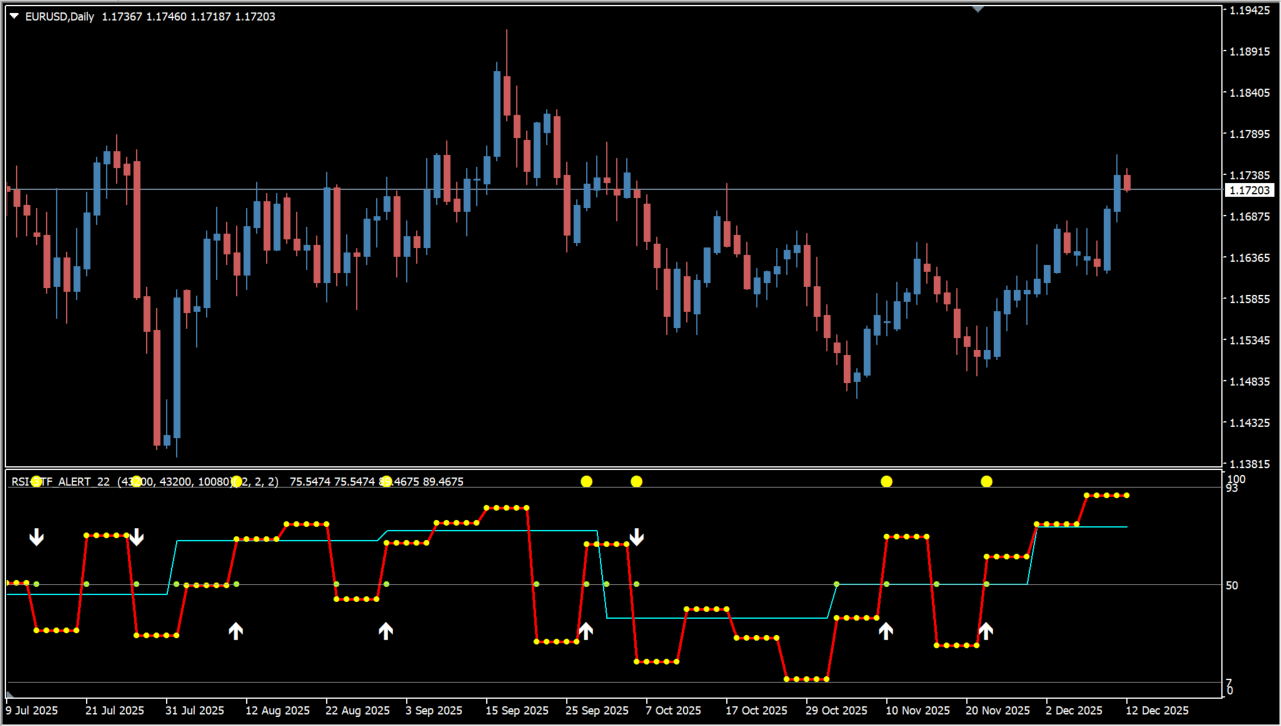
What is RSI 3TF Alert Indicator?
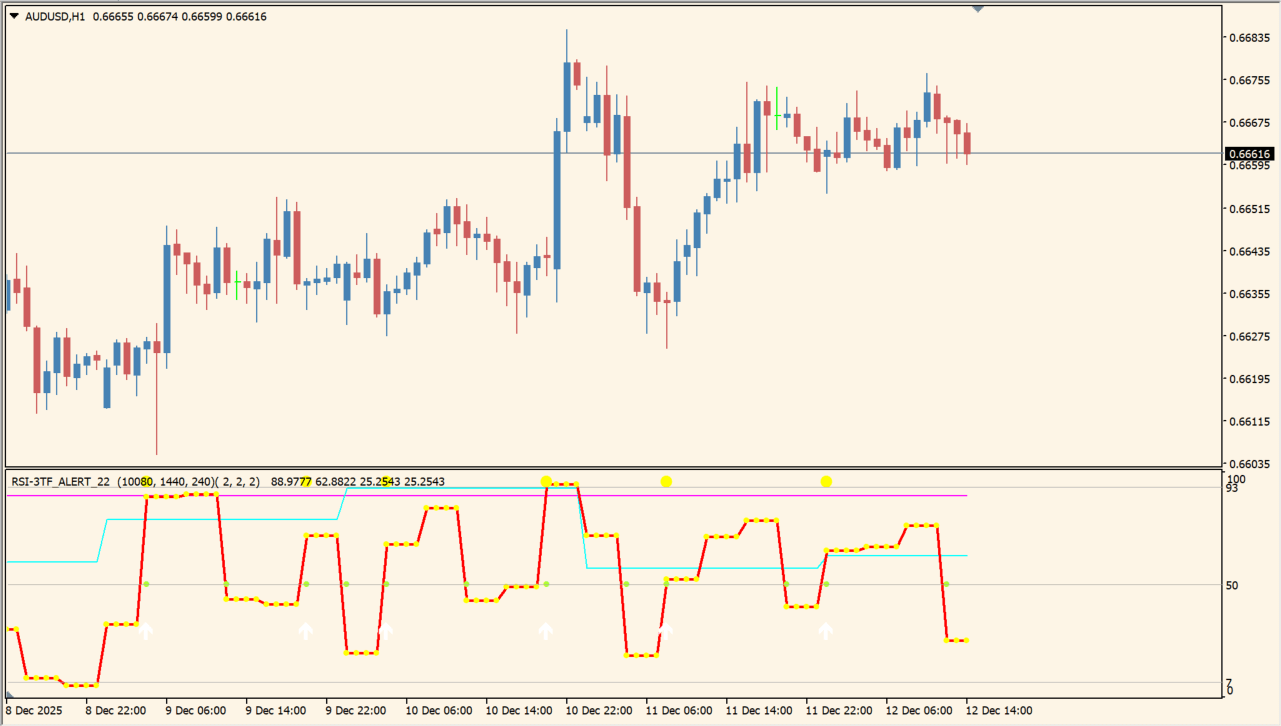
RSI 3TF Alert Indicator places three RSI lines in one subwindow and includes 7, 50, and 93 reference levels. Separate line colors and arrow markers let the RSI values, their relative direction, and the reference levels be seen together.
The indicator also includes alert controls. Its multiple RSI periods and timeframe inputs make it possible to compare the configured RSI calculations in the same panel.
How to use RSI 3TF Alert Indicator
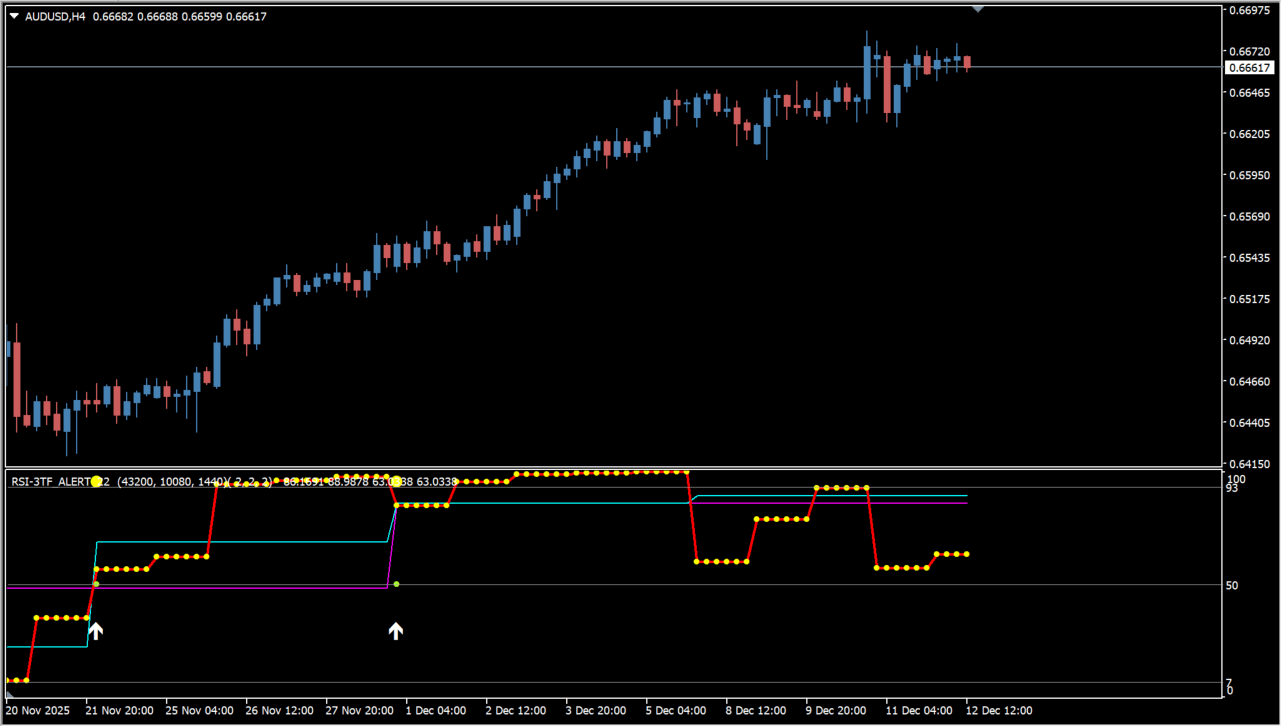
Read the three RSI lines against the 7, 50, and 93 reference levels, then compare their direction with the surrounding chart structure. Review the arrow markers as part of that complete panel rather than as an instruction on their own.
RSI_Period_1 through RSI_Period_B3 set the two groups of RSI periods, and TF1 through TF3 set their timeframes. The LineSize and DotSize inputs change line and marker sizes, while NumberOfBars, AlertOn, and AlertHighProbabilityOnly control the history and alert behavior.
Where it helps
The display combines three lines and fixed reference levels.
LineSize and DotSize inputs adjust the visual weight of panel elements.
AlertOn and AlertHighProbabilityOnly are separate Inputs.
MT4 Indicator Parameters
The table below lists the available MT4 indicator parameters. You can customize these options in the MetaTrader Inputs dialog to match your trading preferences.
| Parameter | Description |
|---|---|
| RSI_INPUT_1 | RSI A settings section. |
| RSI_Period_1 | Sets the first RSI A period. |
| RSI_Period_2 | Sets the second RSI A period. |
| RSI_Period_3 | Sets the third RSI A period. |
| RSI_INPUT_2 | RSI B settings section. |
| RSI_Period_B1 | Sets the first RSI B period. |
| RSI_Period_B2 | Sets the second RSI B period. |
| RSI_Period_B3 | Sets the third RSI B period. |
| TF1 | Sets the first timeframe. |
| TF2 | Sets the second timeframe. |
| TF3 | Sets the third timeframe. |
| LineSize1 | Sets the first line size. |
| LineSize2 | Sets the second line size. |
| LineSize3 | Sets the third line size. |
| LineSize4 | Sets the fourth line size. |
| DotSizeRSI | Sets the RSI marker size. |
| DotSizeARROW | Sets the arrow-marker size. |
| DotSizeZERO | Sets the zero-marker size. |
| DotSizeRSI5 | Sets the RSI5 marker size. |
| NumberOfBars | Sets the number of bars calculated. |
| AlertOn | Enables or disables alerts. |
| AlertHighProbabilityOnly | Restricts alerts to the indicator’s high-probability option when enabled. |
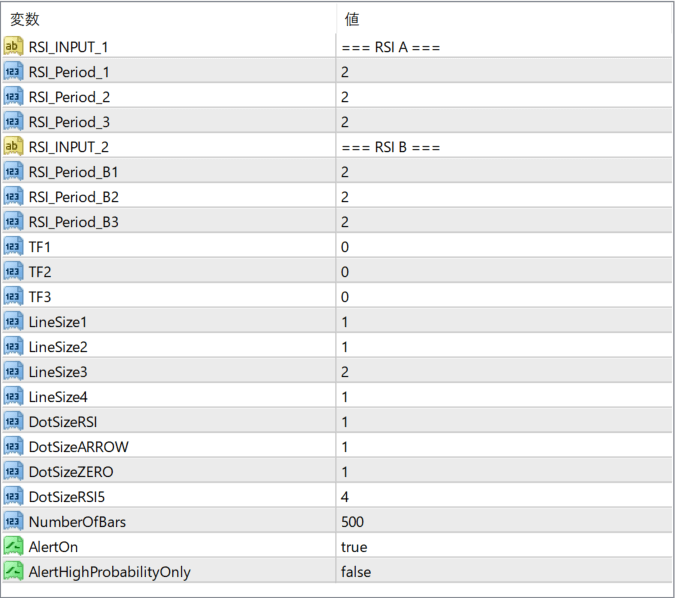
The screenshot above shows the default input parameters in the MT4 settings window.
How to Install .ex4 Indicator in MetaTrader 4
- Download the ZIP file and extract it.
- In MT4, select File → Open Data Folder.
- Open MQL4 → Indicators and copy the EX4 or MQ4 file into it.
- If the package includes library files, copy them to MQL4 → Libraries. Copy TPL files to the top-level templates folder.
- Restart MT4, find the indicator in the Navigator, and drag it onto a chart.
Test the tool on a demo account first. File contents and required folders can vary between packages.


