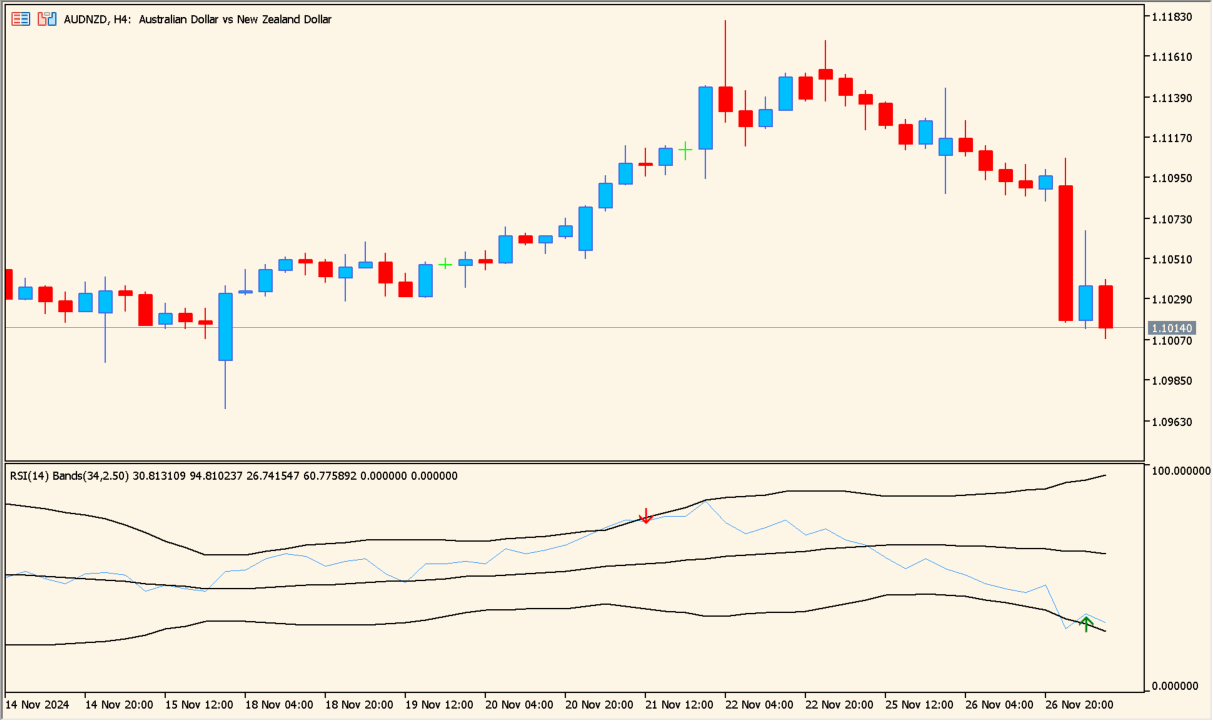
What is RSI_Bands_v1?
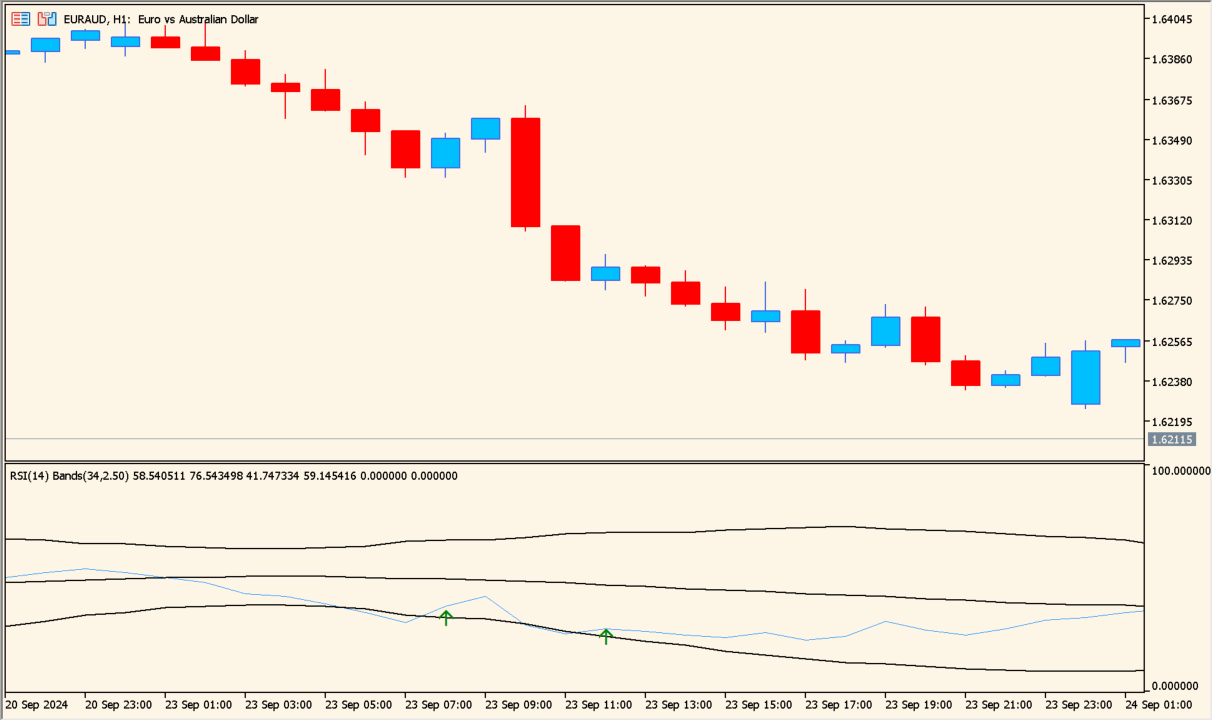
RSI_Bands_v1 calculates Bollinger-style bands from RSI instead of applying them directly to price. The result makes unusually wide RSI movement visible in a separate oscillator view.
A marker appears when RSI moves beyond a band and returns. An RSI-only signal is not automatically reliable, so review the display in a demo environment first.
How to use RSI_Bands_v1
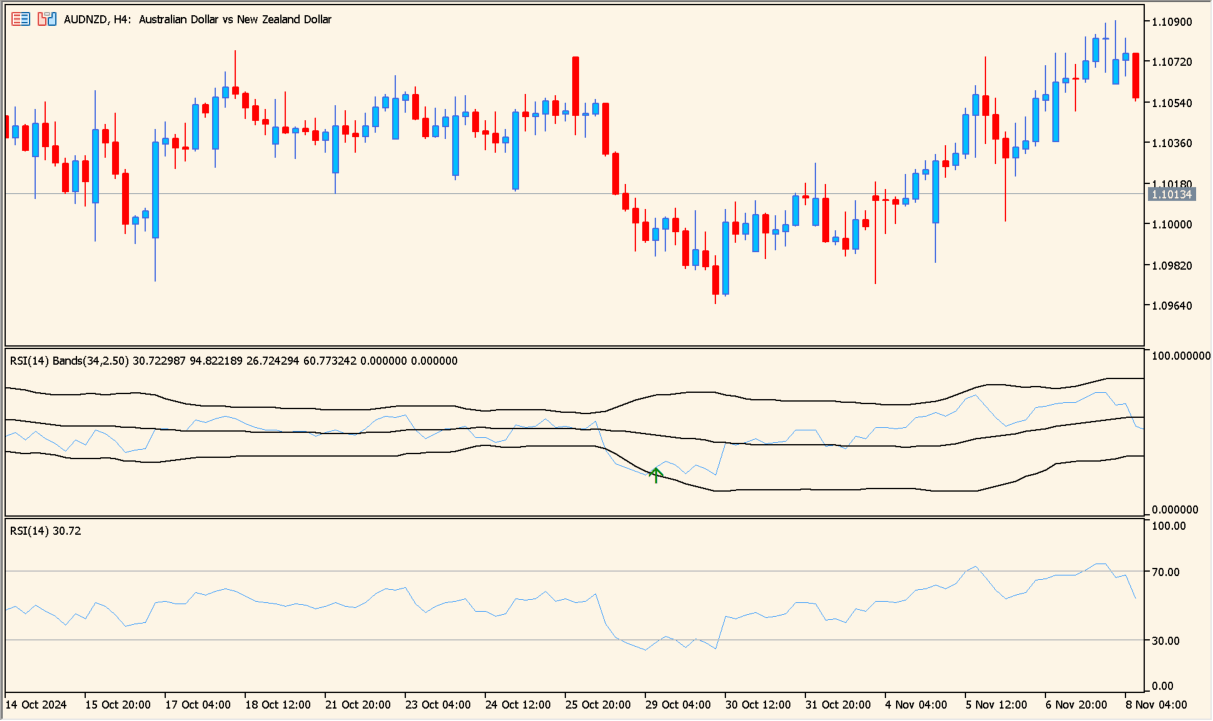
Add RSI_Bands_v1 to an MT5 chart and inspect the oscillator when RSI crosses outside a band and comes back inside it.
Adjust iRSIPeriod, iBandsPeriod, and iBandsDeviation to compare the RSI window, band window, and band width without changing the image or parameter roles.
Where it helps
Measures the spread of RSI values instead of drawing ordinary price-based Bollinger Bands.
Makes a move outside the RSI band and its return easier to locate.
The article keeps the signal as a review aid rather than presenting it as a guaranteed entry.
MT5 Indicator Parameters
The table below lists the available MT5 indicator parameters. You can customize these options in the MetaTrader Inputs dialog to match your trading preferences.
| Parameter | Description |
|---|---|
| iRSIPeriod | Sets this calculation or display option. Default: 14. |
| iBandsPeriod | Sets this calculation or display option. Default: 34. |
| iBandsDeviation | Controls this indicator option. Default: 2.5. |
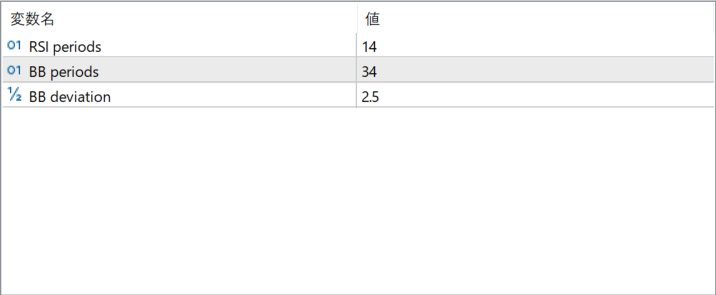
The screenshot above shows the default input parameters in the MT5 settings window.
How to Install .ex5 Indicator in MetaTrader 5
- Download the ZIP file and extract it.
- In MT5, select File → Open Data Folder.
- Open MQL5 → Indicators and copy the EX5 or MQ5 file into it.
- If the package includes library files, copy them to MQL5 → Libraries. Copy TPL files to the top-level templates folder.
- Restart MT5, find the indicator in the Navigator, and drag it onto a chart.
Test the tool on a demo account first. File contents and required folders can vary between packages.


