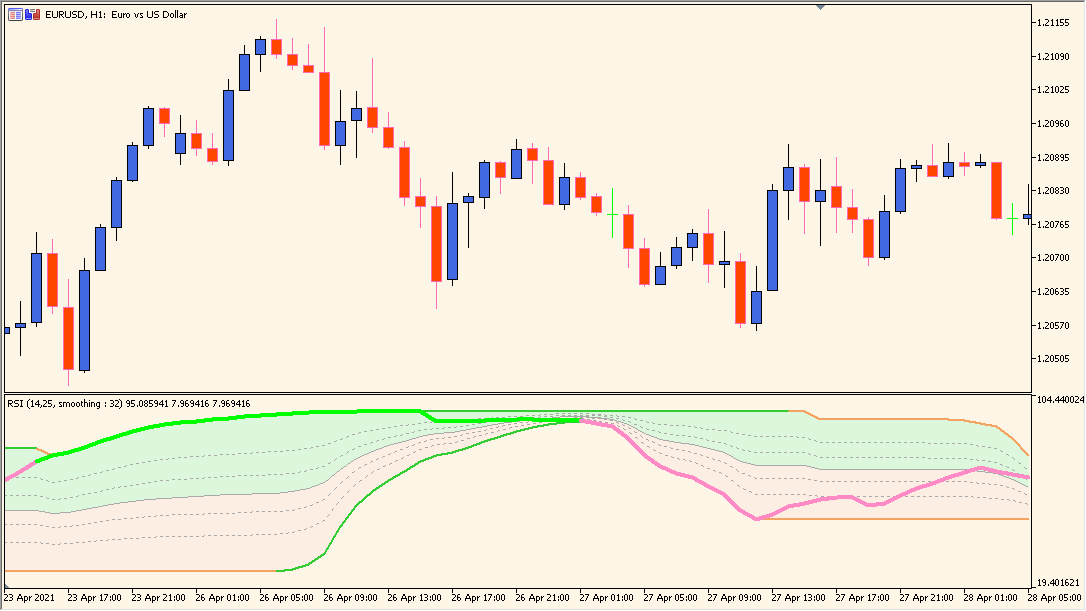
Overview of the RSI with Fibonacci Auto Channel
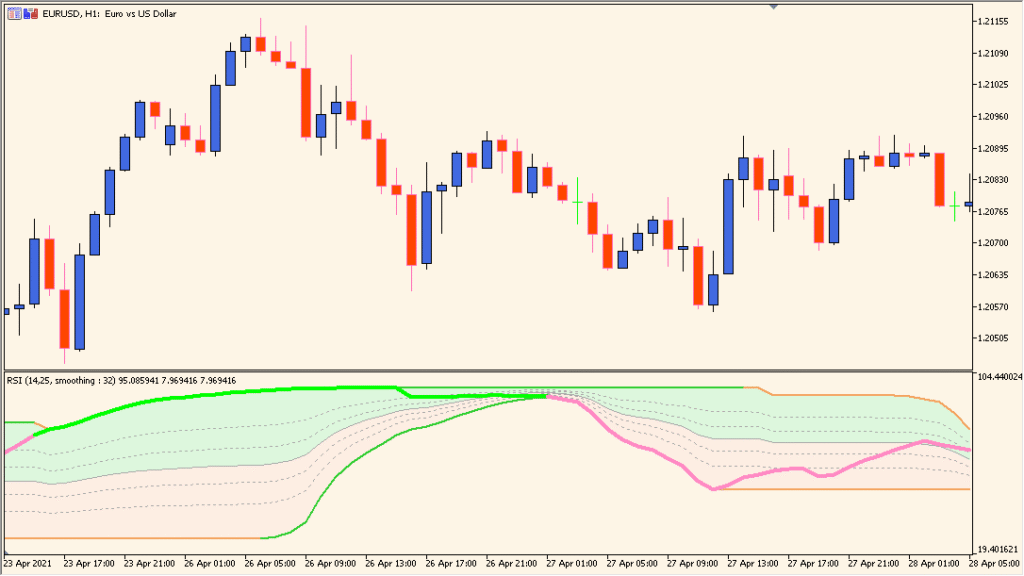
RSI with Fibonacci Auto Channel is an MT5 subwindow indicator that combines a smoothed RSI reading with Fibonacci-style channel bands. RSI period, price source, smoothing, ratio, and color settings control the displayed range.
The channel organizes upper, middle, and lower reference areas around the RSI line. It provides oscillator context for comparing momentum conditions without treating an edge as a fixed outcome.
How to Use It in Practice
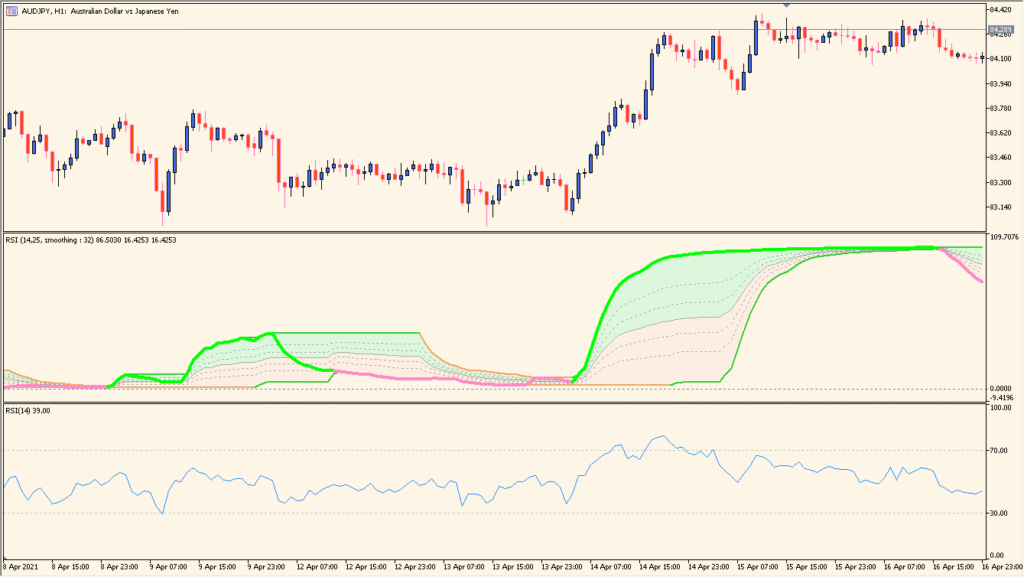
Read the thick central RSI line with its Fibonacci channel bands, then compare both the line color and the channel width. This banded display behaves differently from an ordinary RSI pane and should be checked across historical conditions.
- Compare the RSI line with the upper, middle, and lower channel references instead of reducing the display to one fixed RSI threshold.
- Adjust Period for Fibonacci channel to compare a narrower or wider band structure, then keep the RSI calculation settings visible beside it.
- Review more than one historical segment because the appearance can vary by instrument and setting.
Smoothed RSI and ratio-based bands share one pane, while configurable levels and colors make changing oscillator context easier to compare.
MT5 Indicator Parameters
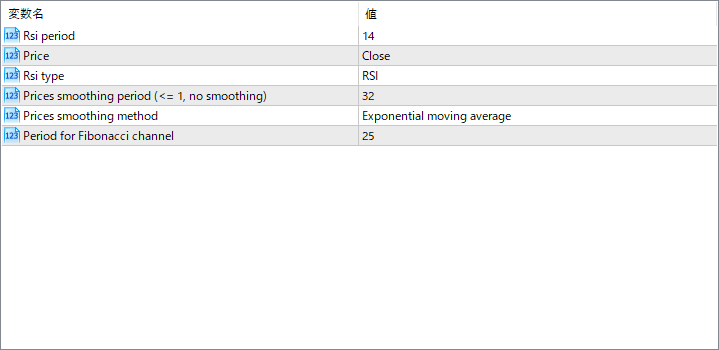
The screenshot above shows the default input parameters in the MT5 settings window.
| Parameter | Description |
|---|---|
| Rsi period | Defines the number of periods used to calculate the RSI. A shorter period increases sensitivity, while a longer one provides smoother output. |
| Price | Specifies which price data is used in the RSI calculation, such as Close, Open, or Median. |
| Rsi type | Determines the RSI calculation method. Options may include standard RSI, Stochastic RSI, or other variations. |
| Prices smoothing period | Sets how many periods are used to smooth the RSI values. A higher number produces a gentler, less noisy curve. |
| Prices smoothing method | Chooses the averaging method applied to smoothing, such as Exponential Moving Average or Simple Moving Average. |
| Period for Fibonacci channel | Defines the lookback period used to construct the Fibonacci channel. It affects how wide or narrow the channel bands appear around the RSI curve. |


