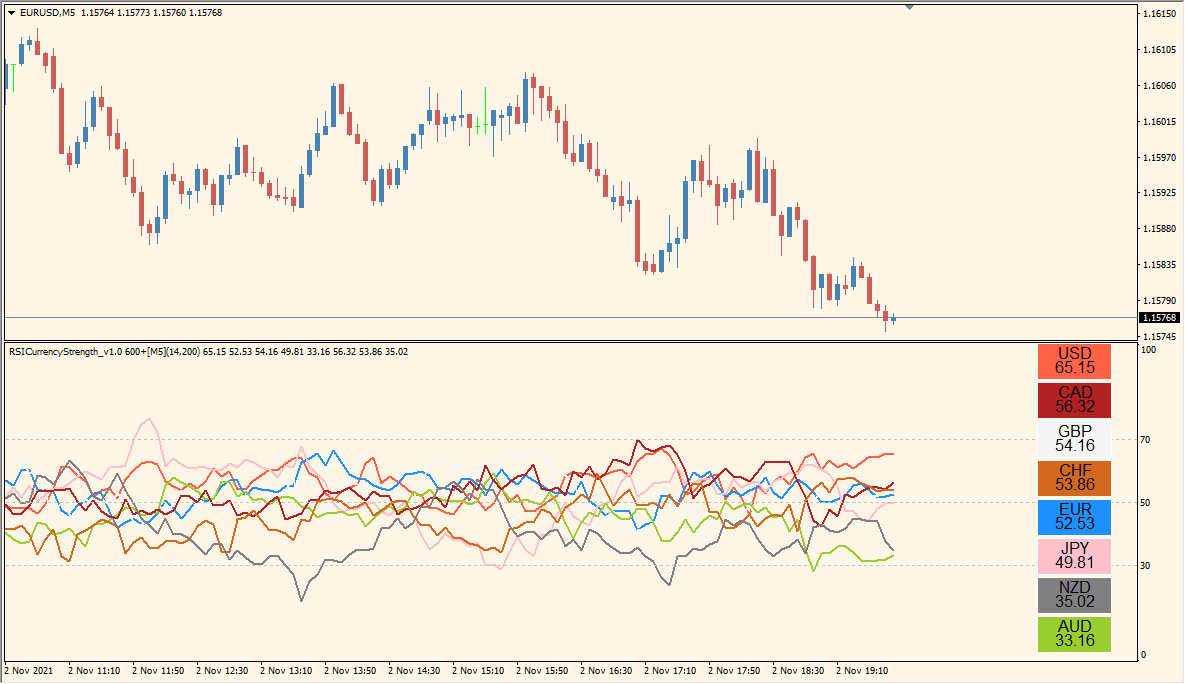
What is RSICurrencyStrength Indicator?
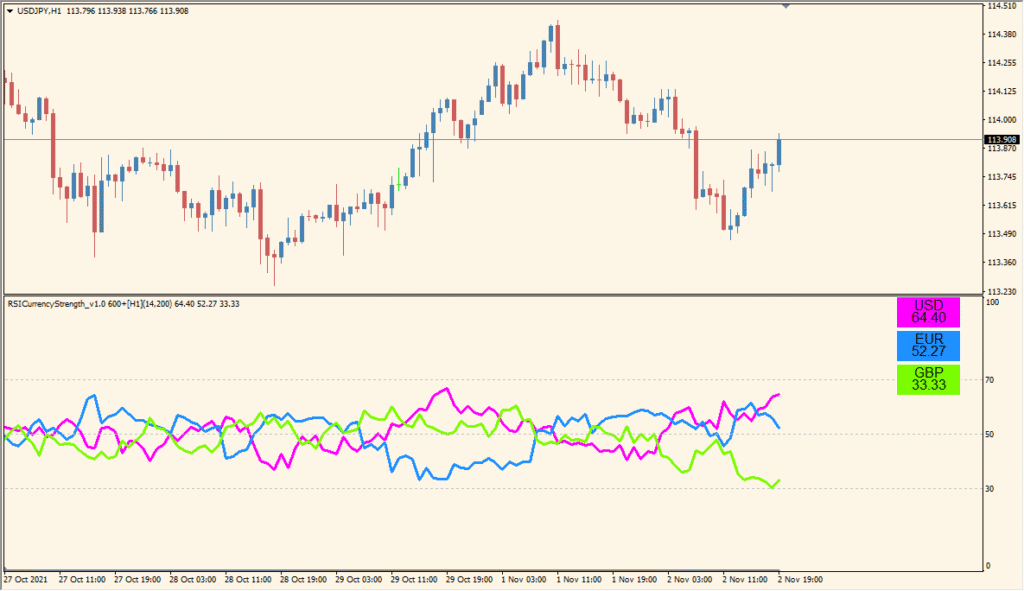
RSICurrencyStrength for MT4 plots RSI readings for the currencies selected in currencyArray. Each currency is shown as a separate color-coded line so their relative movement can be compared in one panel.
timeFrame, currencyArray, broker prefix and suffix, rsiPeriod, overboughtLevel, oversoldLevel, and countBars control the calculation and symbol mapping. The panel provides a compact multi-currency momentum reference.
How to Use It in Practice
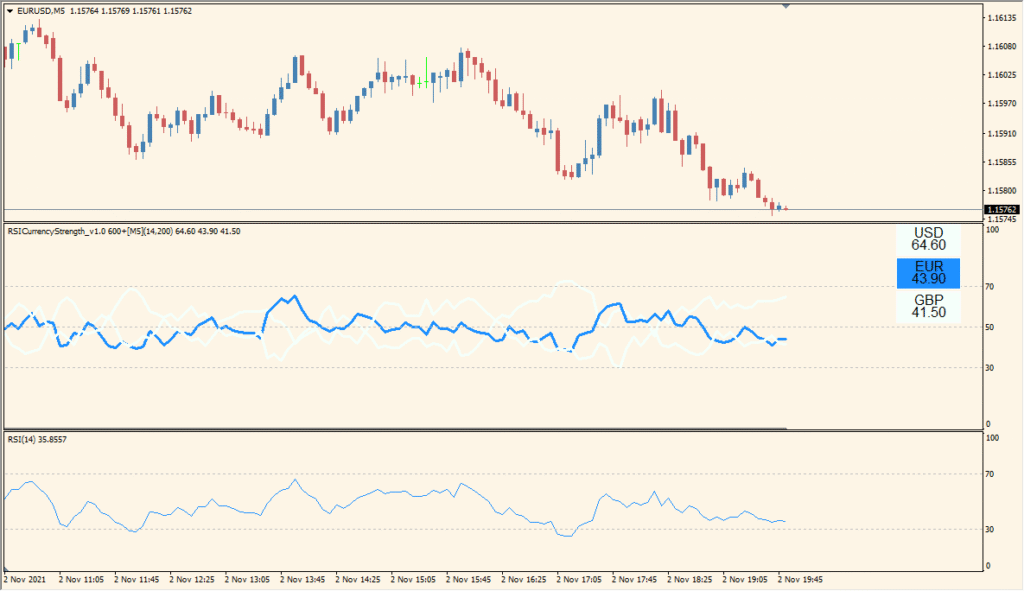
Read the panel as a ranking of the eight default currencies, with each colored line showing its displayed RSI movement. The panel is a quick multi-currency comparison rather than a substitute for the individual symbol charts.
- Use currencyArray with semicolon-separated codes when changing the displayed currencies, and compare the colored rows as one ordered panel.
- Leave timeFrame unchanged; changing it can cause an error or freeze the display.
- Use the fontSize and offset_X adjustments only to make the ranking readable on the active chart.
Several currency RSI readings appear in one panel, line colors make comparison easier, and symbol mapping and calculation settings support different broker and timeframe layouts.
MT4 Indicator Parameters
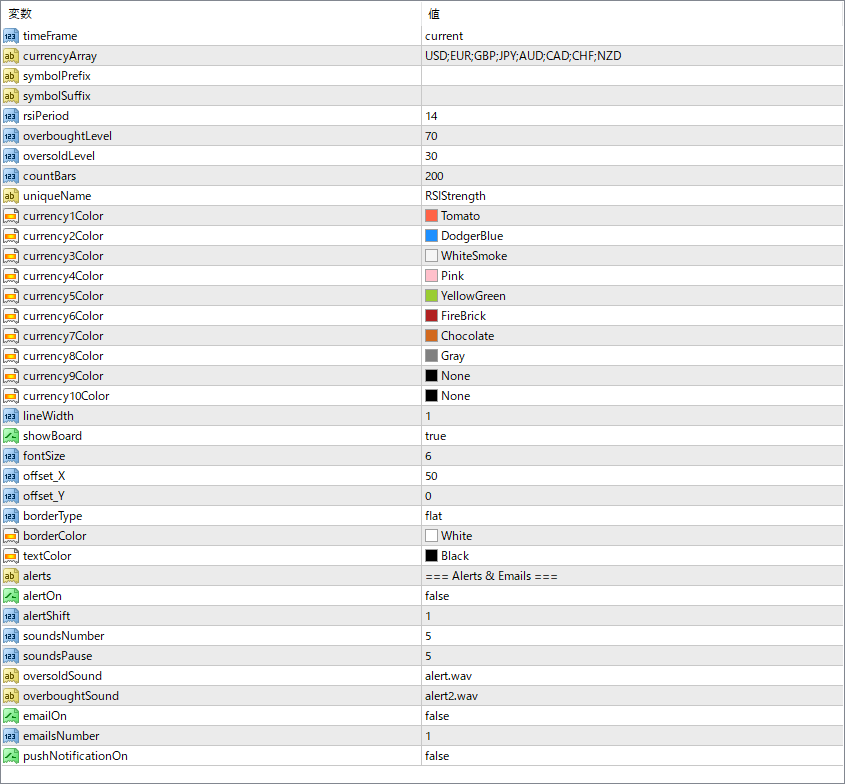
The screenshot above shows the default input parameters in the MT4 settings window.
| Parameter | Description |
|---|---|
| timeFrame | Sets the timeframe used for RSI calculation. “current” means it uses the chart’s active timeframe. |
| currencyArray | Specifies which currencies to include in the comparison. Separate each code with a semicolon. |
| symbolPrefix | Prefix used by your broker before currency symbols, if any. |
| symbolSuffix | Suffix used by your broker after currency symbols, if any. |
| rsiPeriod | Defines how many periods are used in the RSI calculation. |
| overboughtLevel | Sets the RSI value considered as overbought. |
| oversoldLevel | Sets the RSI value considered as oversold. |
| countBars | Determines how many bars back the indicator should calculate RSI strength. |
| uniqueName | Allows you to set a unique identifier if you want to load multiple versions of the indicator. |
| currency1Color ~ currency10Color | Defines the display color for each of the up to 10 currencies. |
| lineWidth | Sets the width of the currency lines for better visibility. |
| showBoard | Enables or disables the currency label display box in the chart corner. |
| fontSize | Controls the size of the font in the display box. |
| offset_X | Moves the label board horizontally on the chart. |
| offset_Y | Moves the label board vertically on the chart. |
| borderType | Sets the style of the label board’s border (e.g., flat or rounded). |
| borderColor | Sets the color of the label board’s border. |
| textColor | Sets the color of the text in the label board. |


