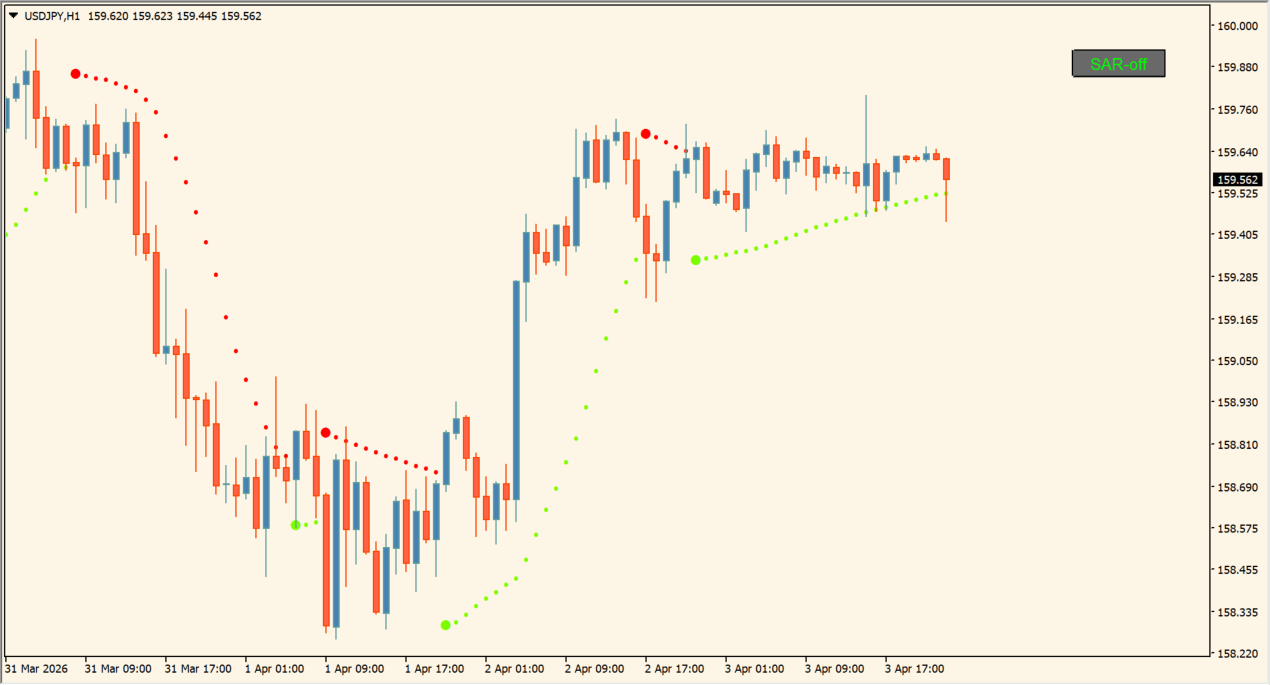
What is sar nema (mtf + alerts + btn)?
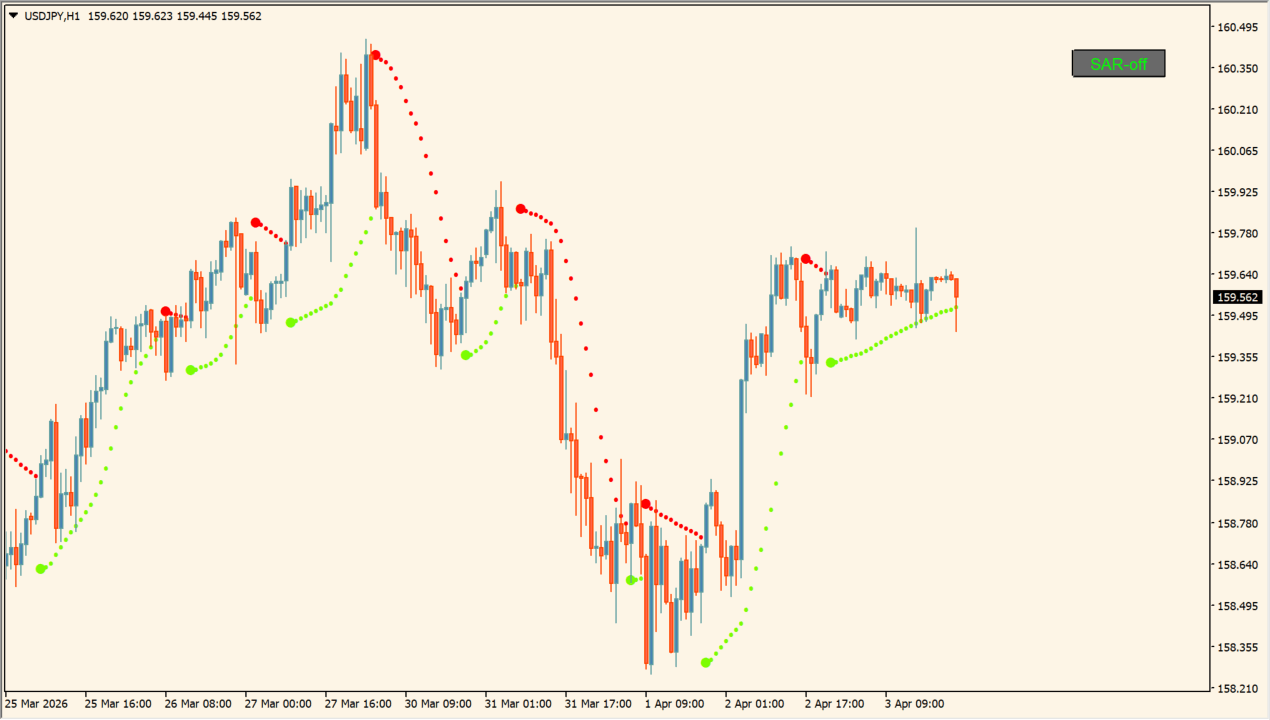
sar nema (mtf + alerts + btn) overlays Parabolic SAR and NEMA trend calculations onto MT4 price charts.
It includes multi-timeframe smoothing, multi-channel alerts, and an interactive chart button for easy toggling.
How to use sar nema (mtf + alerts + btn)
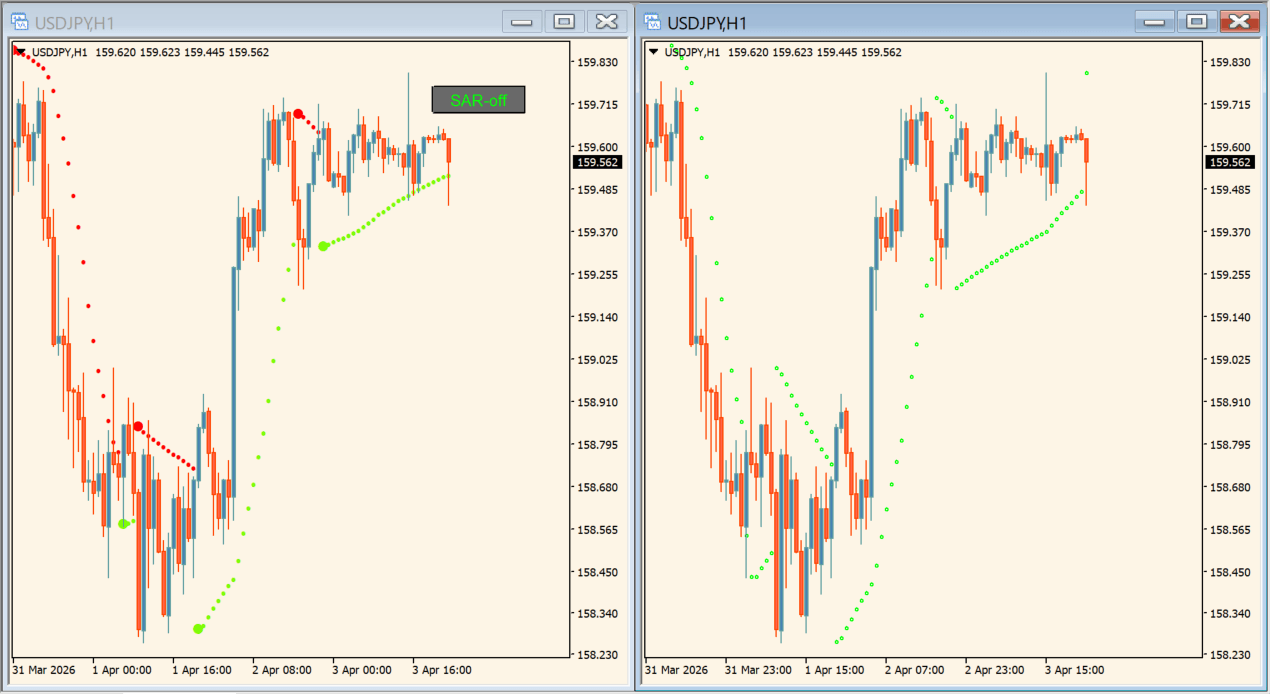
Use the on-chart SAR NEMA button to quickly show or hide SAR trend lines and dots during analysis.
Configure Time frame to use, Nema period, Nema depth, Accumulation step, and alerts in the Inputs tab.
Where it helps
Combines Parabolic SAR tracking with NEMA filtering to reduce false whipsaws.
Includes an interactive button to instantly toggle indicator display on MT4 charts.
Supports higher timeframe calculation with pop-up, email, and mobile alerts.
MT4 Indicator Parameters
The table below lists the available MT4 indicator parameters. You can customize these options in the MetaTrader Inputs dialog to match your trading preferences.
| Parameter | Description |
|---|---|
| Time frame to use | Sets the target timeframe for multi-timeframe SAR calculation. Default: current. |
| Button unique ID | Sets unique string identifier for the on-chart toggle button. Default: sar_nema_01. |
| Accumulation step | Sets Parabolic SAR acceleration factor step. Default: 0.02. |
| Accumulation limit | Sets maximum acceleration factor limit. Default: 0.2. |
| Nema period | Sets calculation period for NEMA trend smoothing. Default: 10. |
| Nema depth | Sets NEMA smoothing depth for noise reduction. Default: 3. |
| Psar high price | Selects high price price field for SAR calculation. Default: PRICE_HIGH. |
| Psar low price | Selects low price price field for SAR calculation. Default: PRICE_LOW. |
| Alerts on? | Enables or disables popup alert notifications. Default: false. |
| Alerts on current open bar? | Controls whether alerts trigger on unclosed bars. Default: false. |
| Alerts message? | Enables pop-up message box alerts. Default: true. |
| Alerts sound? | Enables sound alerts on trend shift. Default: false. |
| Alerts email? | Enables email notifications on trend shift. Default: false. |
| Alerts notification by phone? | Enables mobile push notifications. Default: false. |
| Draw as dots or solid line | Selects between dot or continuous line SAR display. Default: true. |
| Interpolate in multi time frame? | Enables smooth interpolation when using MTF settings. Default: true. |
| Button settings | Header for on-chart button customization settings. |
| Window | Sets subwindow index for button placement (0 = main chart). Default: 0. |
| Corner | Sets chart corner anchor for button positioning. Default: 3. |
| Horizontal shift | Sets horizontal pixel offset for the button. Default: 10. |
| Vertical shift | Sets vertical pixel offset for the button. Default: 10. |
| Width | Sets pixel width for the toggle button. Default: 60. |
| Height | Sets pixel height for the toggle button. Default: 20. |
| Font | Sets font family for button label text. Default: Arial. |
| Font size | Sets font point size for button text. Default: 9. |
| Border color | Sets border line color for the toggle button. Default: clrGray. |
| Background color | Sets background color for the toggle button. Default: clrDimGray. |
| Text color | Sets text color for the button label. Default: clrWhite. |
| Text to display | Sets default label string displayed on the button. Default: SAR NEMA. |
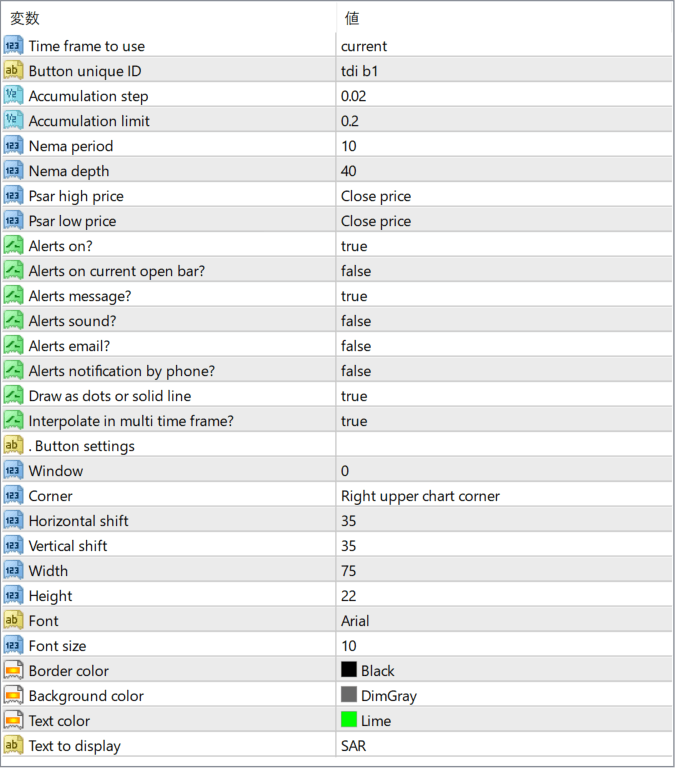
The screenshot above shows the default input parameters in the MT4 settings window.
How to Install .ex4 Indicator in MetaTrader 4
- Download the ZIP file and extract it.
- In MT4, select File → Open Data Folder.
- Open MQL4 → Indicators and copy the EX4 or MQ4 file into it.
- If the package includes library files, copy them to MQL4 → Libraries. Copy TPL files to the top-level templates folder.
- Restart MT4, find the indicator in the Navigator, and drag it onto a chart.
Test the tool on a demo account first. File contents and required folders can vary between packages.


