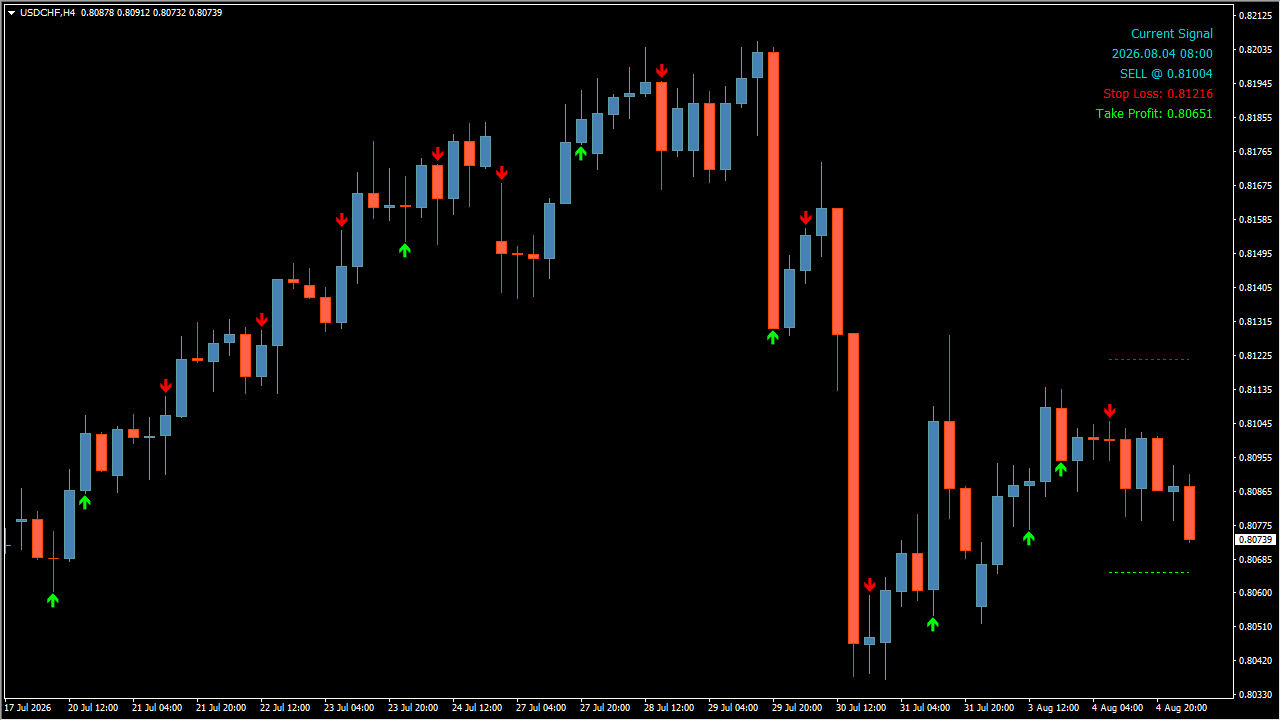
What is Scalping Solution?
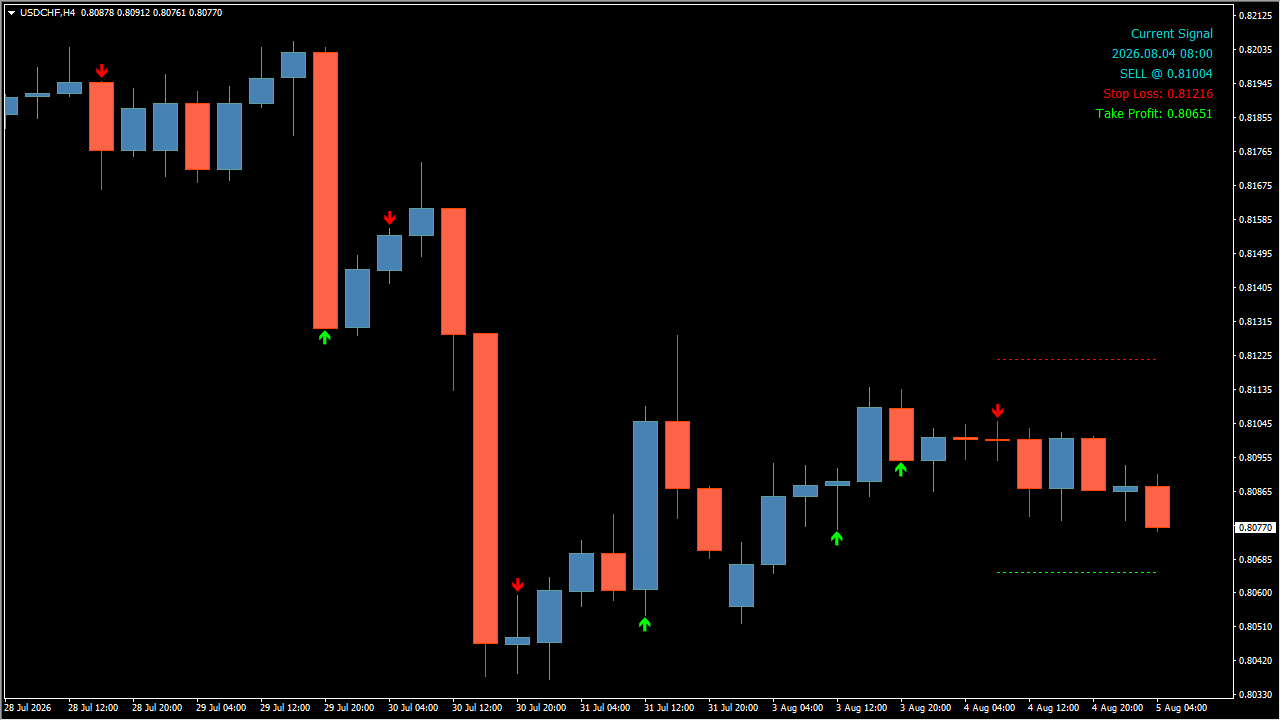
The panel in the top right carries the details of the latest signal.
Scalping Solution draws arrows on the main MT4 chart and calculates a take-profit and a stop-loss price for the most recent signal.
A Current Signal panel in the top right carries the details of that signal, and the stop-loss and take-profit levels are drawn on the chart as red and green dotted horizontal lines.
How to use Scalping Solution
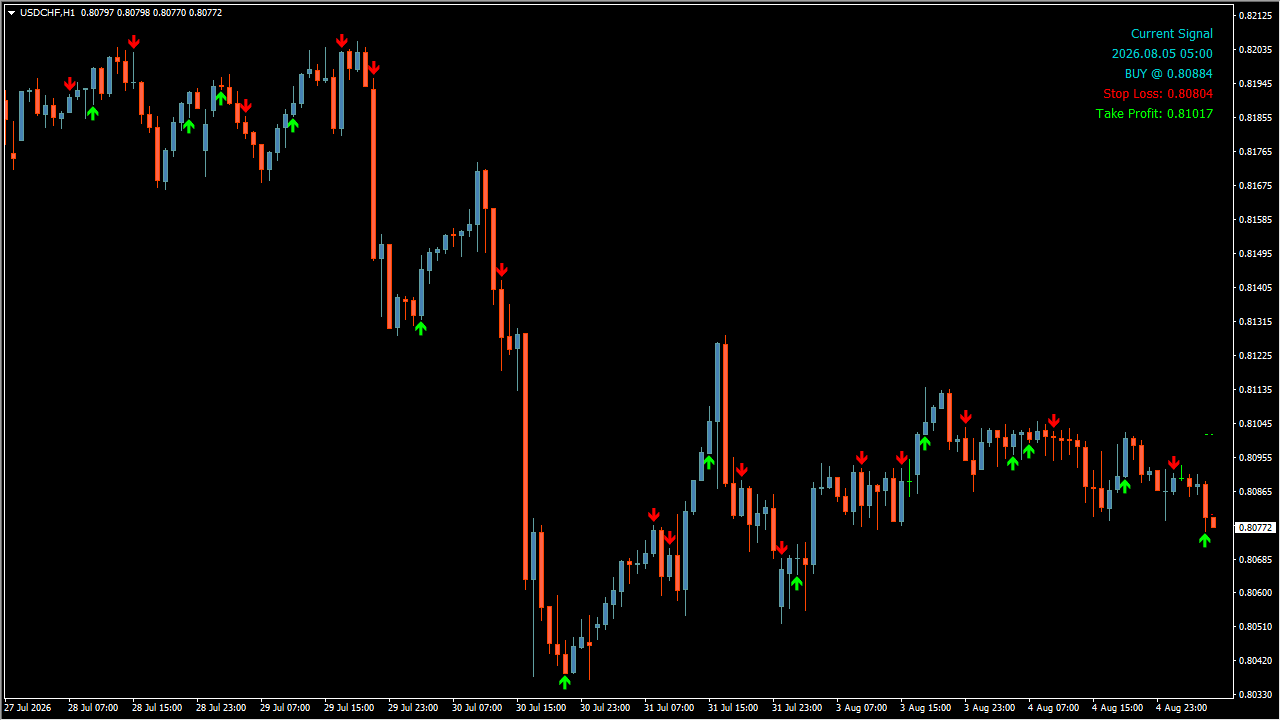
Yellow-green arrows mark buys and red arrows mark sells.
Yellow-green arrows mark buys and red arrows mark sells. Read the arrows together with the panel. In the example charts these appear as price falls back from a high area or bounces from a low one.
When a new signal forms, the panel shows BUY @ price or SELL @ price along with the Stop Loss in red and the Take Profit in green, and the matching dotted lines appear on the chart. Those prices are calculated automatically from ATR and similar measures.
Where it helps
The signal, the stop and the target are displayed at the same time rather than separately.
The SL and TP appear as numeric prices on the panel and as dotted lines on the chart.
The arrow, the panel fields and the two dotted lines are visible together on the same chart.
MT4 Indicator Parameters
The table below lists the available MT4 indicator parameters. You can customize these options in the MetaTrader Inputs dialog to match your trading preferences.
| Parameter | Description |
|---|---|
| Main Inputs | Labels the main inputs section. |
| Look Bar | Sets the lookback bar count. |
| Show alerts | Enables or disables alerts. |
| Send email notifications | Enables or disables email notifications. |
| Send push notifications | Enables or disables push notifications. |
| Bullish divergence color | Sets the bullish-divergence color. |
| Bearish divergence color | Sets the bearish-divergence color. |
| Preliminary area color | Sets the preliminary-area color. |
| Bullish arrow color | Sets the bullish-arrow color. |
| Bearish arrow color | Sets the bearish-arrow color. |
| Stop loss line color | Sets the stop-loss line color. |
| Take profit line color | Sets the take-profit line color. |
| Allow draw latest signal label | Shows or hides the latest-signal label. |
| Signal text color | Sets the signal-text color. |
| Stop loss label color | Sets the stop-loss label color. |
| Take profit label color | Sets the take-profit label color. |
| SL and TP Inputs | Labels the SL and TP inputs section. |
| ATR Period for SL & TP shift | Sets the ATR period used for SL and TP shifts. |
| SL shift coefficient | Sets the SL shift coefficient. |
| TP shift coefficient | Sets the TP shift coefficient. |
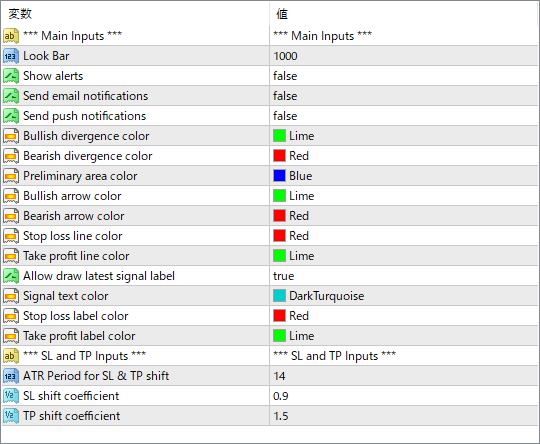
The screenshot above shows the default input parameters in the MT4 settings window.
How to Install .ex4 Indicator in MetaTrader 4
- Download the ZIP file and extract it.
- In MT4, select File → Open Data Folder.
- Open MQL4 → Indicators and copy the EX4 or MQ4 file into it.
- If the package includes library files, copy them to MQL4 → Libraries. Copy TPL files to the top-level templates folder.
- Restart MT4, find the indicator in the Navigator, and drag it onto a chart.
Test the tool on a demo account first. File contents and required folders can vary between packages.


