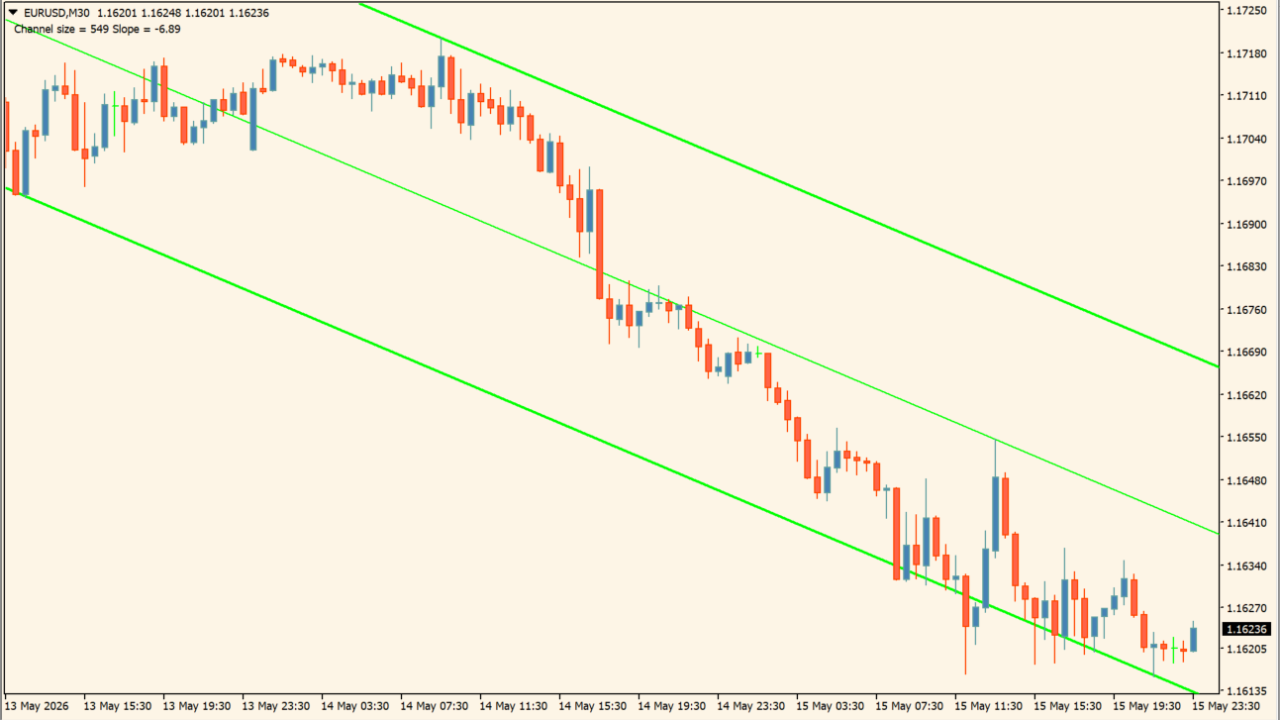
What is SHI_Channel_true?
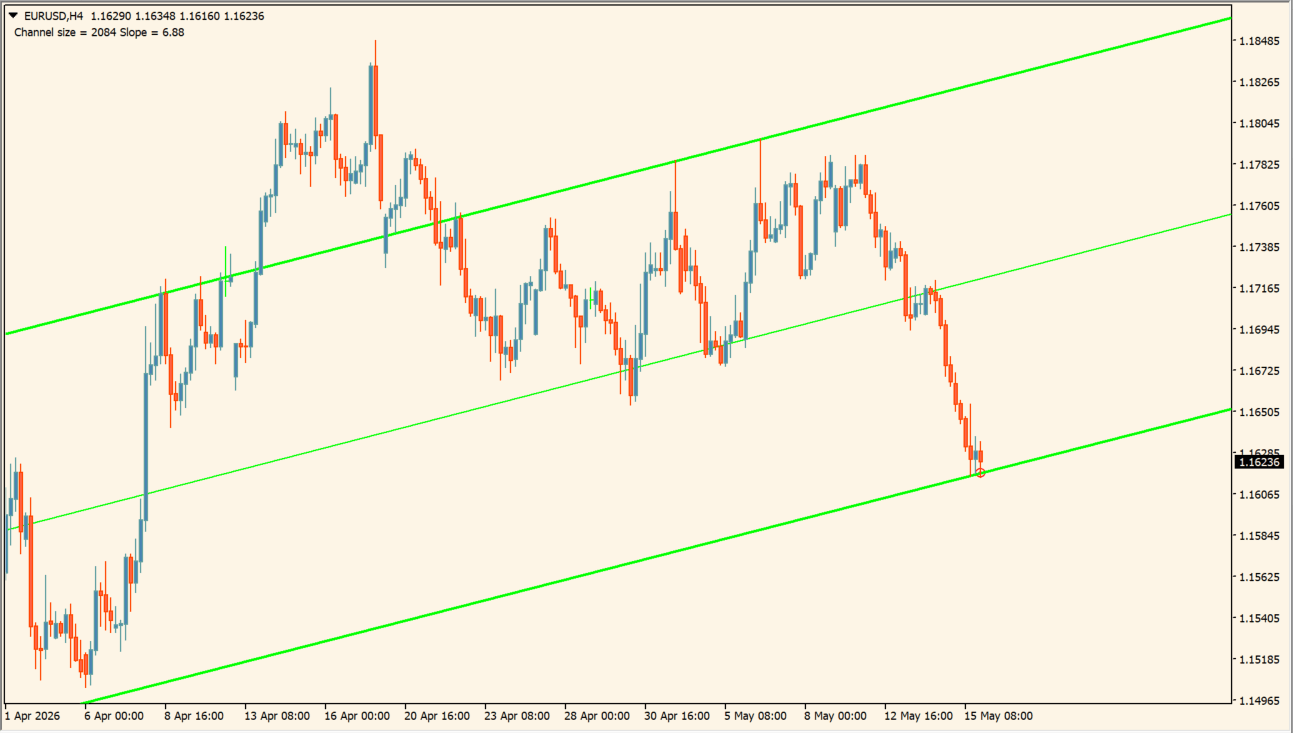
SHI_Channel_true automatically calculates and plots trend channels on the MT4 chart by identifying fractal swing highs and lows.
The indicator adjusts channel slope dynamically as new price data arrives, providing clear upper and lower channel boundaries.
How to use SHI_Channel_true
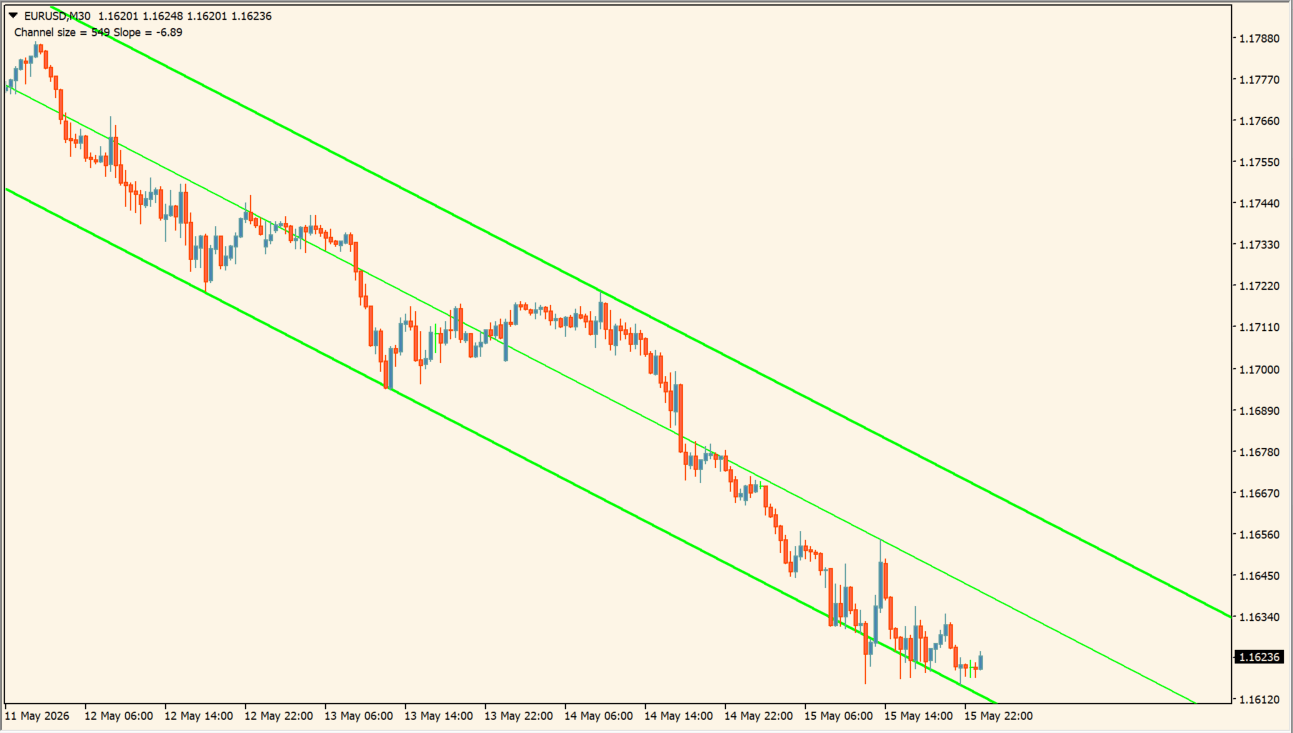
Read the upper, center, and lower channel lines together with the displayed channel size and slope:
- Add SHI_Channel_true and identify the fitted parallel channel across the selected price history.
- Use Channel size and Slope to describe the displayed width and orientation of that fit.
- Adjust AllBars to change the history used for the channel and BarsForFract to change the swing-selection condition.
- Remember that the fitted lines can move when later highs and lows enter the sample.
Where it helps
Draws dynamic trend channels automatically without manual trendline drawing.
Uses fractal swing points to establish upper and lower channel boundaries.
Allows lookback and fractal sensitivity customization via parameter inputs.
MT4 Indicator Parameters
The table below lists the available MT4 indicator parameters. You can customize these options in the MetaTrader Inputs dialog to match your trading preferences.
| Parameter | Description |
|---|---|
| AllBars | Sets the number of past bars evaluated for channel calculation. Default: 240. |
| BarsForFract | Adjusts fractal detection sensitivity. Default: 0. |
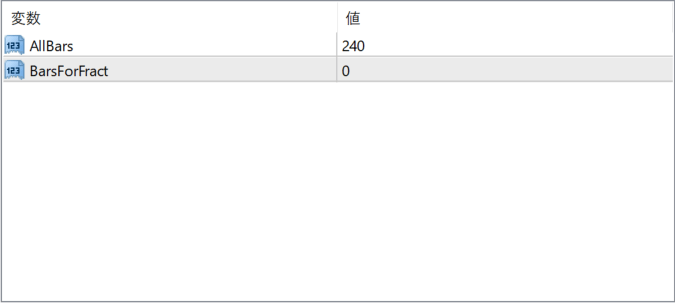
The screenshot above shows the default input parameters in the MT4 settings window.
How to Install .ex4 Indicator in MetaTrader 4
- Download the ZIP file and extract it.
- In MT4, select File → Open Data Folder.
- Open MQL4 → Indicators and copy the EX4 or MQ4 file into it.
- If the package includes library files, copy them to MQL4 → Libraries. Copy TPL files to the top-level templates folder.
- Restart MT4, find the indicator in the Navigator, and drag it onto a chart.
Test the tool on a demo account first. File contents and required folders can vary between packages.


