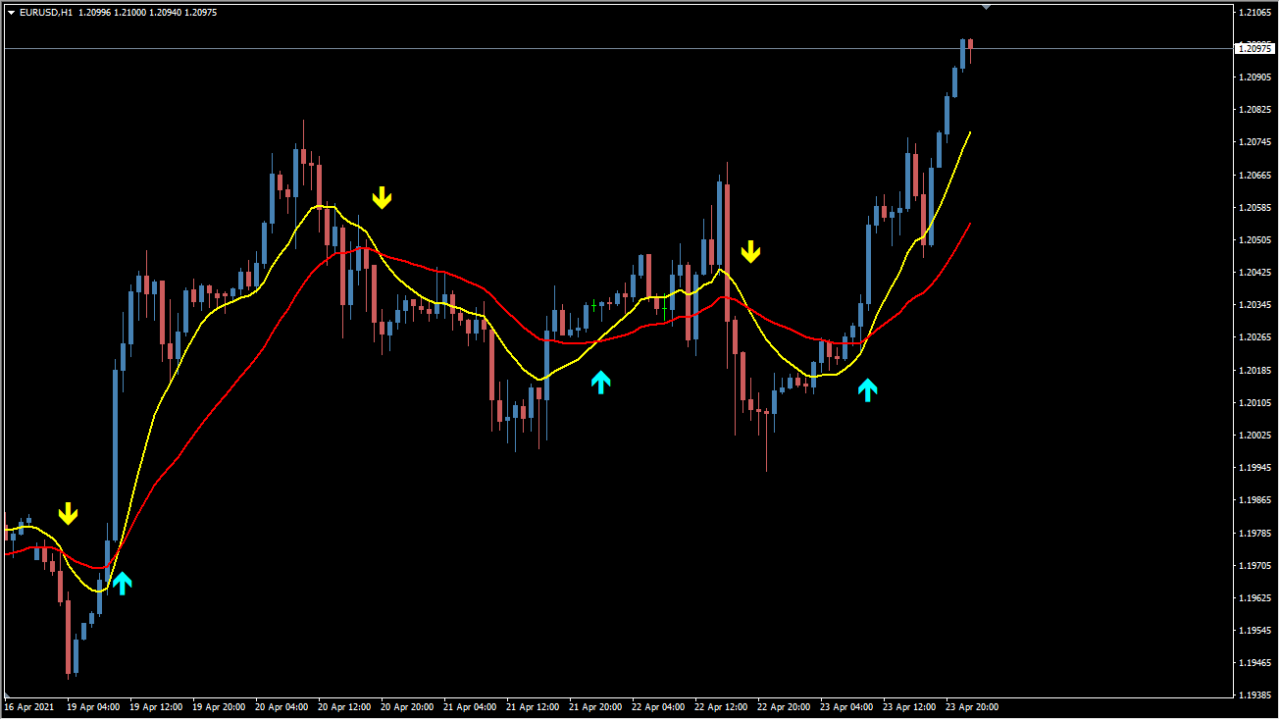
What is sidus_v3_mtf?
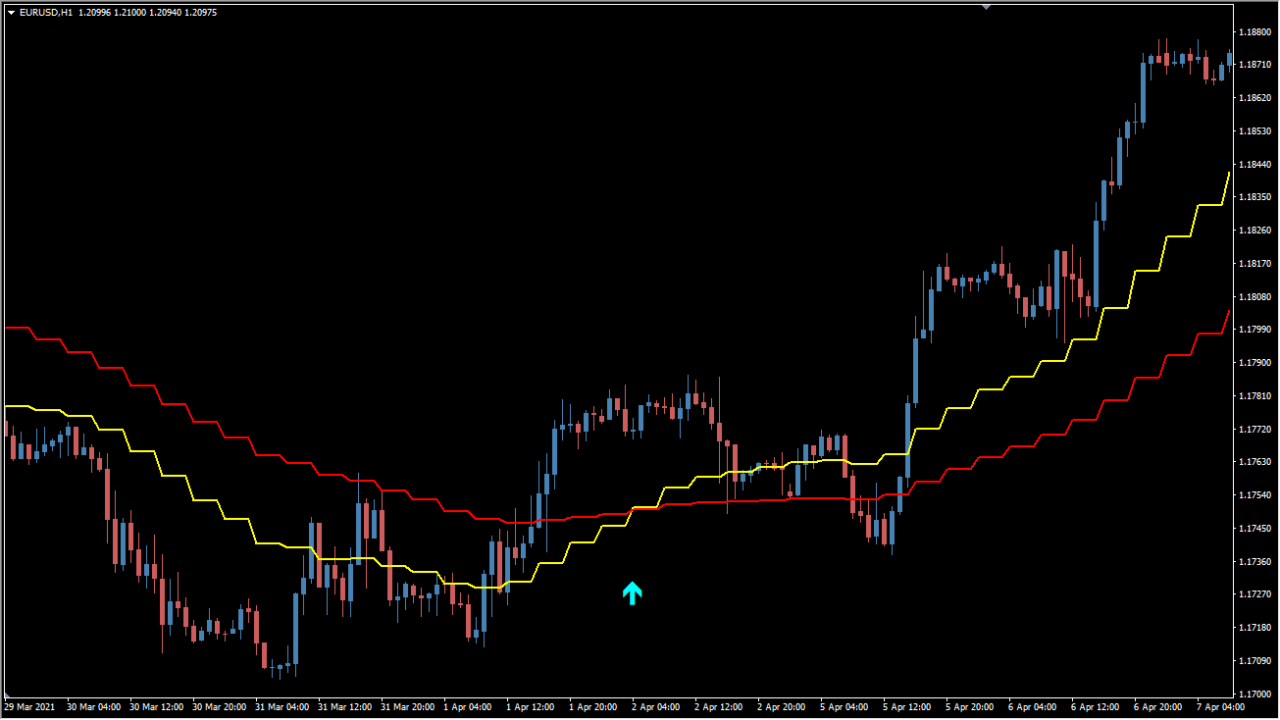
sidus_v3_mtf is an MT4 indicator that combines two moving-average calculations with an RSI filter and displays directional markers on price candles.
The timeFrame setting can provide a higher-timeframe view on the active chart, while alert options control notifications. Treat the markers as visual annotations to compare with price behavior, not as instructions.
How to use sidus_v3_mtf
Compare the 15- and 34-period EMA display at the selected higher timeframe with the lower-timeframe candles:
- Add sidus_v3_mtf and confirm which chart timeframe supplies the displayed EMA pair.
- Compare the two EMA lines with the active chart’s candle shape and the larger timeframe context.
- Use RSIPeriod to make the accompanying RSI condition more or less selective in the display.
- Keep the 15 and 34 EMA periods visible as the defining structure described by the original article.
Where it helps
EMA and RSI inputs are shown together, optional timeframe selection adds a broader chart reference, and configurable markers or alerts support visual review.
MT4 Indicator Parameters
The table below lists the available MT4 indicator parameters. You can customize these options in the MetaTrader Inputs dialog to match your trading preferences.
| Parameter | Description |
|---|---|
| timeFrame | Sets the calculation timeframe to 240 minutes. Default: 240. |
| FastEMA | Sets the period for the fast exponential moving average to capture momentum shifts. Default: 15. |
| SlowEMA | Sets the period for the slow exponential moving average defining trend direction. Default: 34. |
| ex | Controls the moving average calculation method (0=SMA, 1=EMA, 2=SSMA, 3=LWMA). Default: 0=SMA,1=EMA,2=SSMA,3=LWMA. |
| mamode | Selects the specific smoothing mode applied to moving average calculations. Default: 3. |
| ex2 | Selects the price type used for MA calculations (0=Close, 1=Open, 2=High, 3=Low). Default: 0=Close,1=Open,2=High,3=Low. |
| ex2a | Defines the secondary price weighting model used for moving average smoothing. Default: 4=Median,5=Typical,6=Weighted. |
| maprice | Specifies the price input type applied directly to the internal indicator formula. Default: 0. |
| RSIPeriod | Sets the period of the RSI filter used to confirm valid directional signals. Default: 8. |
| Alerts | Enables or disables popup audio alerts when new trend signals trigger. Default: false. |
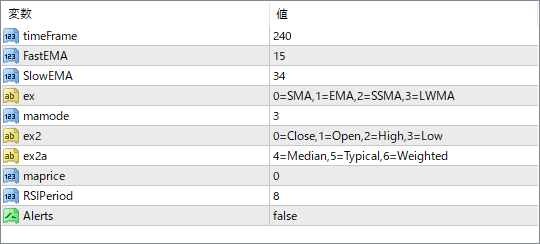
The screenshot above shows the default input parameters in the MT4 settings window.
How to Install .ex4 Indicator in MetaTrader 4
- Download the ZIP file and extract it.
- In MT4, select File → Open Data Folder.
- Open MQL4 → Indicators and copy the EX4 or MQ4 file into it.
- If the package includes library files, copy them to MQL4 → Libraries. Copy TPL files to the top-level templates folder.
- Restart MT4, find the indicator in the Navigator, and drag it onto a chart.
Test the tool on a demo account first. File contents and required folders can vary between packages.


