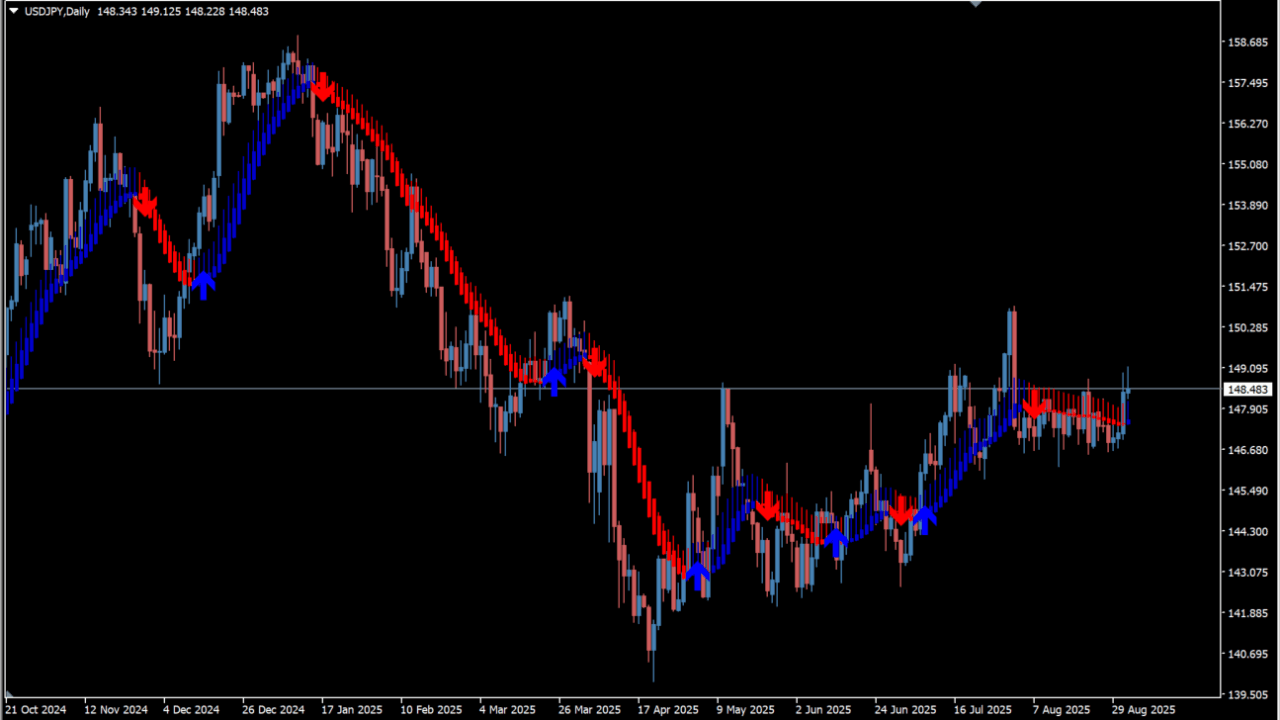
What is SKdon Trend?
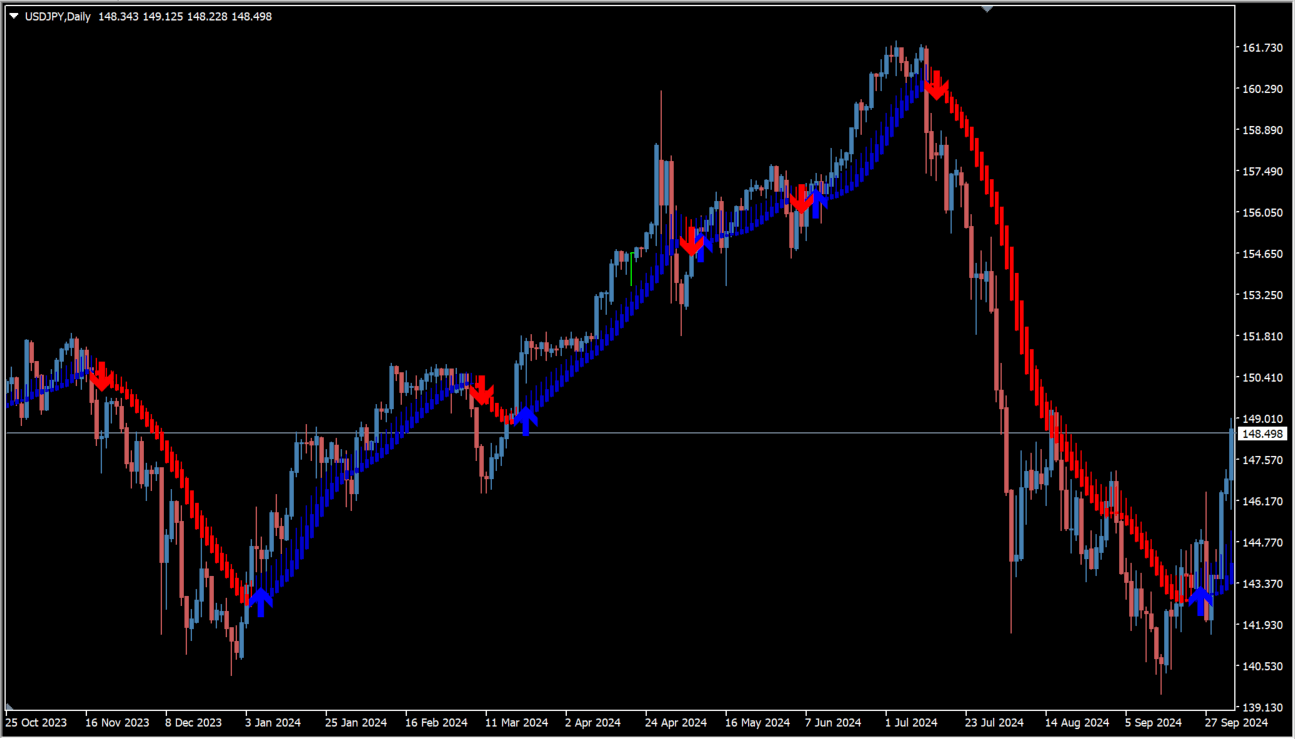
SKdon Trend is an MT4 trend-following tool that marks possible price reversals with arrows and displays trend direction with colored bars. It uses a Heiken Ashi display to make trend direction easier to read.
How to use SKdon Trend
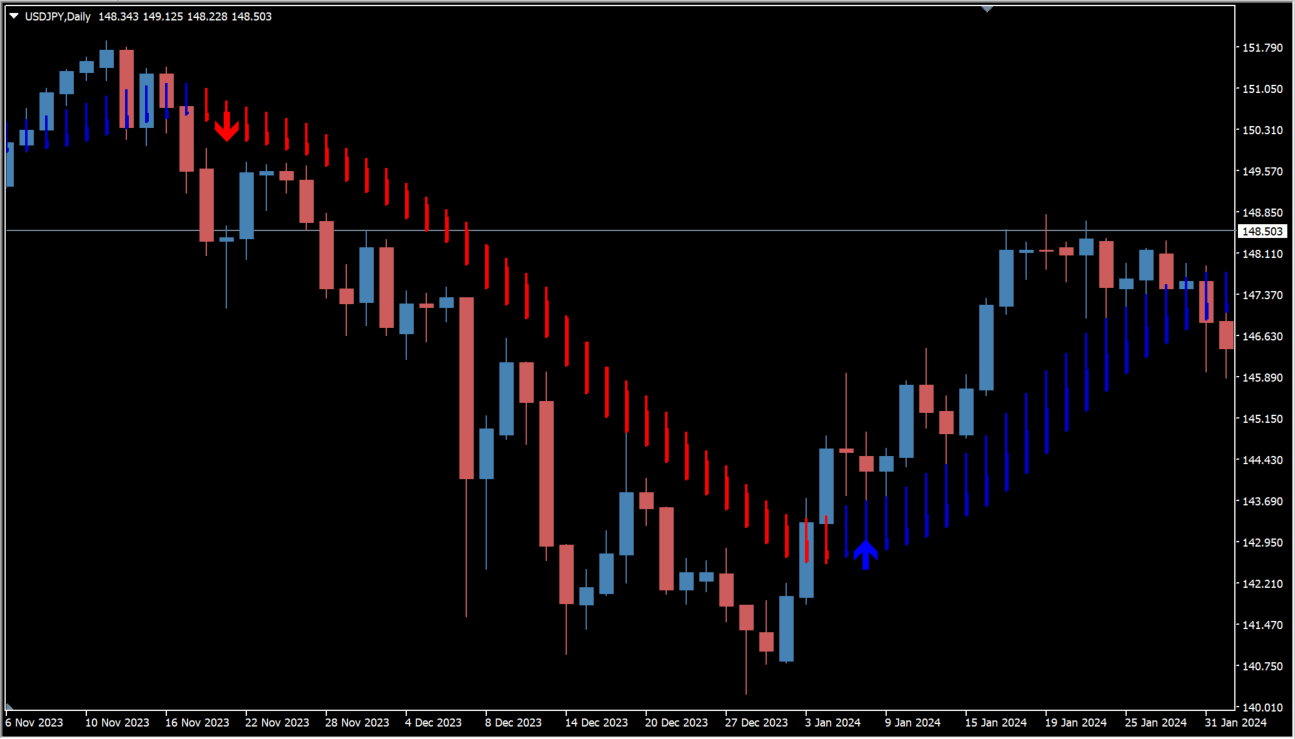
Blue and red reversal arrows with matching colored trend bars appear when the displayed color changes. Blue arrows indicate a possible uptrend followed by blue bars, while red arrows indicate a possible downtrend followed by red bars. Arrows can appear late relative to the move, so review price action such as engulfing or reversal patterns after an arrow, and compare an opposite-color signal with the surrounding chart structure.
Where it helps
MT4 Indicator Parameters
The table below lists the available MT4 indicator parameters. You can customize these options in the MetaTrader Inputs dialog to match your trading preferences.
| Parameter | Description |
|---|---|
| MaMetod | Selects the moving-average calculation method. |
| MaPeriod | Sets the moving-average calculation period; larger values capture longer trends and smaller values capture shorter trends. |
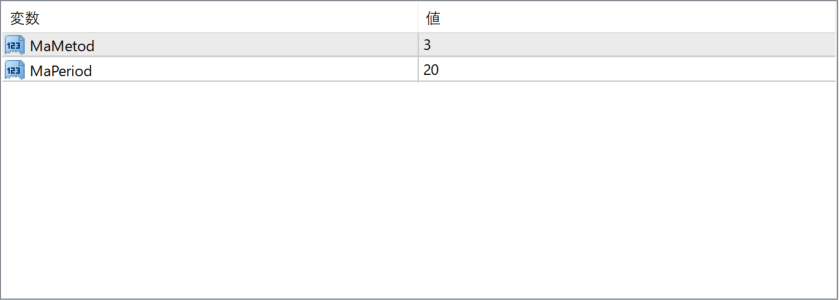
The screenshot above shows the default input parameters in the MT4 settings window.
How to Install .ex4 Indicator in MetaTrader 4
- Download the ZIP file and extract it.
- In MT4, select File → Open Data Folder.
- Open MQL4 → Indicators and copy the EX4 or MQ4 file into it.
- If the package includes library files, copy them to MQL4 → Libraries. Copy TPL files to the top-level templates folder.
- Restart MT4, find the indicator in the Navigator, and drag it onto a chart.
Test the tool on a demo account first. File contents and required folders can vary between packages.


