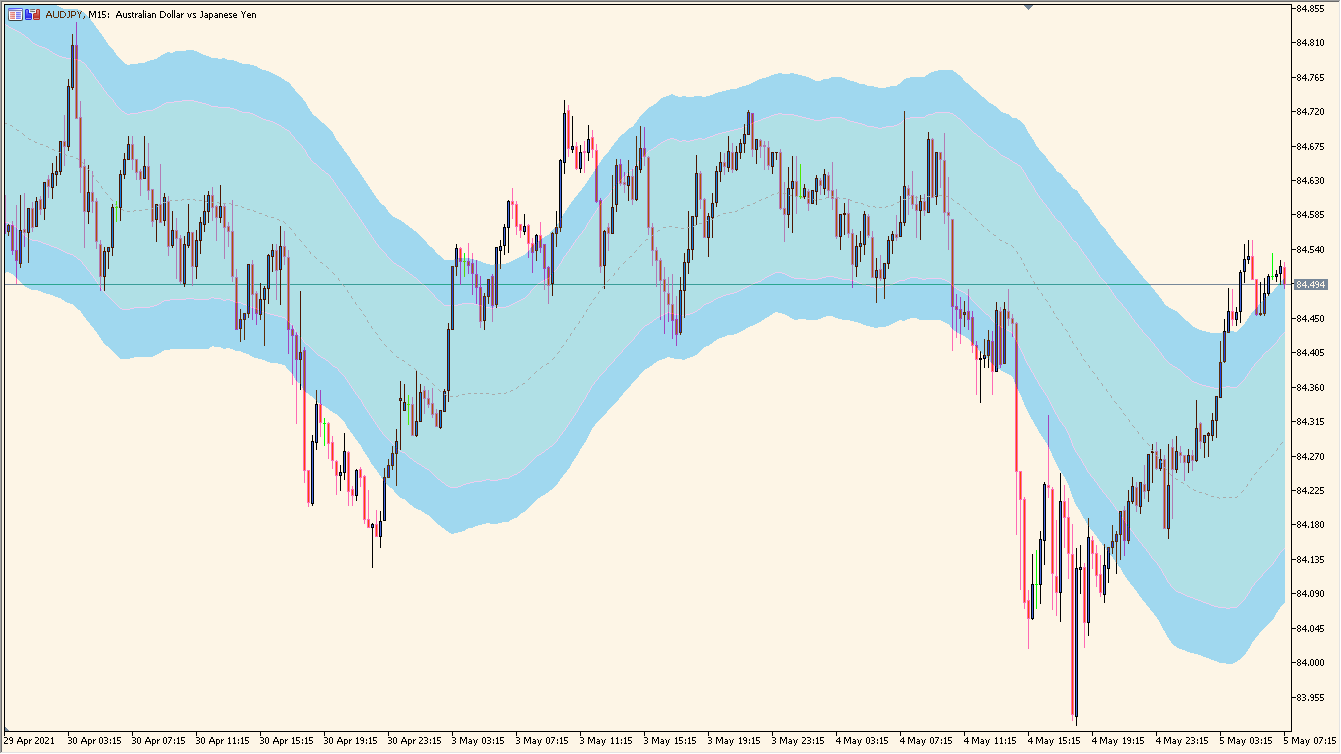
What is STARC Band Indicator?
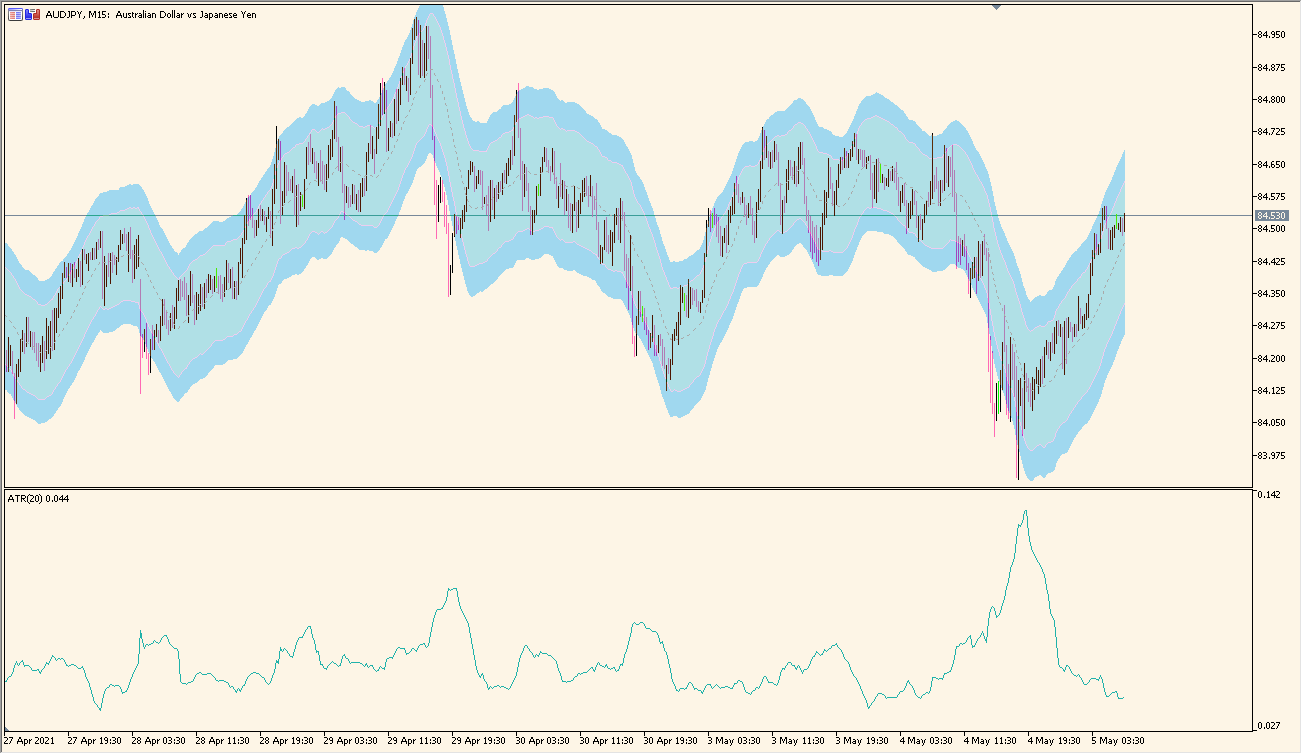
STARC Band Indicator for MT5 calculates Stoller Average Range Channels by applying ATR multipliers around a Simple Moving Average. The upper and lower bands provide a channel view that responds to the selected volatility settings.
Unlike Bollinger Bands, the channel width is based on Average True Range rather than standard deviation. The display is a visual reference for reviewing price behavior and volatility range.
How to use STARC Band Indicator
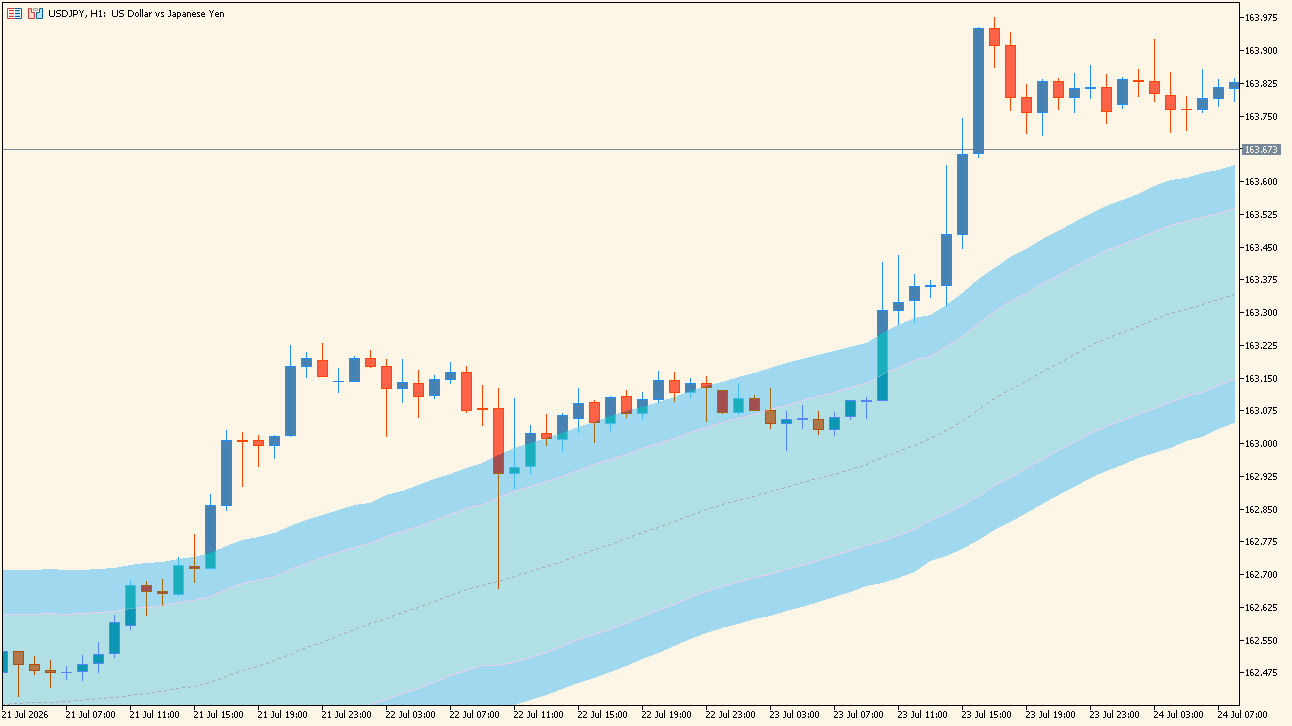
Compare the moving-average center line with the ATR-based upper and lower STARC bands:
- View the center moving average and the outer bands together to see how the envelope differs from a standard Bollinger Band.
- Compare the band width and the way it expands or contracts with periods of changing volatility.
- Use STARC average type and ATR averaging type to select the averaging methods used by the display.
- Set Time frame when a higher- or lower-timeframe STARC view is needed on the active chart.
Where it helps
ATR-based channel boundaries remain visible around a moving-average baseline, two multiplier settings provide different range references, and the existing Inputs support multi-timeframe display options.
MT5 Indicator Parameters
The table below lists the available MT5 indicator parameters. You can customize these options in the MetaTrader Inputs dialog to match your trading preferences.
| Parameter | Description |
|---|---|
| Time frame | Selects the calculation timeframe. Default: current. |
| STARC main period | Sets the main STARC calculation period. Default: 20. |
| STARC average type | Selects the averaging method for the STARC baseline. Default: Simple moving average. |
| Price | Selects the applied price. Default: Close. |
| ATR period | Sets the Average True Range calculation period. Default: 100. |
| ATR multiplier 1 | Sets the first ATR multiplier. Default: 2. |
| ATR multiplier 2 | Sets the second ATR multiplier. Default: 3. |
| ATR averaging type | Selects the averaging method for ATR. Default: Simple moving average. |
| Interpolate mtf data ? | Enables interpolation of multi-timeframe data. Default: true. |
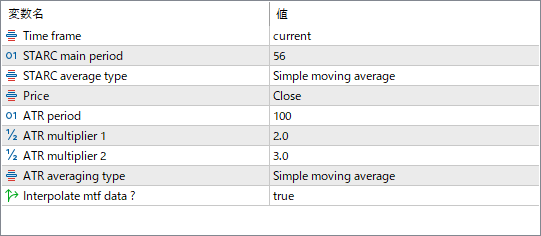
The screenshot above shows the default input parameters in the MT5 settings window.
How to Install .ex5 Indicator in MetaTrader 5
- Download the ZIP file and extract it.
- In MT5, select File → Open Data Folder.
- Open MQL5 → Indicators and copy the EX5 or MQ5 file into it.
- If the package includes library files, copy them to MQL5 → Libraries. Copy TPL files to the top-level templates folder.
- Restart MT5, find the indicator in the Navigator, and drag it onto a chart.
Test the tool on a demo account first. File contents and required folders can vary between packages.


