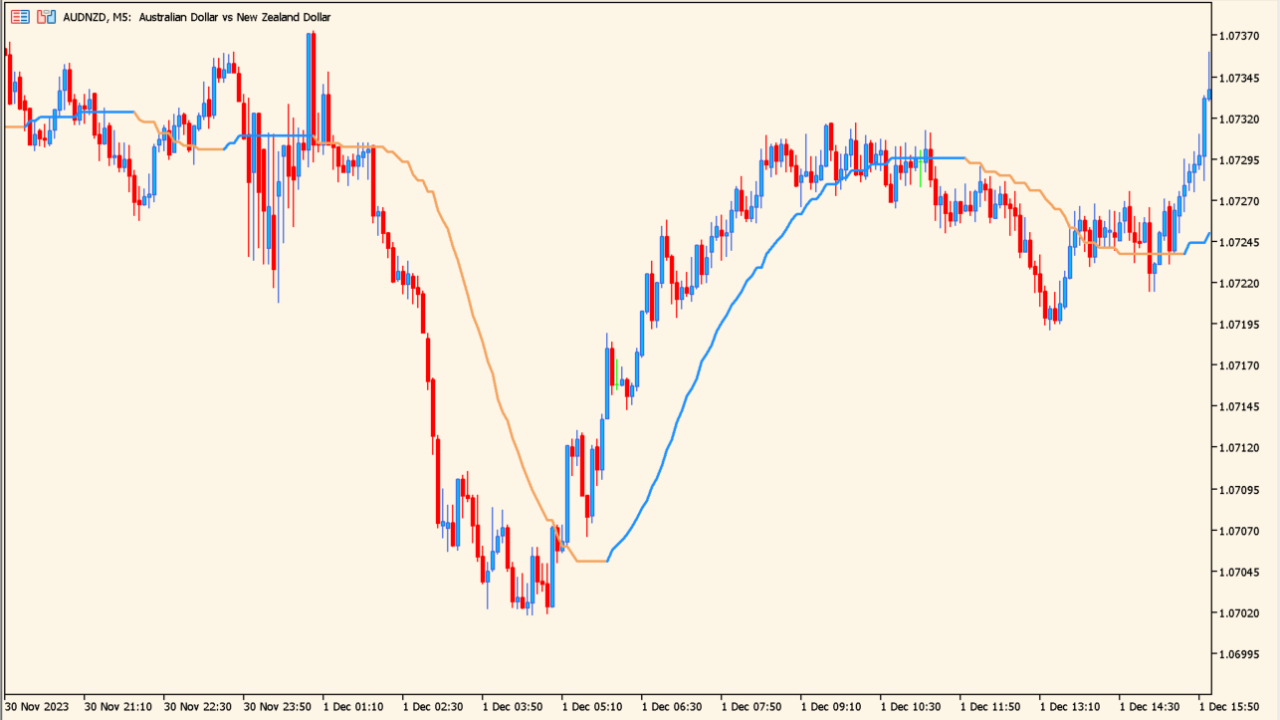
What is Step one more average Indicator?
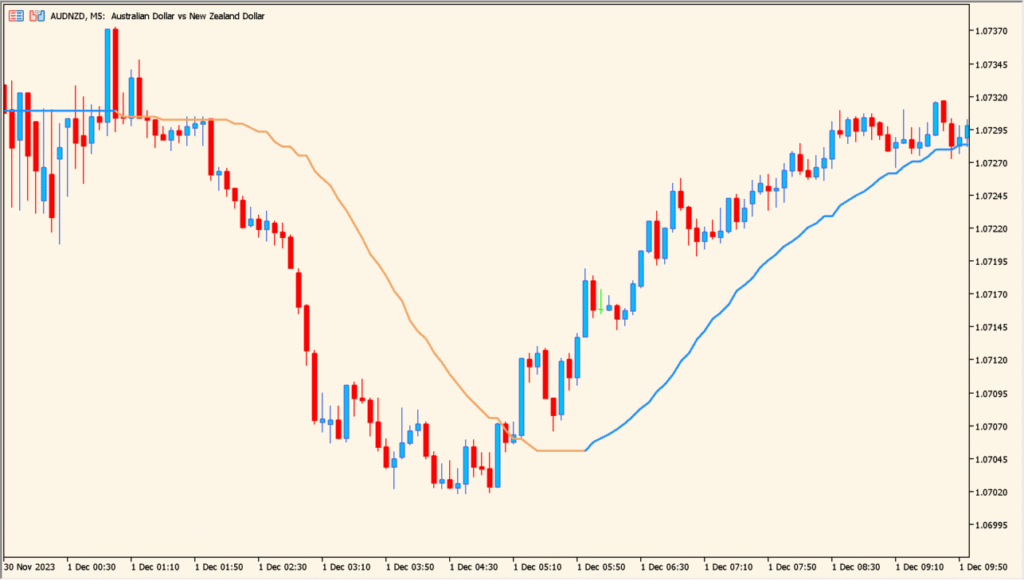
Step One More Average is an MT5 indicator that displays an ATR-based adaptive moving average. Its smoothing can respond differently as the volatility measure changes, and the existing timeframe option can provide a higher-timeframe view on the chart.
The stepped line offers visual context for comparing a smoothed reference with current price behavior. It is a moving-average display and should not be read as a directional conclusion or a timing instruction.
How to Use It in Practice
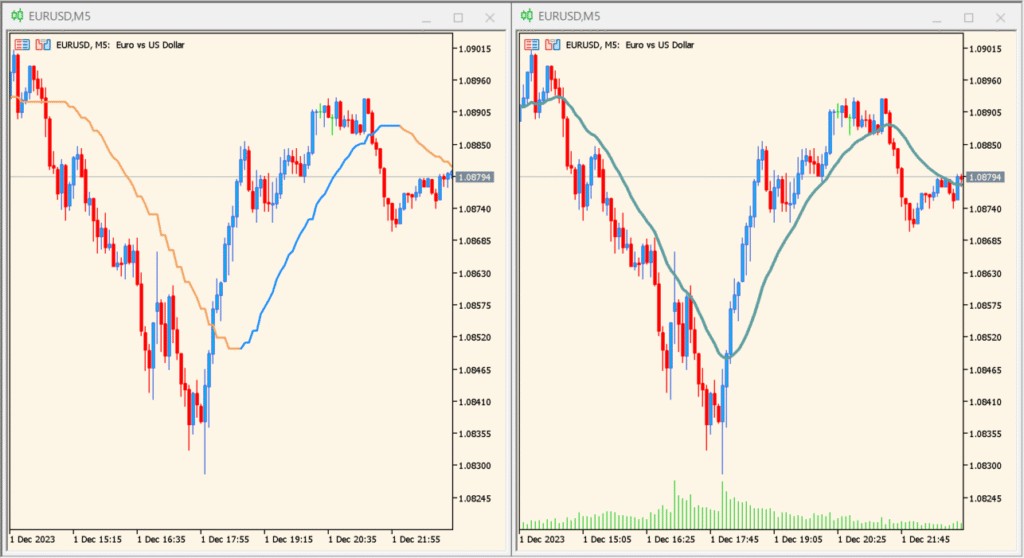
Read the stepped average as an ATR-based smoothing line and compare its response with the selected chart or higher-timeframe view. The Time frame, Oma Length, and Oma Speed controls are the main ways to alter this moving-average presentation.
- Use Time frame to compare the selected calculation horizon with the active chart before changing the smoothing controls.
- Adjust Oma Length and Oma Speed to observe how the displayed step line changes, then use Use Oma Adaptive? to compare the available behavior.
- Review Price, ATR period, ATR step size, and Interpolation as calculation and presentation controls while comparing the line with the candles.
ATR-based smoothing provides a distinct moving-average reference, timeframe and interpolation options support broader chart context, and length or speed controls allow display comparisons.
MT5 Indicator Parameters
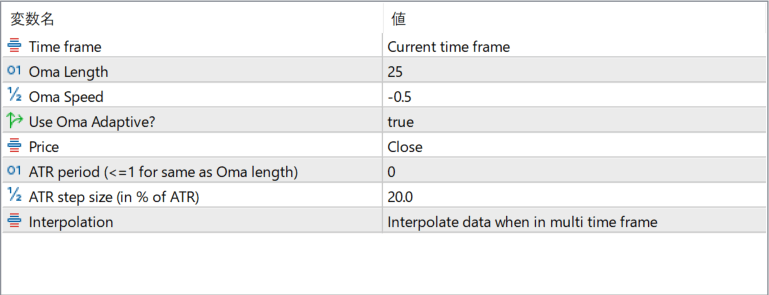
The screenshot above shows the default input parameters in the MT5 settings window.
| Parameter | Description |
|---|---|
| Time frame | Sets the timeframe from which the indicator calculates its values. Selecting a higher timeframe allows for smoother multi-timeframe analysis. |
| Oma Length | Controls how many bars are used in the base OMA smoothing. Higher values produce slower and smoother responses. |
| Oma Speed | Adjusts the sensitivity of the OMA calculation. Positive or negative values modify how quickly the line adapts to price movements. |
| Use Oma Adaptive? | Enables the adaptive behavior that adjusts smoothing according to market volatility. When disabled, the indicator behaves more like a standard moving average. |
| Price | Specifies the price source used for calculations, such as Close, Open, or typical price variations. |
| ATR period (<=1 for same as Oma length) | Sets the ATR period used for volatility filtering. If set to 1 or less, it automatically matches the OMA length. |
| ATR step size (in % of ATR) | Determines the size of each adaptive step. Larger values create wider steps and a less sensitive line. |
| Interpolation | Controls smoothing behavior when using higher-timeframe data. Interpolation fills gaps so the line displays smoothly on lower timeframes. |


