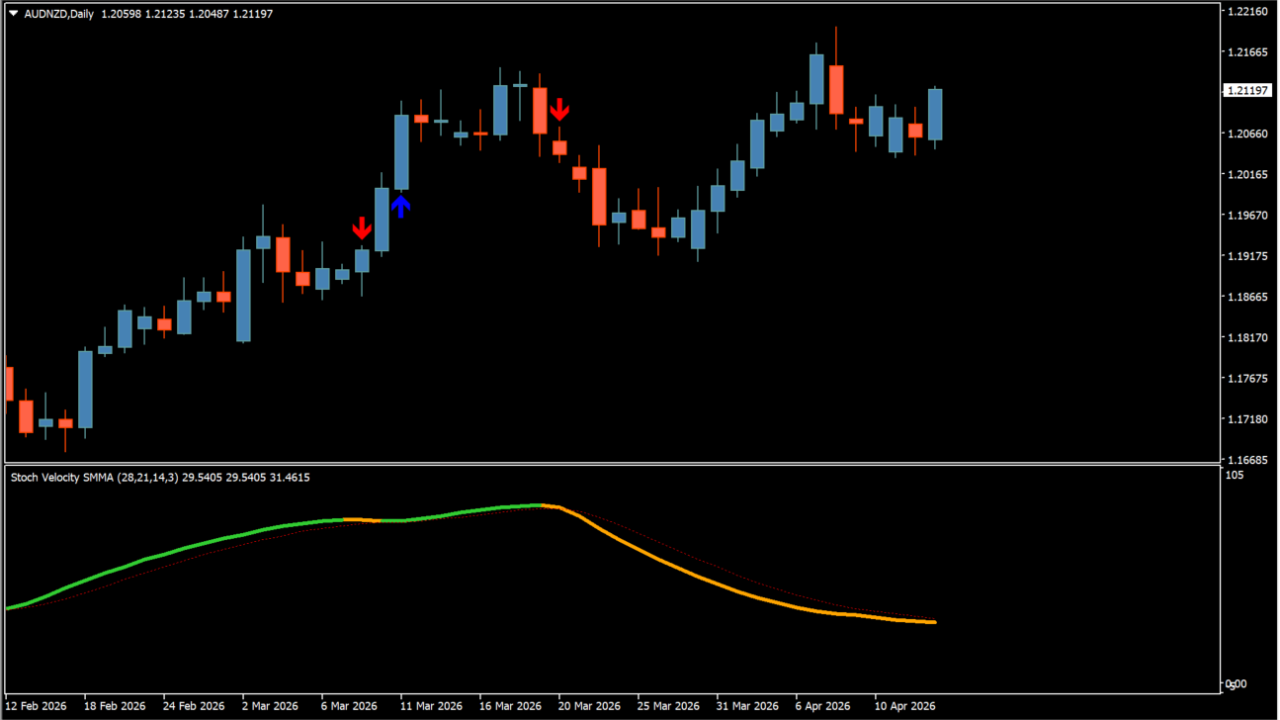
What is ! Stoch_Velocity + avgs (arrows + alerts)?
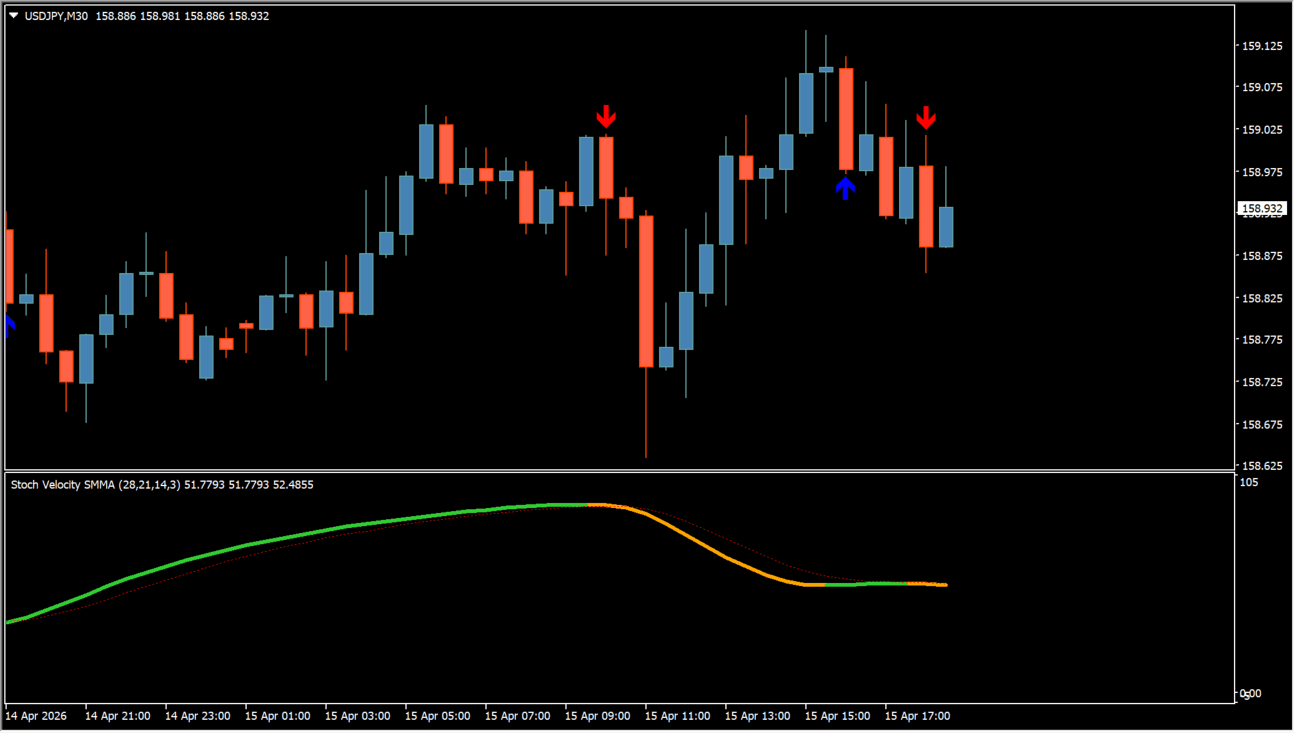
Stoch_Velocity + avgs calculates rate of change and velocity across Stochastic momentum values.
It offers over 100 moving average smoothing methods and plots buy/sell arrow signals when velocity thresholds are crossed.
How to use ! Stoch_Velocity + avgs (arrows + alerts)
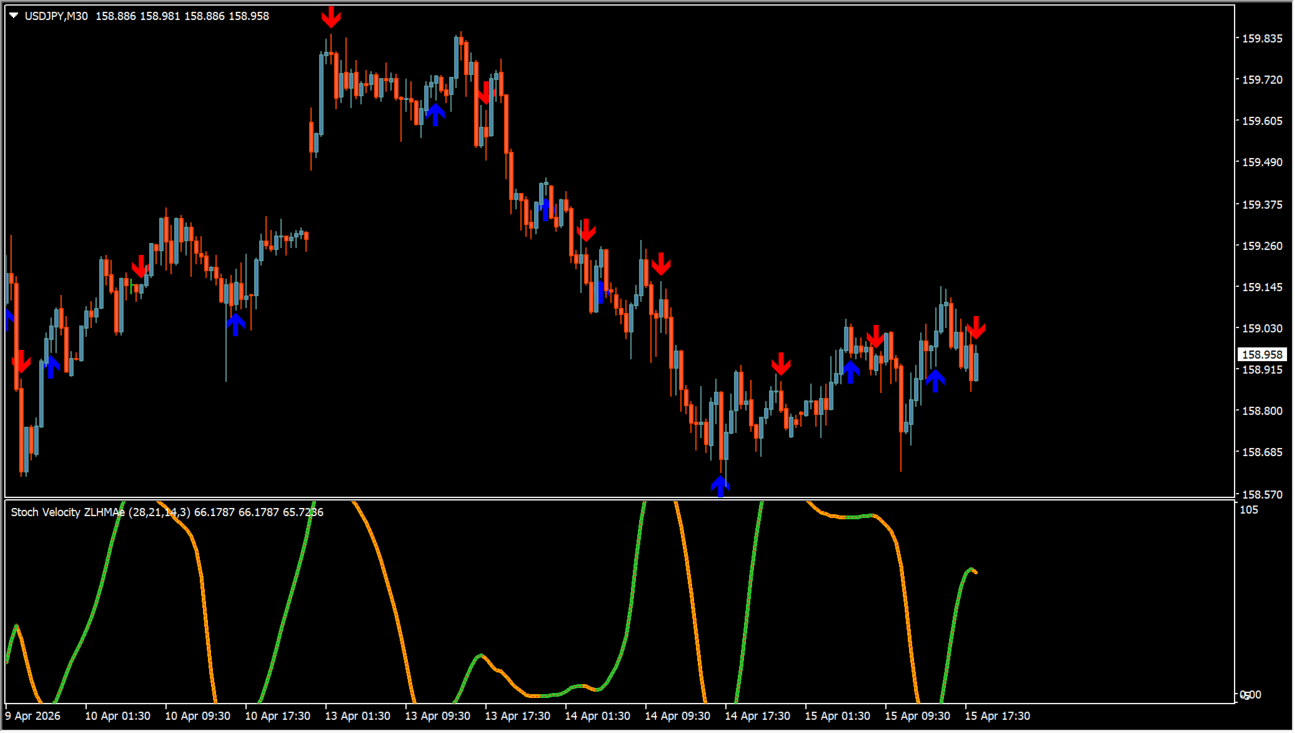
Look for directional arrow signals when Stochastic velocity turns near extreme momentum areas.
Adjust Velocity period, Stoch Average type, arrow codes, and popup/sound alert options in the Inputs tab.
Where it helps
Measures momentum speed to detect momentum turns early.
Supports numerous smoothing algorithms to refine signal calculations.
Displays customizable signal arrows with optional alert popups and sounds.
MT4 Indicator Parameters
The table below lists the available MT4 indicator parameters. You can customize these options in the MetaTrader Inputs dialog to match your trading preferences.
| Parameter | Description |
|---|---|
| Velocity period | Sets the calculation period for velocity rate of change. Default: 14. |
| Price | Selects the price field used for velocity calculation. Default: Median price. |
| Stoch period | Sets the primary Stochastic indicator period. Default: 14. |
| Stoch slowing period | Sets the slowing period for Stochastic smoothing. Default: 3. |
| Stoch signal period | Sets the signal line smoothing period. Default: 3. |
| Stoch Average type | Selects the moving average smoothing method. Default: SMA. |
| Stoch velocity line width | Sets the line width for Stochastic velocity display. Default: 2. |
| Show arrows? | Controls display of signal arrows on the chart. Default: true. |
| Arrows unique ID | Sets unique identifier string for arrow objects. Default: StochVel_01. |
| Up arrow color | Sets the color for bullish signal arrows. Default: clrDeepSkyBlue. |
| Down arrow color | Sets the color for bearish signal arrows. Default: clrRed. |
| Arrows up code | Sets the Wingdings code for bullish arrows. Default: 233. |
| Arrows down code | Sets the Wingdings code for bearish arrows. Default: 234. |
| Arrows size | Sets the font size for signal arrows. Default: 1. |
| Alerts on? | Enables or disables popup alert notifications. Default: false. |
| Alerts open bar? | Controls whether alerts trigger on unclosed bars. Default: false. |
| Alerts message? | Enables pop-up message box alerts. Default: true. |
| Alerts sound? | Enables sound alerts on signal trigger. Default: false. |
| Alerts email? | Enables email notifications on signal trigger. Default: false. |
| Alerts notification? | Enables mobile push notifications on signal trigger. Default: false. |
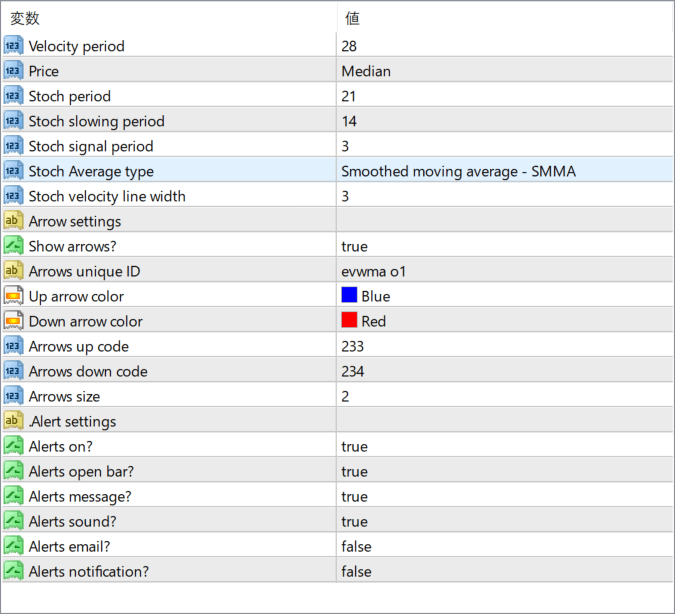
The screenshot above shows the default input parameters in the MT4 settings window.
How to Install .ex4 Indicator in MetaTrader 4
- Download the ZIP file and extract it.
- In MT4, select File → Open Data Folder.
- Open MQL4 → Indicators and copy the EX4 or MQ4 file into it.
- If the package includes library files, copy them to MQL4 → Libraries. Copy TPL files to the top-level templates folder.
- Restart MT4, find the indicator in the Navigator, and drag it onto a chart.
Test the tool on a demo account first. File contents and required folders can vary between packages.


