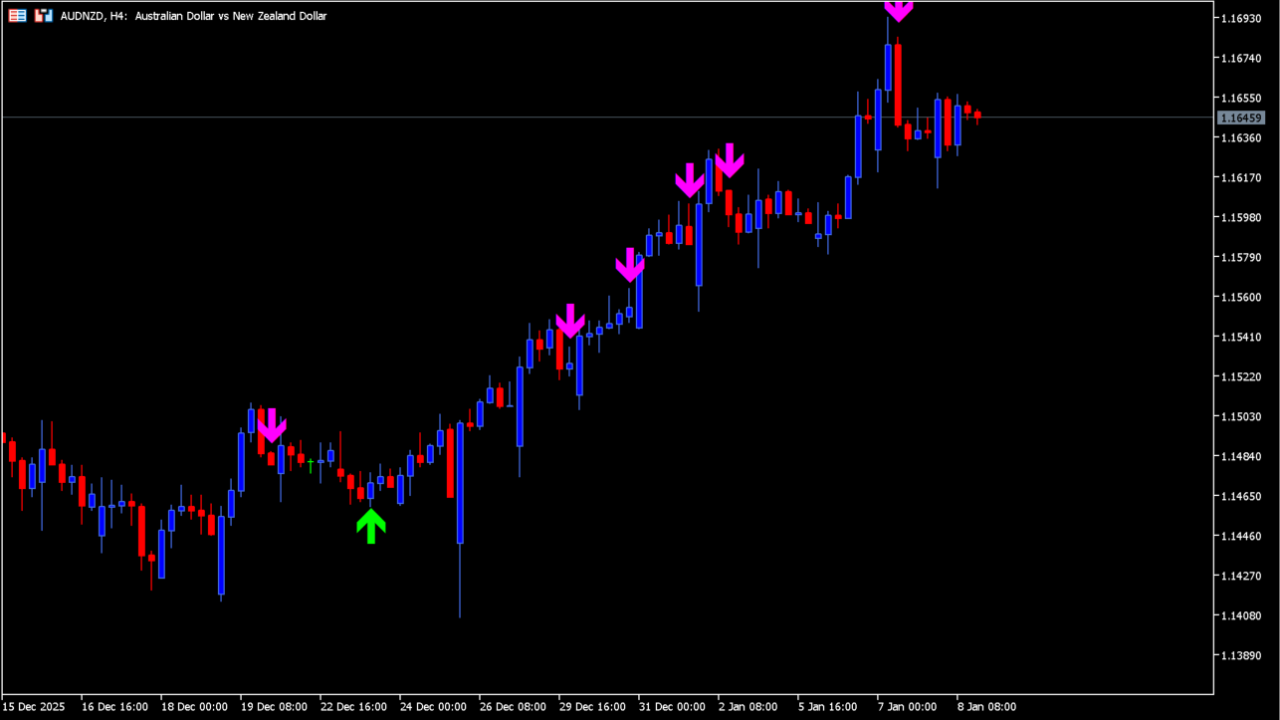
What is stochastic-cross-alert-sig-overlay-m-cw?
stochastic-cross-alert-sig-overlay-m-cw (Stochastic Cross Alert) detects crosses of the stochastic %K and %D lines on MT5 and marks them on the chart with up and down arrows. It produces signals relatively often and is a counter-trend type.
Because it puts the market's overheated spots and short-term turning points on the chart visually, it works well as a discretionary-trading aid.
How to use stochastic-cross-alert-sig-overlay-m-cw
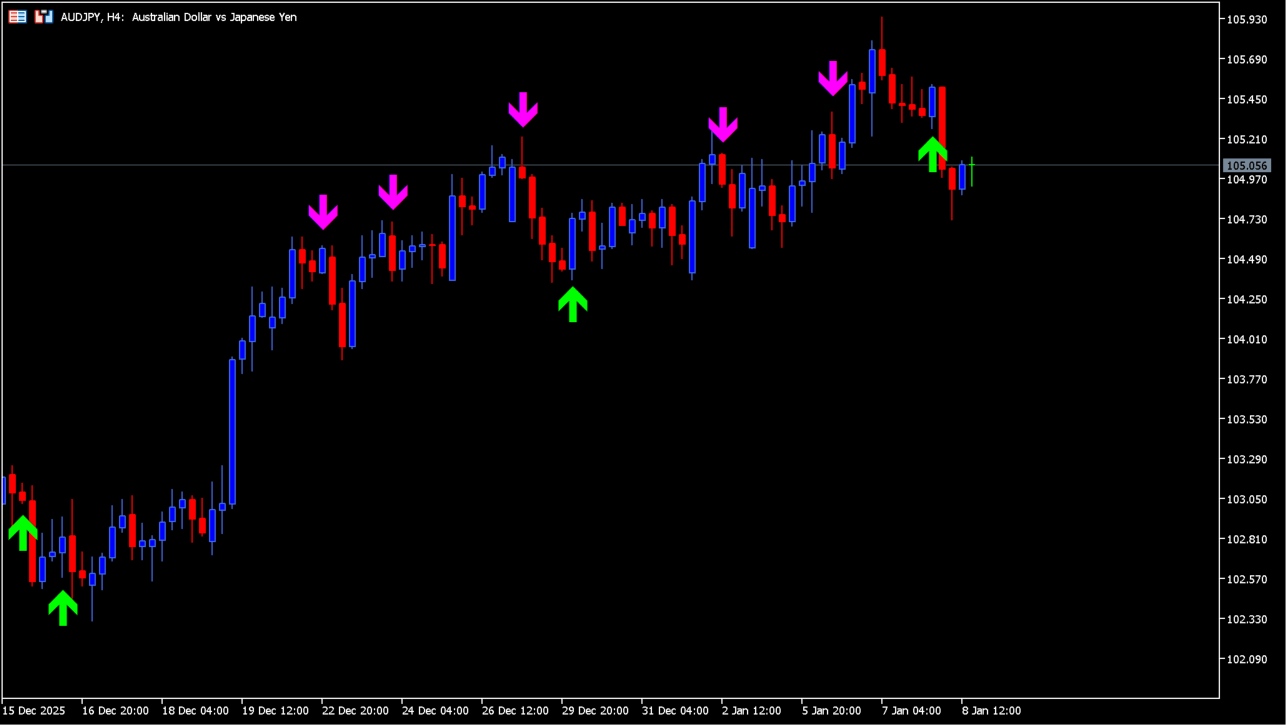
The signals are basically counter-trend.
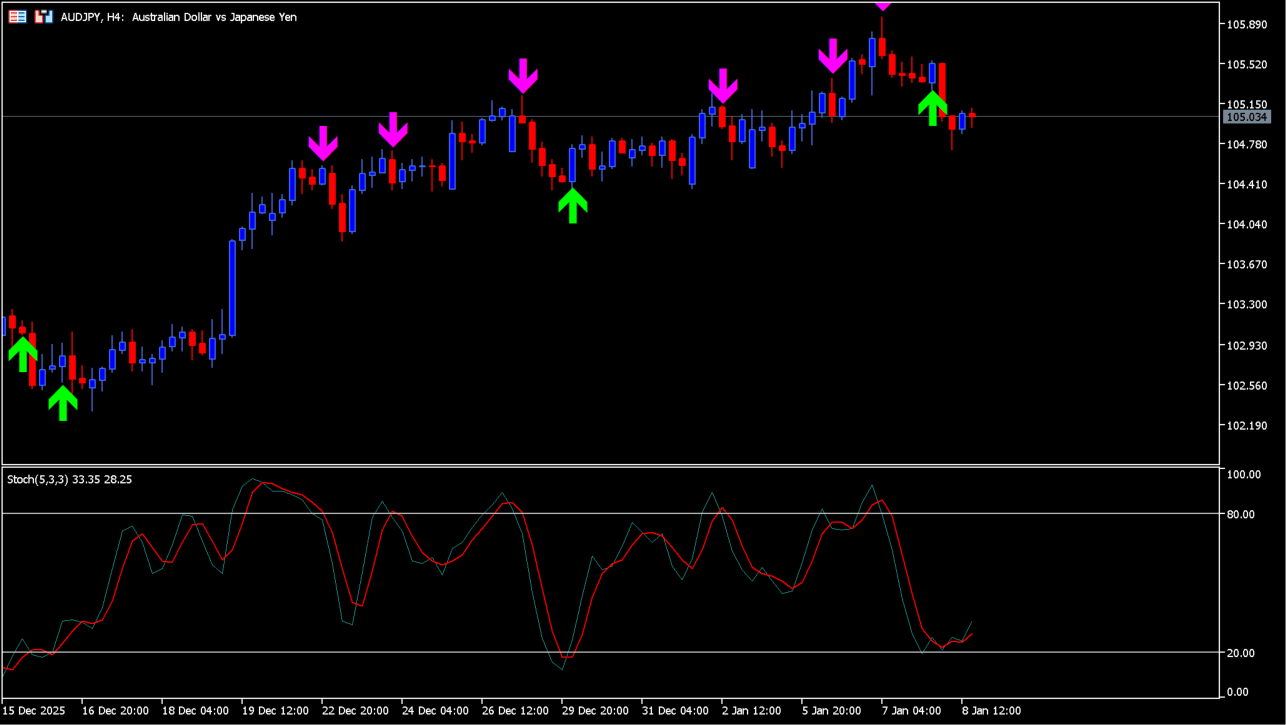
With the stochastic itself displayed, you can see the arrows appear where its lines cross.
The indicator takes the basic idea of the stochastic oscillator, the cross of %K and %D, and uses it directly as its signal.
An up arrow appears when %K crosses %D from below, and a down arrow appears when %K crosses %D from above.
The parameters also let you show only the crosses that occur inside the overbought and oversold zones.
In a trending market it can be used to check the timing of pullbacks and rallies, and in a ranging market as a guide to counter-trend points. It can also be combined with other trend indicators.
MT5 Indicator Parameters
The table below lists the available MT5 indicator parameters. You can customize these options in the MetaTrader Inputs dialog to match your trading preferences.
| Parameter | Description |
|---|---|
| SoundON | Sets whether a sound notification is played when a signal occurs. |
| EmailON | Sets whether an email notification is sent when a signal occurs. |
| KPeriod | Sets the calculation period of the stochastic %K. |
| DPeriod | Sets the calculation period of the stochastic %D. |
| Slowing | Sets the slowing period used to smooth %K. |
| MA_Method | Sets the type of moving average used to calculate %D. |
| Price_field | Sets the price, such as High/Low, used in the stochastic calculation. |
| OverBoughtLevel | Sets the upper level treated as overbought. |
| OverSoldLevel | Sets the lower level treated as oversold. |
| show_KD_cross | Sets whether ordinary %K and %D cross signals are displayed. |
| show_K_OBOScross | — |
| show_D_OBOScross | — |
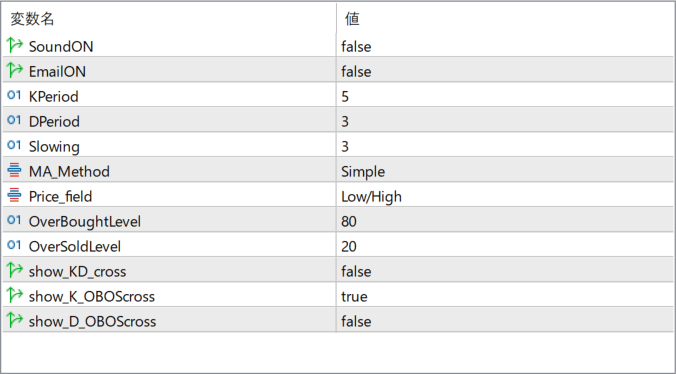
The screenshot above shows the default input parameters in the MT5 settings window.
How to Install .ex5 Indicator in MetaTrader 5
- Download the ZIP file and extract it.
- In MT5, select File → Open Data Folder.
- Open MQL5 → Indicators and copy the EX5 or MQ5 file into it.
- If the package includes library files, copy them to MQL5 → Libraries. Copy TPL files to the top-level templates folder.
- Restart MT5, find the indicator in the Navigator, and drag it onto a chart.
Test the tool on a demo account first. File contents and required folders can vary between packages.


