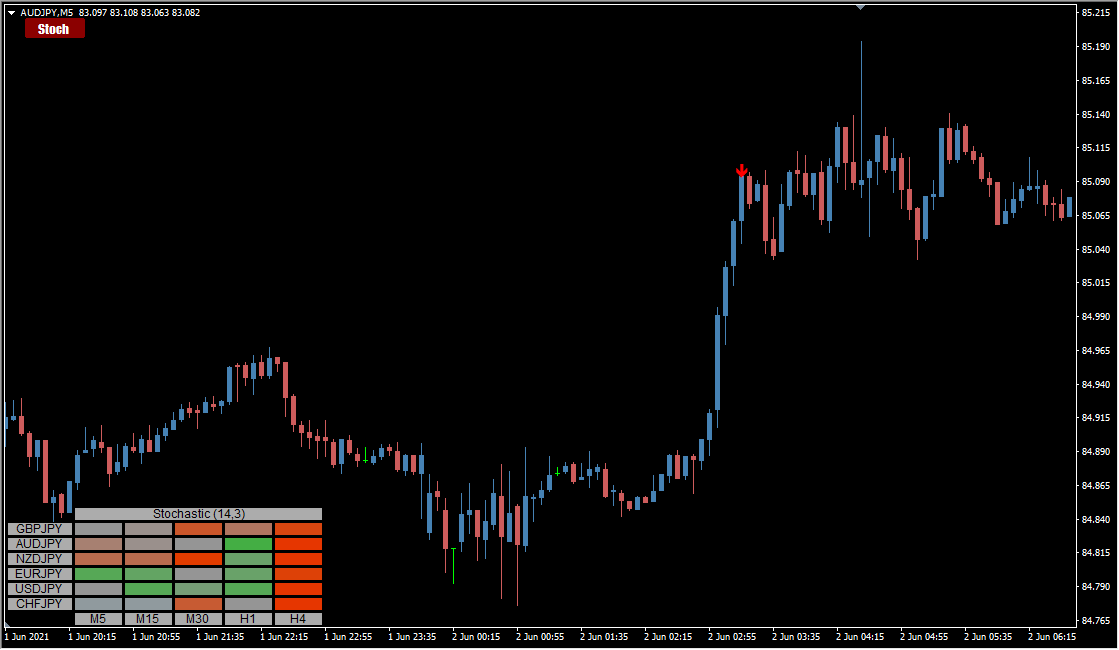
What is Stochastic Heatmap arrow?
Stochastic Heatmap arrow draws a stochastic heat map on MT4 and prints signals as well. It sits in the RSI/stochastic family and produces a moderate number of signals.
How to use Stochastic Heatmap arrow
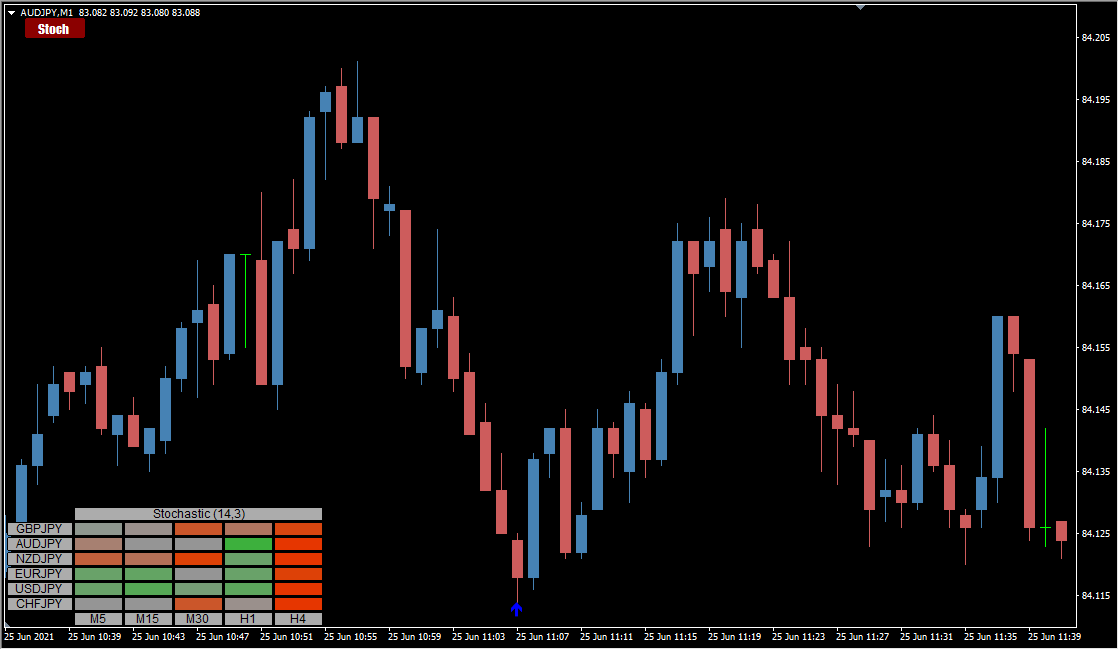
The currencies listed in the lower-left panel can be changed in the parameters.
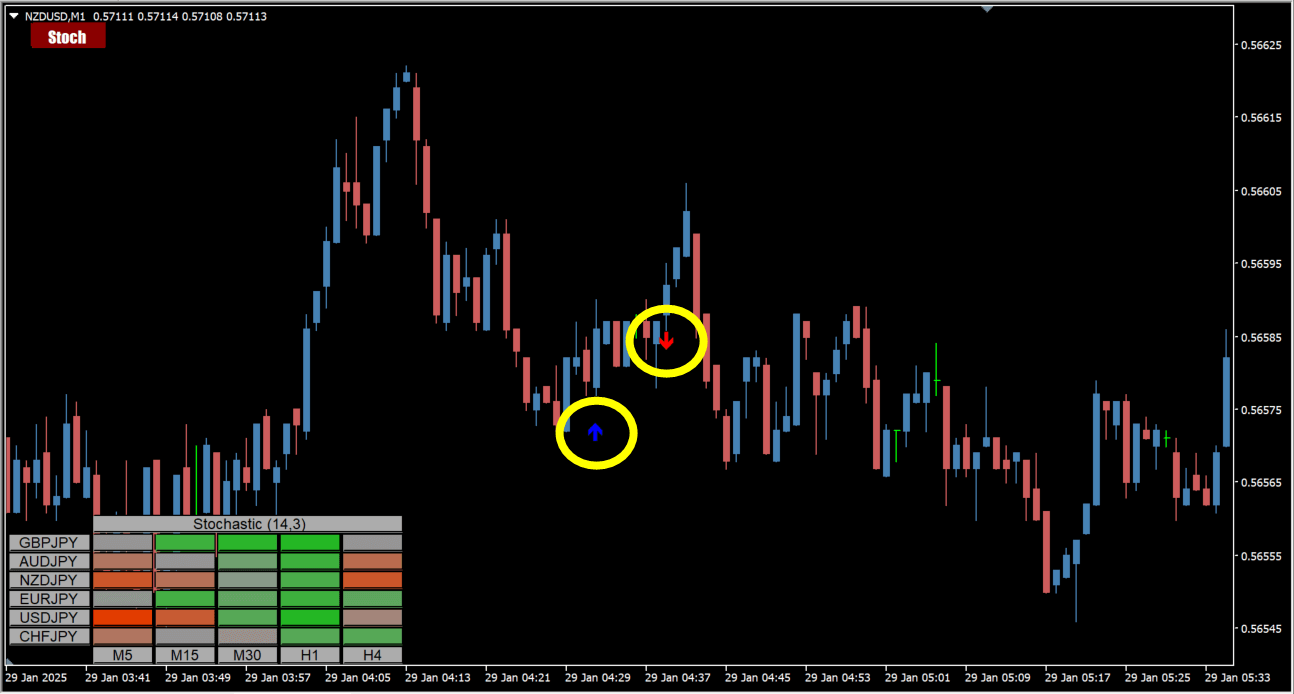
Signals do appear, but they are quite rare.
The indicator reads both the stochastic value and the trend before it prints a signal.
Because the conditions for a signal are strict, arrows rarely appear.
The lower-left table shows stochastic strength for each currency and timeframe, so the panel also works as a discretionary-trading aid. The higher the stochastic value, the deeper the green; the lower the value, the deeper the red.
A button in the upper-left of the chart toggles the heat map on and off.
MT4 Indicator Parameters
The table below lists the available MT4 indicator parameters. You can customize these options in the MetaTrader Inputs dialog to match your trading preferences.
| Parameter | Description |
|---|---|
| Symbols to use (separetd by ";" in the list) | Sets the currency pairs the indicator is applied to, separated by semicolons. |
| Time frames to use (separated by ";" in the list) | Sets the timeframes used for the analysis, separated by semicolons. |
| Stochastic period | Sets the period used to calculate the stochastic. |
| Stochastic smoothing | Sets how many times smoothing is applied to the stochastic. |
| Stochastic price | Sets the price used to calculate the stochastic, such as High/Low or Close. |
| Strong up level | Sets the threshold used to mark a strong up signal. |
| Strong down level | Sets the threshold used to mark a strong down signal. |
| Bar to test | Sets which bar is analyzed. |
| Color for strong up | — |
| Color for neutral | — |
| Color for strong down | — |
| Color steps for gradint colors | Sets the number of color steps used for the gradient colors. |
| Color for butons text | — |
| TextFont | Sets the font used for the text. |
| TextSize | Sets the size of the text. |
| Color for butons border | — |
| Color for butons background | — |
| Window to use for display | Sets the window the indicator is displayed in. |
| Corner for display | Sets the chart corner the indicator is displayed in. |
| Horizontal shift | Adjusts the horizontal position of the indicator. |
| Vertical shift | Adjusts the vertical position of the indicator. |
| Indicator unique ID | Sets the ID used to identify the indicator. |
| button_note1 | Sets the label or note for the button. |
| chart btn_corner for anchoring | Sets the corner the button is anchored to. |
| btn_text | Sets the text shown on the button. |
| btn_Font | Sets the font of the button text. |
| btn__font size | Sets the size of the button text. |
| btn_text_ON_color | — |
| btn_text_OFF_color | — |
| btn_background_color | — |
| btn_border_color | — |
| btn__x | Adjusts the horizontal position of the button. |
| btn__y | Adjusts the vertical position of the button. |
| btn__width | Sets the width of the button. |
| btn__height | Sets the height of the button. |
| button_note2 | — |
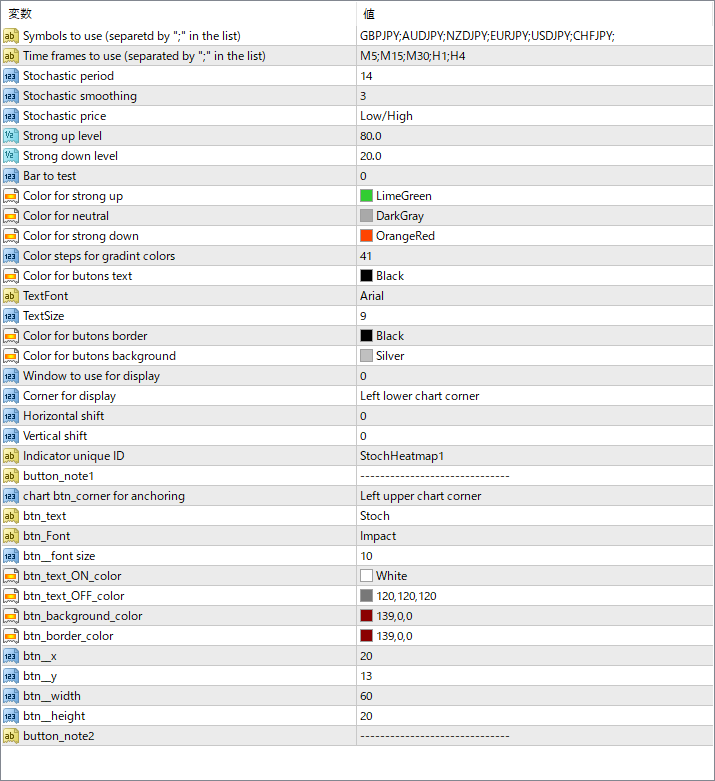
The screenshot above shows the default input parameters in the MT4 settings window.
How to Install .ex4 Indicator in MetaTrader 4
- Download the ZIP file and extract it.
- In MT4, select File → Open Data Folder.
- Open MQL4 → Indicators and copy the EX4 or MQ4 file into it.
- If the package includes library files, copy them to MQL4 → Libraries. Copy TPL files to the top-level templates folder.
- Restart MT4, find the indicator in the Navigator, and drag it onto a chart.
Test the tool on a demo account first. File contents and required folders can vary between packages.


