What is super-signals-channel-v3?
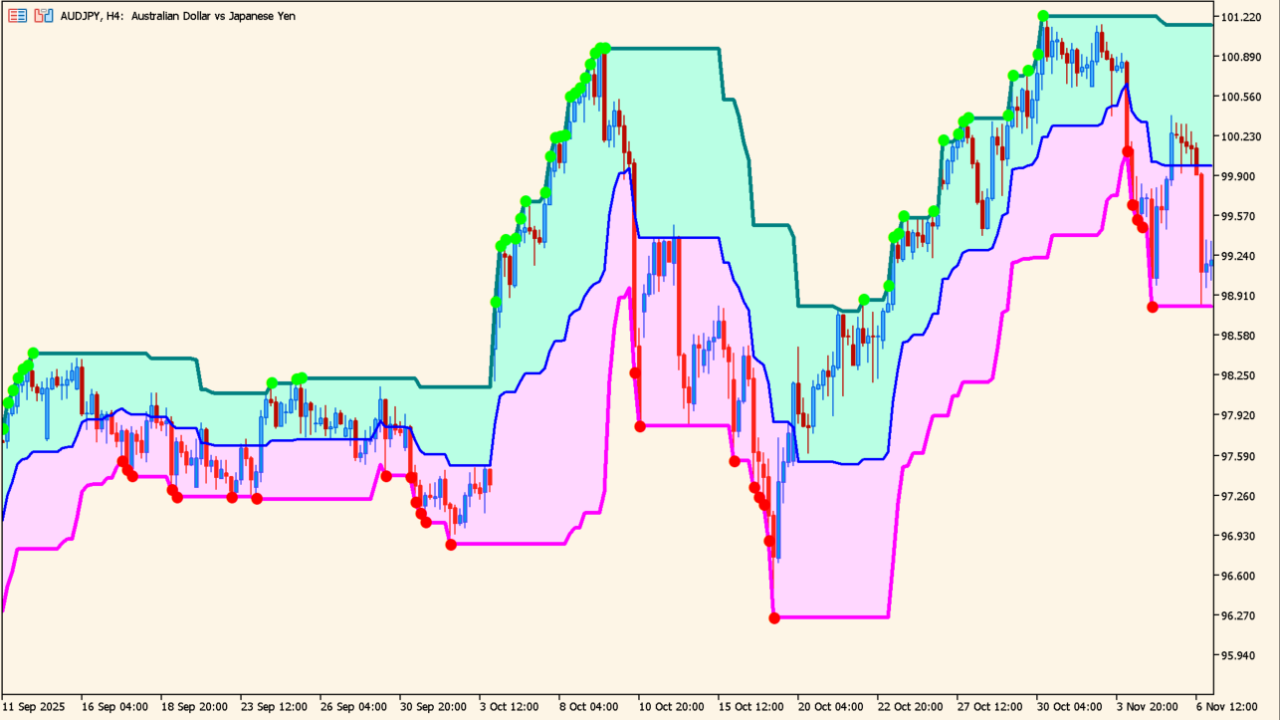
super-signals-channel-v3 (Super Signal V3) is an MT5 indicator that judges the market's broad trend direction and marks reference points on the chart with dots and a channel. It is a band-type tool that includes signals.
Signals appear green during rises and red during declines, so the market's condition is easy to grasp at a glance.
How to use super-signals-channel-v3
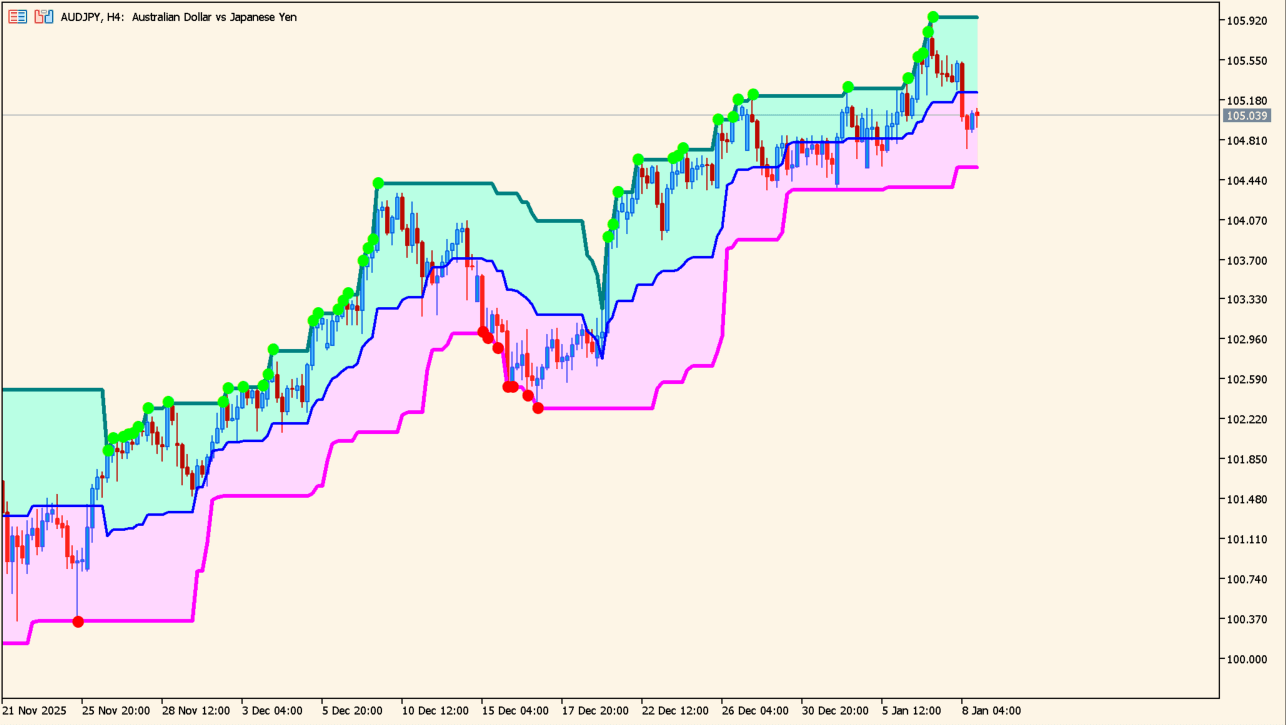
A dot appears when price touches the upper or lower band.
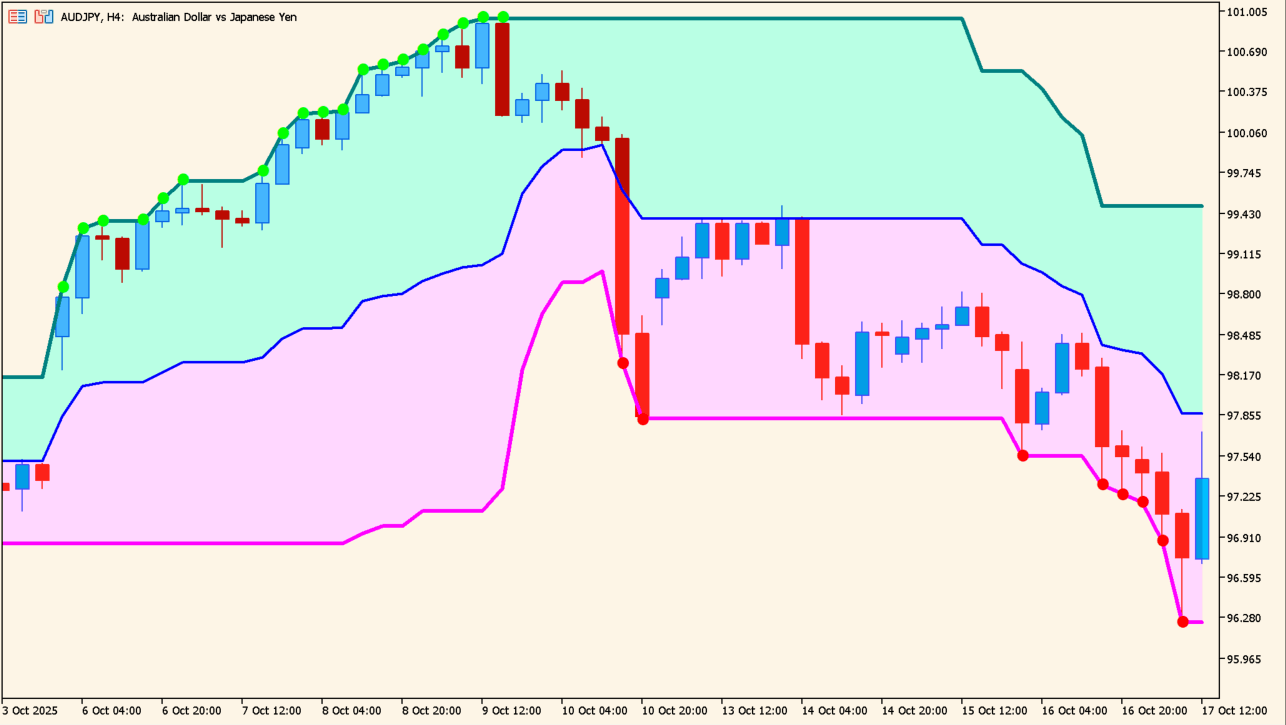
The dots are only a rough guide and should not be read as trade signals.
The indicator judges the current trend direction from price movement and plots green dots in an uptrend and red dots in a downtrend.
A point where the dots switch color suggests that the market flow may have changed.
The channel drawn alongside the dots shows the range of price movement along the trend. Its lower line is treated as support and its upper line as resistance.
Using it on longer timeframes of H1 and above is suggested. It works on its own and can also be combined with other oscillator or trend indicators.
MT5 Indicator Parameters
The table below lists the available MT5 indicator parameters. You can customize these options in the MetaTrader Inputs dialog to match your trading preferences.
| Parameter | Description |
|---|---|
| SignalGap | Sets the minimum spacing between signals so that they do not appear too often. |
| величина заскока в будущее | Sets how far ahead into the future the channel and signals are drawn. |
| перерисовка | Sets whether the indicator repaints. |
| Сдвиг индикатора по горизонтали в барах | Sets the number of bars by which the whole indicator is shifted horizontally. |
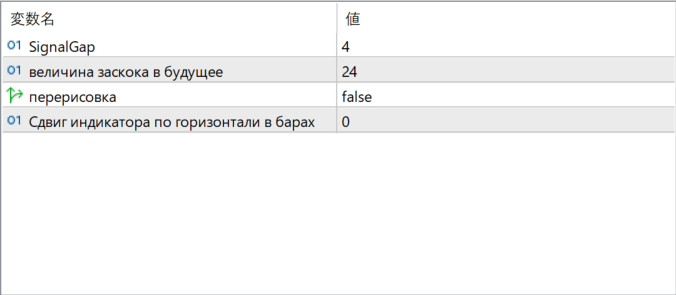
The screenshot above shows the default input parameters in the MT5 settings window.
How to Install .ex5 Indicator in MetaTrader 5
- Download the ZIP file and extract it.
- In MT5, select File → Open Data Folder.
- Open MQL5 → Indicators and copy the EX5 or MQ5 file into it.
- If the package includes library files, copy them to MQL5 → Libraries. Copy TPL files to the top-level templates folder.
- Restart MT5, find the indicator in the Navigator, and drag it onto a chart.
Test the tool on a demo account first. File contents and required folders can vary between packages.


