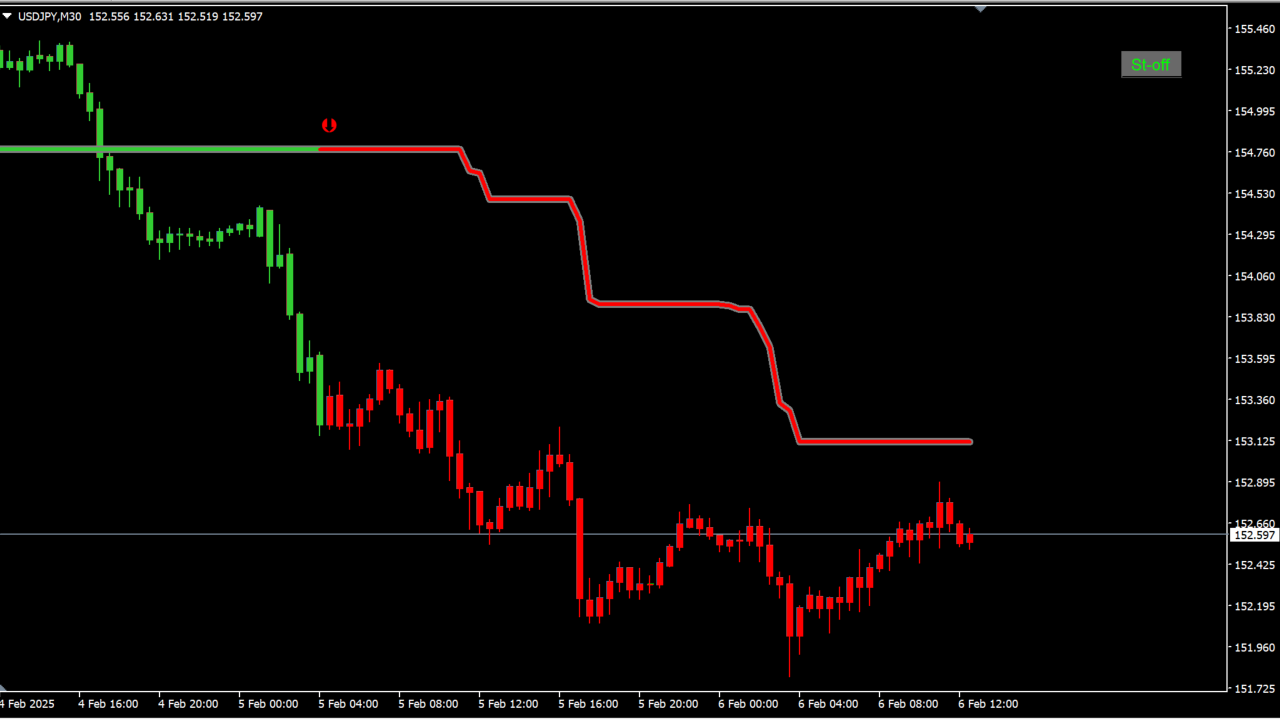
What is ! SuperTrend - cci (mtf + alerts + arrows + candles + btn)?
! SuperTrend - cci (mtf + alerts + arrows + candles + btn) pairs a SuperTrend that adapts to market volatility with a CCI filter that senses when price has run too far, on MT4. It produces a moderate number of signals and belongs to the SuperTrend family.
How to use ! SuperTrend - cci (mtf + alerts + arrows + candles + btn)
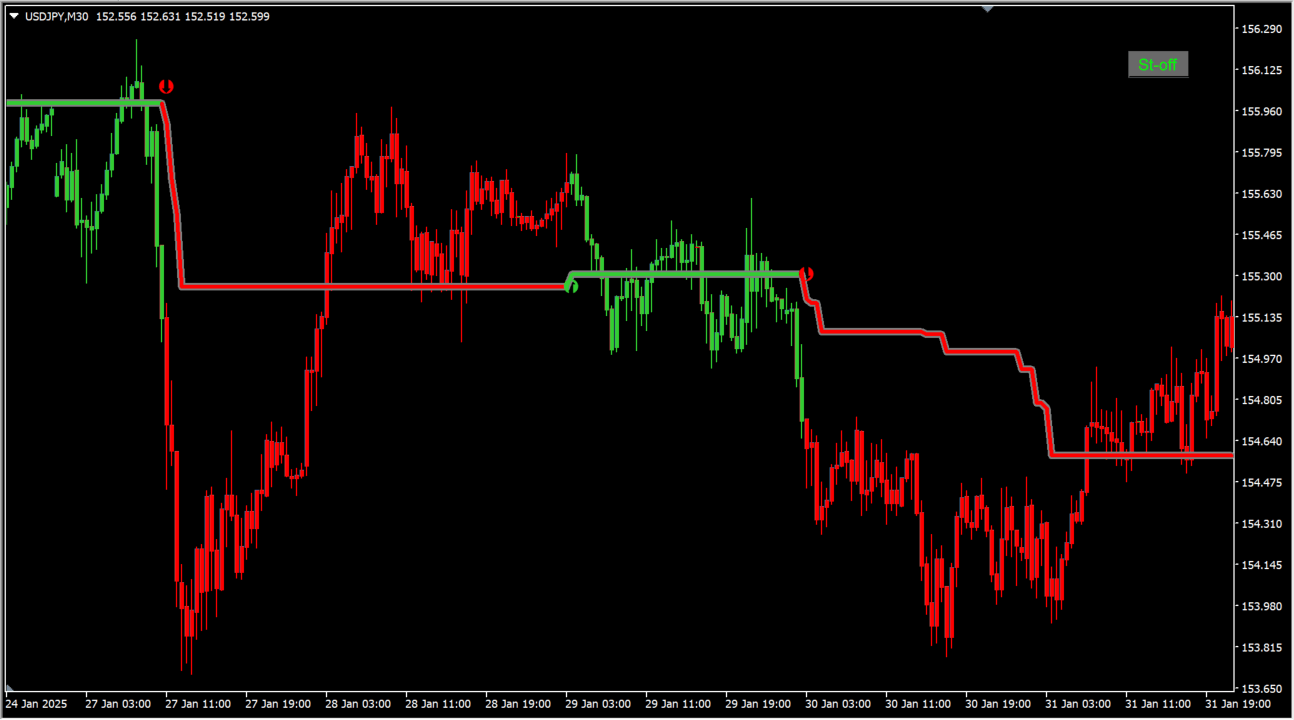
Arrows appear when the SuperTrend switches direction.
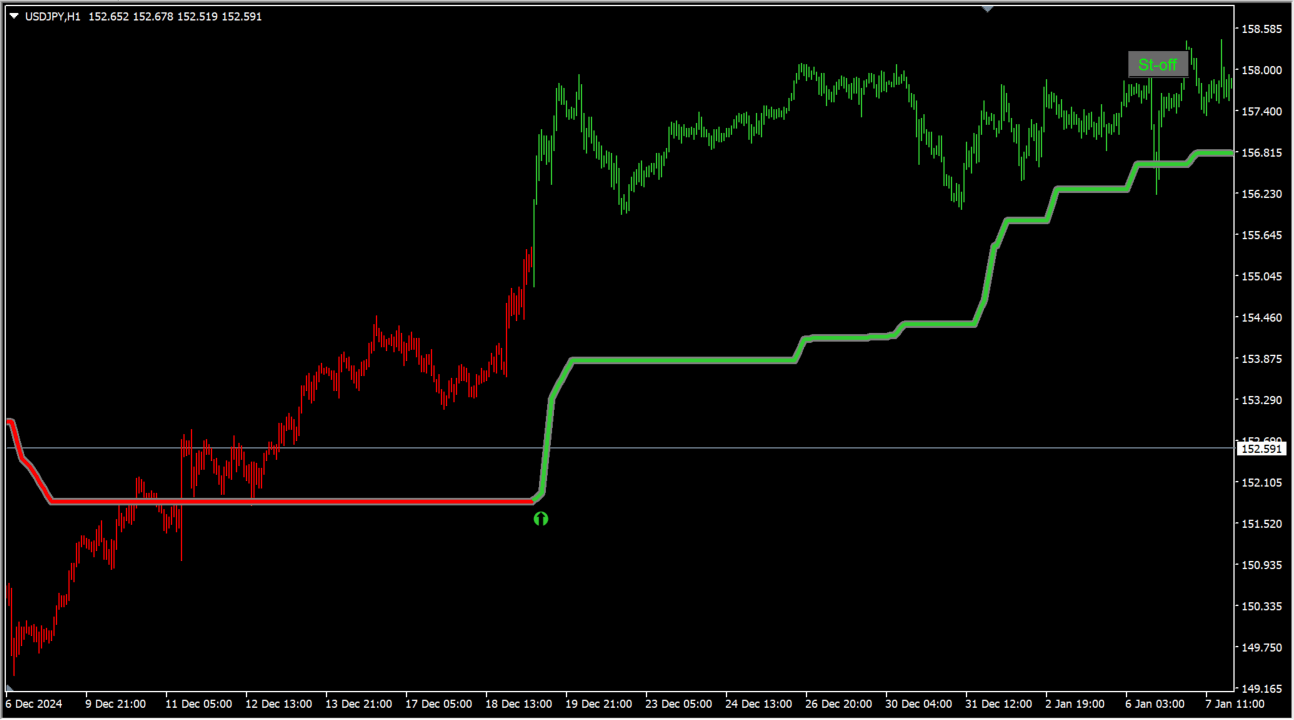
Here the multi-timeframe feature is showing the chart one timeframe higher.
SuperTrend already builds ATR — a measure of volatility — into its logic, and this tool layers CCI on top.
It supports multiple timeframes and offers a wide range of customization options.
MT4 Indicator Parameters
The table below lists the available MT4 indicator parameters. You can customize these options in the MetaTrader Inputs dialog to match your trading preferences.
Changing Cci Period makes only a minor difference.
| Parameter | Description |
|---|---|
| Time frame to use | Sets the timeframe the indicator is applied to. |
| Button unique ID | An ID used to tell several indicators apart. |
| Cci Period | Sets the period used to calculate the CCI. |
| Use multiplier | Sets whether the multiplier is used. |
| Super trend multiplier | Sets the multiplier used in the SuperTrend calculation. |
| Price | Sets the price used. |
| Calculate using: | Sets the calculation method. |
| Atr/Std period | — |
| .Lines settings | — |
| Show lines? | Sets whether the lines are displayed. |
| Lines width | Sets the thickness of the lines. |
| Shadow width | Sets the thickness of the shadow. |
| Up color for lines | Sets the line color while the trend is up. |
| Down color for lines | Sets the line color while the trend is down. |
| Neutral color for lines | Sets the color used while the trend is neutral. |
| Shadow color | Sets the color of the shadow. |
| . Candle settings | — |
| Show candles? | Sets whether the candles are displayed. |
| Automatic width? | Sets whether the width is adjusted automatically. |
| Wick width | Sets the width of the wicks. |
| Body width (if not automatic width) | Sets the width of the candle bodies. |
| .Arrows settings | — |
| Show arrows? | Sets whether the arrows are displayed. |
| Arrows first mtf bar? | Sets whether an arrow is shown on the first bar when multi-timeframe is used. |
| Up arrow size | Sets the size of the up arrow. |
| Down arrow size | Sets the size of the down arrow. |
| Up arrow code | Sets the type of the up arrow. |
| Down code | — |
| Up arrows color | Sets the color of the up arrows. |
| Down arrows color | Sets the color of the down arrows. |
| Up gap | Sets the gap width while the trend is up. |
| Down gap | Sets the gap width while the trend is down. |
| .Alert settings | — |
| Alerts? | — |
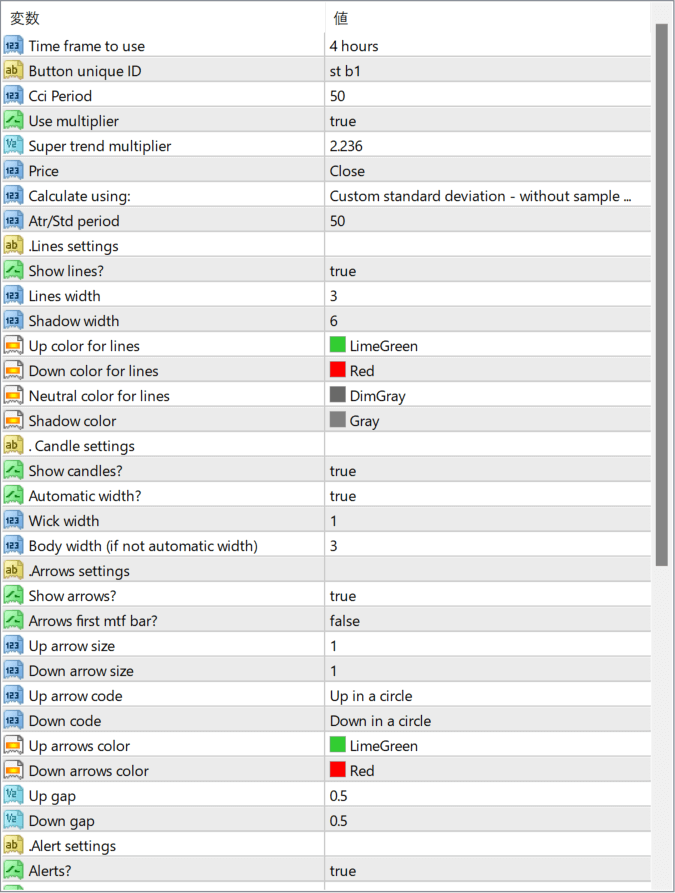
The screenshot above shows the default input parameters in the MT4 settings window.
How to Install .ex4 Indicator in MetaTrader 4
- Download the ZIP file and extract it.
- In MT4, select File → Open Data Folder.
- Open MQL4 → Indicators and copy the EX4 or MQ4 file into it.
- If the package includes library files, copy them to MQL4 → Libraries. Copy TPL files to the top-level templates folder.
- Restart MT4, find the indicator in the Navigator, and drag it onto a chart.
Test the tool on a demo account first. File contents and required folders can vary between packages.


