What is Supply-Demand-Zones BT Indicator?
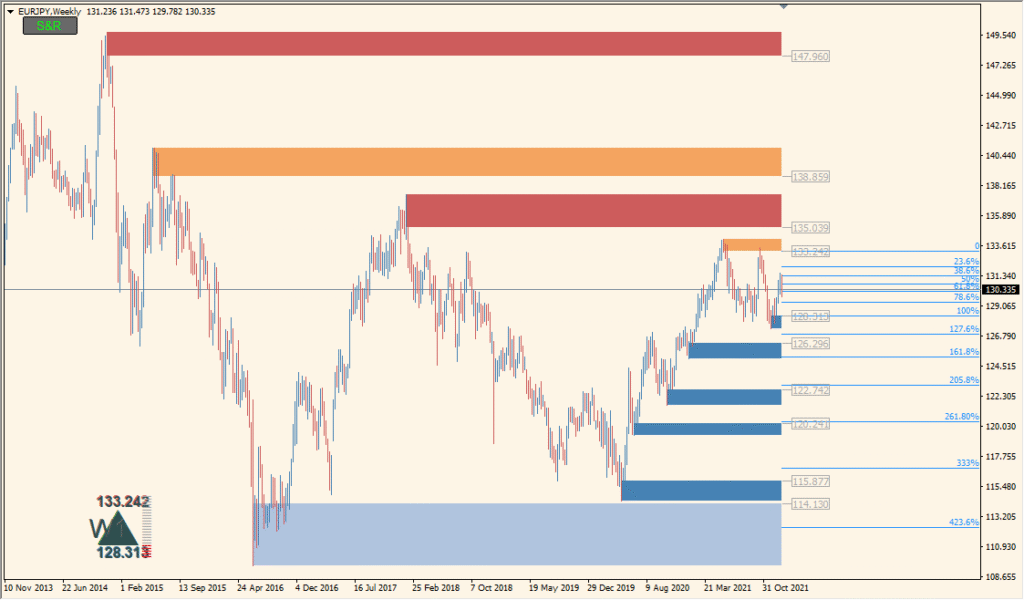
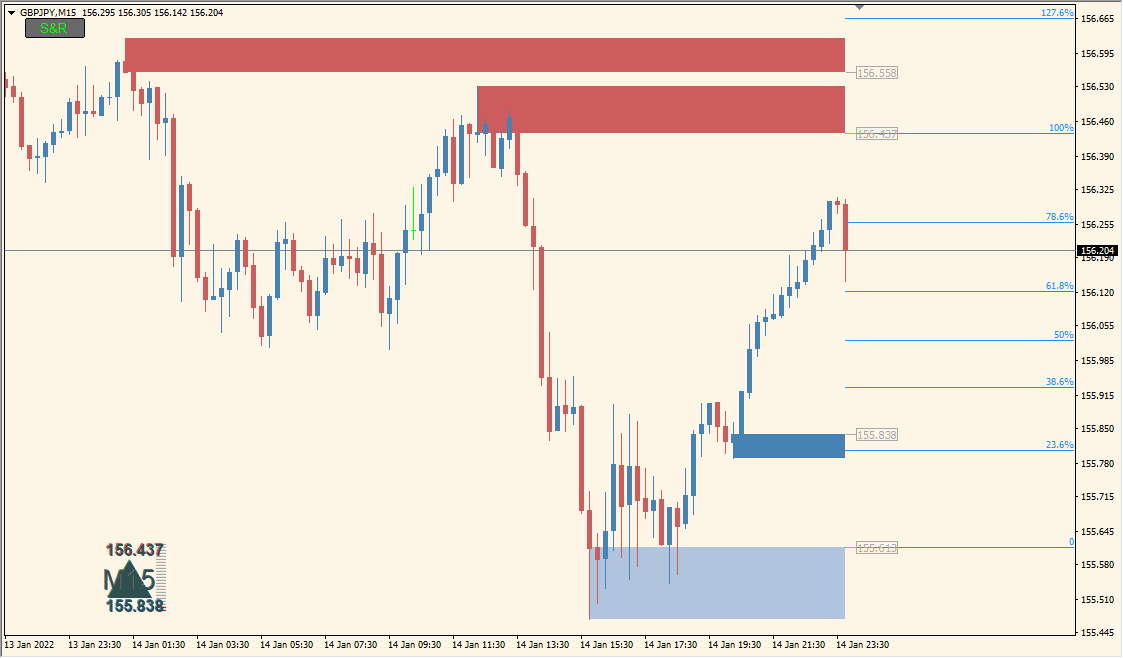
The Supply-Demand-Zones BT indicator for MT4 automatically detects and draws supply and demand zones on the chart. These zones are derived from recent price action and are highlighted with colored rectangles to visually show areas where price has historically reversed or consolidated. The tool helps traders quickly identify potential reversal zones without manual drawing.
It works by analyzing recent market structure and price levels where sharp moves occurred, marking those regions as areas of potential institutional interest. The zones are color-coded to differentiate between supply (resistance) and demand (support).
How to Use It in Practice
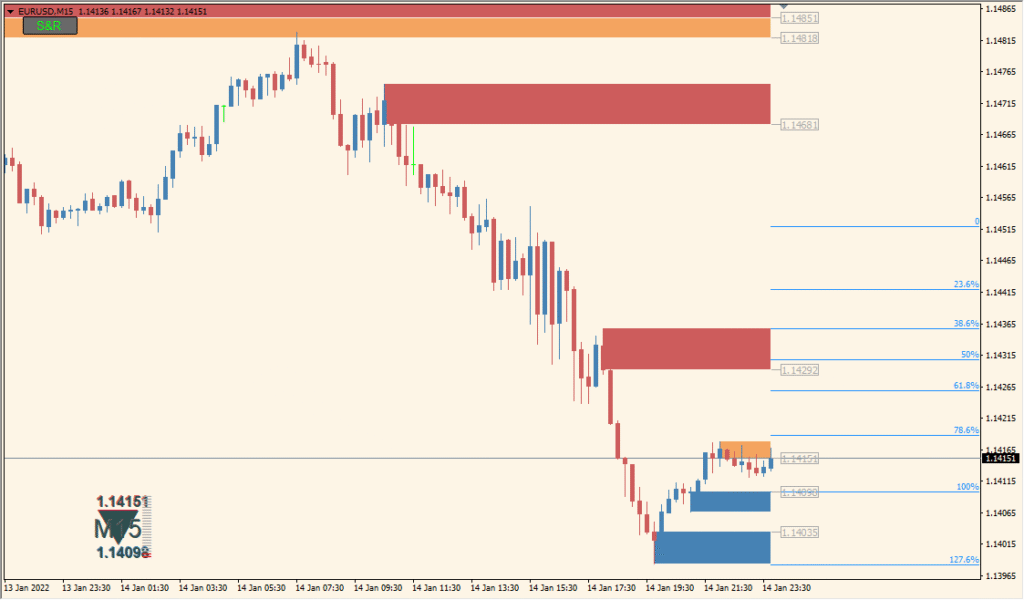
In live trading, you can use the Supply-Demand-Zones BT indicator to:
- Identify high-probability reversal areas on the chart.
- Plan entries near demand zones in uptrends or supply zones in downtrends.
- Combine with price action or candlestick patterns for confirmation.
- Set stop losses just beyond the zone to reduce risk exposure.
This tool is valuable for traders using supply and demand concepts, price action strategies, or those who want a visual aid to mark key levels of interest automatically.
Best Settings & MT4 Parameters for Supply-Demand-Zones BT
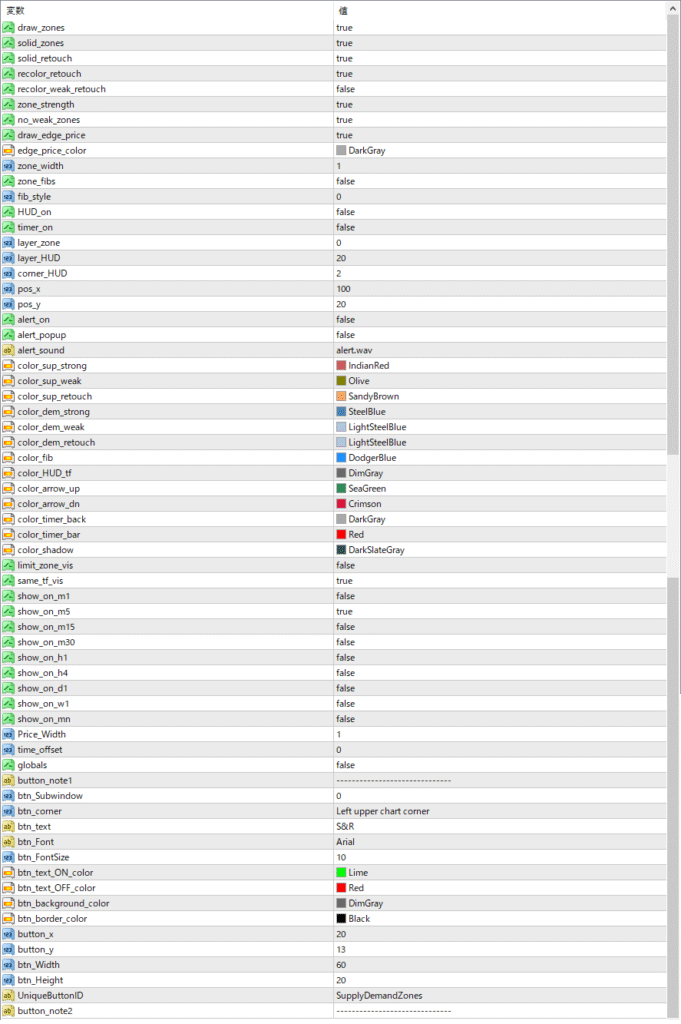
ZoneStrength
Sets how many bars the indicator will look back to confirm a valid supply or demand zone.
ZoneLookback
Defines how far back in history to search for new zones. This limits how many old zones appear on the chart.
ExtendZones
If enabled, the rectangles for the zones will extend forward on the chart until price breaks through them. Useful for tracking long-standing levels.
ZoneFillColorSupply
Specifies the fill color used for supply zones (typically red or orange).
ZoneFillColorDemand
Specifies the fill color used for demand zones (typically blue or green).
ZoneBorderColor
Sets the border color for all zone rectangles.
ZoneOpacity
Controls how transparent or solid the zone fill color appears. Lower values make the zones more transparent.
DeleteOldZones
If enabled, the indicator removes older zones that have already been invalidated by price.
ShowZoneLabels
Displays labels such as “Supply” or “Demand” inside each zone.


