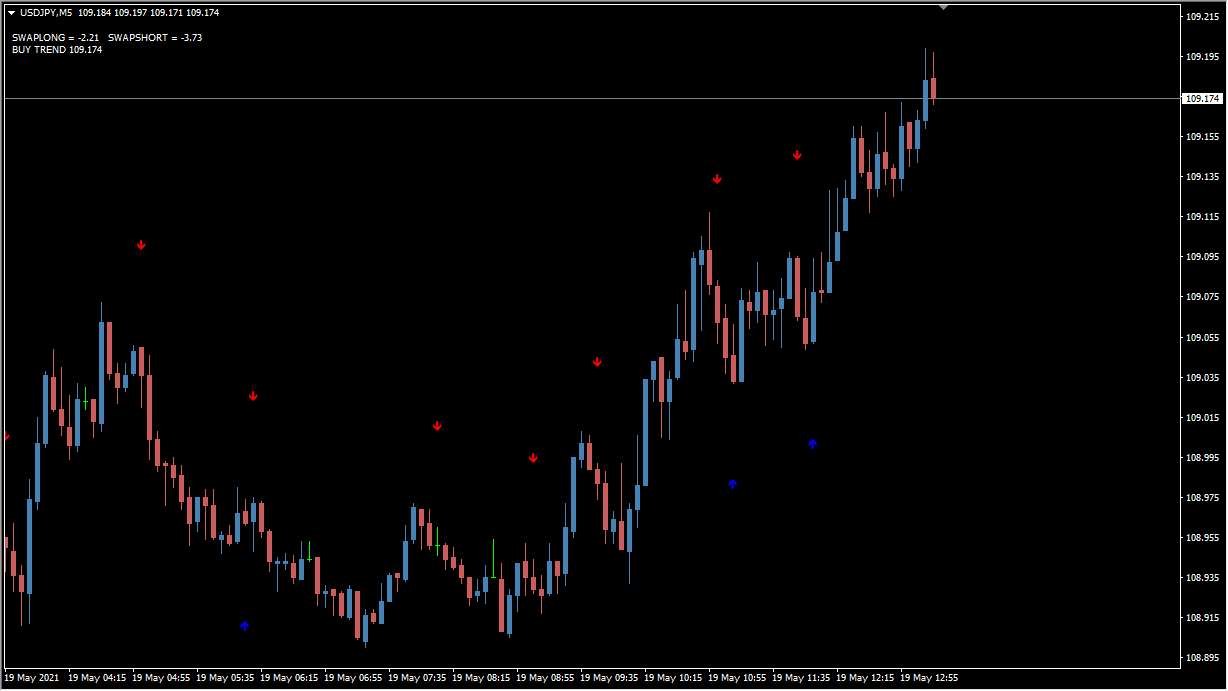
What is T3MA_ALARM?
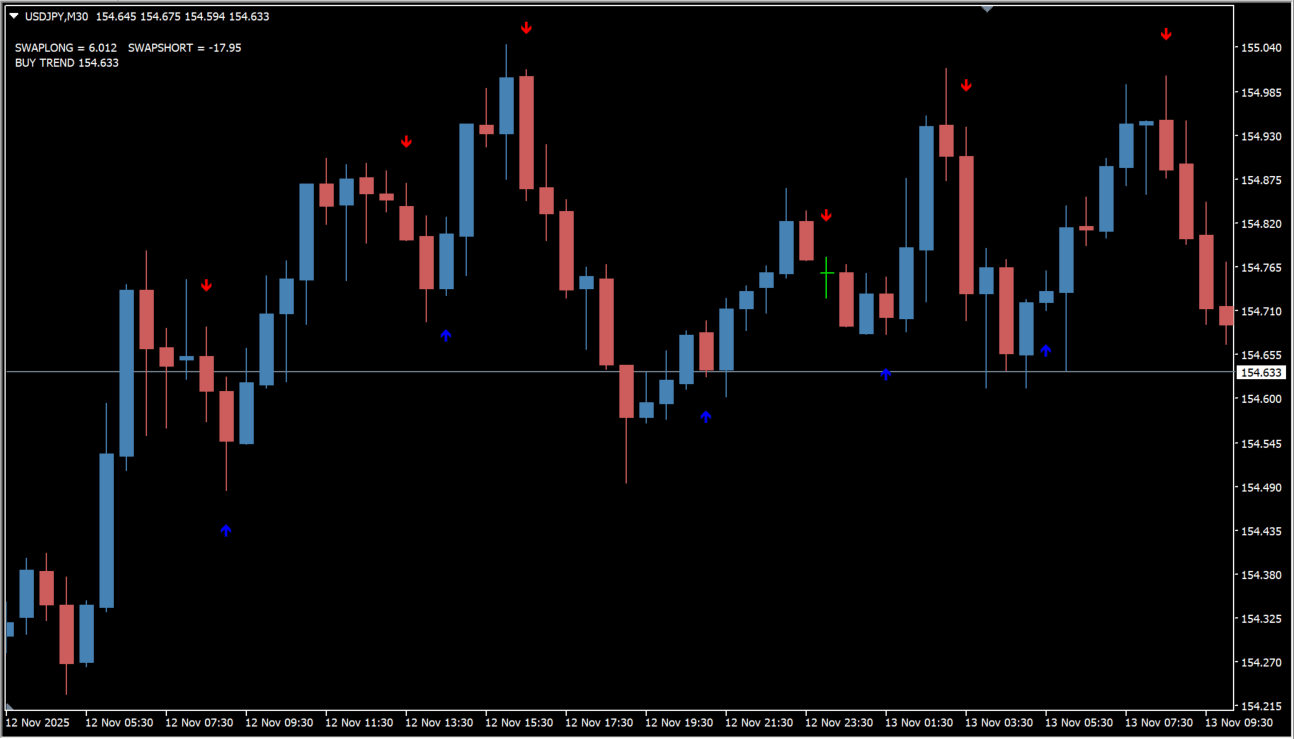
T3MA_ALARM is an MT4 signal tool that calculates a moving average of a moving average to smooth the trend reading. The double smoothing delays the arrow slightly while reducing noise in the reading.
How to use T3MA_ALARM
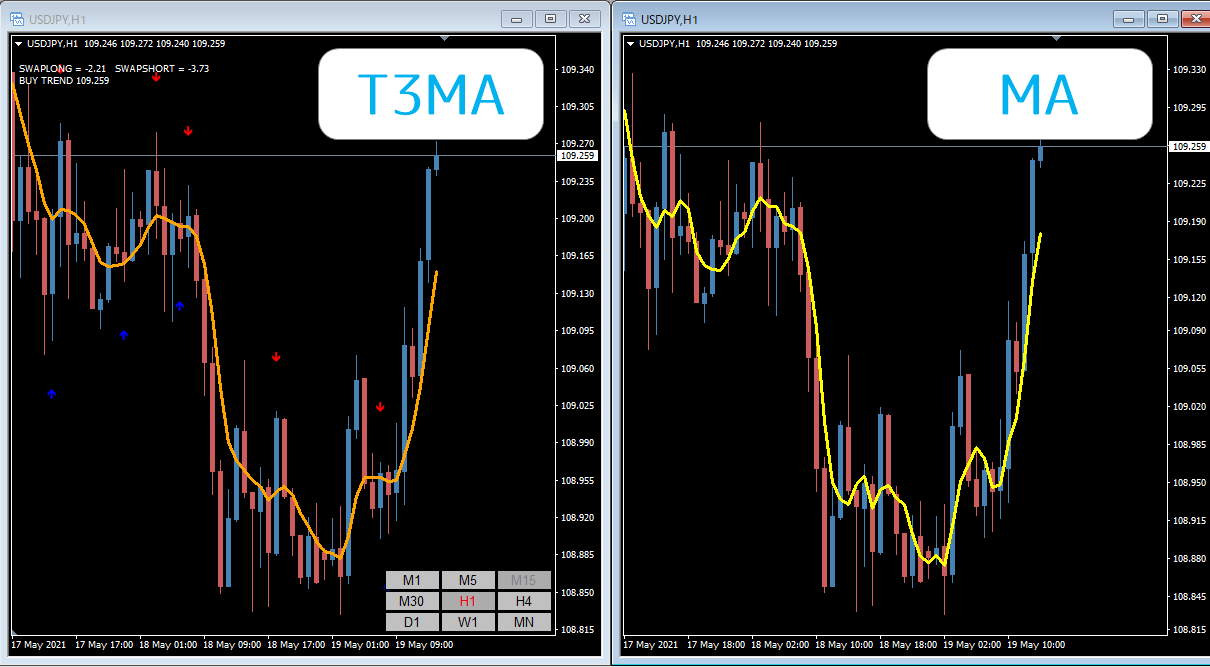
Up and down arrows appear when the T3MA value on the current bar rises above the previous bar while that previous bar was below the one before it. Arrows update in real time, and past bars also carry filled-in arrows added to tidy the display.
Where it helps
MT4 Indicator Parameters
The table below lists the available MT4 indicator parameters. You can customize these options in the MetaTrader Inputs dialog to match your trading preferences.
| Parameter | Description |
|---|---|
| period | Sets the calculation period of the T3MA. A smaller value reacts faster, and a larger value shows a steadier trend. |
| shift | Sets how far the display is shifted from the candles. 0 places it on the current bar. |
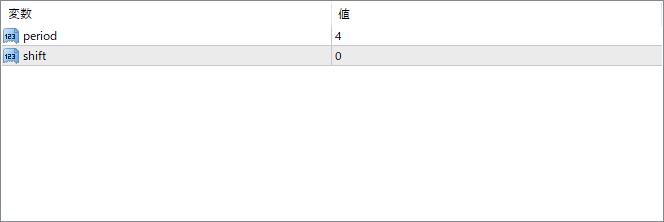
The screenshot above shows the default input parameters in the MT4 settings window.
How to Install .ex4 Indicator in MetaTrader 4
- Download the ZIP file and extract it.
- In MT4, select File → Open Data Folder.
- Open MQL4 → Indicators and copy the EX4 or MQ4 file into it.
- If the package includes library files, copy them to MQL4 → Libraries. Copy TPL files to the top-level templates folder.
- Restart MT4, find the indicator in the Navigator, and drag it onto a chart.
Test the tool on a demo account first. File contents and required folders can vary between packages.


