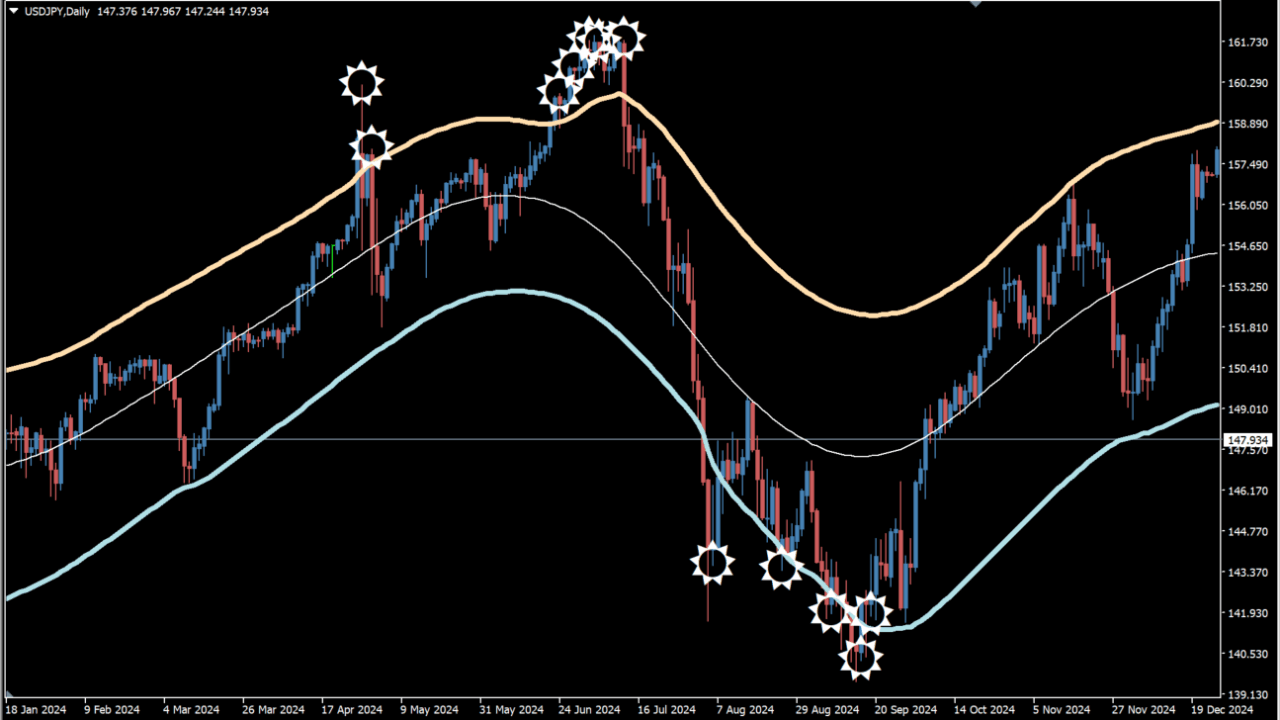
What is Target Bands?
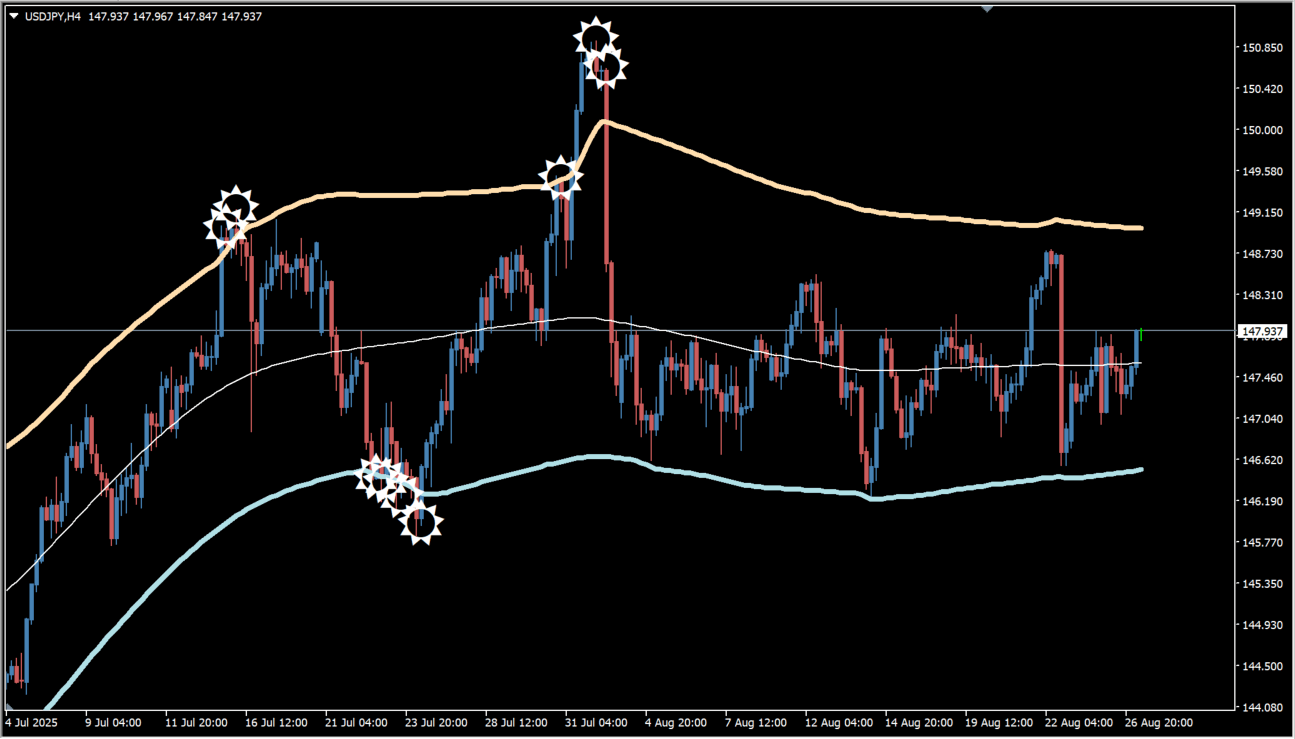
Target Bands is an MT4 channel-based tool that detects stretched prices with upper and lower bands and marks possible reversal areas. It uses a moving-average-based channel to show where price has moved too far from its reference.
How to use Target Bands
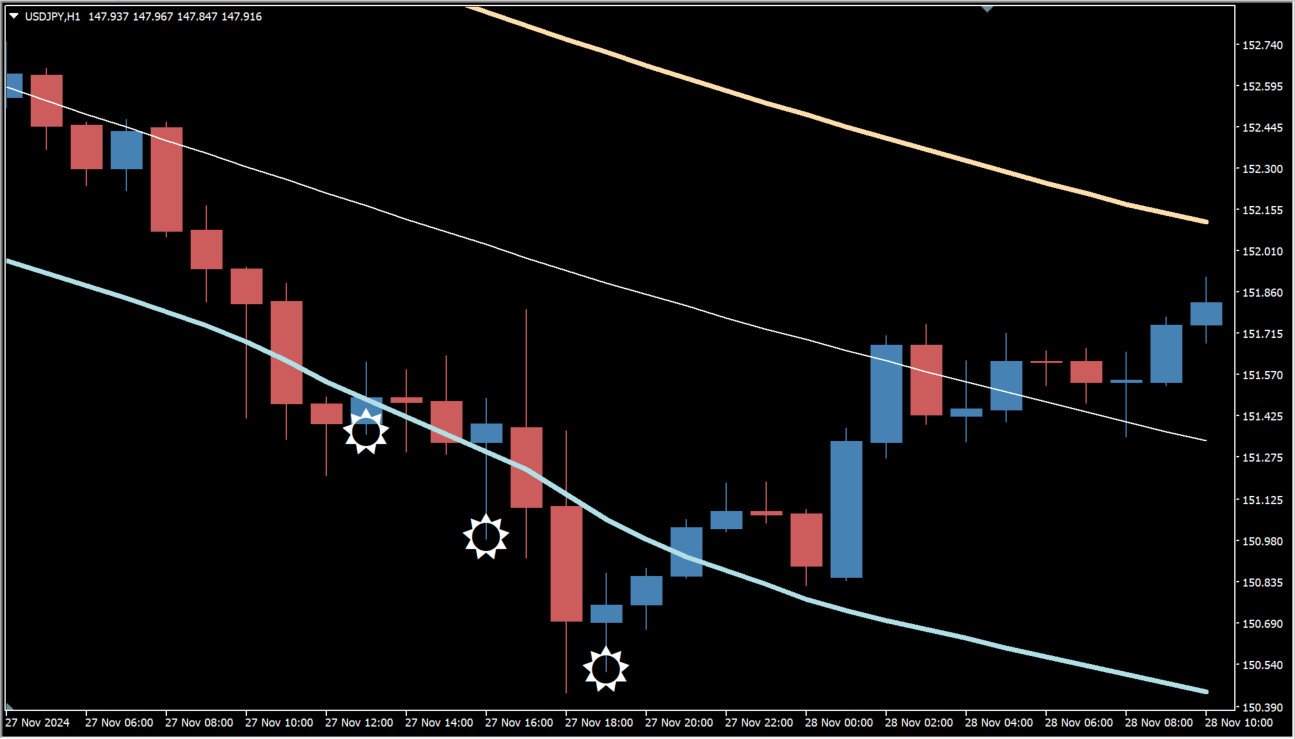
star-marked reversal signals around the upper and lower bands appear when the closing price touches a band and the next candle is bearish at the upper band or bullish at the lower band. Read the band touch together with the following candle. The tool is presented for short-term scalping and day trading, and its signals can be compared with price action, candlestick patterns, and support or resistance.
Where it helps
MT4 Indicator Parameters
The table below lists the available MT4 indicator parameters. You can customize these options in the MetaTrader Inputs dialog to match your trading preferences.
| Parameter | Description |
|---|---|
| TimeFrame | Selects the chart timeframe; the current time frame uses the active chart timeframe. Default: current time frame. |
| HalfLength | Sets the number of past bars used in the calculation. Default: 55. |
| Price | Selects the price type used as the calculation basis. Default: 6. |
| BandsDeviations | Sets the band deviation; larger values widen the bands and delay reversal signals. Default: 2.5. |
| Interpolate | Smooths the band display when enabled. Default: true. |
| alertsOn | Enables alert notifications. Default: false. |
| alertsOnCurrent | Controls alerts before the current bar closes; false waits for confirmation. Default: false. |
| alertsOnHighLow | Uses candle highs and lows as the alert basis when enabled. Default: false. |
| alertsMessage | Enables popup alert messages. Default: false. |
| alertsSound | Enables sound alerts. Default: false. |
| alertEmail | Enables email alerts. Default: false. |
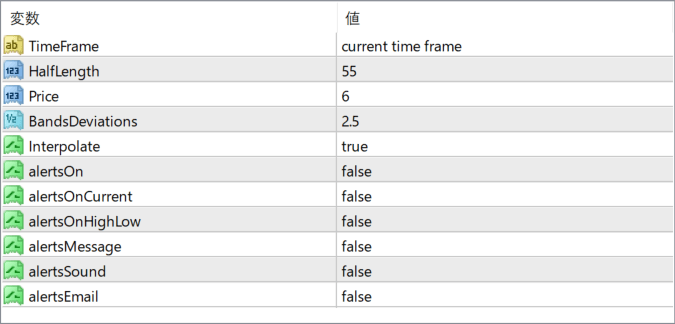
The screenshot above shows the default input parameters in the MT4 settings window.
How to Install .ex4 Indicator in MetaTrader 4
- Download the ZIP file and extract it.
- In MT4, select File → Open Data Folder.
- Open MQL4 → Indicators and copy the EX4 or MQ4 file into it.
- If the package includes library files, copy them to MQL4 → Libraries. Copy TPL files to the top-level templates folder.
- Restart MT4, find the indicator in the Navigator, and drag it onto a chart.
Test the tool on a demo account first. File contents and required folders can vary between packages.


