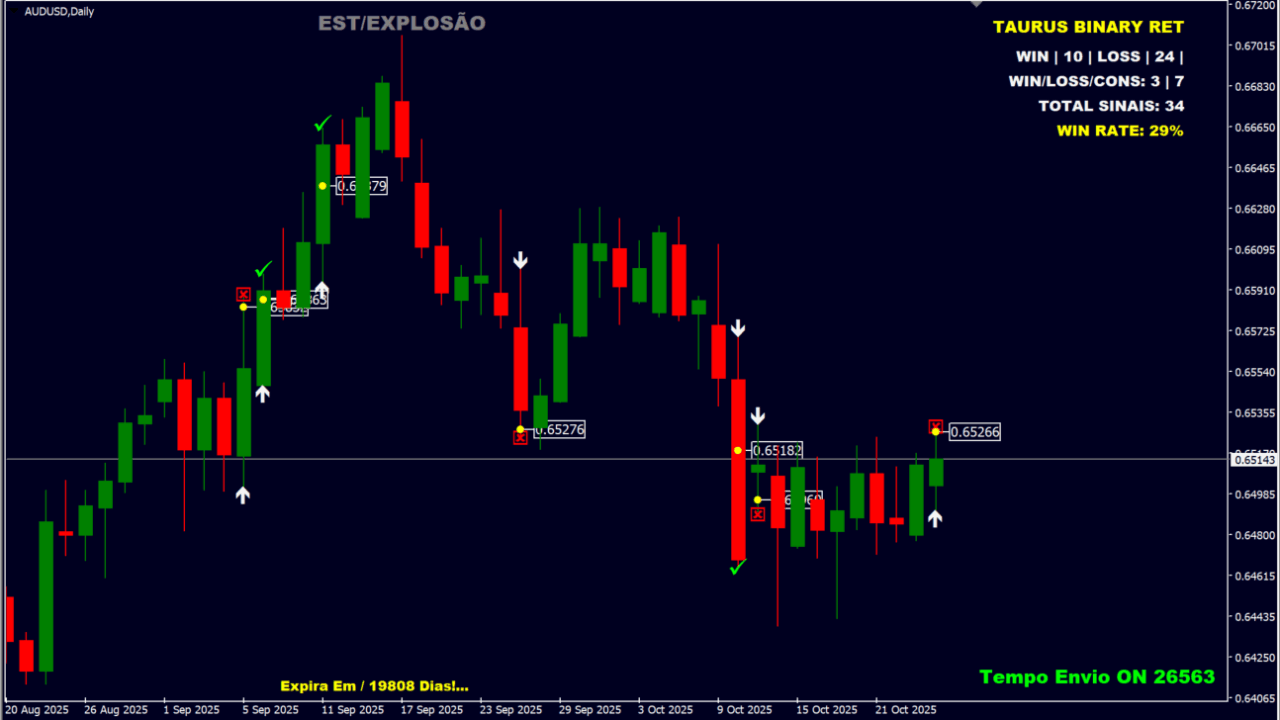
What is Taurus Binary Ret?
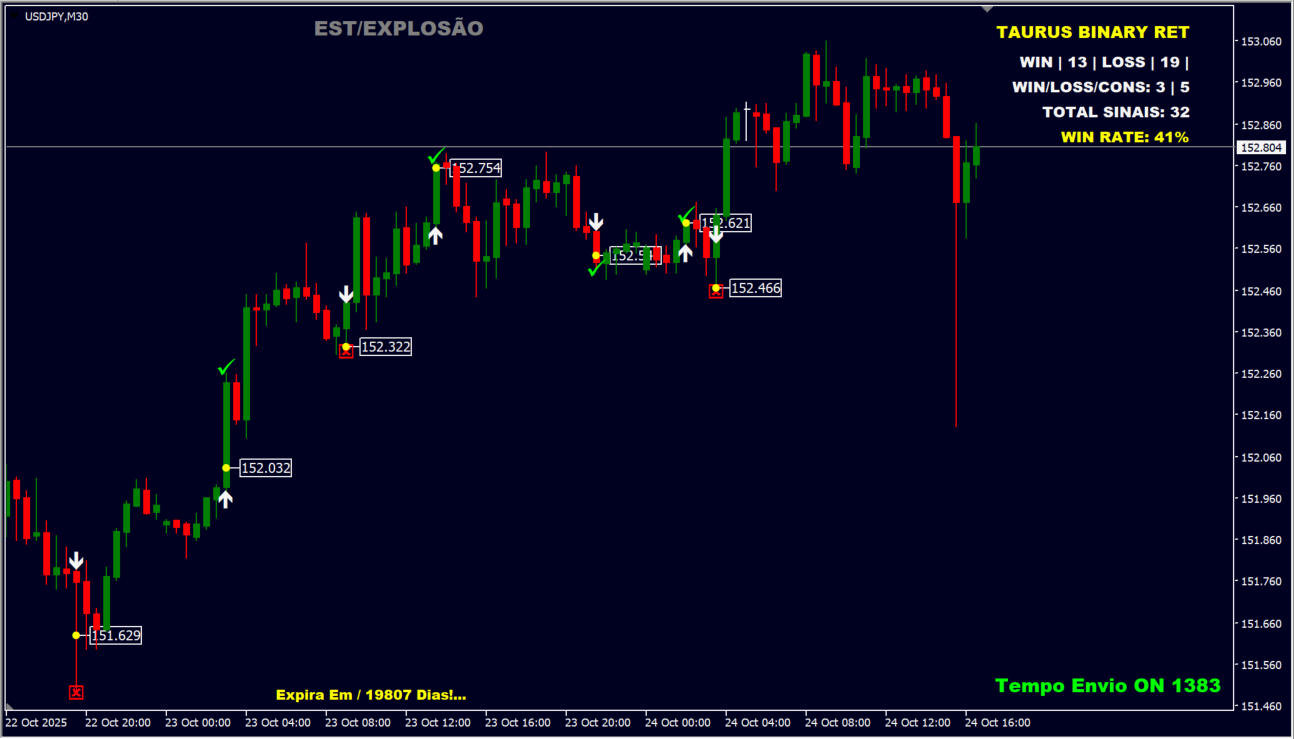
Taurus Binary Ret is an MT4 indicator that combines candle volatility with support and resistance reactions to generate short-term trade signals. White arrows show entry direction, while green checks mark winning trades and red crosses mark losing trades.
How to use Taurus Binary Ret
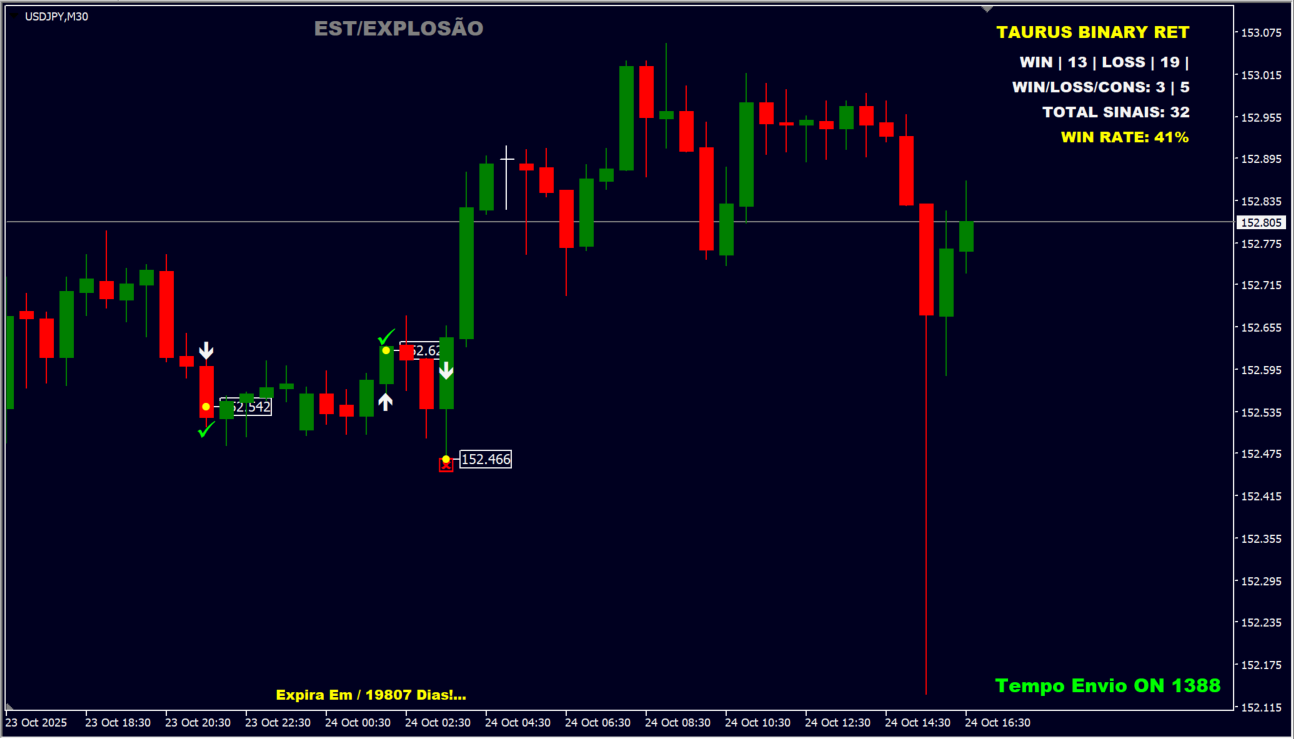
Signal and result markers appear when the price reacts to predefined support or resistance while meeting the candle-volatility condition. The upper-right panel shows the win/loss count, win rate, and total signal count in real time. The Painel Backtest setting can be used to review historical data, and sound notifications or automatic sending can notify you when a signal occurs.
Where it helps
MT4 Indicator Parameters
The table below lists the available MT4 indicator parameters. You can customize these options in the MetaTrader Inputs dialog to match your trading preferences.
| Parameter | Description |
|---|---|
| Estrategia Operacional ? | Selects the strategy logic used by the indicator. Default: Estrategia Explosao De Vela !. |
| Retração No Toque Da SR ? | Enables the support/resistance bounce condition. Default: ativado On. |
| Porcentagem % Média Fixa ? | Sets the fixed percentage of average volatility. Default: 60.0. |
| Catalogação Do Backtest ? | Specifies the number of bars used for backtesting. Default: 288. |
| Alerta Sonoro Notificações ? | Turns sound notifications on or off when a signal occurs. Default: desativado Off. |
| Selecionar Automático Robo ? | Selects whether to enable the automated-trading connection. Default: Selecionar Automatizador. |
| Investimento MT2 ? | Sets the trade amount sent through the MT2 connector. Default: 2.0. |
| Envio do Sinal [Retração/Segs] ? | Sets the signal timing in seconds or on a bounce. Default: 25. |
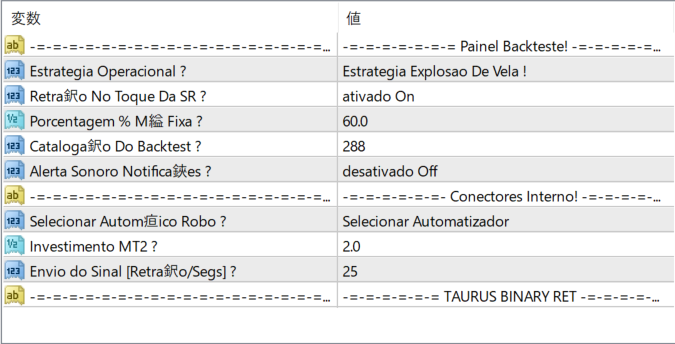
The screenshot above shows the default input parameters in the MT4 settings window.
How to Install .ex4 Indicator in MetaTrader 4
- Download the ZIP file and extract it.
- In MT4, select File → Open Data Folder.
- Open MQL4 → Indicators and copy the EX4 or MQ4 file into it.
- If the package includes library files, copy them to MQL4 → Libraries. Copy TPL files to the top-level templates folder.
- Restart MT4, find the indicator in the Navigator, and drag it onto a chart.
Test the tool on a demo account first. File contents and required folders can vary between packages.


