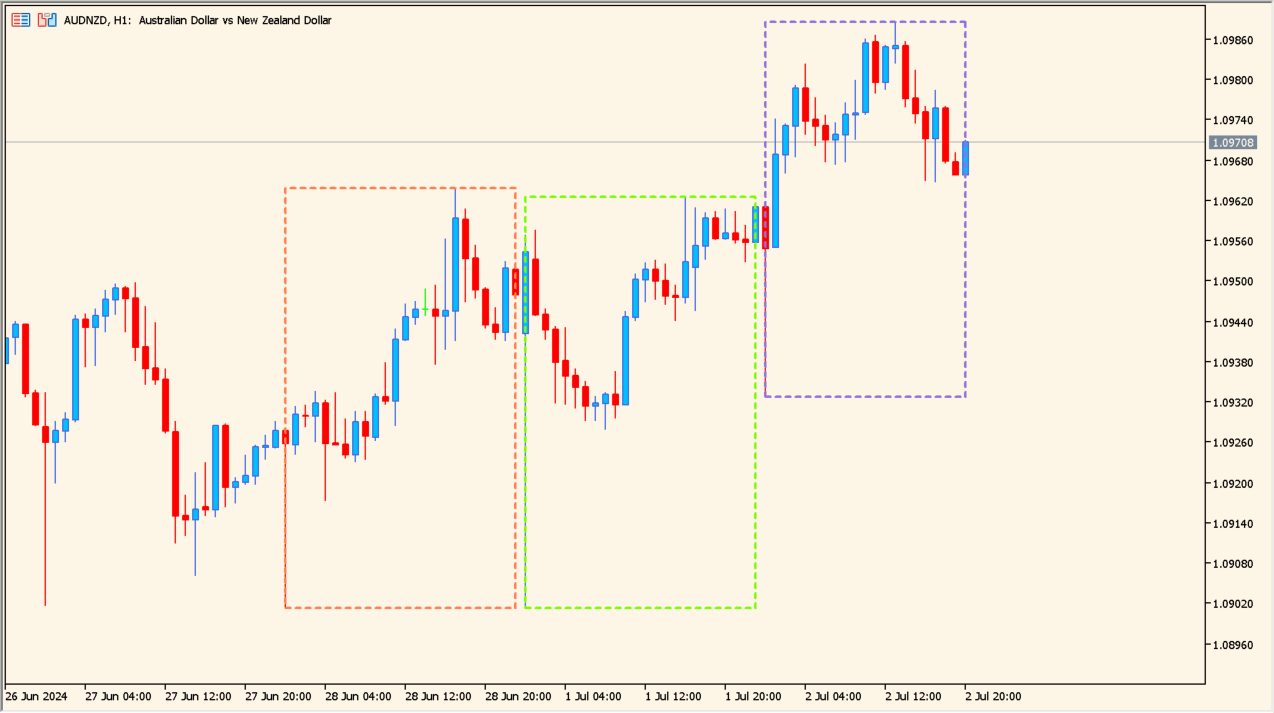
What is Three Daily Rectangles?
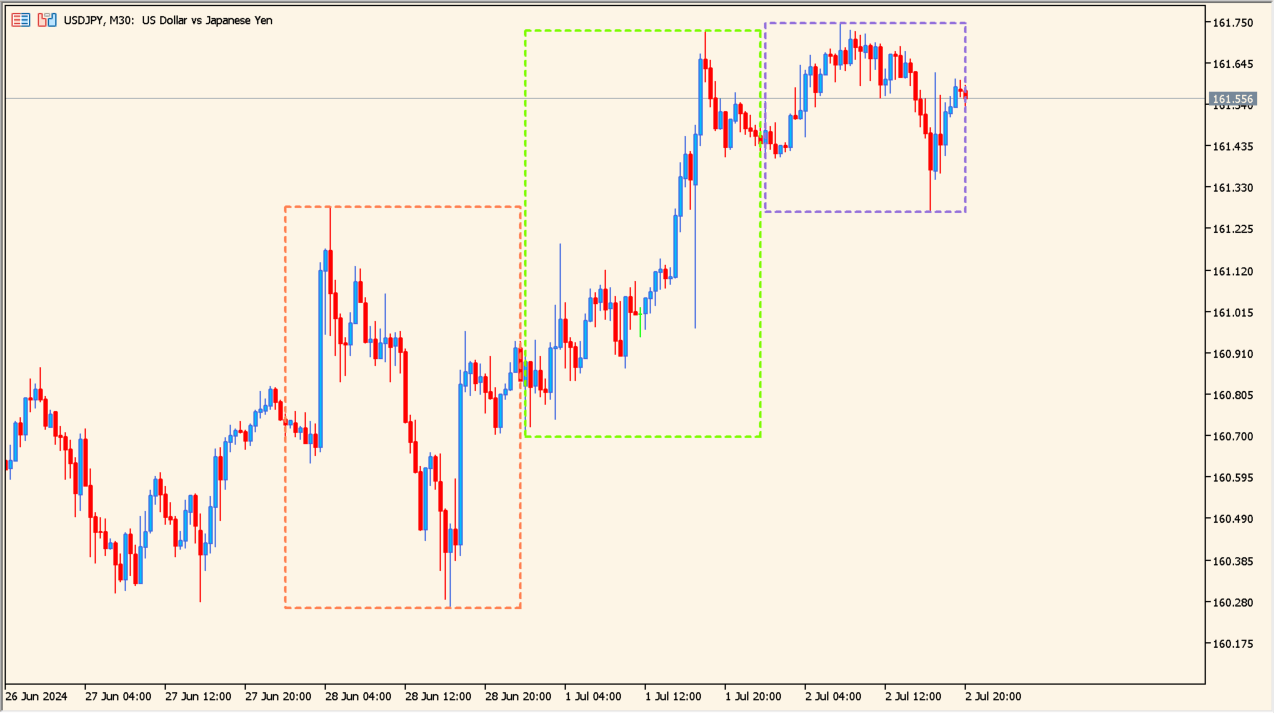
Three Daily Rectangles automatically outlines the most recent three trading days on an MT5 chart. The current-day rectangle extends as price updates, while the two earlier days stay fixed so the current range can be measured against them.
The indicator is intended for intraday charts and uses the MT5 day boundary. It shows daily range structure rather than a session schedule or a trading instruction.
How to use Three Daily Rectangles
Use the three boxes to compare the current day with the preceding two days, including their highs, lows, and range size. Review any move beyond a prior box with completed candles and wider chart context.
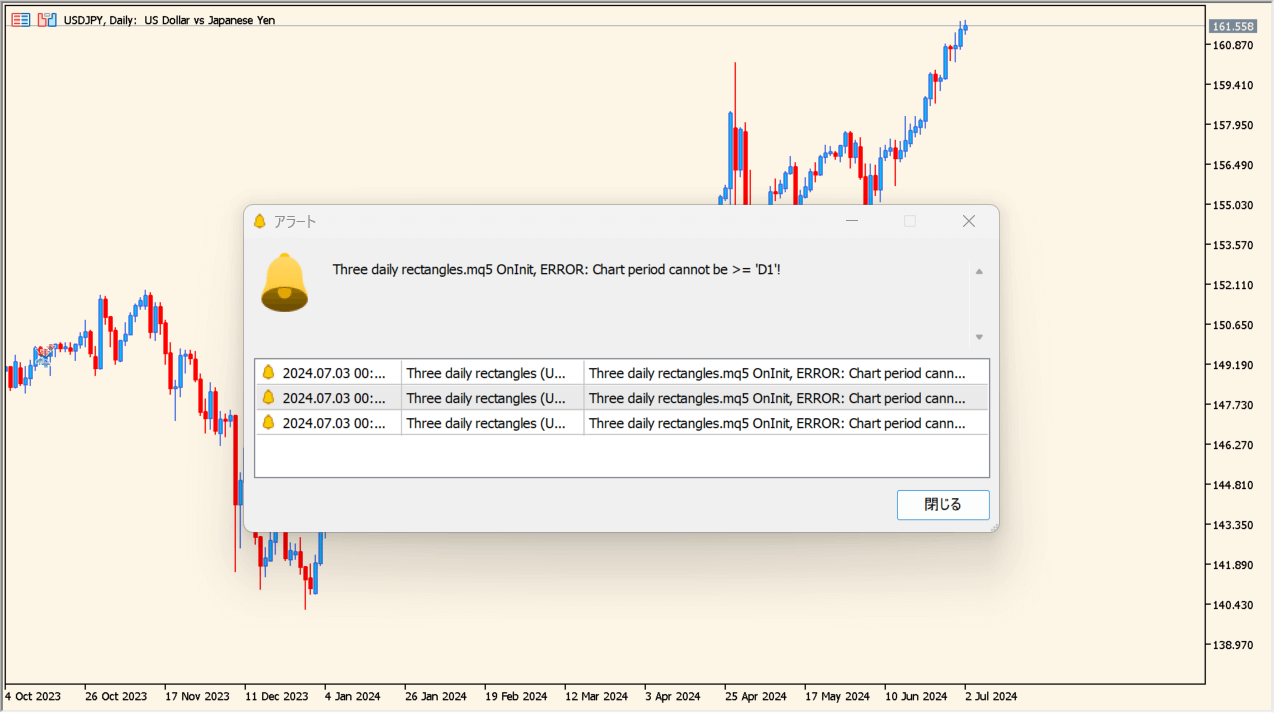
The Inputs change the colors and outline style used for the three rectangles. It will not run on the daily timeframe or above, where it returns an error instead.
Where it helps
Three rectangles keep consecutive daily ranges visually distinct.
The current-day box extends as the intraday range changes.
Each rectangle color, the line style, and the width are configurable.
MT5 Indicator Parameters
The table below lists the available MT5 indicator parameters. You can customize these options in the MetaTrader Inputs dialog to match your trading preferences.
| Parameter | Description |
|---|---|
| Rectangle 0, 1, 2, | Rectangle color settings section. |
| Rectangle 0: Color | Sets the first rectangle color. |
| Rectangle 1: Color | Sets the second rectangle color. |
| Rectangle 2: Color | Sets the third rectangle color. |
| Rectangles | Rectangle outline settings section. |
| Rectangles: Style | Sets the rectangle outline style. |
| Rectangles: Width | Sets the rectangle outline width. |
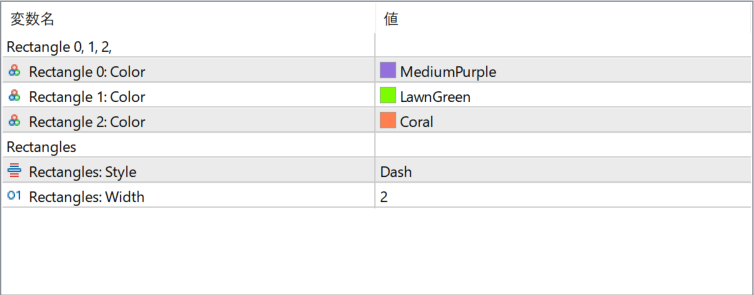
The screenshot above shows the default input parameters in the MT5 settings window.
How to Install .ex5 Indicator in MetaTrader 5
- Download the ZIP file and extract it.
- In MT5, select File → Open Data Folder.
- Open MQL5 → Indicators and copy the EX5 or MQ5 file into it.
- If the package includes library files, copy them to MQL5 → Libraries. Copy TPL files to the top-level templates folder.
- Restart MT5, find the indicator in the Navigator, and drag it onto a chart.
Test the tool on a demo account first. File contents and required folders can vary between packages.


