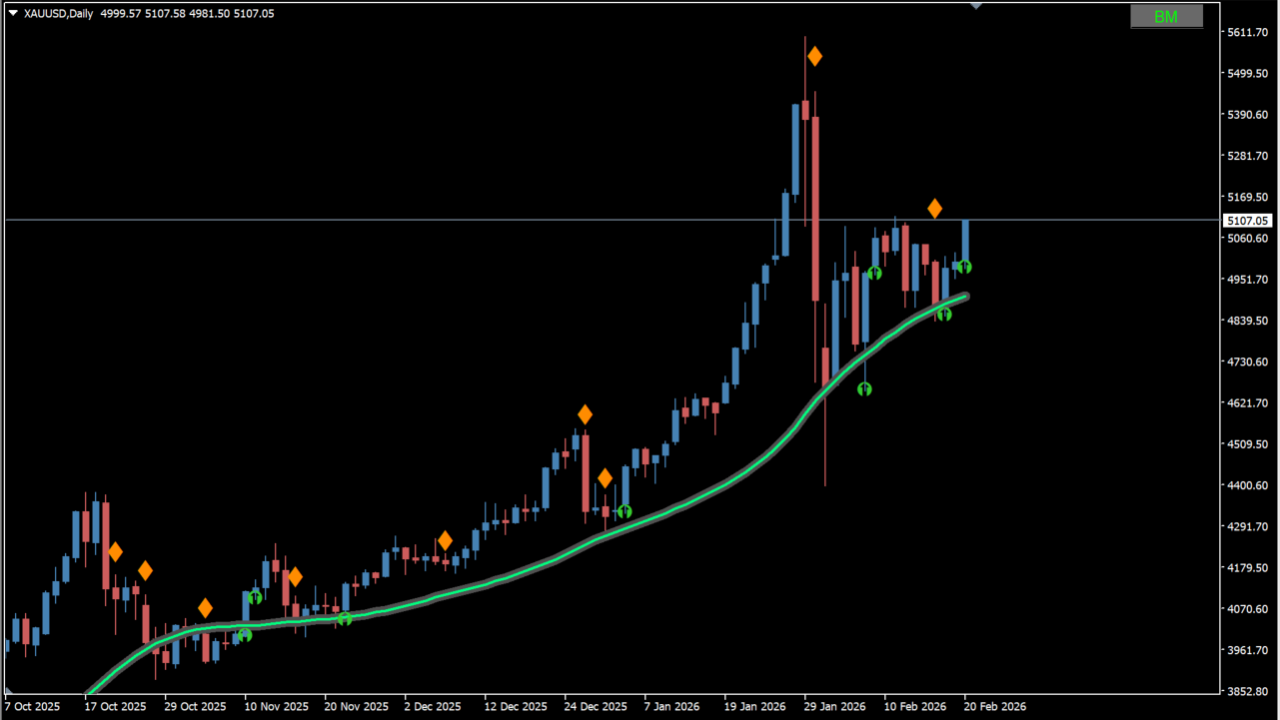
What is TMA-EMA (+RSI+RA)?
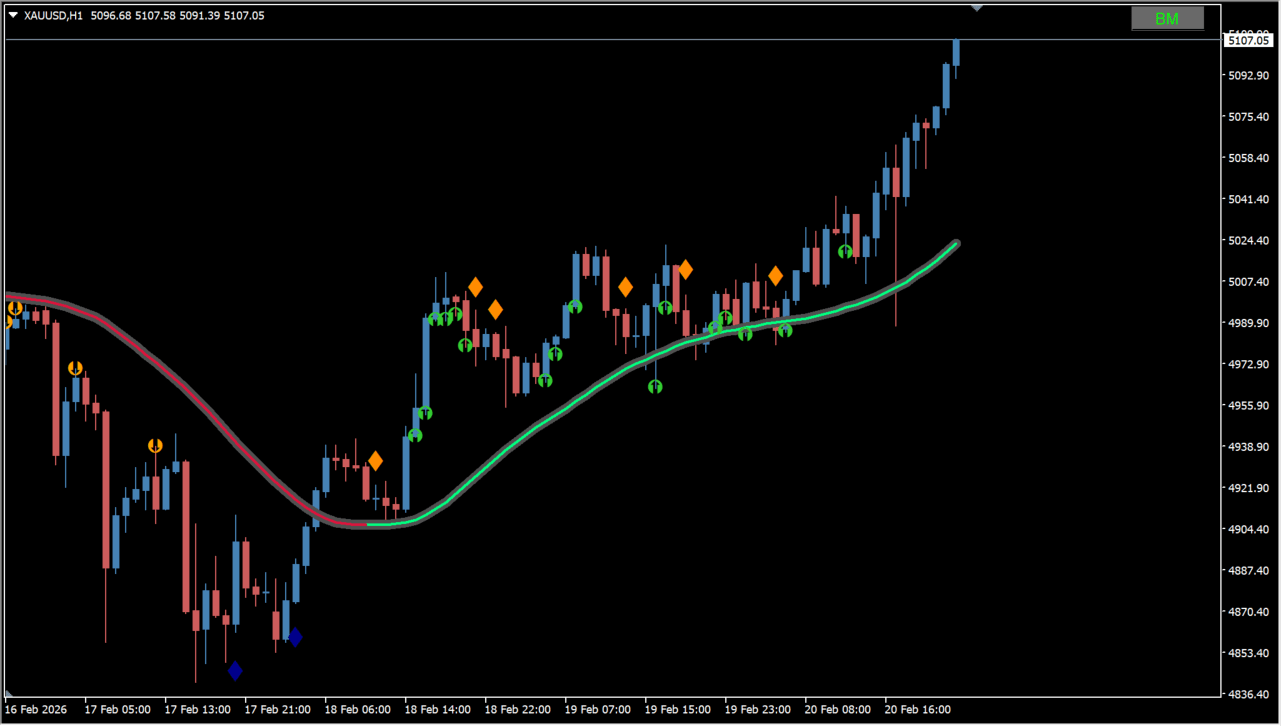
tma-ema (+rsi+ra) is an MT4 indicator that combines a smoothed moving average with multi-condition RSI signal arrows. The smoothed moving-average line changes color with its slope to show trend direction. Minimum angle thresholds help filter range noise, while ATR calculations reduce excessive reactions during sharp price swings.
How to use TMA-EMA (+RSI+RA)
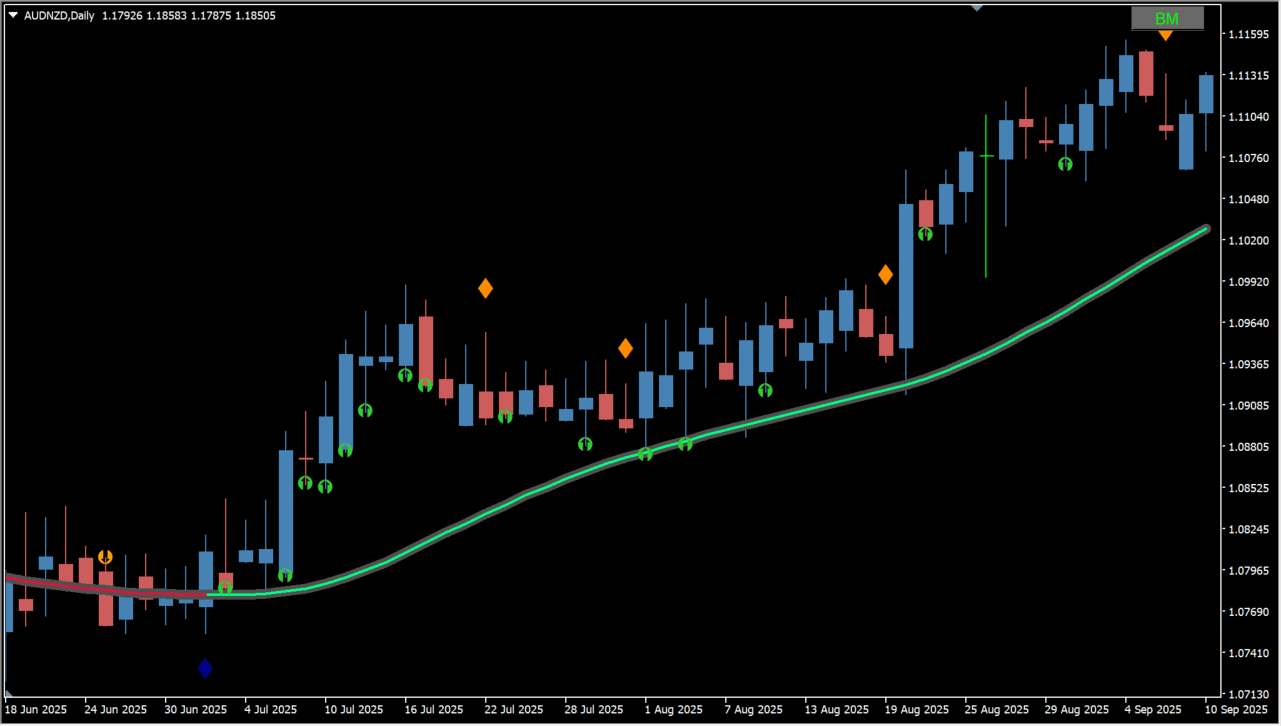
Add tma-ema (+rsi+ra) to an MT4 chart to observe the slope-colored moving average line and RSI signal arrows. Follow the line color and look for bullish RSI signals on pullbacks, while Treat each signal as a qualifying condition and make the final entry decision manually. Signal arrows appear at RSI zero-crossings or configured RSI levels, helping identify entries in the trend direction.
Where it helps
MT4 Indicator Parameters
The table below lists the available MT4 indicator parameters. You can customize these options in the MetaTrader Inputs dialog to match your trading preferences.
| Parameter | Description |
|---|---|
| note1 | Labels the main trend moving average settings section. |
| Color of MA change on:: | Sets the condition for changing moving average line colors. Default: Change color on slope of MA. |
| MA calculated? | Selects the moving average calculation mode. Default: use MA ( NRP ). |
| Counting cross Threshold (1-21) | Sets the slope-angle threshold for trend transition evaluation. Default: 21. |
| Trend Threshold | Sets the minimum price threshold required for trend identification. Default: 0.0. |
| Threshold Calculate using? | Selects the threshold calculation method. Default: Build in ATR. |
| Threshold Calculate period | Sets the lookback calculation period for the threshold calculation. Default: 10. |
| note2 | Labels the moving average pre/post smoothing settings section. |
| Ma period ( or centered TMA ) | Sets the lookback period for the moving average calculation. Default: 20. |
| Ma type | Sets the moving average algorithm type. Default: Linear weighted MA. |
| Ma Lambda | Adjusts moving average smoothing intensity. Default: 5.0. |
| Ma price to use | Selects the price field applied to moving average calculation. Default: Close. |
| Price smoothing period | Sets the lookback period for smoothing price data prior to MA calculation. Default: 1. |
| Price smoothing Lambda | Sets the price pre-smoothing weighting factor. Default: 5.0. |
| Price smoothing type | Sets the averaging method used for price pre-smoothing. Default: SMA -Simple moving average. |
| Po-smoothing period | Sets the lookback period for post-smoothing the moving average line. Default: 1. |
| Po-smoothing Lambda | Sets the post-smoothing weighting factor. Default: 0.1. |
| Po-smoothing type | Sets the smoothing algorithm applied after moving average calculation. Default: Laguerre gamma. |
| TMA bands deviation period | Sets the calculation period for the TMA bands standard deviation. Default: 100. |
| TMA bands deviation | Sets the deviation multiplier for band width. Default: 1.0. |
| note11 | Labels the RSI signal logic settings section. |
| RSI trend logic on : | Enables or disables RSI-based trend and signal evaluation logic. Default: Change color on zero cross. |
| RSI period | Sets the calculation period for the RSI. Default: 2. |
| RSI price to use | Selects the price field applied to RSI calculation. Default: Close. |
| Smoothing RSI price period ( =1, no smoo... | Sets the lookback period for smoothing price data prior to RSI calculation. Default: 1. |
| Smoothing RSI price Ma Lambda | Sets the weighting factor for RSI price smoothing. Default: 5.0. |
| Smoothing average type | Sets the averaging method used for smoothing the RSI price data. Default: SMA -Simple moving average. |
| First UP level (original RSI +50)? | Sets the initial threshold level for bullish pullback and entry signals. Default: 10. |
| First DOWN level (original RSI +50)? | Sets the initial threshold level for bearish pullback and entry signals. Default: -10. |
| Second UP level (original RSI +50)? | Sets the secondary threshold level for strong bullish continuation signals. Default: 30. |
| Second DOWN level (original RSI +50)? | Sets the secondary threshold level for strong bearish continuation signals. Default: -30. |
| RSI extra Arrows visible? | Enables or disables the display of extra signal arrows on the chart. Default: false. |
| Retracement arrow on first level visible? | Enables or disables pullback and retracement arrows triggered at the first level. Default: false. |
| Retracement arrow on second level visible? | Enables or disables pullback and retracement arrows triggered at the second level. Default: true. |
| RSI extra Arrow size | Sets the visual pixel size of the displayed signal arrows. Default: 2. |
| RSI extra Up Arrow code | Sets the Wingdings character code for bullish upward arrows. Default: Diamond. |
| RSI extra Down arrow code | Sets the Wingdings character code for bearish downward arrows. Default: Diamond. |
| RSI extra Arrow gap | Adjusts the vertical offset gap between candles and displayed signal arrows. Default: 0.5. |
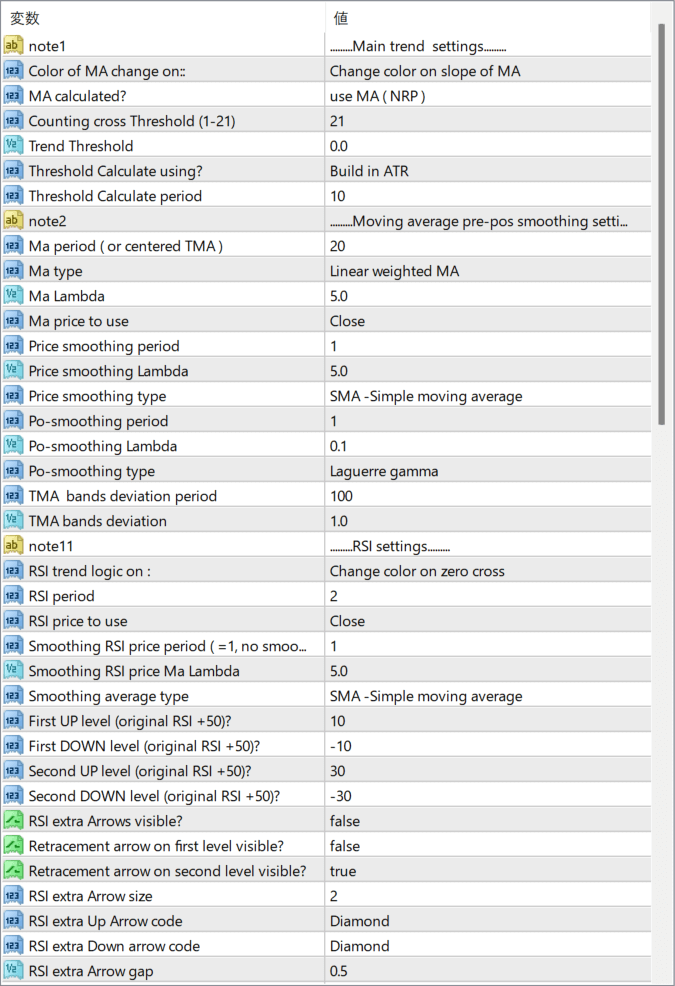
The screenshot above shows the default input parameters in the MT4 settings window.
How to Install .ex4 Indicator in MetaTrader 4
- Download the ZIP file and extract it.
- In MT4, select File → Open Data Folder.
- Open MQL4 → Indicators and copy the EX4 or MQ4 file into it.
- If the package includes library files, copy them to MQL4 → Libraries. Copy TPL files to the top-level templates folder.
- Restart MT4, find the indicator in the Navigator, and drag it onto a chart.
Test the tool on a demo account first. File contents and required folders can vary between packages.


