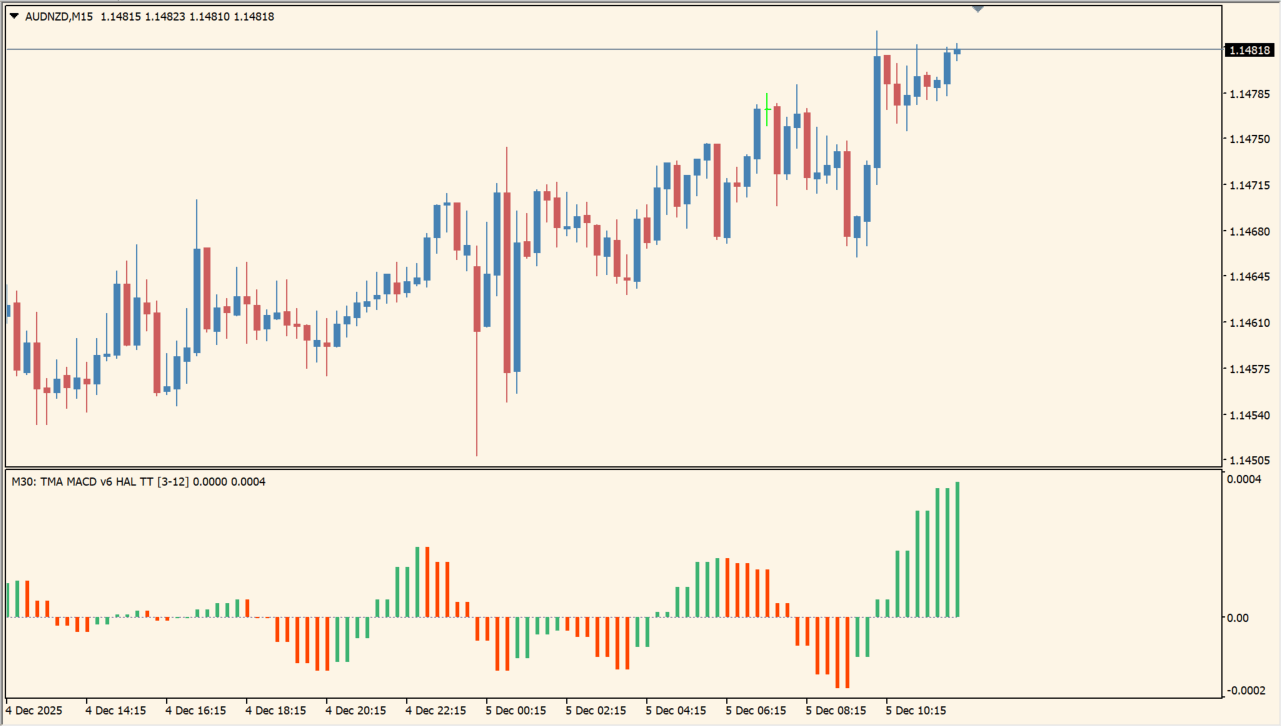
What is TMA MACD Indicator?
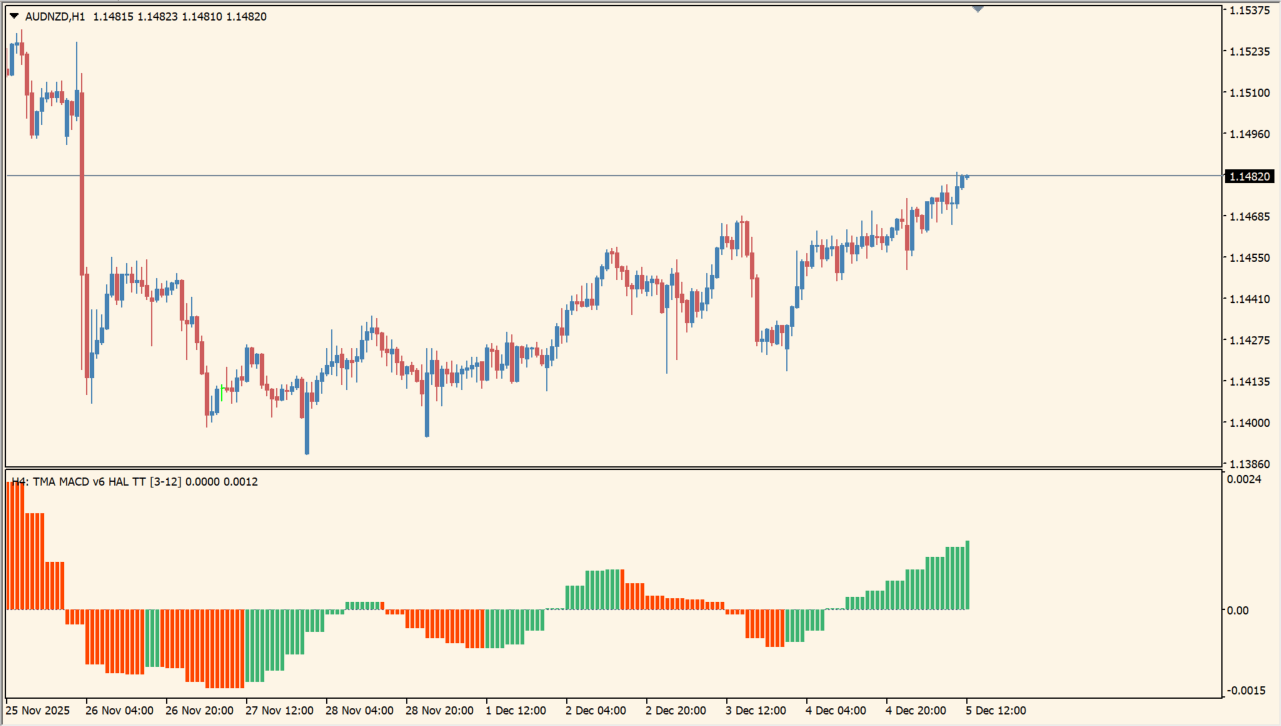
TMA MACD Indicator displays a TMA-based MACD histogram in a separate MT4 pane. The hot-level reference and color changes organize the histogram around a selected baseline.
The package includes an .ex4 file with optional arrows and alert settings. Those settings affect annotations and notifications, while the histogram remains the main chart reference.
How to use TMA MACD Indicator
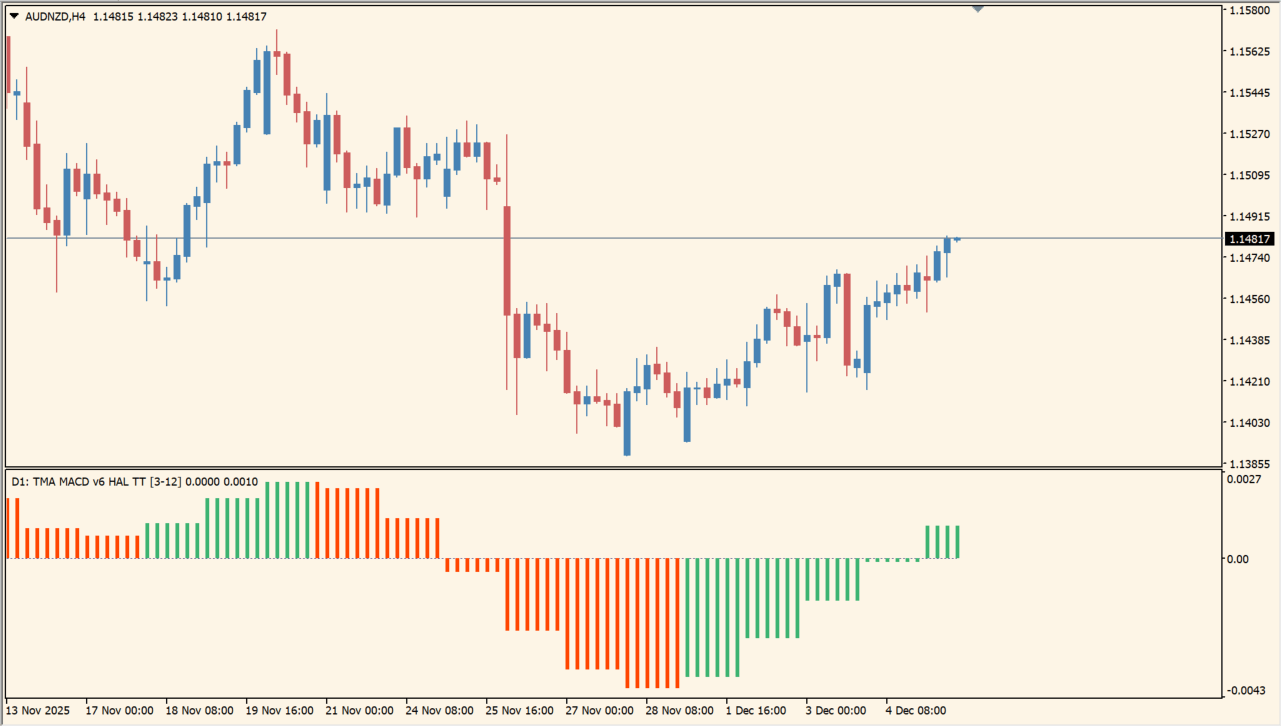
Review the histogram around the hot-level line together with the corresponding price chart. The bar colors and height show how the displayed calculation changes across the selected timeframe.
History, TimeFrame, FastHalfLength, SlowHalfLength, Price, and HotLevel control the calculation. The defaults include 1800, current, 3, 12, Close price, and 0.075.
Where it helps
HotLevel provides a baseline beyond the standard zero-line view.
Histogram colors make changes in the displayed state easier to scan.
Arrow and alert inputs can be adjusted without changing the main concept.
MT4 Indicator Parameters
The table below lists the available MT4 indicator parameters. You can customize these options in the MetaTrader Inputs dialog to match your trading preferences.
| Parameter | Description |
|---|---|
| History | Sets the amount of historical data used by the display. Default: 1800. |
| TimeFrame | Selects the timeframe used for the calculation. Default: current. |
| TimeFrameAuto | Sets the automatic timeframe option. Default: + 1 TimeFrame. |
| FastHalfLength | Sets the fast TMA half-length. Default: 3. |
| SlowHalfLength | Sets the slow TMA half-length. Default: 12. |
| Price | Selects the applied price. Default: Close price. |
| Display | Selects the display mode. Default: HISTO. |
| HotLevel | Sets the displayed hot-level reference. Default: 0.075. |
| LevelColor | Sets the hot-level color. Default: 80,60,210. |
| ShowArrows | Selects the arrow display position. Default: aOUTSIDE. |
| ARROWBAR | Sets the arrow bar offset. Default: 0. |
| ArrowsIdentifier | Sets the arrows identifier. |
| ArrUP | Sets the up-arrow color. Default: White. |
| ArrDN | Sets the down-arrow color. Default: Red. |
| ArrGap | Sets the gap between arrows and price. Default: 3. |
| CodUP | Sets the up-arrow code. Default: 233. |
| CodDN | Sets the down-arrow code. Default: 234. |
| ArrSize | Sets the arrow size. Default: 1. |
| AlertsHotLevel | Enables hot-level alerts. Default: true. |
| AlertsTMAColor | Enables TMA color alerts. Default: true. |
| SIGNALBAR | Sets the signal bar offset. Default: 1. |
| AlertsMessage | Enables message alerts. Default: true. |
| AlertsSound | Enables sound alerts. Default: true. |
| AlertsEmail | Enables email alerts. Default: false. |
| AlertsMobile | Enables mobile alerts. Default: false. |
| SoundFile | Sets the alert sound file. Default: expert.wav. |
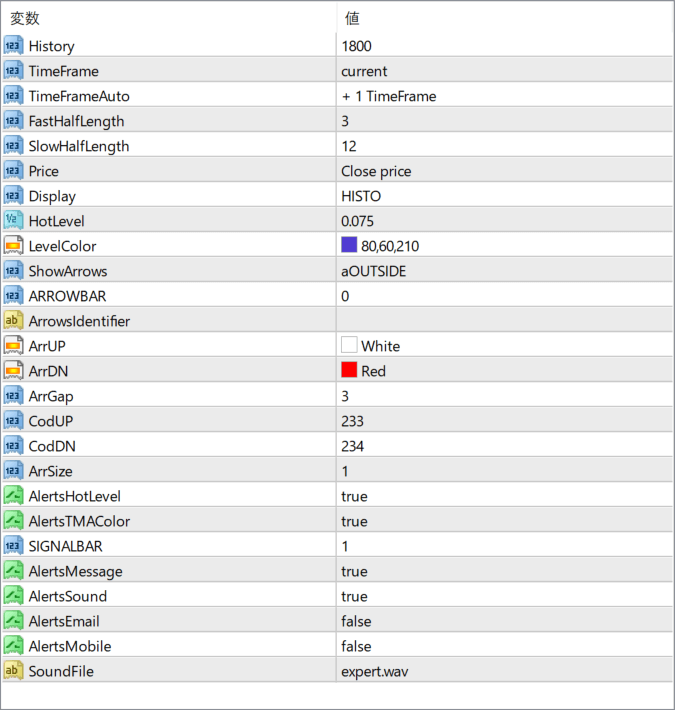
The screenshot above shows the default input parameters in the MT4 settings window.
How to Install .ex4 Indicator in MetaTrader 4
- Download the ZIP file and extract it.
- In MT4, select File → Open Data Folder.
- Open MQL4 → Indicators and copy the EX4 or MQ4 file into it.
- If the package includes library files, copy them to MQL4 → Libraries. Copy TPL files to the top-level templates folder.
- Restart MT4, find the indicator in the Navigator, and drag it onto a chart.
Test the tool on a demo account first. File contents and required folders can vary between packages.


