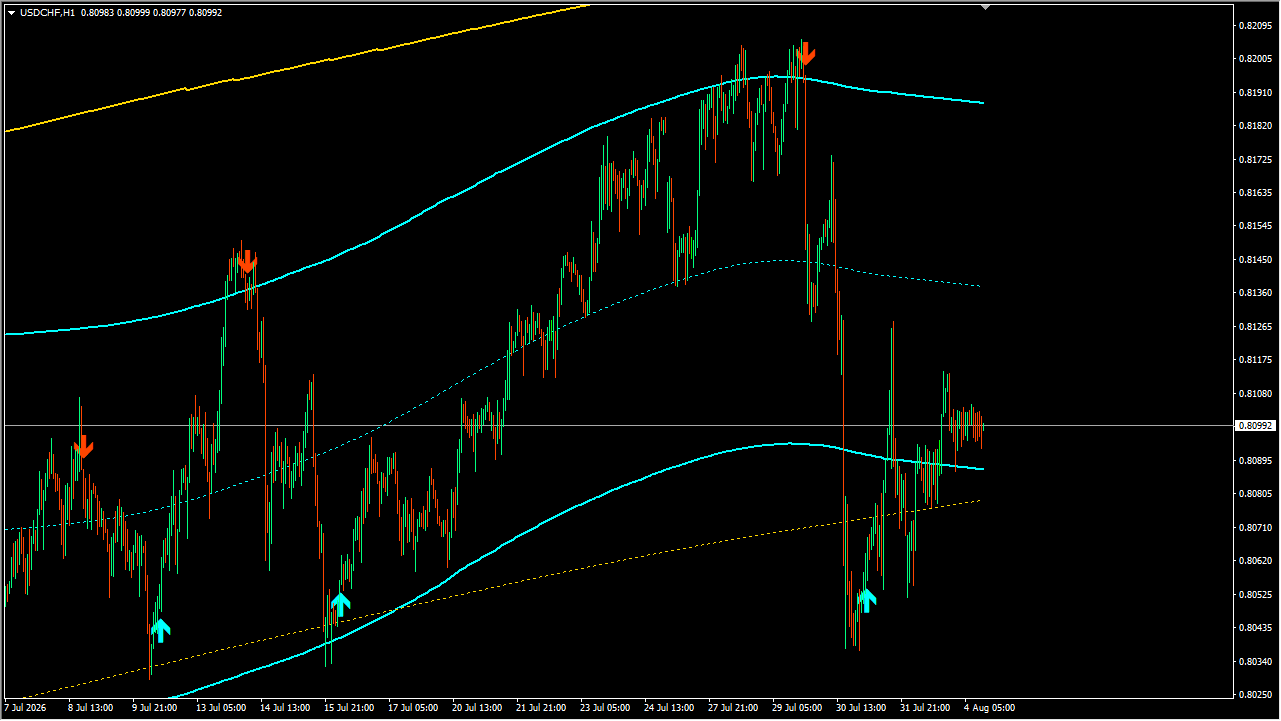
What is TMA MTF?
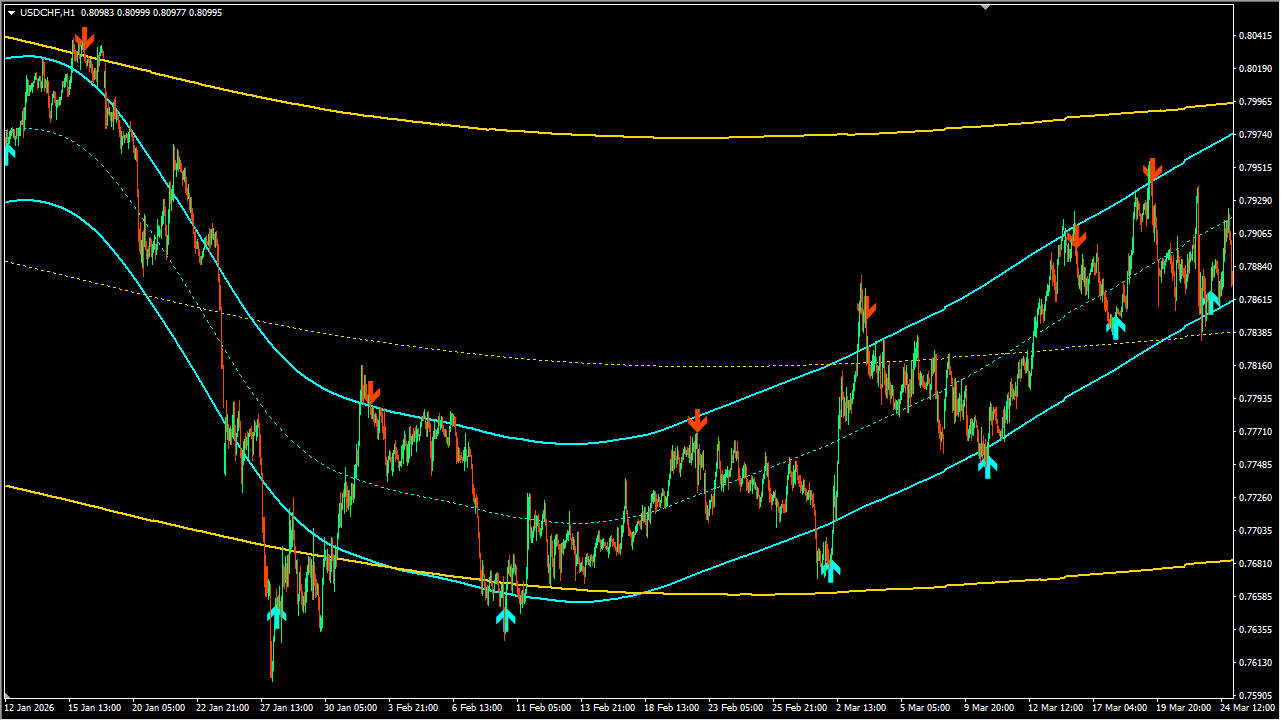
TMA MTF is an MT4 band indicator supplied with daily and four-hour context. Its TimeFrame input is shown as H4 in the source settings, while TMAPeriod is 50.
The overlay combines a center line with ATR-based band width. ATRMultiplier 2.5, ATRPeriod 500, TrendThreshold 0.4, and the optional ShowCenterLine configure the display.
How to use TMA MTF
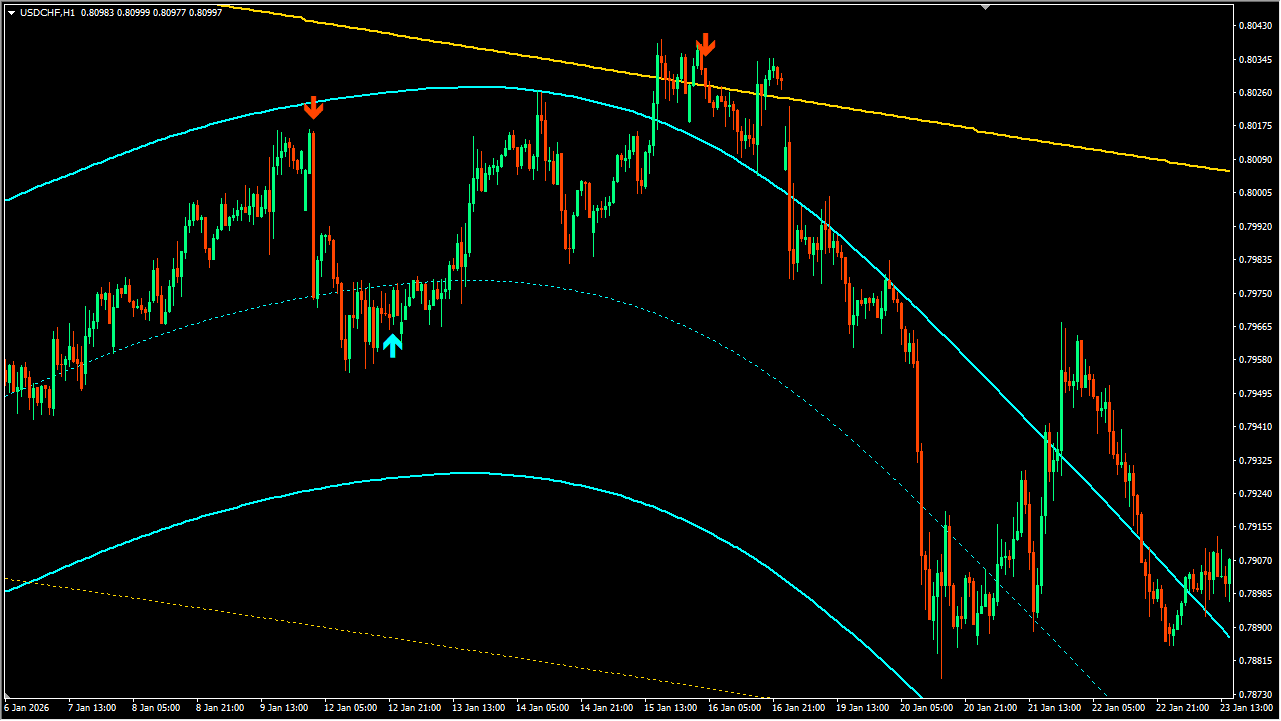
Add TMA MTF to an MT4 chart, select the required TimeFrame, and confirm the period and ATR inputs before reading the display.
Review price against the center line and outer bands as a multi-timeframe chart reference. The display includes alert switches and MaxBarsBack 5000, without an automatic entry rule.
Where it helps
ATRMultiplier and ATRPeriod control the displayed band width.
TimeFrame and TMAPeriod set the multi-timeframe band configuration.
ShowCenterLine, alert options, and MaxBarsBack control the display.
MT4 Indicator Parameters
The table below lists the available MT4 indicator parameters. You can customize these options in the MetaTrader Inputs dialog to match your trading preferences.
| Parameter | Description |
|---|---|
| TimeFrame | Sets the timeframe used to calculate the TMA bands. |
| TMAPeriod | Sets the TMA band period. |
| Price | Selects the price used for the calculation. |
| ATRMultiplier | Sets the multiplier used for band width. |
| ATRPeriod | Sets the ATR period. |
| TrendThreshold | Sets the threshold used for trend evaluation. |
| ShowCenterLine | Shows or hides the center line. |
| alertsOn | Enables or disables alerts. |
| alertsMessage | Enables or disables message alerts. |
| alertsSound | Enables or disables sound alerts. |
| alertsEmail | Enables or disables email alerts. |
| MoveEndpointEveryTick | Controls whether the latest endpoint is updated on every tick. |
| MaxBarsBack | Sets the maximum number of historical bars displayed. |
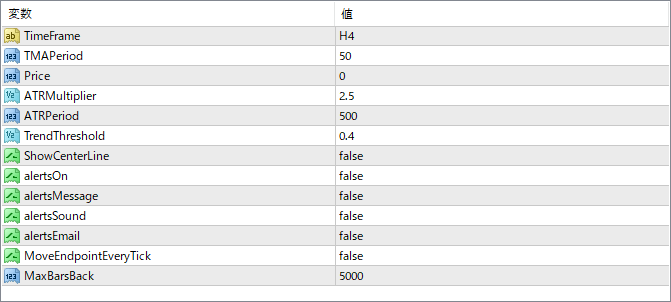
The screenshot above shows the default input parameters in the MT4 settings window.
How to Install .ex4 Indicator in MetaTrader 4
- Download the ZIP file and extract it.
- In MT4, select File → Open Data Folder.
- Open MQL4 → Indicators and copy the EX4 or MQ4 file into it.
- If the package includes library files, copy them to MQL4 → Libraries. Copy TPL files to the top-level templates folder.
- Restart MT4, find the indicator in the Navigator, and drag it onto a chart.
Test the tool on a demo account first. File contents and required folders can vary between packages.


