What is Trend Intensity Index 1.3 averages (mtf)?
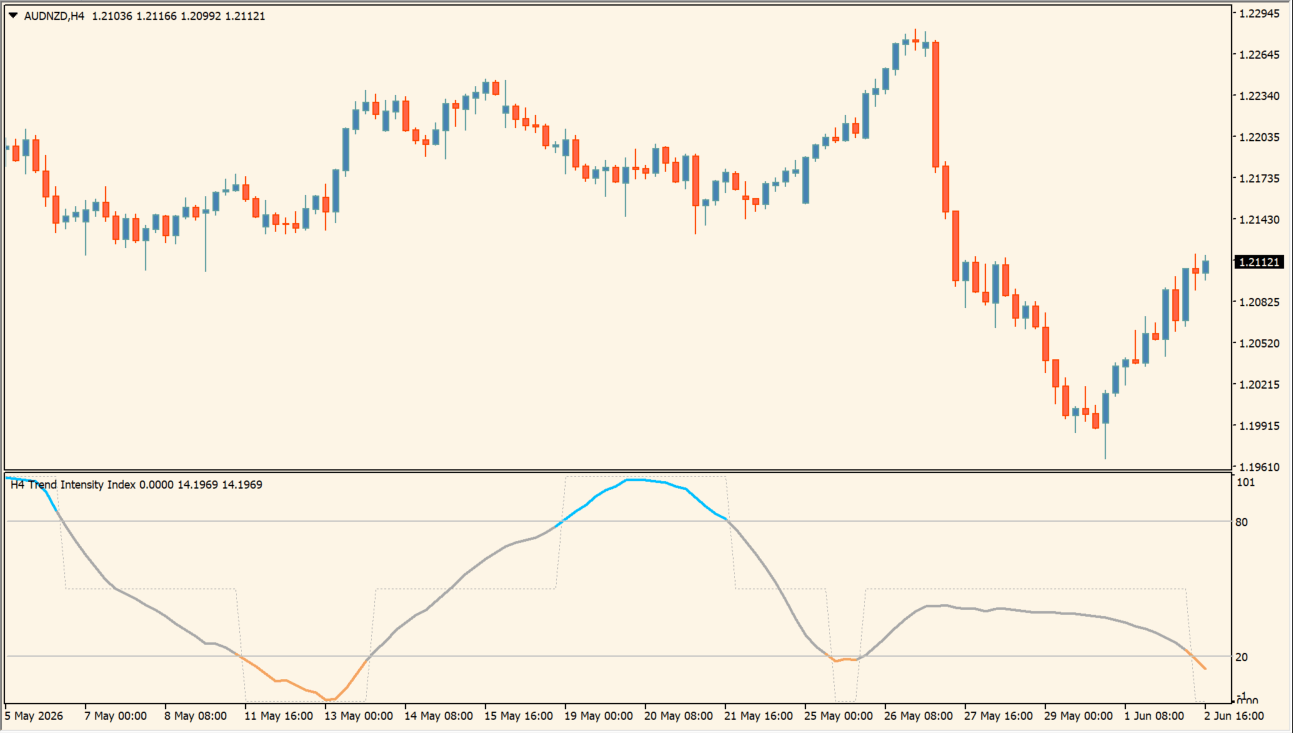
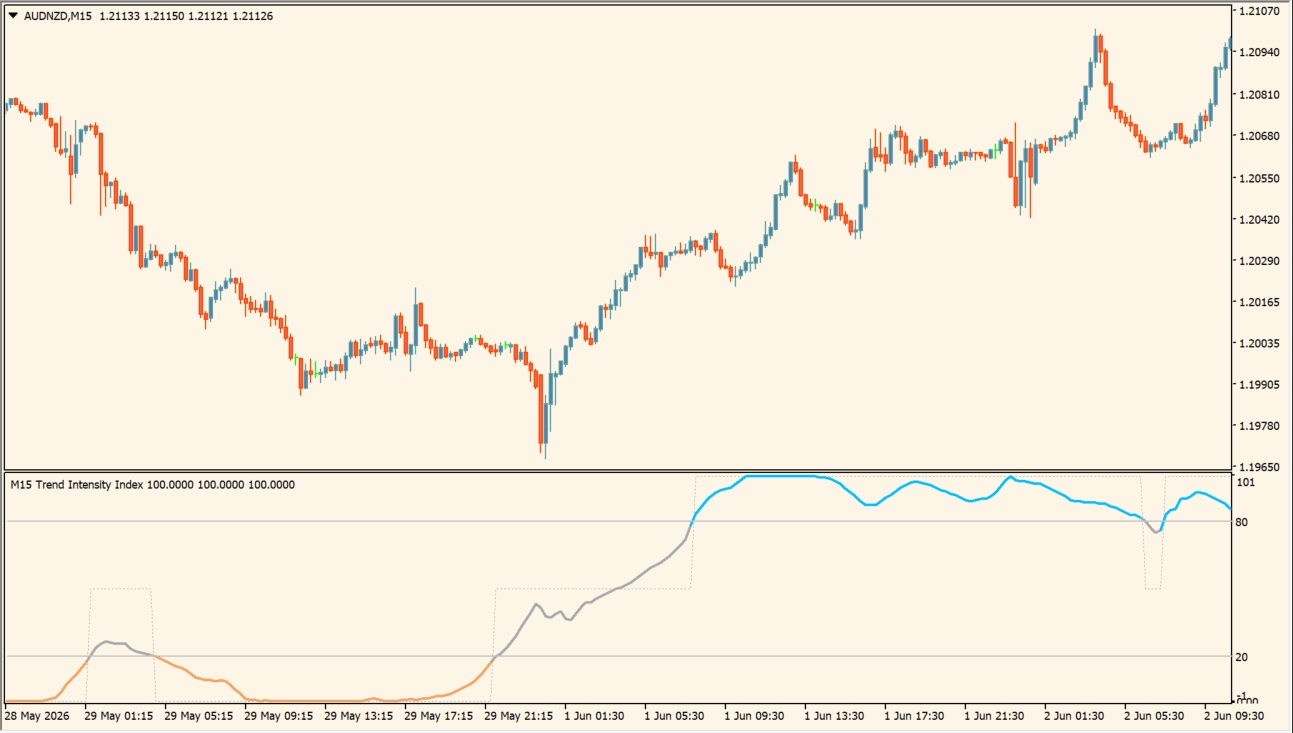
Trend Intensity Index is an MT4 indicator that plots a 0 to 100 intensity value with configurable averaging and upper or lower threshold lines. The calculation timeframe, length, price source, and average method determine the displayed series.
The threshold lines and optional multi-timeframe interpolation add structure for comparing the intensity reading with current chart context. The value is a visual measurement rather than a directional conclusion.
How to use Trend Intensity Index 1.3 averages (mtf)
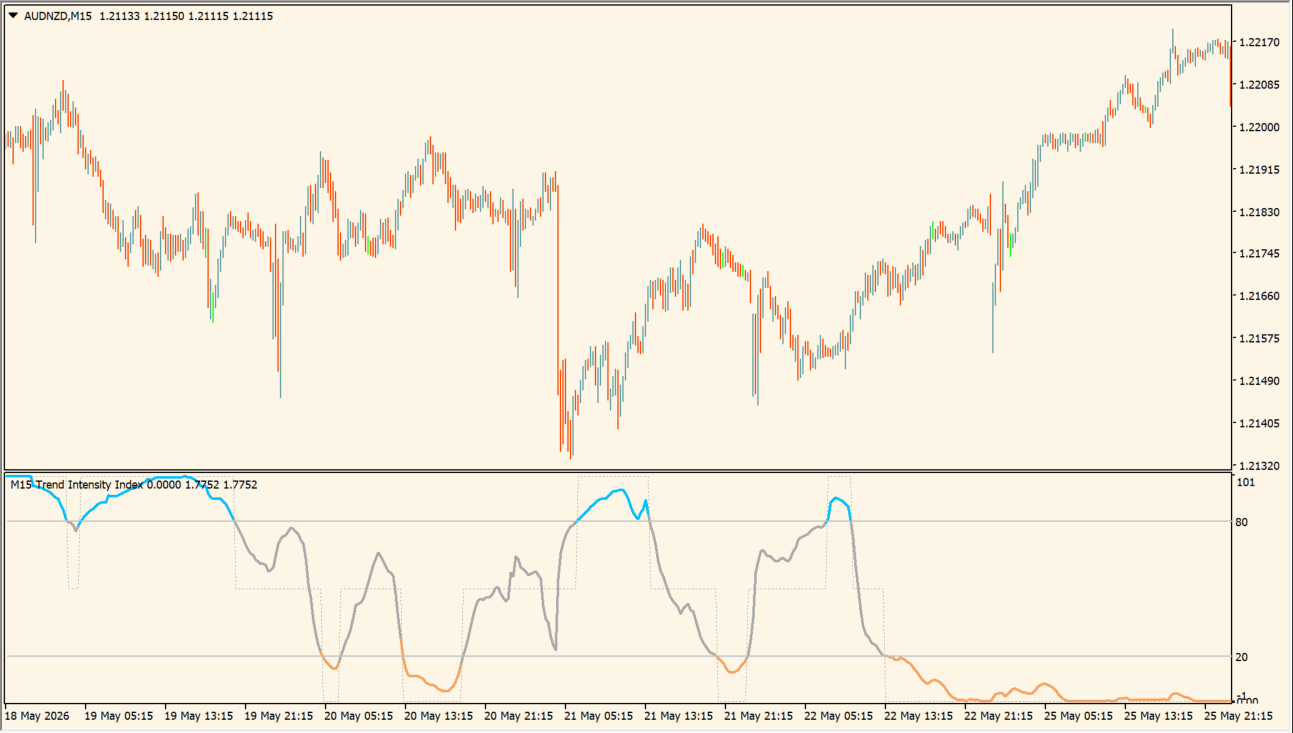
Read the intensity line against its upper and lower levels, then compare it with the selected chart timeframe:
- Use the high and low reference levels to organize stronger and weaker portions of the displayed line.
- Compare movement near the center of the pane with periods where the line remains closer to either outer level.
- Adjust Time frame to use, Calculation length, Price, and Average method to use to change the calculation view.
- Use the multi-timeframe interpolation setting only when a smoother higher-timeframe line is needed on the chart.
Where it helps
A normalized intensity scale makes readings easy to compare, configurable thresholds provide visual structure, and timeframe or averaging controls support different chart-review preferences.
MT4 Indicator Parameters
The table below lists the available MT4 indicator parameters. You can customize these options in the MetaTrader Inputs dialog to match your trading preferences.
| Parameter | Description |
|---|---|
| Calculation Time Frame | Selects the time frame used by the indicator. Default: current. |
| Calculation Length | Sets the lookback period for trend intensity. Default: 30. |
| Price Source | Selects the price field used in the calculation. Default: Close. |
| Average Method | Selects the smoothing method. Default: Simple moving average - SMA. |
| High Threshold | Sets the upper strong-trend threshold. Default: 80.0. |
| Low Threshold | Sets the lower strong-trend threshold. Default: 20.0. |
| Interpolate MTF Values | Smooths higher-timeframe values across lower-timeframe bars. Default: true. |
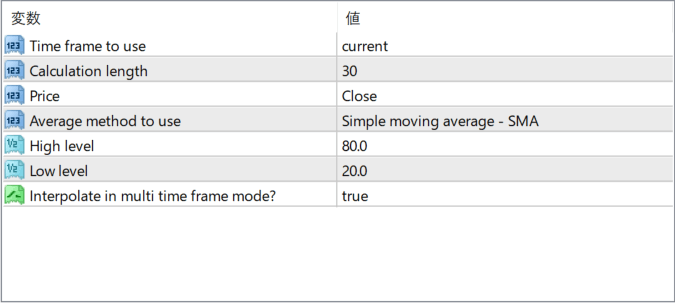
The screenshot above shows the default input parameters in the MT4 settings window.
How to Install .ex4 Indicator in MetaTrader 4
- Download the ZIP file and extract it.
- In MT4, select File → Open Data Folder.
- Open MQL4 → Indicators and copy the EX4 or MQ4 file into it.
- If the package includes library files, copy them to MQL4 → Libraries. Copy TPL files to the top-level templates folder.
- Restart MT4, find the indicator in the Navigator, and drag it onto a chart.
Test the tool on a demo account first. File contents and required folders can vary between packages.


