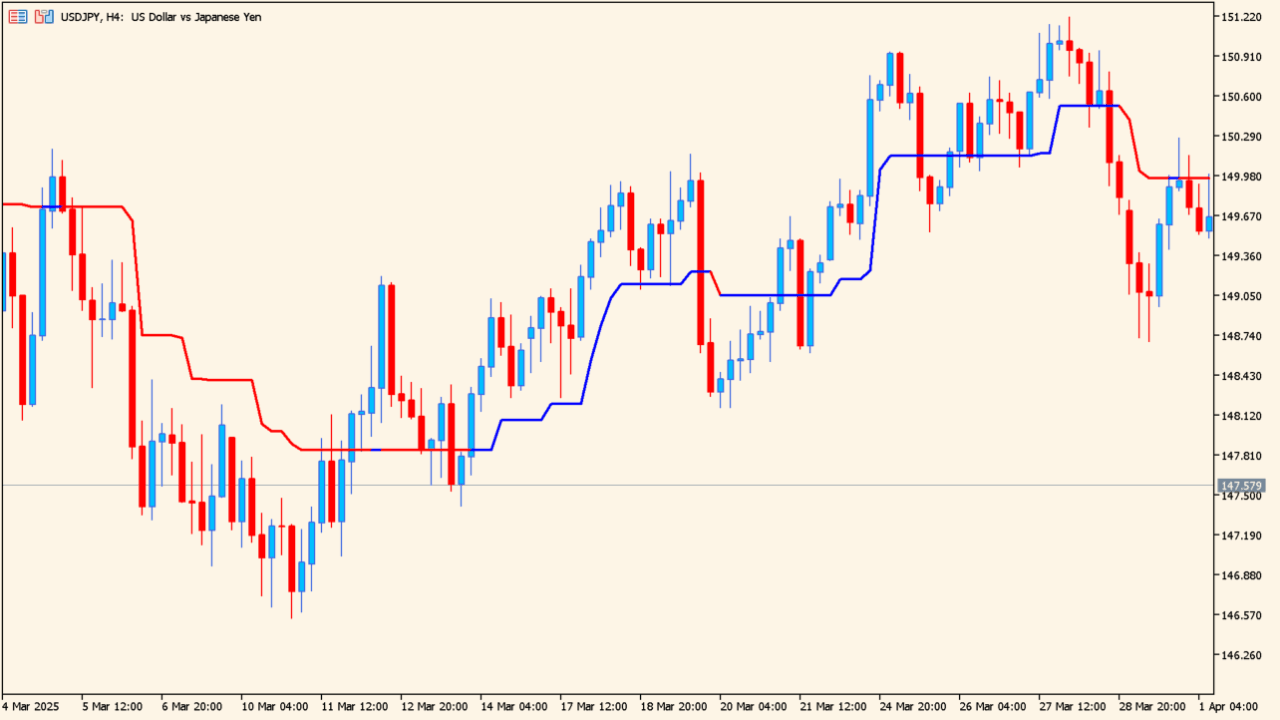
What is Trend Magic?
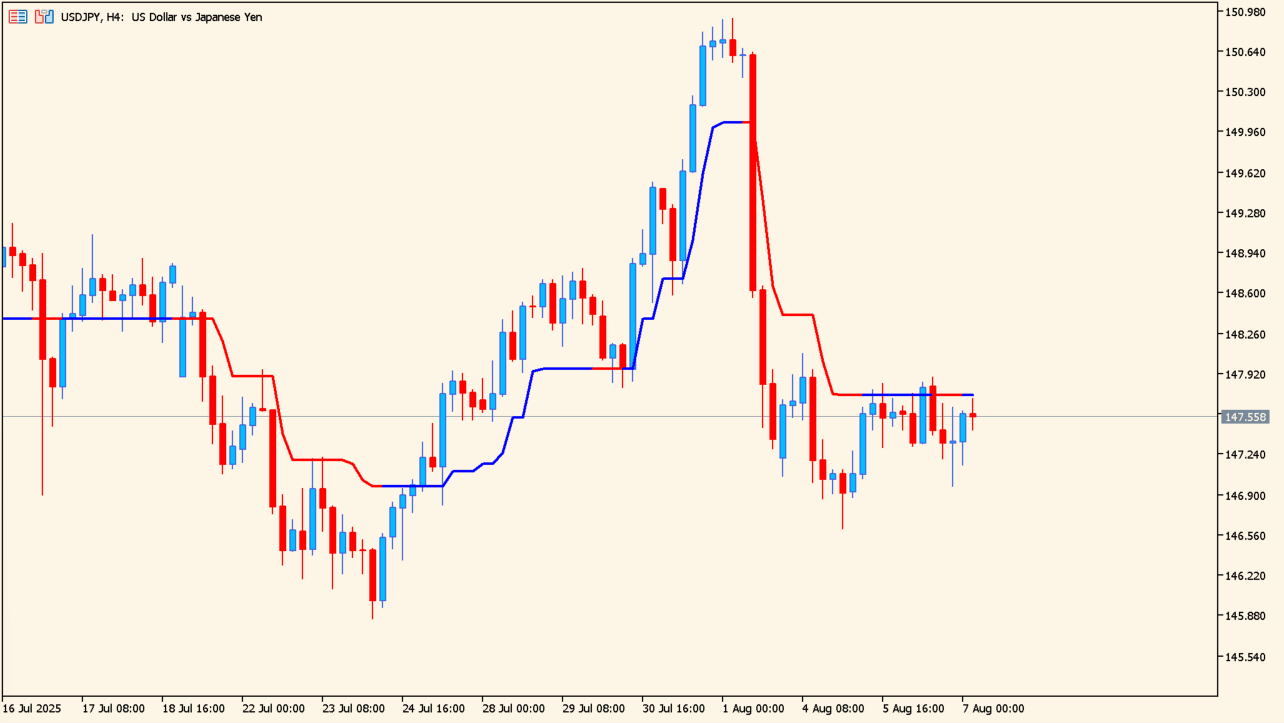
The color changes when a candle body closes through the line.
Trend Magic combines the Commodity Channel Index and the Average True Range into a single line drawn on the MT5 price chart.
The line is blue in one state and red in the other, and it steps rather than curves. CCI_Period and ATR_Period set the two calculation lengths.
How to use Trend Magic
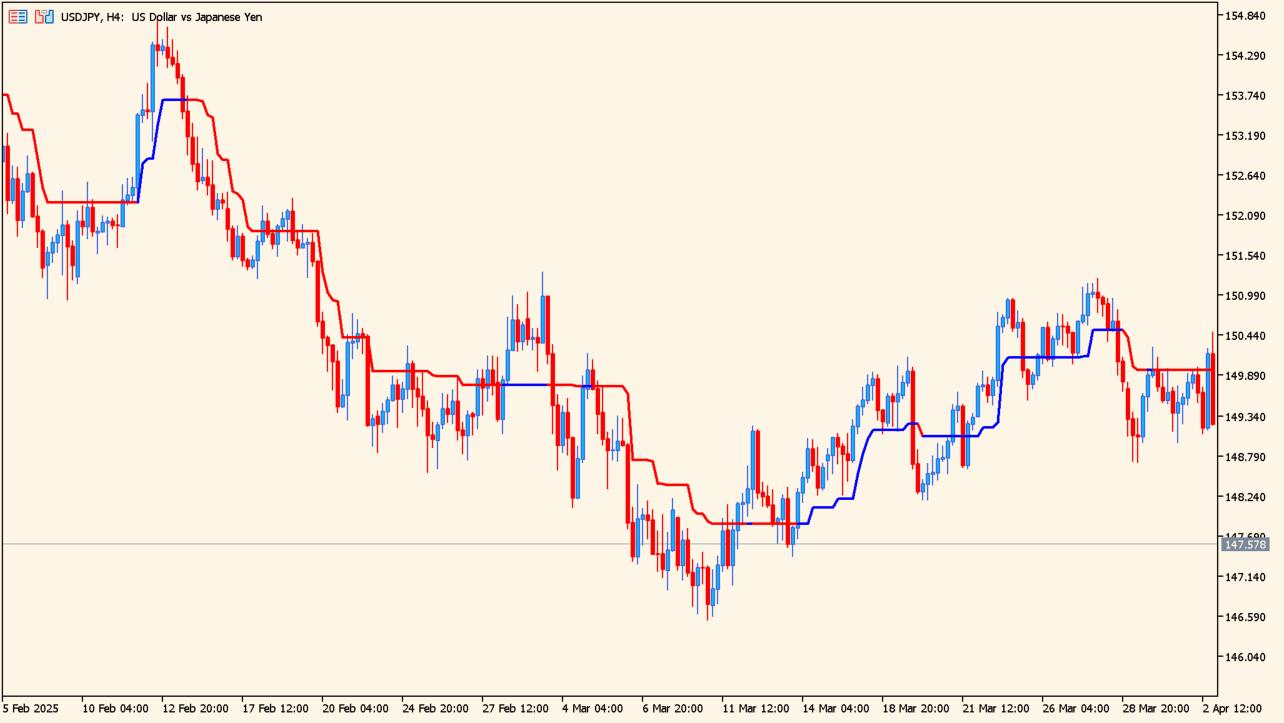
The line holds its level through smaller counter-moves.
Add the indicator to an MT5 chart and read the color of the line together with where price sits against it. The color changes when a candle body closes through the line, which puts the change on a specific bar.
Watch how the line holds its level through smaller counter-moves. CCI_Period and ATR_Period can be adjusted when different lengths are needed.
Where it helps
The color carries the displayed state and the line itself sits at a price level, so both come from a single drawing.
The stepped line stays put through smaller counter-moves instead of bending with every pullback.
The color changes on a candle body closing through the line, which fixes the change to one bar.
MT5 Indicator Parameters
The table below lists the available MT5 indicator parameters. You can customize these options in the MetaTrader Inputs dialog to match your trading preferences.
| Parameter | Description |
|---|---|
| CCI_Period | Sets the CCI calculation period. |
| ATR_Period | Sets the ATR calculation period. |
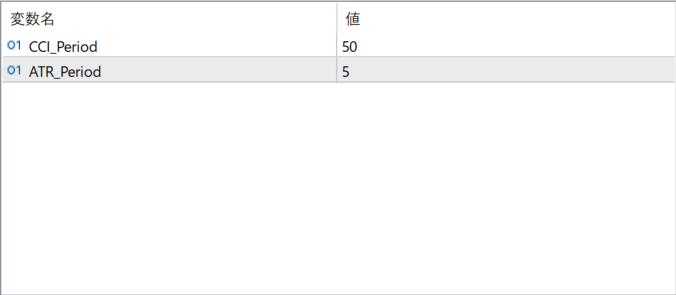
The screenshot above shows the default input parameters in the MT5 settings window.
How to Install .ex5 Indicator in MetaTrader 5
- Download the ZIP file and extract it.
- In MT5, select File → Open Data Folder.
- Open MQL5 → Indicators and copy the EX5 or MQ5 file into it.
- If the package includes library files, copy them to MQL5 → Libraries. Copy TPL files to the top-level templates folder.
- Restart MT5, find the indicator in the Navigator, and drag it onto a chart.
Test the tool on a demo account first. File contents and required folders can vary between packages.


