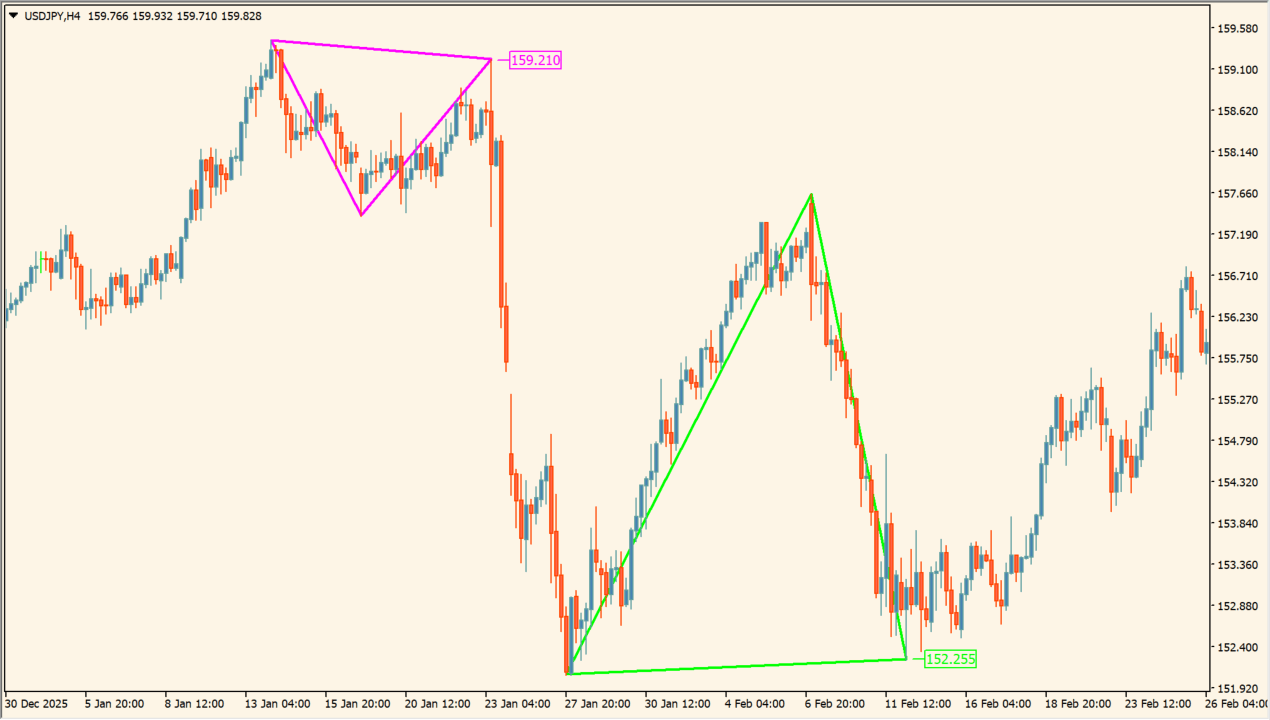
What is Triangle Pattern Indicator?
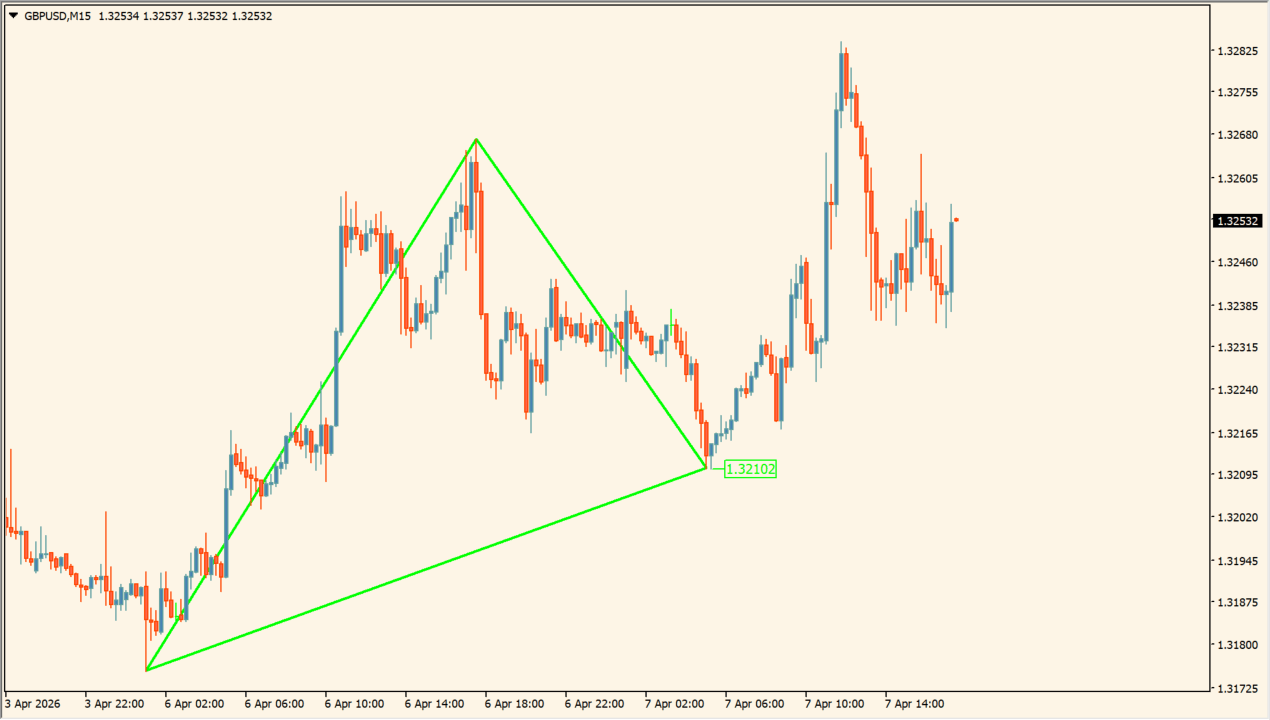
Triangle Pattern Indicator draws converging triangle formations from recent swing structure on an MT4 chart. Rising and falling boundary lines make the displayed formation easier to review against the surrounding candles.
Labels, fills, and marks are optional display elements. The package includes an .ex4 file and the drawings are chart annotations rather than a fixed expectation about the next move.
How to use Triangle Pattern Indicator
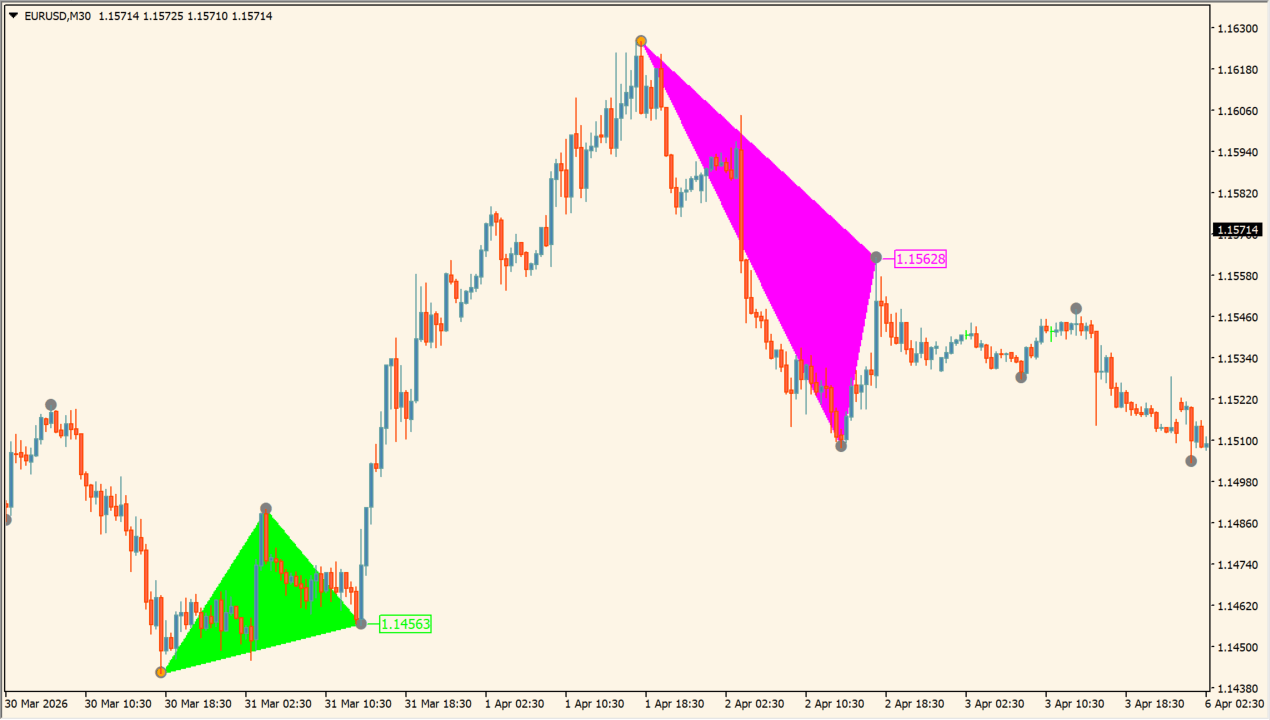
Review the converging lines with the related swing highs and lows. The displayed formation can be compared with candle range, surrounding levels, and the broader chart context.
ShowSemafors, ShowTriangles, FillUp, ShowMarks, ShowAlert, ShowAlertTr, Width1, Width3, BarsCount, DATA1, and copy are available in the Inputs dialog. Use the visibility settings to keep the chart readable.
Where it helps
Triangle boundaries make the displayed swing compression easier to inspect.
Labels, marks, fills, and line widths can be adjusted independently.
Alert settings do not change the formation drawing itself.
MT4 Indicator Parameters
The table below lists the available MT4 indicator parameters. You can customize these options in the MetaTrader Inputs dialog to match your trading preferences.
| Parameter | Description |
|---|---|
| ShowSemafors | Shows or hides the Semafors display. Default: false. |
| ShowTriangles | Shows or hides the triangle drawings. Default: true. |
| FillUp | Controls the upward-area fill option. Default: false. |
| ShowMarks | Shows or hides formation marks. Default: true. |
| ShowAlert | Enables the main alert option. Default: false. |
| ShowAlertTr | Enables the triangle alert option. Default: false. |
| Width1 | Sets the first line width. Default: 1. |
| Width3 | Sets the third line width option. Default: 0. |
| BarsCount | Sets the amount of history inspected. Default: 1750. |
| DATA1 | Sets the DATA1 option. Default: 0. |
| copy | Sets the copy option. Default: 1. |
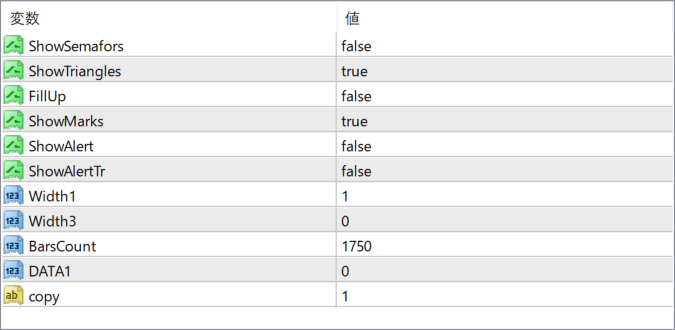
The screenshot above shows the default input parameters in the MT4 settings window.
How to Install .ex4 Indicator in MetaTrader 4
- Download the ZIP file and extract it.
- In MT4, select File → Open Data Folder.
- Open MQL4 → Indicators and copy the EX4 or MQ4 file into it.
- If the package includes library files, copy them to MQL4 → Libraries. Copy TPL files to the top-level templates folder.
- Restart MT4, find the indicator in the Navigator, and drag it onto a chart.
Test the tool on a demo account first. File contents and required folders can vary between packages.


