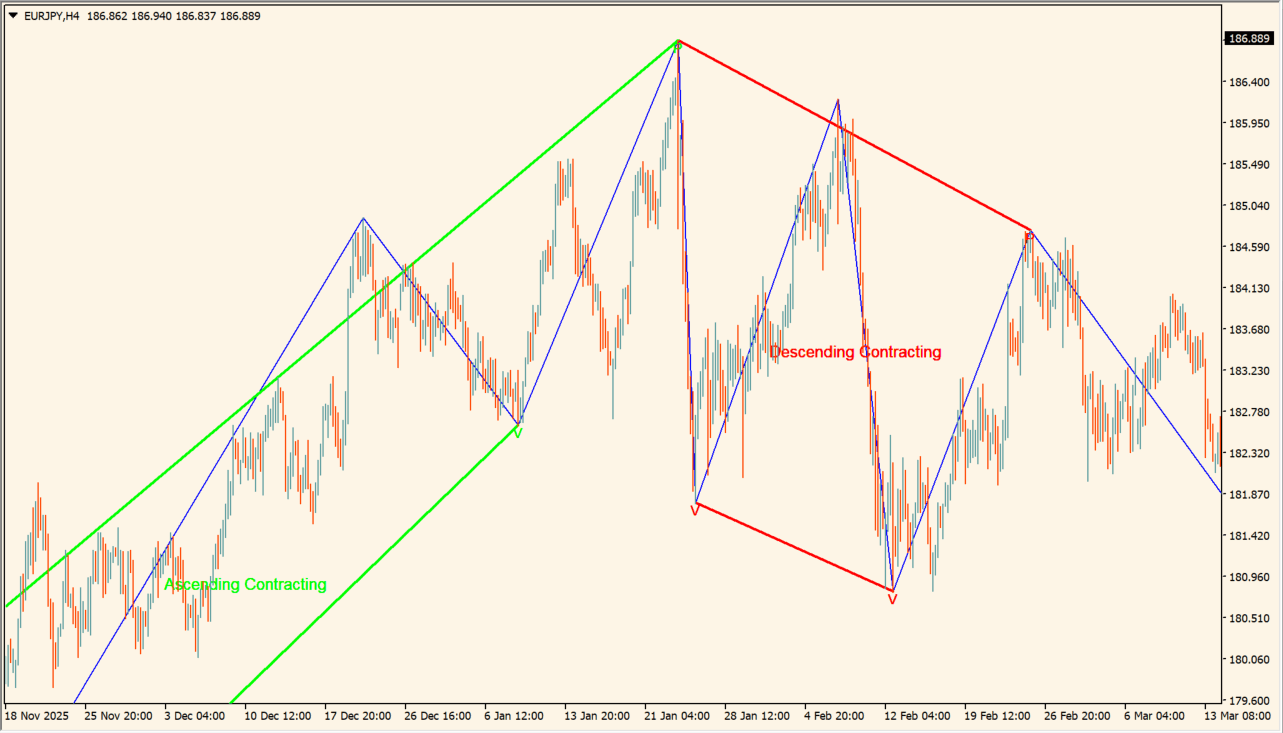
What is Triangle_Pattern_MT4?
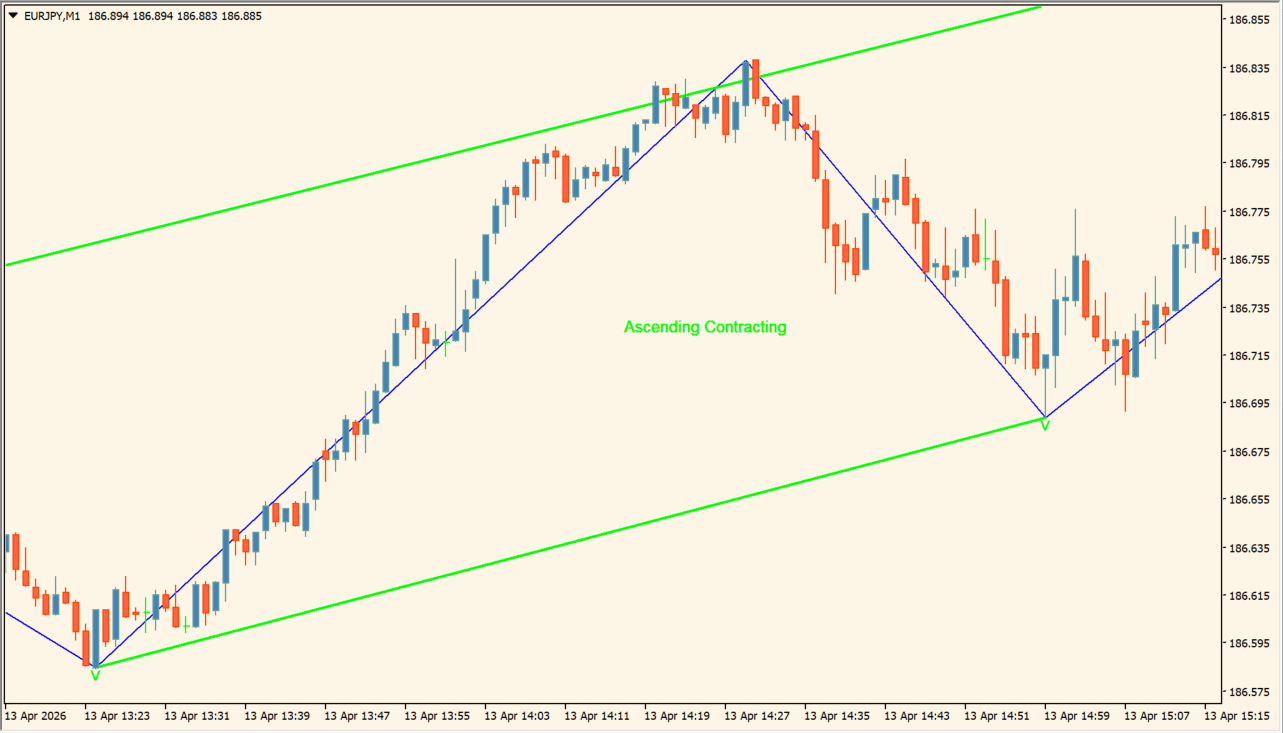
Triangle_Pattern_MT4 identifies contracting triangle structures from ZigZag highs and lows and draws the pattern lines and labels on the chart. Green marks an Ascending Contracting pattern and red marks a Descending Contracting pattern.
The article describes the interior as a range-like area and the boundary break as a point to inspect for continuation or change. Detection depends on the ZigZag settings, so short charts can produce more noise.
How to use Triangle_Pattern_MT4
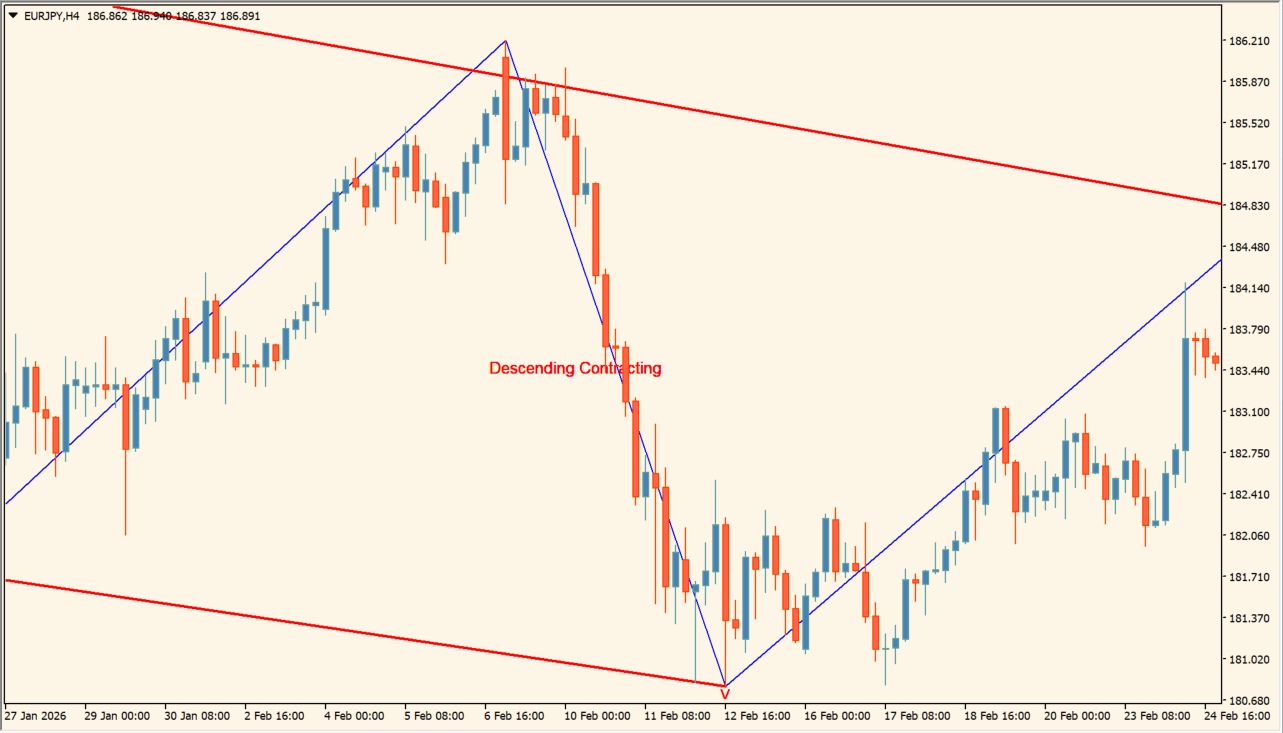
Add Triangle_Pattern_MT4 to an MT4 chart and inspect the pattern label and converging lines before and after a boundary break.
Tune InpZigZagLength, InpZigZagDepth, InpZigZagBackstep, error and flat thresholds, and the display options for the timeframe being reviewed.
Where it helps
Recognizes ascending and descending contracting triangle forms from ZigZag swings.
Keeps the converging boundaries visible around the point where price leaves the pattern.
Includes a setting for whether the pattern display can be redrawn.
MT4 Indicator Parameters
The table below lists the available MT4 indicator parameters. You can customize these options in the MetaTrader Inputs dialog to match your trading preferences.
| Parameter | Description |
|---|---|
| InpZigZagLength | Sets this calculation or display option. Default: 55. |
| InpZigZagDepth | Sets this calculation or display option. Default: 8. |
| InpZigZagBackstep | Enables or disables this display option. Default: 3. |
| InpErrorThreshold | Sets this calculation or display option. Default: 20.0. |
| InpFlatThreshold | Sets this calculation or display option. Default: 20.0. |
| InpCheckBarRatio | Enables or disables this display option. Default: true. |
| InpBarRatioLimit | Sets this calculation or display option. Default: 0.382. |
| InpAvoidOverlap | Enables or disables this display option. Default: true. |
| InpRepaint | Enables or disables this display option. Default: false. |
| InpPatternLineWidth | Sets the display width or text size. Default: 2. |
| InpShowZigzag | Enables or disables this display option. Default: true. |
| InpZigzagColor | Sets the display color for this option. Default: clrBlue. |
| InpShowPatternLabel | Enables or disables this display option. Default: true. |
| InpPatternLabelSize | Sets the display width or text size. Default: 10. |
| InpShowPivotLabels | Enables or disables this display option. Default: true. |
| InpDeleteOldPatterns | Enables or disables this display option. Default: true. |
| InpMaxPatterns | Controls this indicator option. Default: 20. |
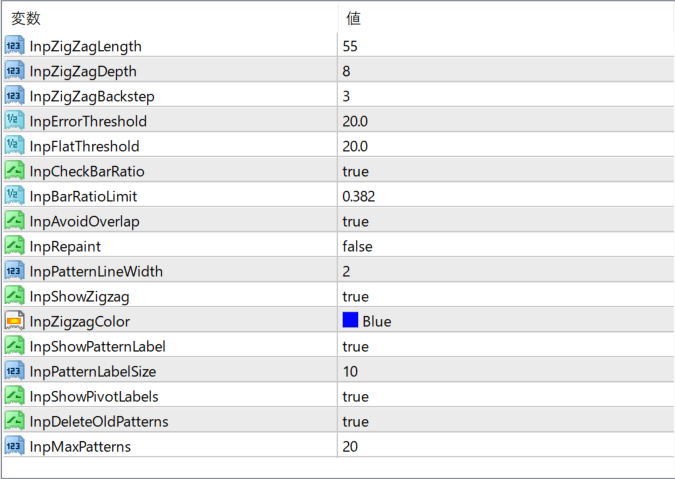
The screenshot above shows the default input parameters in the MT4 settings window.
How to Install .ex4 Indicator in MetaTrader 4
- Download the ZIP file and extract it.
- In MT4, select File → Open Data Folder.
- Open MQL4 → Indicators and copy the EX4 or MQ4 file into it.
- If the package includes library files, copy them to MQL4 → Libraries. Copy TPL files to the top-level templates folder.
- Restart MT4, find the indicator in the Navigator, and drag it onto a chart.
Test the tool on a demo account first. File contents and required folders can vary between packages.


