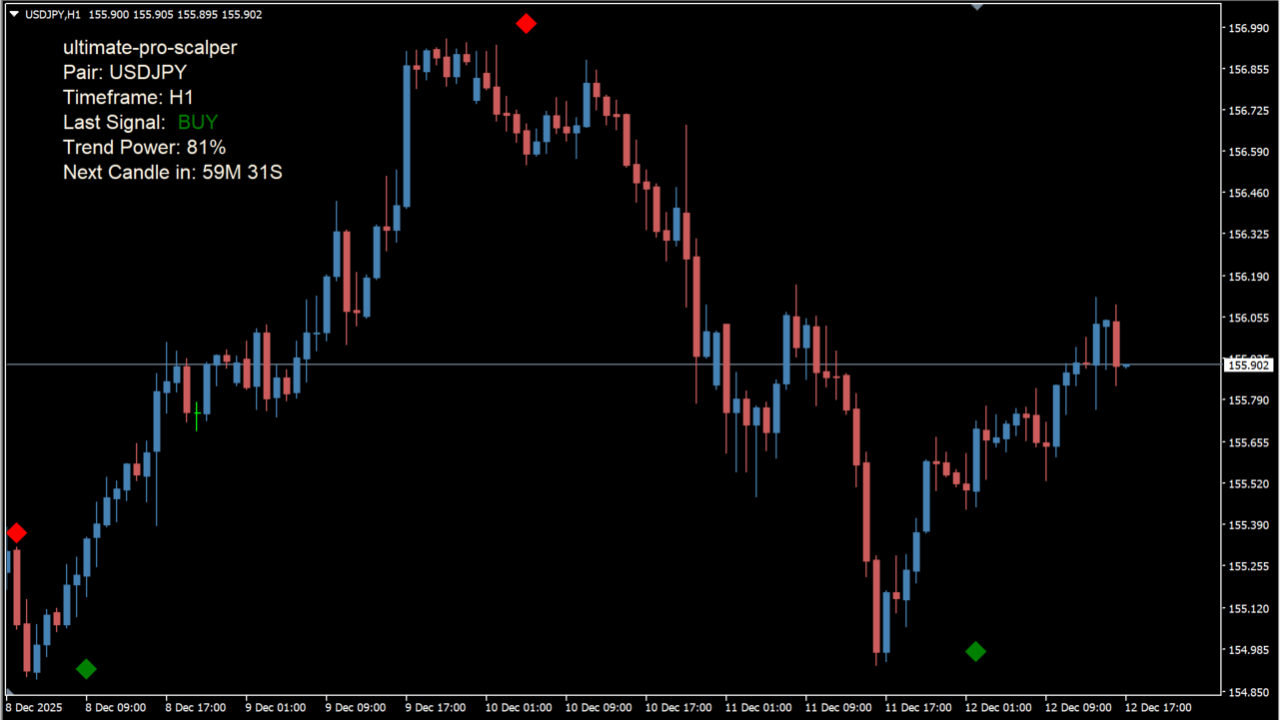
What is Ultimate Pro Scalper?
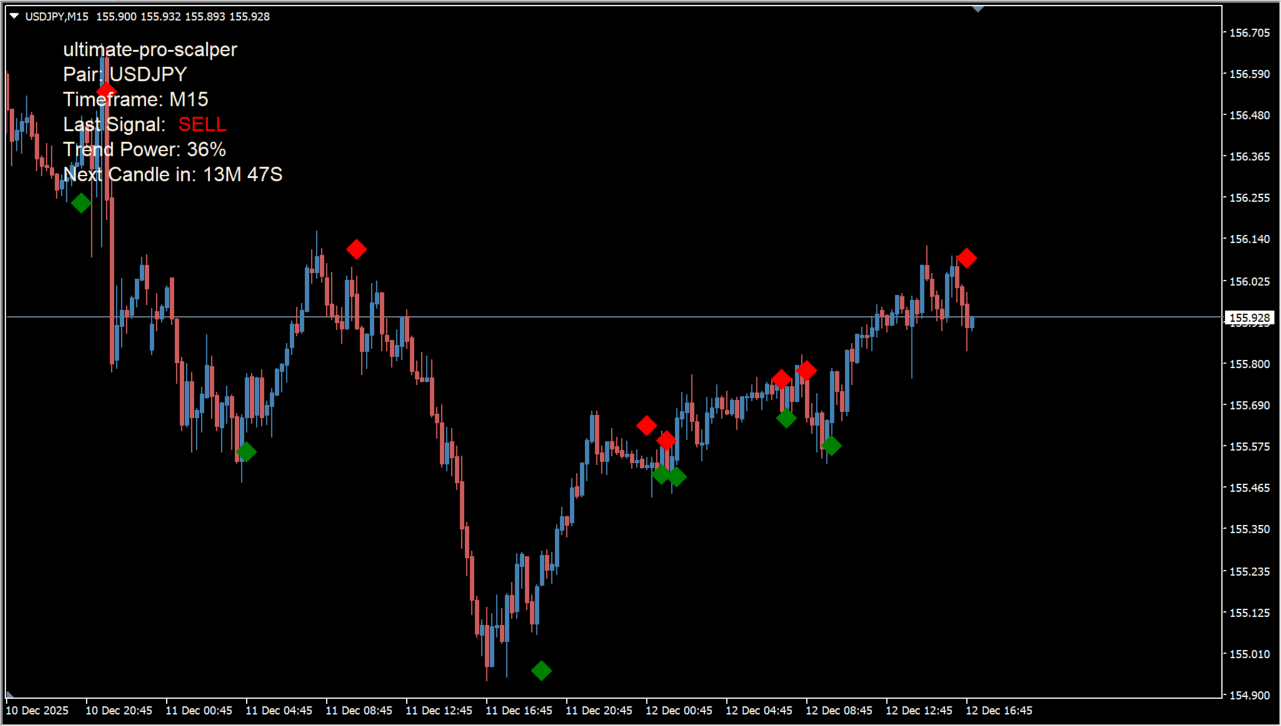
Ultimate Pro Scalper is an MT4 trend indicator that shows potential turning points and a numerical trend-strength value. Green diamonds mark buy signals, red diamonds mark sell signals, and the upper-right panel shows the pair, timeframe, latest signal, and Trend Power.
How to use Ultimate Pro Scalper
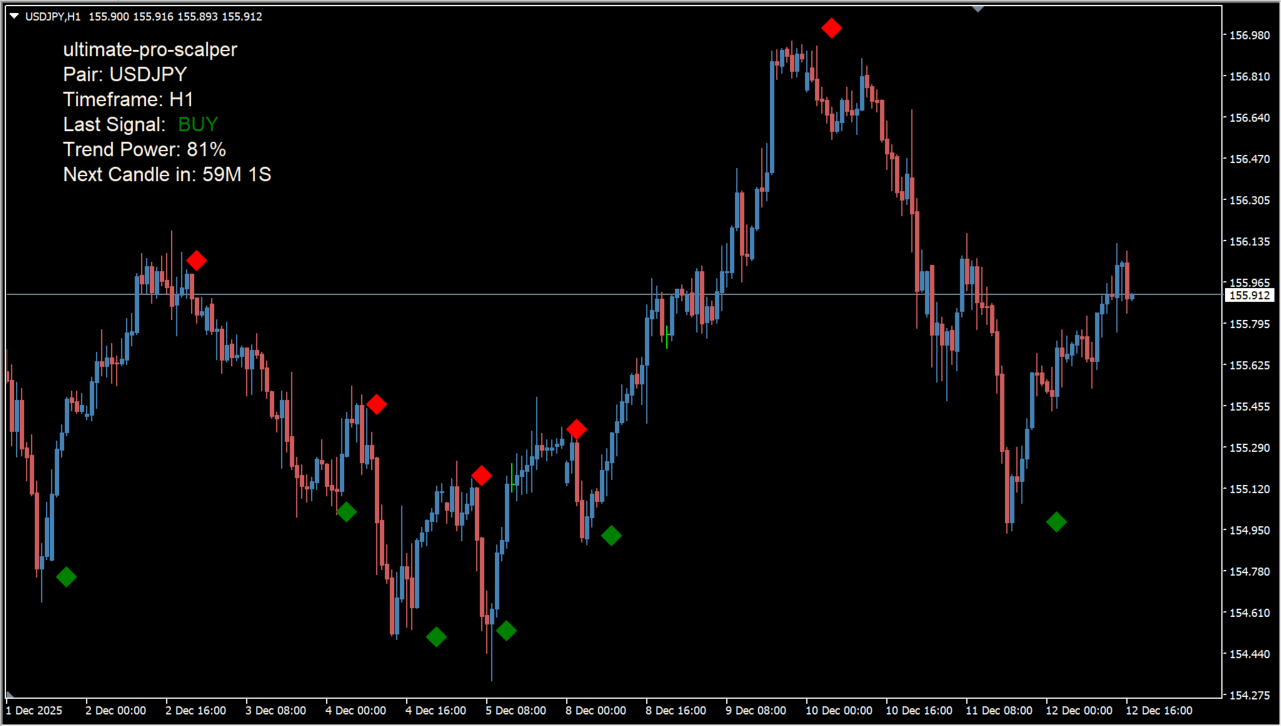
Green and red diamond signals appear when the indicator detects a potential price turning point and shows the current trend direction. Compare the diamond direction with the Trend Power value. A low Trend Power reading suggests weaker momentum, so review the possibility of a breakout or reversal before relying on the signal. Alerts can also notify you when new signals appear while monitoring multiple pairs.
Where it helps
MT4 Indicator Parameters
The table below lists the available MT4 indicator parameters. You can customize these options in the MetaTrader Inputs dialog to match your trading preferences.
| Parameter | Description |
|---|---|
| PeriodValue | Sets the internal calculation period and affects signal response speed. Default: 13. |
| SL_add_pips | Sets the number of pips added to the stop-loss. Default: 148. |
| TP | Sets the take-profit target in pips. Default: 188. |
| UseAlerts | Turns signal alerts on or off. Default: true. |
| EmailAlerts | Turns email notifications on or off. Default: true. |
| CORNER | Selects the position of the information panel on the chart. Default: 0. |
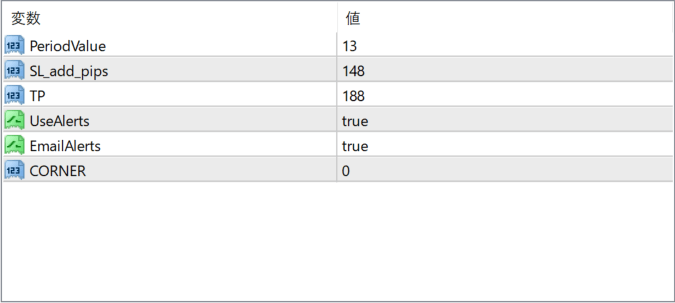
The screenshot above shows the default input parameters in the MT4 settings window.
How to Install .ex4 Indicator in MetaTrader 4
- Download the ZIP file and extract it.
- In MT4, select File → Open Data Folder.
- Open MQL4 → Indicators and copy the EX4 or MQ4 file into it.
- If the package includes library files, copy them to MQL4 → Libraries. Copy TPL files to the top-level templates folder.
- Restart MT4, find the indicator in the Navigator, and drag it onto a chart.
Test the tool on a demo account first. File contents and required folders can vary between packages.


