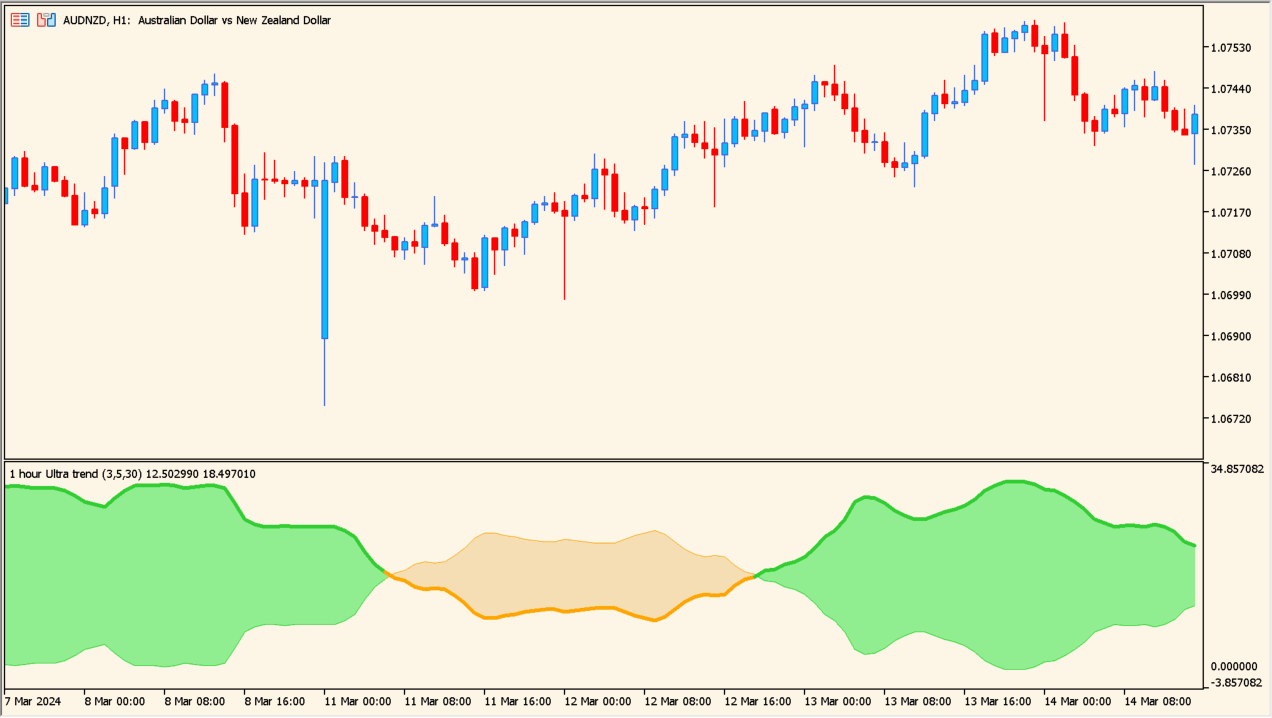
What is ultra-trend-mtf Indicator?
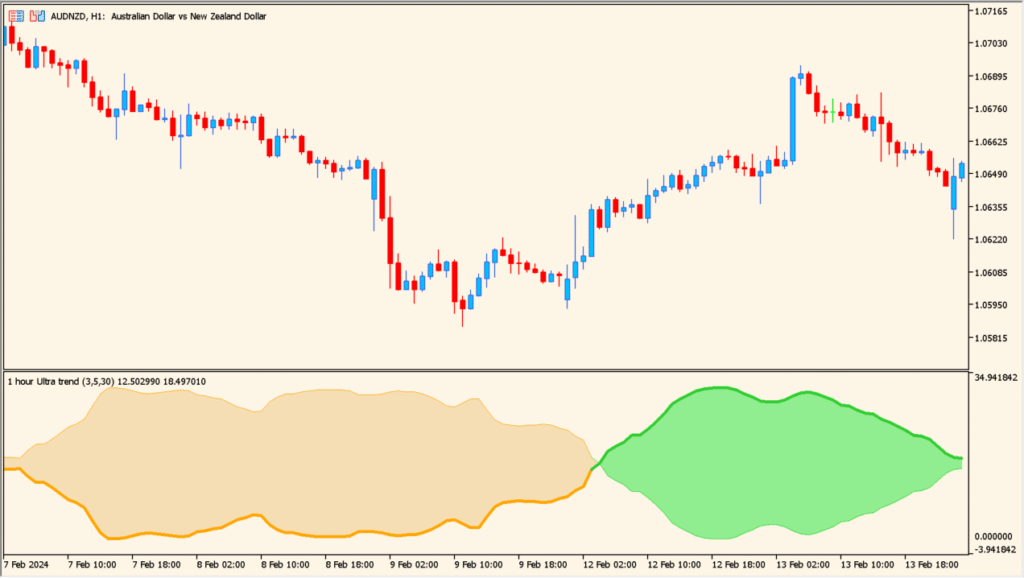
Ultra Trend MTF is an MT5 indicator that displays a smoothed wave for the selected timeframe. Adaptive smoothing, color changes, and interpolation make higher-timeframe context available on a lower chart.
The wave provides a compact visual reference for comparing recent price direction across chart horizons. It organizes context without establishing a fixed trend outcome.
How to Use It in Practice
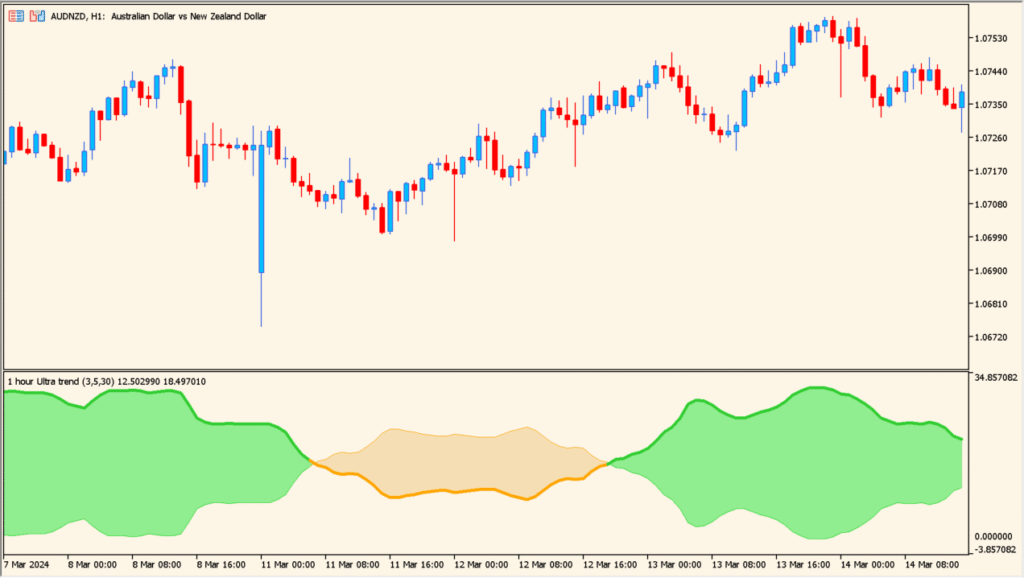
Read the two subwindow lines and the filled area between them as a combined trend-and-volatility display:
A smoothed wave keeps higher-timeframe context visible, interpolation supports lower-chart review, and color settings aid quick comparison.
- Compare the green filled state with the displayed rising condition and the orange state with the displayed falling condition.
- Watch whether the filled zone is expanding or narrowing; a smaller zone indicates lower volatility and a range-like condition.
- Adjust the available parameters for the symbol being examined when the default response does not fit its movement, because compatibility varies by pair.
- Keep the zone width and color state alongside the main chart instead of reading a color change in isolation.
MT5 Indicator Parameters
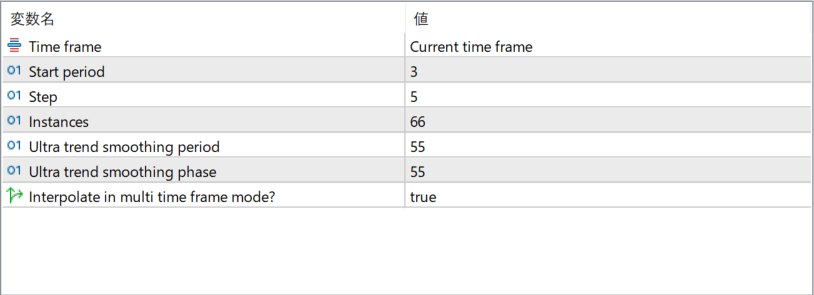
The screenshot above shows the default input parameters in the MT5 settings window.
| Parameter | Description |
|---|---|
| Time frame | Defines which timeframe the trend calculation is based on. When set to the current timeframe, the indicator follows the active chart. Higher timeframes can be selected for broader trend context. |
| Start period | Sets the initial lookback period used in the trend calculation. Smaller values react faster to price changes, while larger values produce smoother results. |
| Step | Controls how the period progresses internally during calculations. This affects how gradually the trend adapts to changing market conditions. |
| Instances | Determines how many calculation layers are used to build the final trend output. More instances result in smoother and more stable signals. |
| Ultra trend smoothing period | Defines the smoothing length applied to the trend line. Increasing this value reduces noise but adds lag. |
| Ultra trend smoothing phase | Adjusts the phase of the smoothing algorithm, influencing how early or late the indicator responds to trend changes. |
| Interpolate in multi time frame mode? | When enabled, the indicator smooths transitions between higher-timeframe values on lower-timeframe charts, creating a cleaner and more continuous display. |


