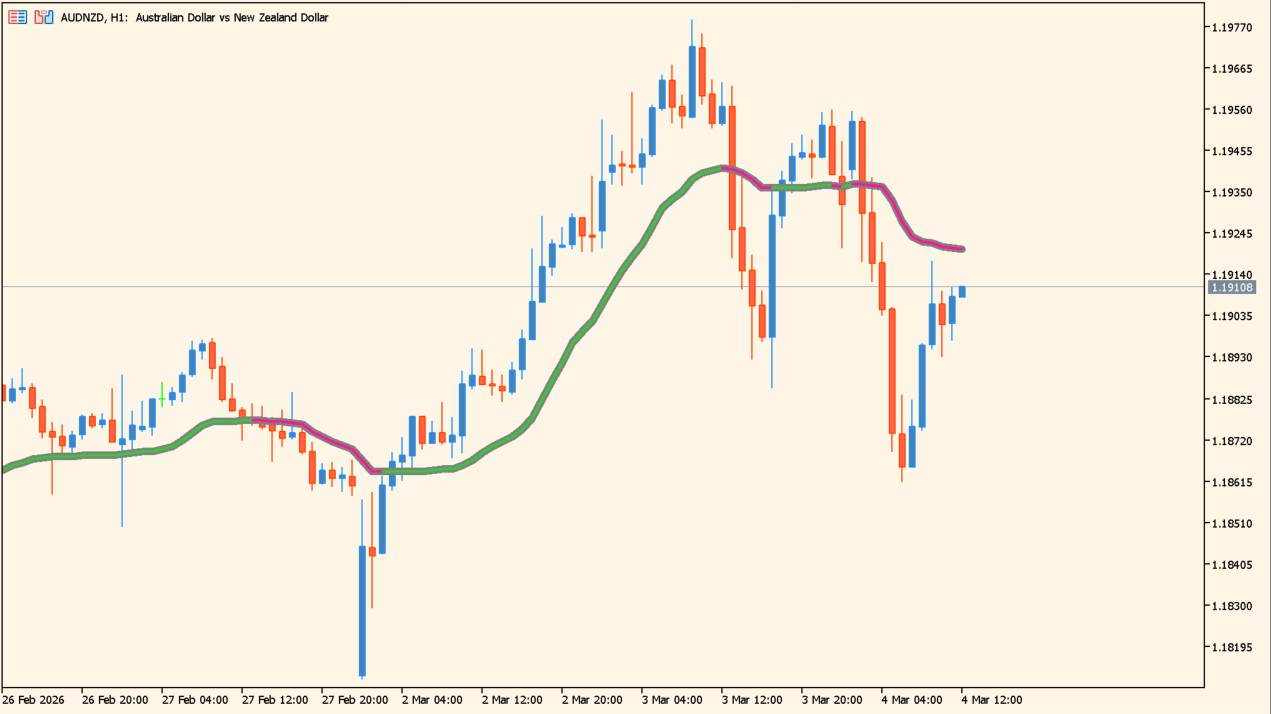
What is Vidya?
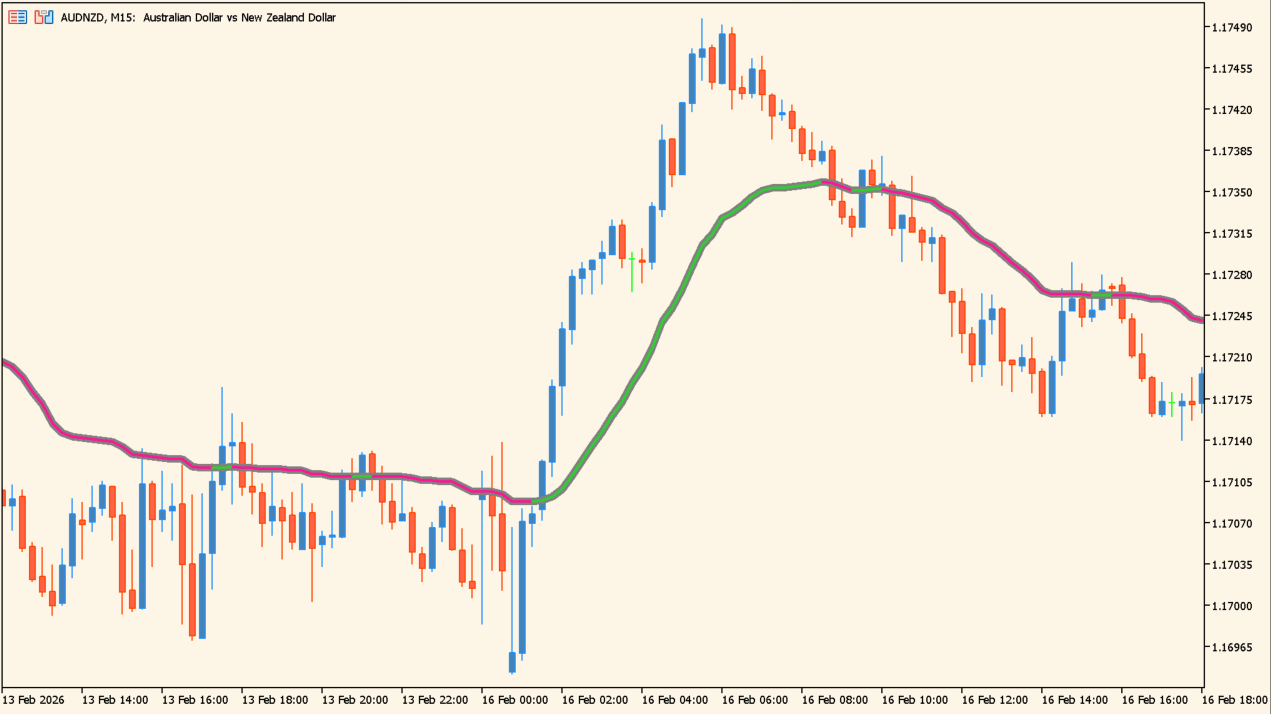
The line is colored to show whether it is rising or falling.
Vidya is an MT5 implementation of the Variable Index Dynamic Average, an adaptive moving average that takes its sensitivity from the rate of change in price rather than from one fixed period.
The line follows price closely while movement is quick and flattens out while it is slow. Vidya period sets the base length, Momentum period sets the momentum length, and Price selects the price used in the calculation.
How to use Vidya
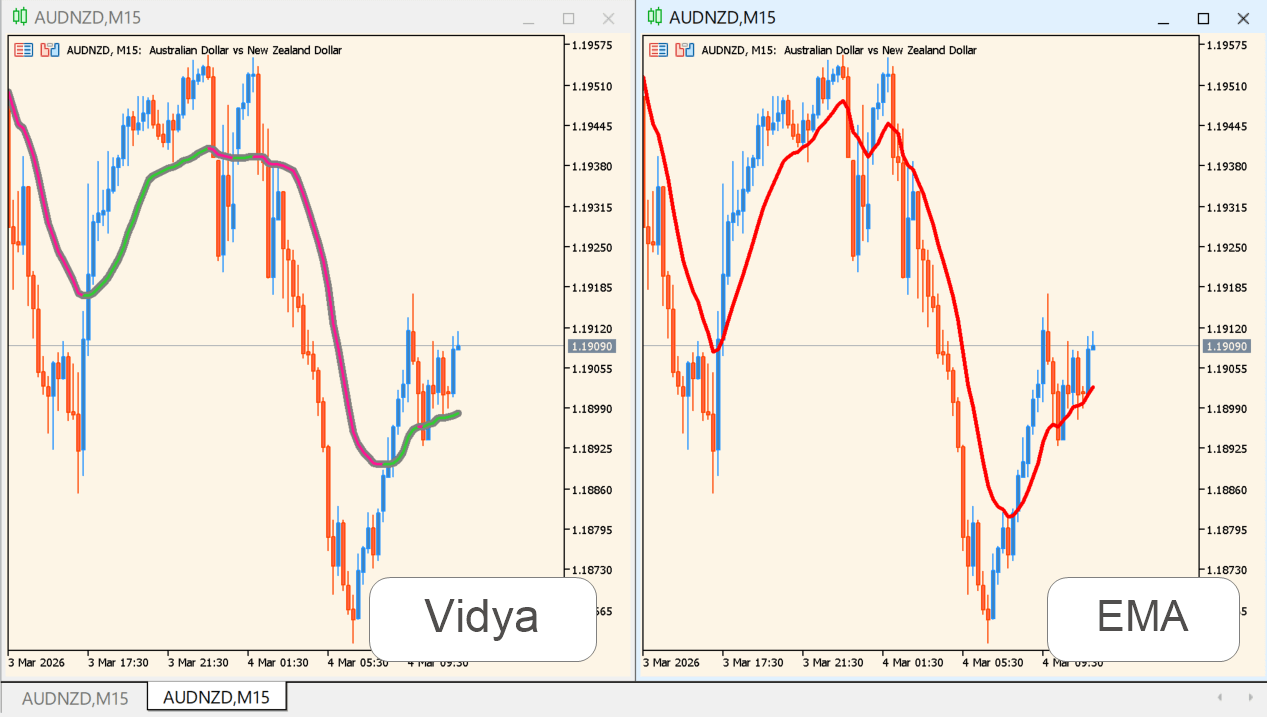
The line is shown alongside a faster EMA for comparison.
Add the indicator to an MT5 chart and read the slope of the line together with where price sits against it. The line is colored by its rising or falling state, so a change between the two shows up as a change of color.
Watch what happens as price moves back toward the line. Vidya period and Momentum period can be set independently when a different pair of lengths is needed.
Where it helps
The calculation adjusts its own sensitivity, so the period does not have to be reset by hand as movement changes.
The color follows the rising or falling state of the line, so the change between them is visible without measuring the slope.
Vidya period and Momentum period take their own values, so the base length and the momentum length are controlled separately.
MT5 Indicator Parameters
The table below lists the available MT5 indicator parameters. You can customize these options in the MetaTrader Inputs dialog to match your trading preferences.
| Parameter | Description |
|---|---|
| Vidya period | Sets the VIDYA calculation period. |
| Momentum period | Sets the momentum period; 0 or 1 uses the Vidya period. |
| Price | Selects the price used for calculation. |
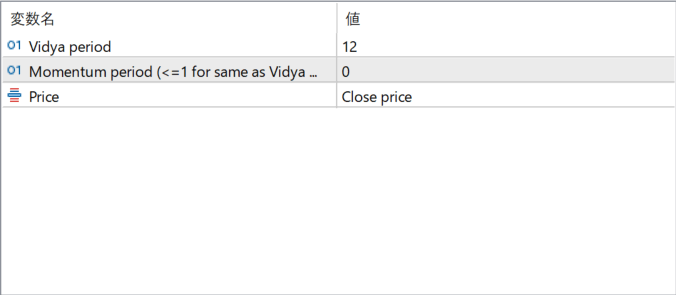
The screenshot above shows the default input parameters in the MT5 settings window.
How to Install .ex5 Indicator in MetaTrader 5
- Download the ZIP file and extract it.
- In MT5, select File → Open Data Folder.
- Open MQL5 → Indicators and copy the EX5 or MQ5 file into it.
- If the package includes library files, copy them to MQL5 → Libraries. Copy TPL files to the top-level templates folder.
- Restart MT5, find the indicator in the Navigator, and drag it onto a chart.
Test the tool on a demo account first. File contents and required folders can vary between packages.


