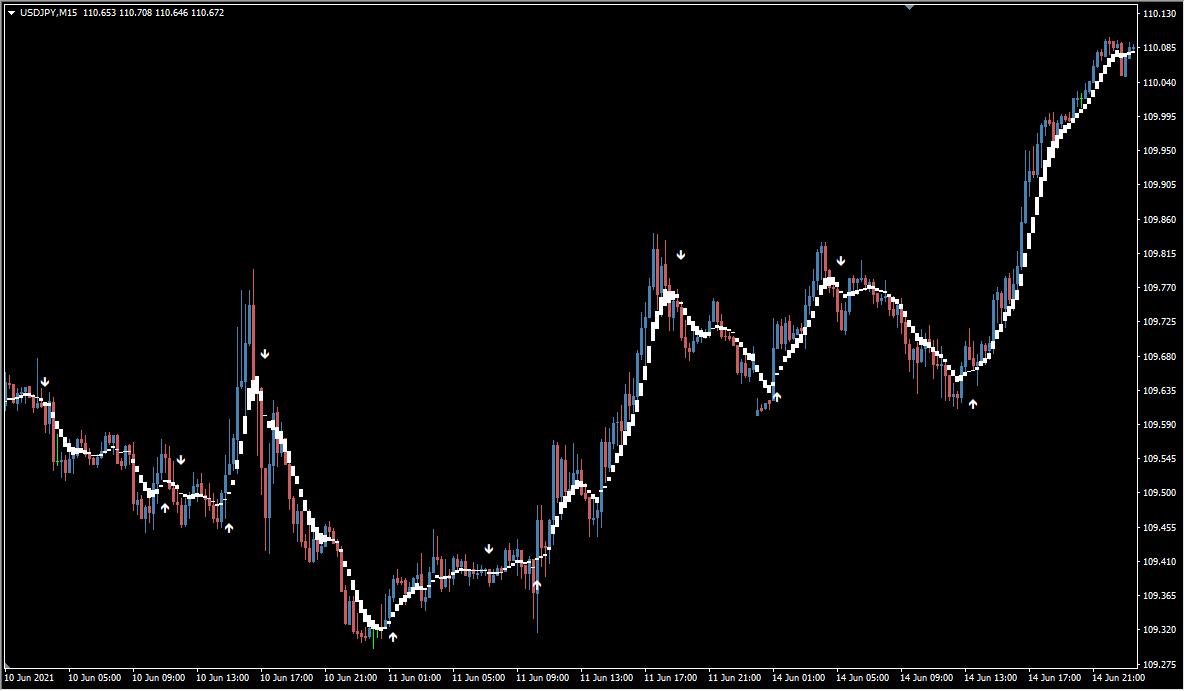
What is viper_rage?
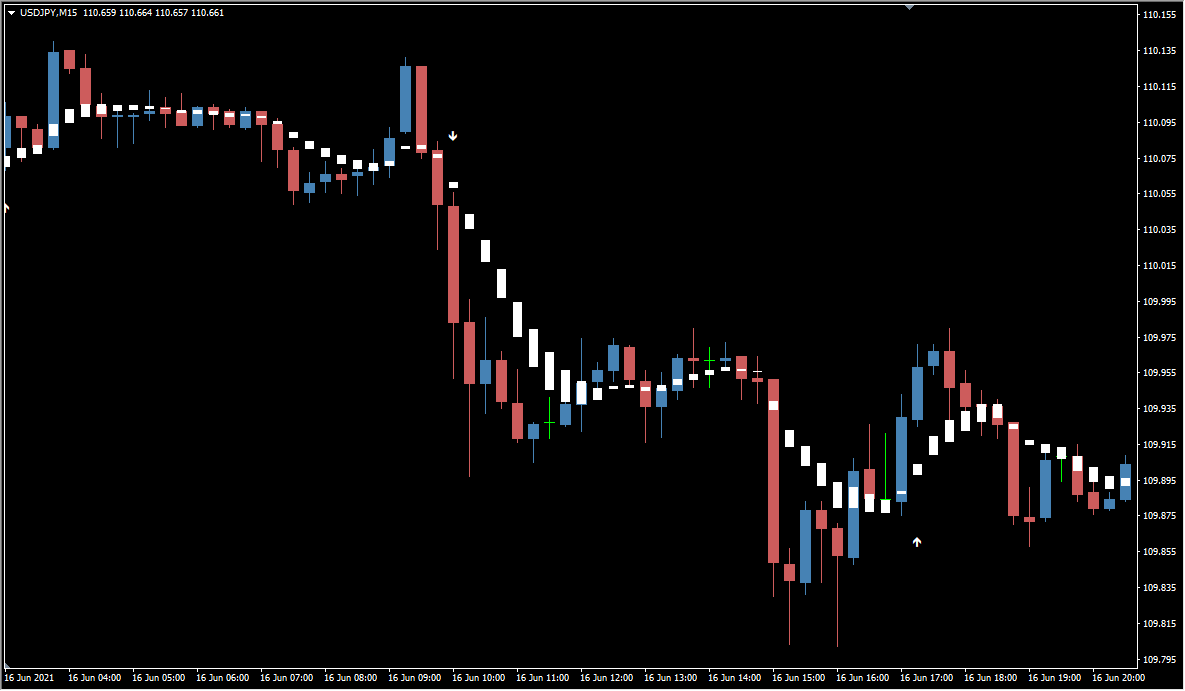
viper_rage is an MT4 signal tool that fills the area between two moving averages and prints arrows on the price bars. The original states that the white line follows the viper motif of the name.
The band is the filled area between a short-term and a long-term moving average, which the original notes can look like Heikin Ashi candles at first glance. The FastEMA and SlowEMA settings change the calculation periods of the two moving averages that form the band.
How to use viper_rage
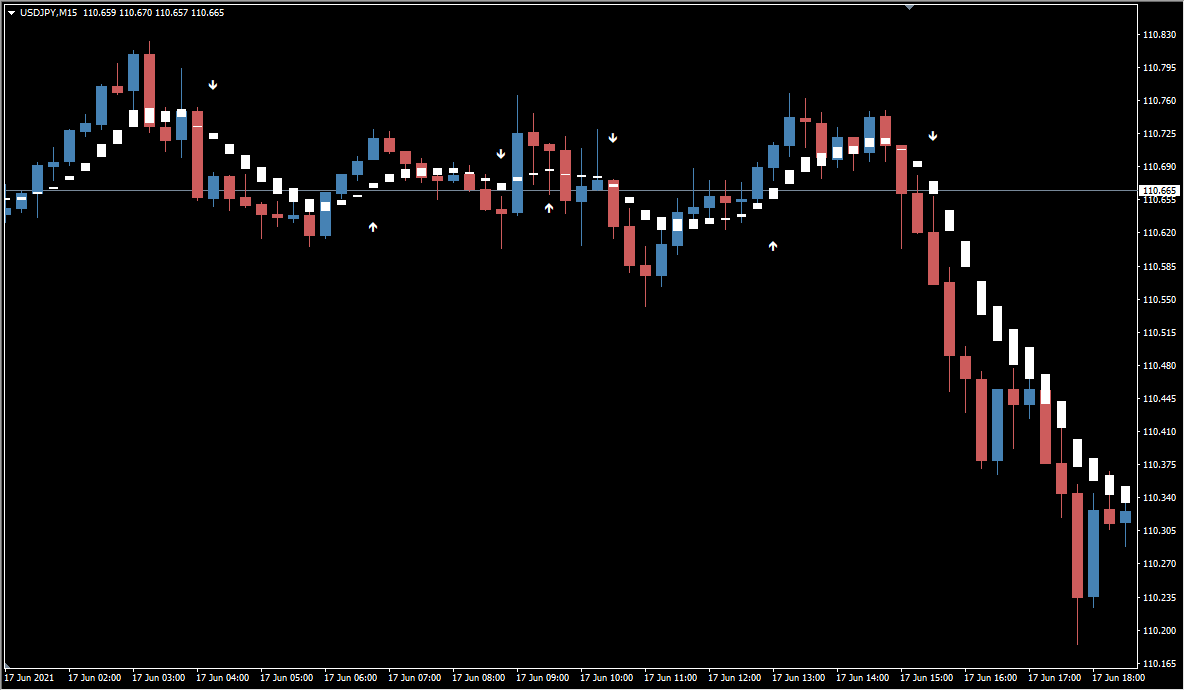
Arrows appear when the Parabolic SAR filter of the tool lets them through. The original notes that more arrows are printed while the market is ranging.
The tool supports multiple timeframes, so the calculation can be run on a higher timeframe. The timeFrame setting changes the timeframe used for the calculation and the SARStep setting changes the sensitivity of the Parabolic SAR.
Where it helps
MT4 Indicator Parameters
The table below lists the available MT4 indicator parameters. You can customize these options in the MetaTrader Inputs dialog to match your trading preferences.
| Parameter | Description |
|---|---|
| timeFrame | Changes the timeframe used for the calculation. |
| FastEMA | Changes the calculation period of the short-term moving average. |
| SlowEMA | Changes the calculation period of the long-term moving average. |
| SARStep | Changes the sensitivity of the Parabolic SAR. |
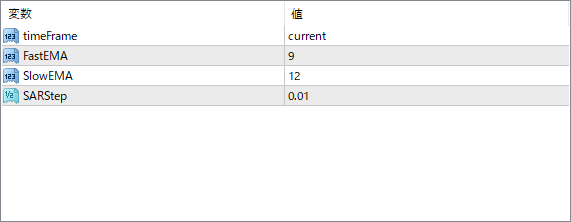
The screenshot above shows the default input parameters in the MT4 settings window.
How to Install .ex4 Indicator in MetaTrader 4
- Download the ZIP file and extract it.
- In MT4, select File → Open Data Folder.
- Open MQL4 → Indicators and copy the EX4 or MQ4 file into it.
- If the package includes library files, copy them to MQL4 → Libraries. Copy TPL files to the top-level templates folder.
- Restart MT4, find the indicator in the Navigator, and drag it onto a chart.
Test the tool on a demo account first. File contents and required folders can vary between packages.


