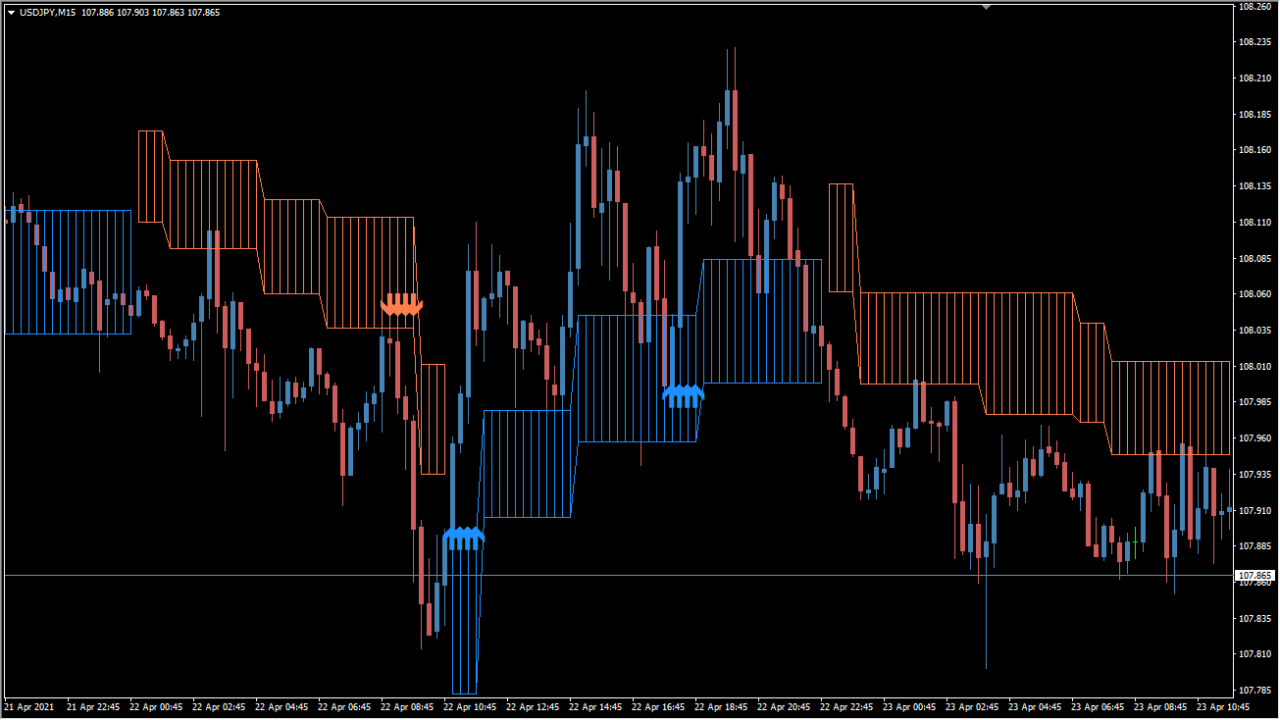
What is VoltyChannelSystem_v1.0.600+ Indicator?
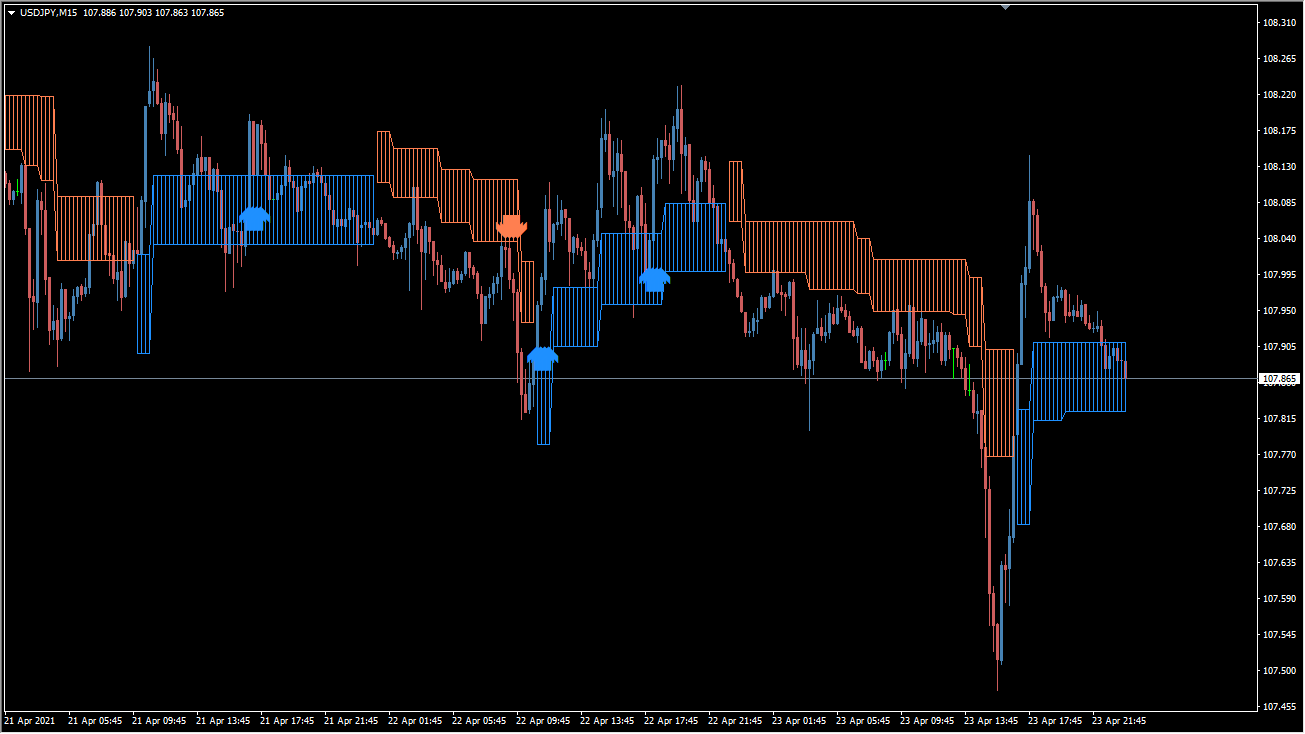
VoltyChannelSystem v1.0.600+ draws a cloud-like channel on MT4 and supports multi-timeframe display plus alerts. The chart view is an Ichimoku-like cloud around the configured trend context.
The display can add swing annotations and correction cues, but the configuration does not filter low-volatility range conditions.
How to Use It in Practice
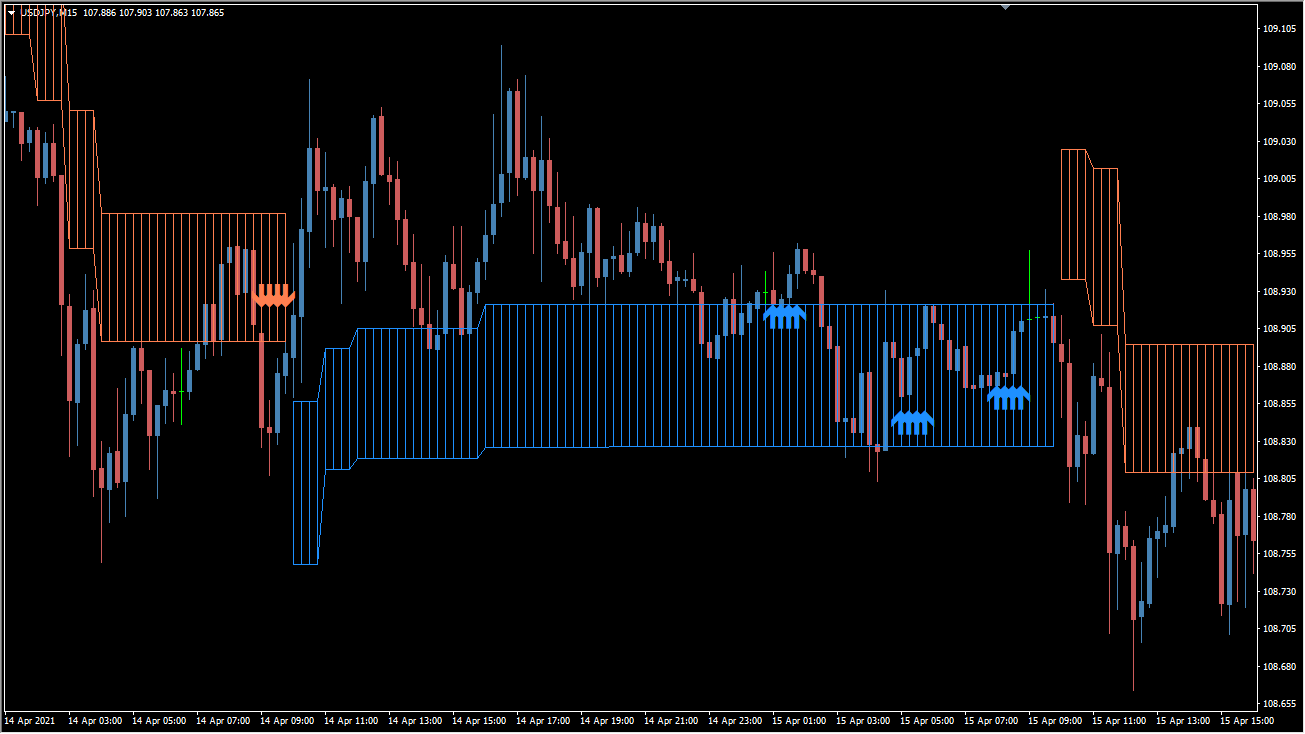
VoltyChannelSystem creates a cloud-like band around the selected timeframe; use a timeframe roughly four to six times higher than the active chart instead of matching the two periods.
- On an M5 chart, set TimeFrame near M30; on an M15 chart, use about H1, then read the candles relative to the cloud boundaries.
- Change ShowSwingSignals from false to true when the swing annotations need to be shown.
- Leave ShowCorrections disabled unless its additional markings are specifically needed; they added little in the example shown.
- Range-like, low-volatility movement is not screened out by these settings, so retain that chart condition when interpreting the cloud and its annotations.
Trend and swing ATR settings are shown through one channel display, inner and outer boundaries provide separate visual references, and the existing notification options support chart monitoring.
MT4 Indicator Parameters
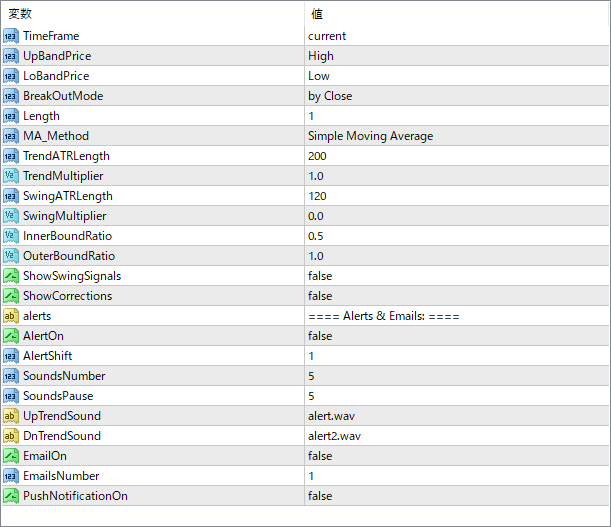
The screenshot above shows the default input parameters in the MT4 settings window.
| Parameter | Description |
|---|---|
| TimeFrame | Specifies the timeframe for the indicator’s calculation. Use “current” to apply it to the chart’s timeframe. |
| UpBandPrice | Selects which price (High, Close, etc.) is used for the upper channel calculation. |
| LoBandPrice | Determines the price used for the lower channel boundary. |
| BreakOutMode | Defines how breakout signals are generated — e.g., by candle close or real-time touch. |
| Length | Sets the period for the moving average and ATR calculation. |
| MA_Method | Chooses the type of moving average used (e.g., Simple, EMA, etc.). |
| TrendATRLength | ATR period used to calculate the volatility range of the trend. |
| TrendMultiplier | Multiplier applied to the trend ATR to scale the distance of the trend bands. |
| SwingATRLength | ATR period for determining swing levels (minor trend fluctuations). |
| SwingMultiplier | Multiplier for the swing ATR component. |
| InnerBoundRatio | Sets how close the inner band is relative to the full channel width. Lower values pull it closer to the center. |
| OuterBoundRatio | Controls how far the outer band is from the base moving average, expanding or narrowing the channel. |
| ShowSwingSignals | If enabled, shows signals based on swing level touches or breaks. |
| ShowCorrections | Enables visual cues for corrections within the trend. |
| AlertOn | Turns on or off alert functionality for breakouts or signals. |
| AlertShift | Defines how many candles back the alert should look for a signal. |
| SoundsNumber | Number of times the alert sound will play when triggered. |
| SoundsPause | Pause in seconds between each alert sound. |
| UpTrendSound | Specifies the audio file to play for bullish trend signals. |
| DnTrendSound | Audio file played when a bearish signal is generated. |
| EmailOn | If enabled, sends an email when signals are triggered. |
| EmailsNumber | Maximum number of emails to send per signal event. |
| PushNotificationOn | Enables mobile push notifications via MetaTrader’s mobile app. |


