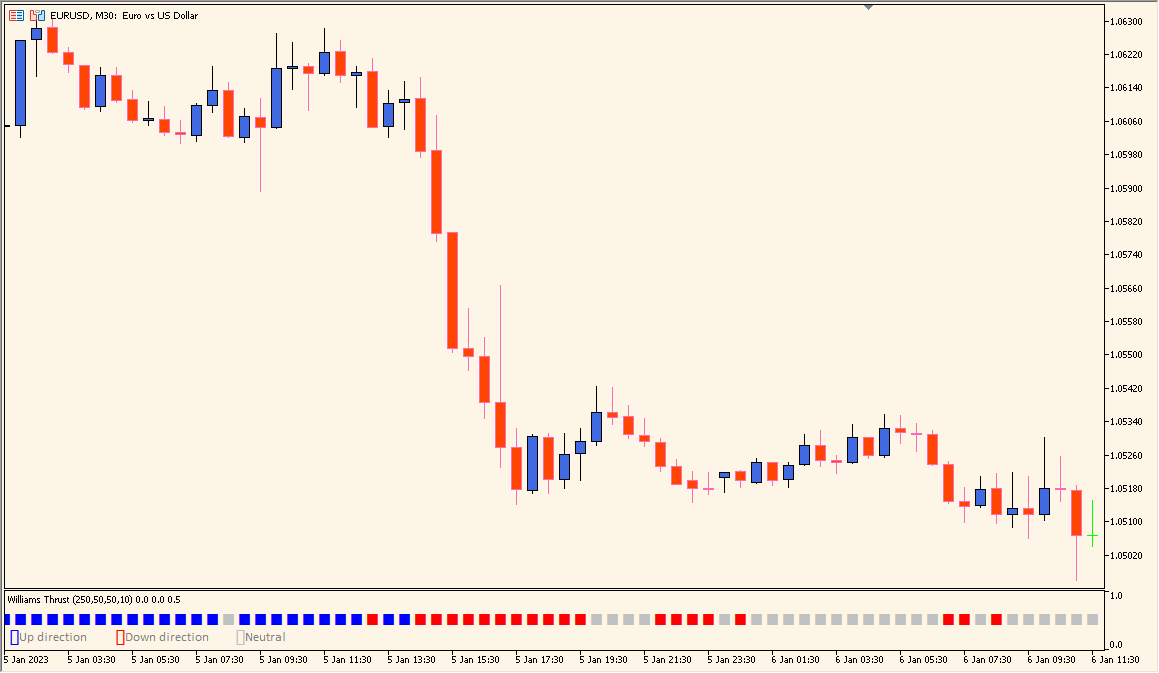
What is Williams Thrust Indicator?
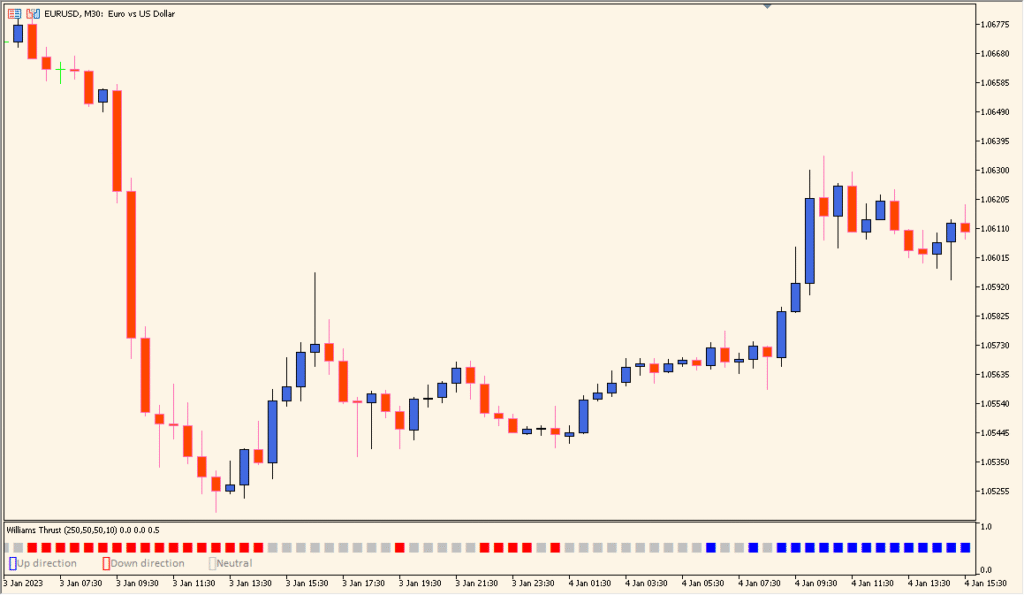
Williams Thrust is an MT5 subwindow indicator that displays two smoothed Williams %R readings with moving-average treatment. Periods, smoothing methods, levels, colors, and line settings control the oscillator view.
The fast and slow readings help compare short and longer momentum conditions across bars. The pane is a visual reference for review, not a conclusion about what price will do next.
How to Use It in Practice
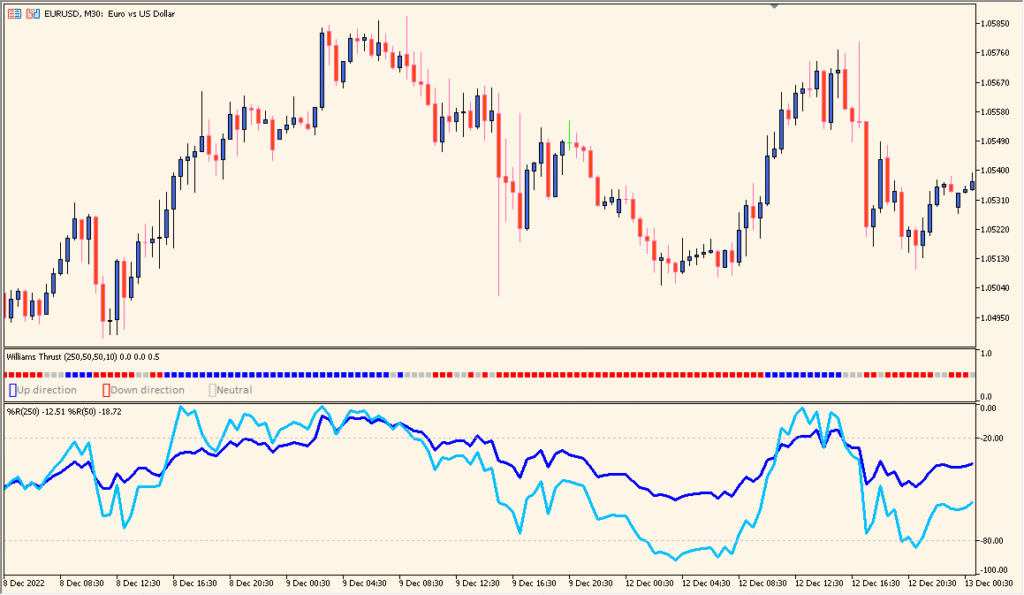
Read the color of the Williams Thrust pane together with its two long Williams %R lines and moving-average treatment: red is falling, gray is range-like, and blue is rising.
- Compare the color state with both Williams %R lines before looking for a change in the underlying candles.
- Use the period and smoothing inputs to compare a faster or slower pane; the display is less useful at the beginning of a trend-like move.
- On lower timeframes, compare shorter settings with the default long settings and retain the chart context around each color section.
Two smoothed Williams %R views share one pane, and configurable levels make momentum comparisons easier to scan.
MT5 Indicator Parameters
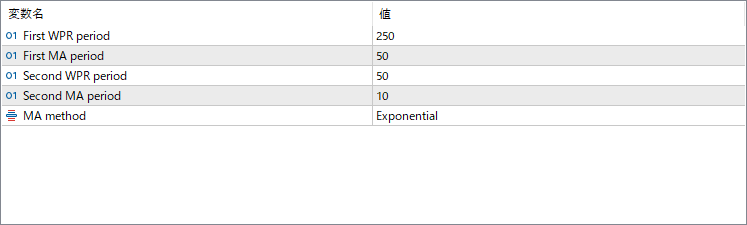
The screenshot above shows the default input parameters in the MT5 settings window.
| Parameter | Description |
|---|---|
| First WPR period | Defines the longer lookback period for the main Williams %R calculation. It captures the broader momentum structure of the market. |
| First MA period | Sets the smoothing period for the first Williams %R line using a moving average to reduce short-term fluctuations. |
| Second WPR period | Specifies the shorter lookback for a faster %R calculation that reacts quickly to recent price movements. |
| Second MA period | Defines the smoothing level for the faster %R line to balance responsiveness with signal clarity. |
| MA method | Chooses the moving average type used for smoothing (%R values), such as Exponential, Simple, or others available in MT4. |


