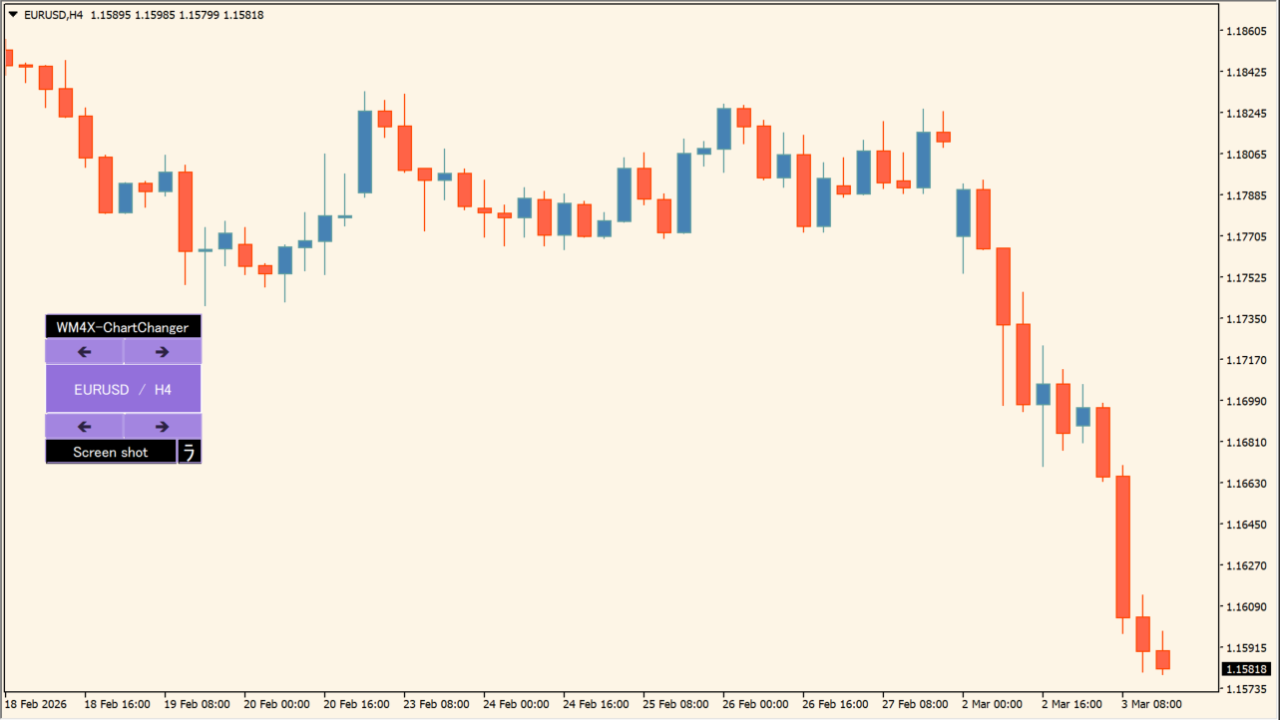
What is WM4X-ChartChanger?
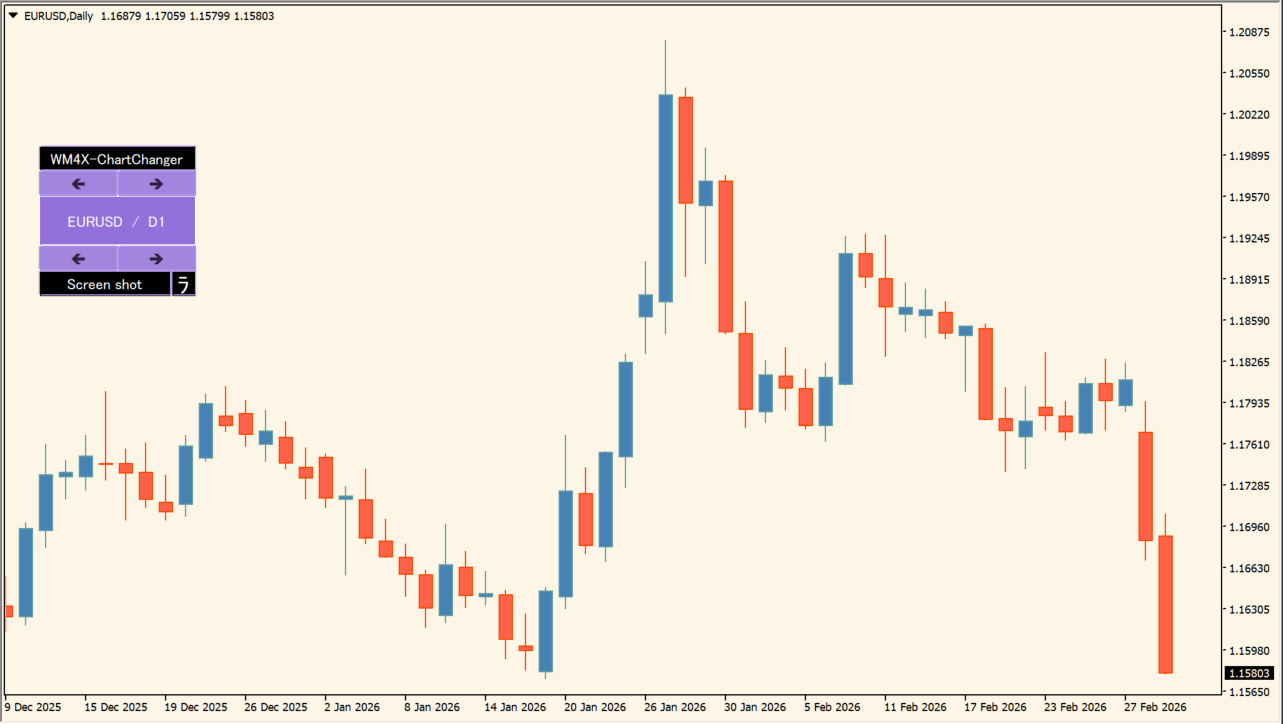
WM4X-ChartChanger is an MT4 chart utility that displays an operation panel for switching currency pairs and timeframes with one click. Its documented function is switching currency pairs and timeframes from the chart operation panel.
How to use WM4X-ChartChanger
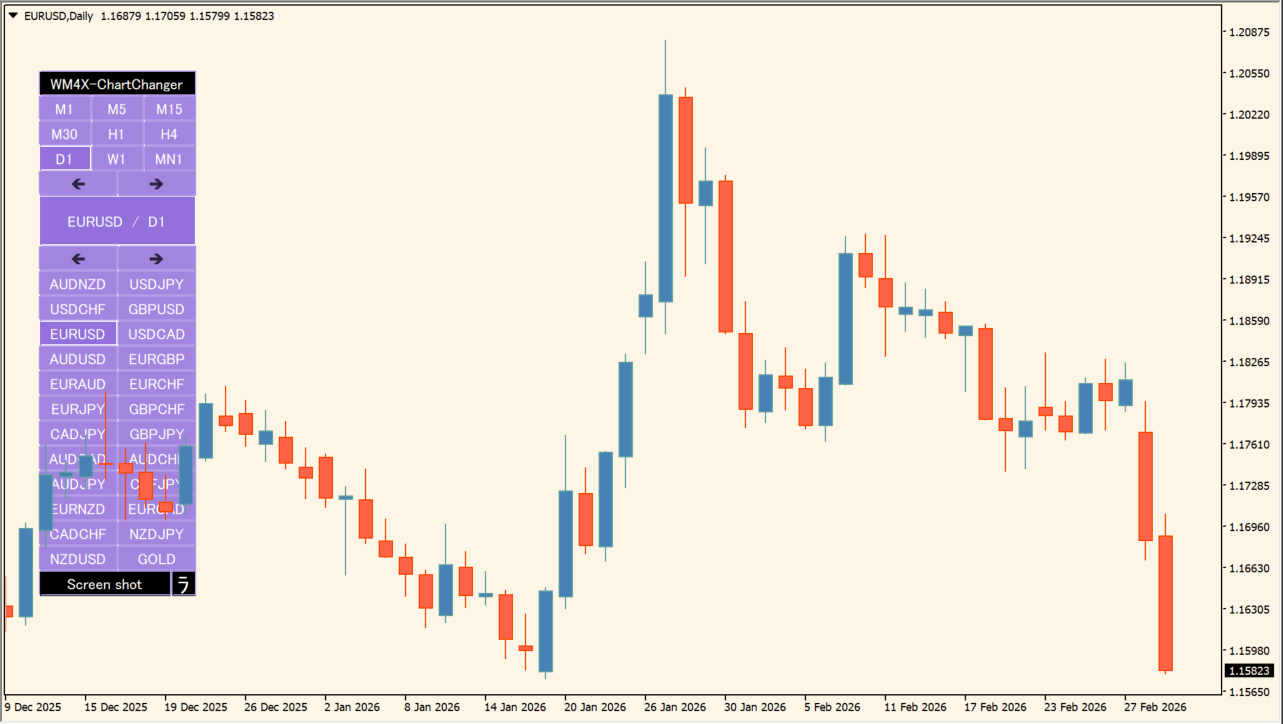
Add WM4X-ChartChanger to an MT4 chart. First, use the upper buttons to change timeframes and the lower buttons to change currency pairs. Then, use the center button to select a currency pair and timeframe directly.
Verify the result where the panel follows the mouse cursor after its currency-pair area is clicked.
Where it helps
MT4 Indicator Parameters
The table below lists the available MT4 indicator parameters. You can customize these options in the MetaTrader Inputs dialog to match your trading preferences.
| Parameter | Description |
|---|---|
| Instrument list | Selects the instrument-list source. Default: Market Watch. |
| Custom instrument list (comma-separated) | Sets a comma-separated custom instrument list. |
| Panel color | Sets the panel color. Default: MediumPurple. |
| Display size (5-34) | Sets the display size. Default: 9. |
| Number of instrument columns (2-50) | Sets the number of instrument columns. Default: 2. |
| Screenshot watermark | Sets the screenshot watermark text. Default: WM4X. |
| Watermark transparency (0-100) | Sets the watermark transparency. Default: 92. |
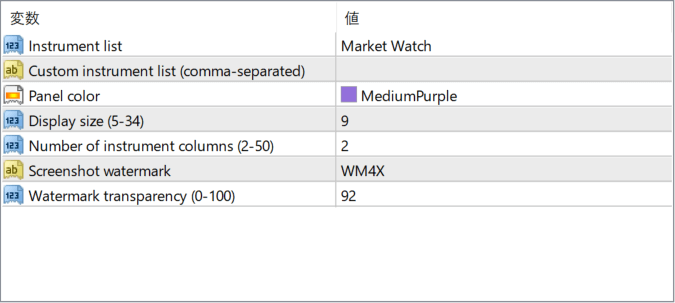
The screenshot above shows the default input parameters in the MT4 settings window.
How to Install .ex4 Indicator in MetaTrader 4
- Download the ZIP file and extract it.
- In MT4, select File → Open Data Folder.
- Open MQL4 → Indicators and copy the EX4 or MQ4 file into it.
- If the package includes library files, copy them to MQL4 → Libraries. Copy TPL files to the top-level templates folder.
- Restart MT4, find the indicator in the Navigator, and drag it onto a chart.
Test the tool on a demo account first. File contents and required folders can vary between packages.


