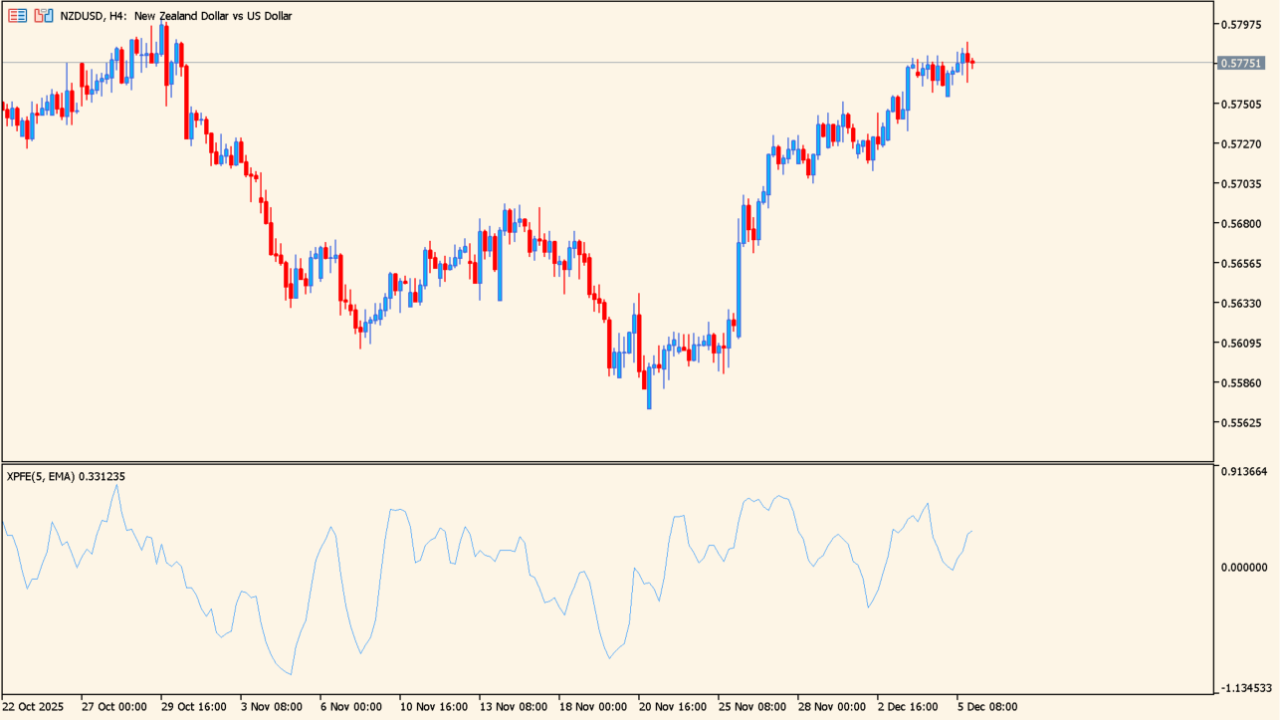
What is XPFE?
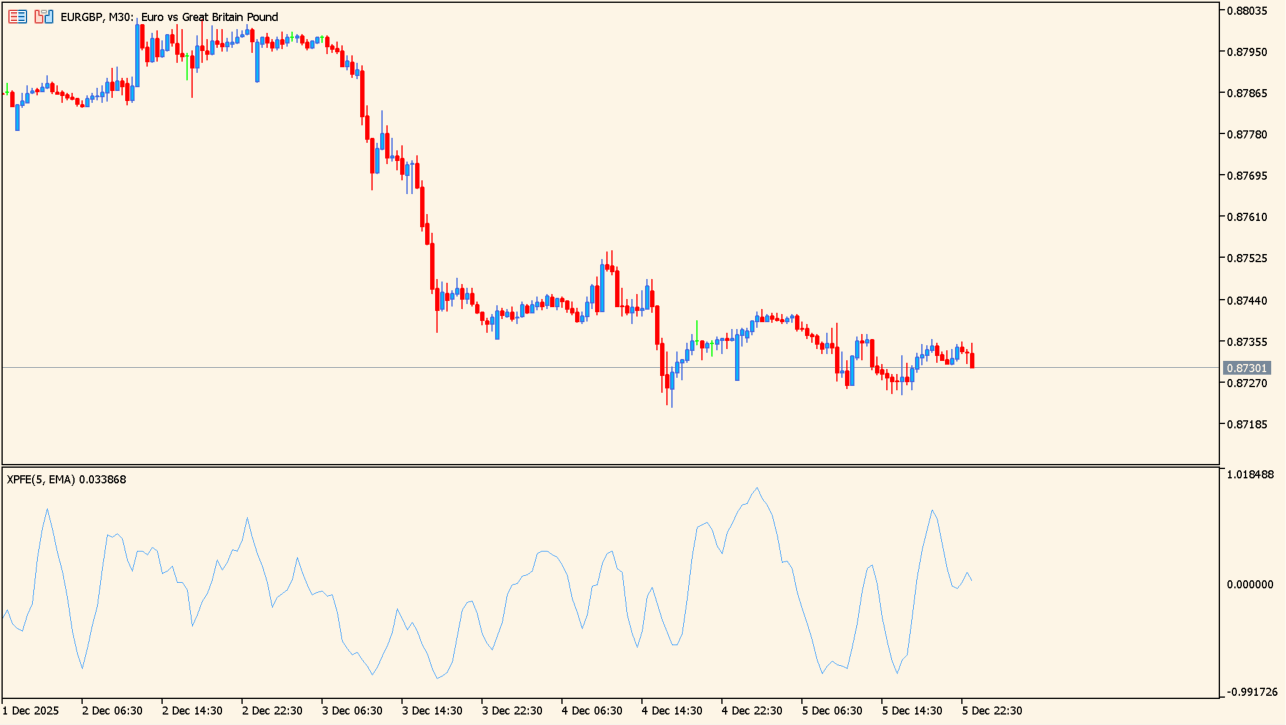
XPFE is a PFE-based indicator that measures the efficiency of price movement and presents trend direction and strength as a smoothed line. The line is plotted above and below the zero level, making changes in direction visible in a separate window. Its smoothing options are intended to reduce noise and improve readability.
How to use XPFE
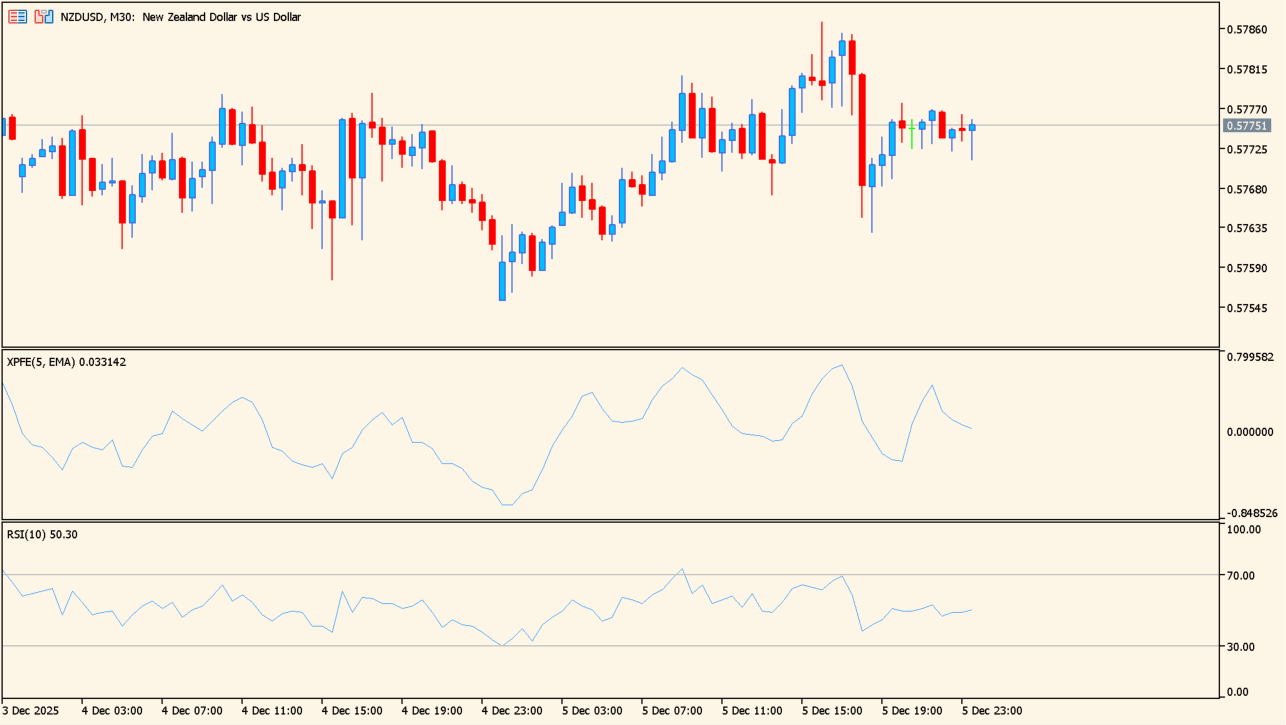
Read the PFE line around the zero level. When it is rising, upward momentum is strengthening. When it is falling, momentum is weakening. Rounded peaks or troughs can foreshadow a trend reversal, while a flattening line can show slowing momentum.
Where it helps
MT5 Indicator Parameters
The table below lists the available MT5 indicator parameters. You can customize these options in the MetaTrader Inputs dialog to match your trading preferences.
| Parameter | Description |
|---|---|
| PFE period | Sets the period used to calculate PFE. Larger values respond more slowly and produce a smoother reading. |
| Smoothing method | Selects the smoothing method used for the line. |
| Smoothing depth | Sets the depth of smoothing applied to the line. |
| Smoothing parameter | Sets the auxiliary value used in the smoothing calculation. |
| Price constant | Selects the price used for the calculation. |
| Horizontal shift of the indicator in bars | Sets the horizontal shift of the indicator line in bars. |
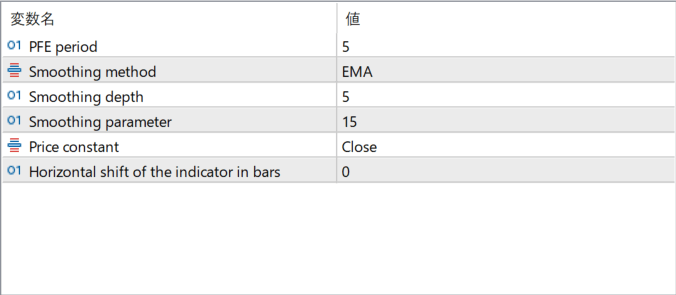
The screenshot above shows the default input parameters in the MT5 settings window.
How to Install .ex5 Indicator in MetaTrader 5
- Download the ZIP file and extract it.
- In MT5, select File → Open Data Folder.
- Open MQL5 → Indicators and copy the EX5 or MQ5 file into it.
- If the package includes library files, copy them to MQL5 → Libraries. Copy TPL files to the top-level templates folder.
- Restart MT5, find the indicator in the Navigator, and drag it onto a chart.
Test the tool on a demo account first. File contents and required folders can vary between packages.


