What is zerolag-macd-indicator?
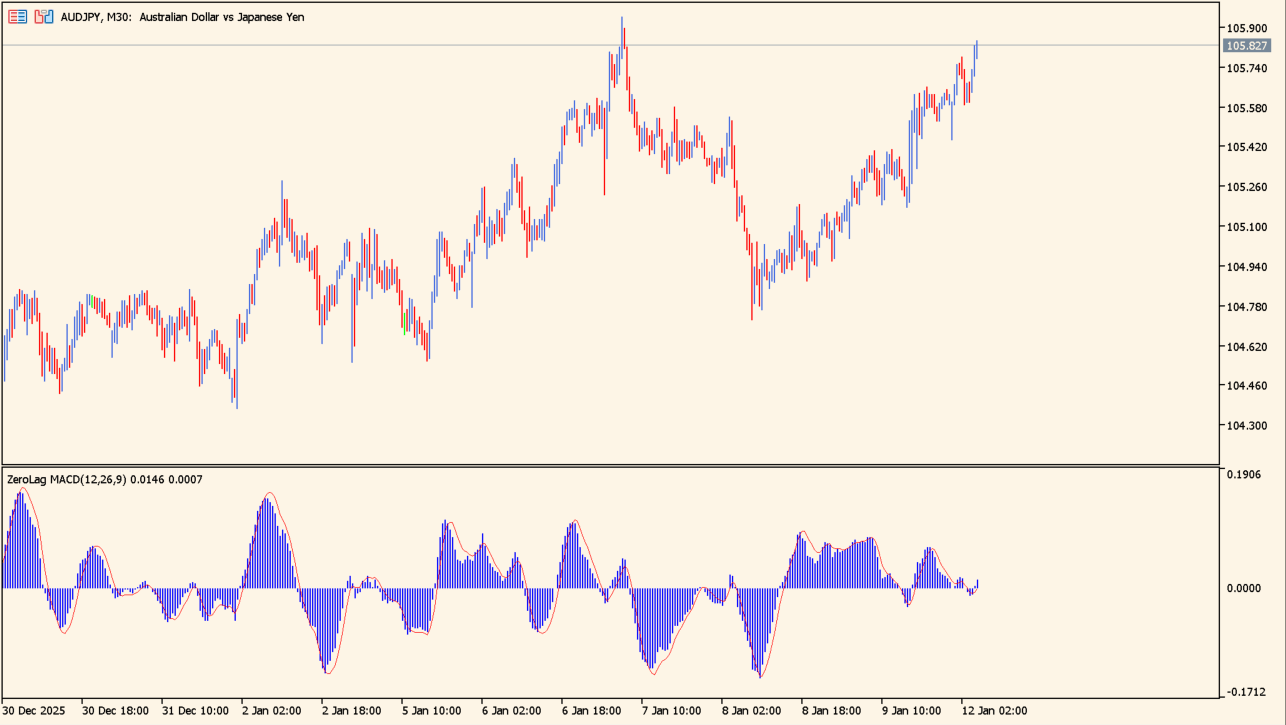
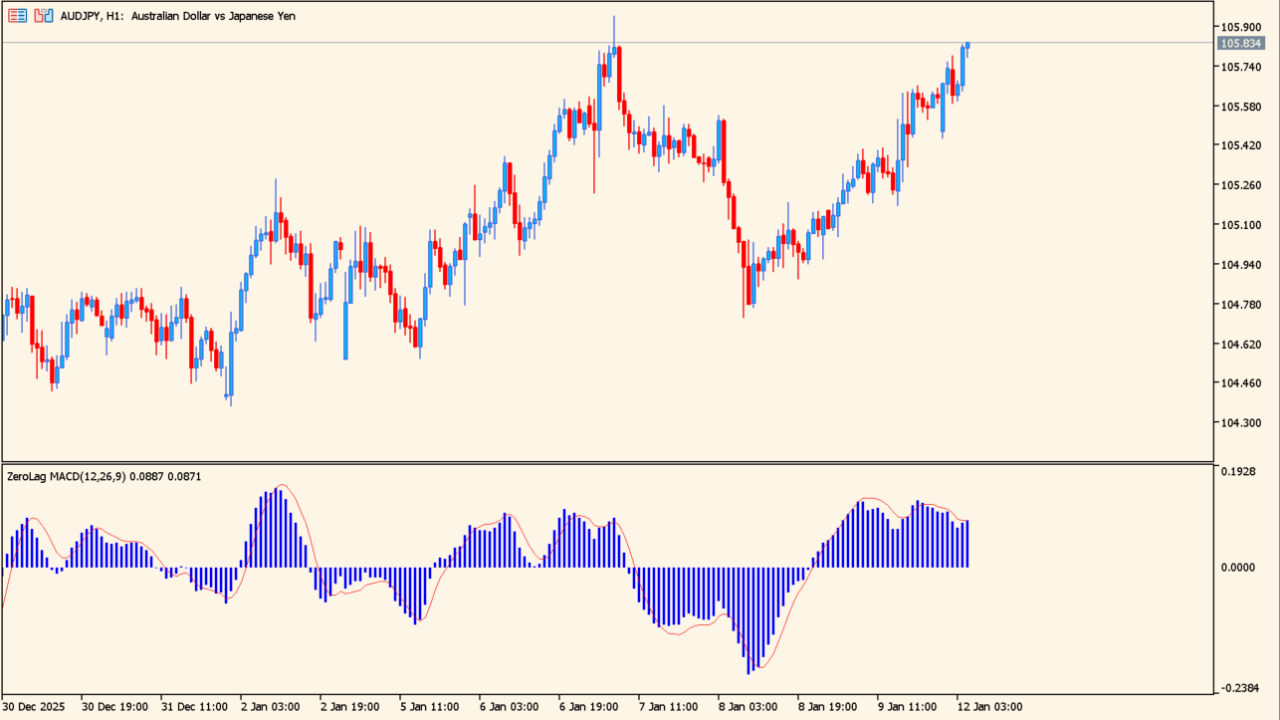
It looks like an ordinary MACD, but the MACD line tracks price more closely.
ZeroLag MACD is a reworked MACD that uses a zero-lag calculation to cut the delay of the standard version. The MACD values are drawn as a histogram with a signal line laid over them.
The histogram and the signal line are drawn together, and the zero line separates positive readings from negative ones.
How to use zerolag-macd-indicator
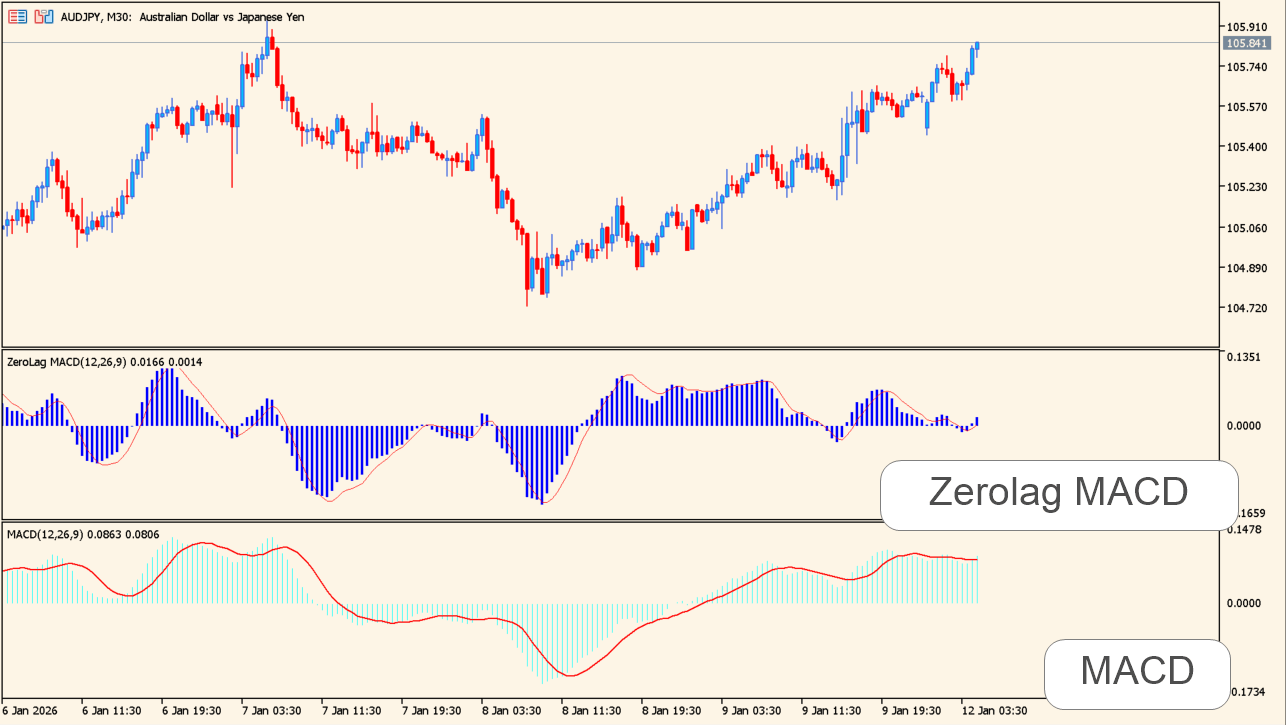
A standard MACD over the same period reacts later than this one.
A histogram above the zero line marks a positive reading and below it a negative one. Watch the bar where the histogram crosses the zero line. A cross between the histogram and the signal line is a second, shorter-term reading.
In a trending market the histogram tends to stay on one side of the zero line. In a range the crosses become more frequent, so compare the reading with a higher timeframe.
Where it helps
The zero-lag calculation turns sooner than a standard MACD over the same period.
A histogram that stays on one side of zero is visible at a glance.
How often the histogram and the signal line cross is readable directly from the pane.
MT5 Indicator Parameters
The table below lists the available MT5 indicator parameters. You can customize these options in the MetaTrader Inputs dialog to match your trading preferences.
| Parameter | Description |
|---|---|
| Fast Period | Sets the fast period. |
| Slow Period | Sets the slow period. |
| Signal Period | Sets the signal period. |
| Applied Price | Selects the source price. |
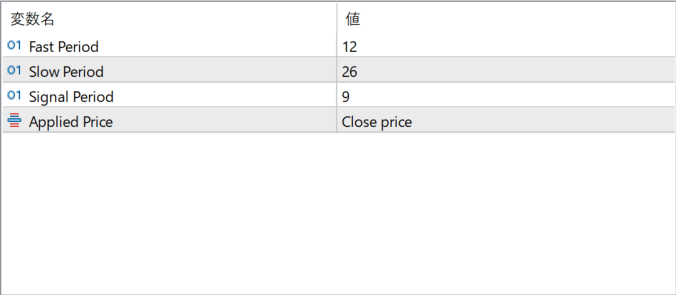
The screenshot above shows the default input parameters in the MT5 settings window.
How to Install .ex5 Indicator in MetaTrader 5
- Download the ZIP file and extract it.
- In MT5, select File → Open Data Folder.
- Open MQL5 → Indicators and copy the EX5 or MQ5 file into it.
- If the package includes library files, copy them to MQL5 → Libraries. Copy TPL files to the top-level templates folder.
- Restart MT5, find the indicator in the Navigator, and drag it onto a chart.
Test the tool on a demo account first. File contents and required folders can vary between packages.


