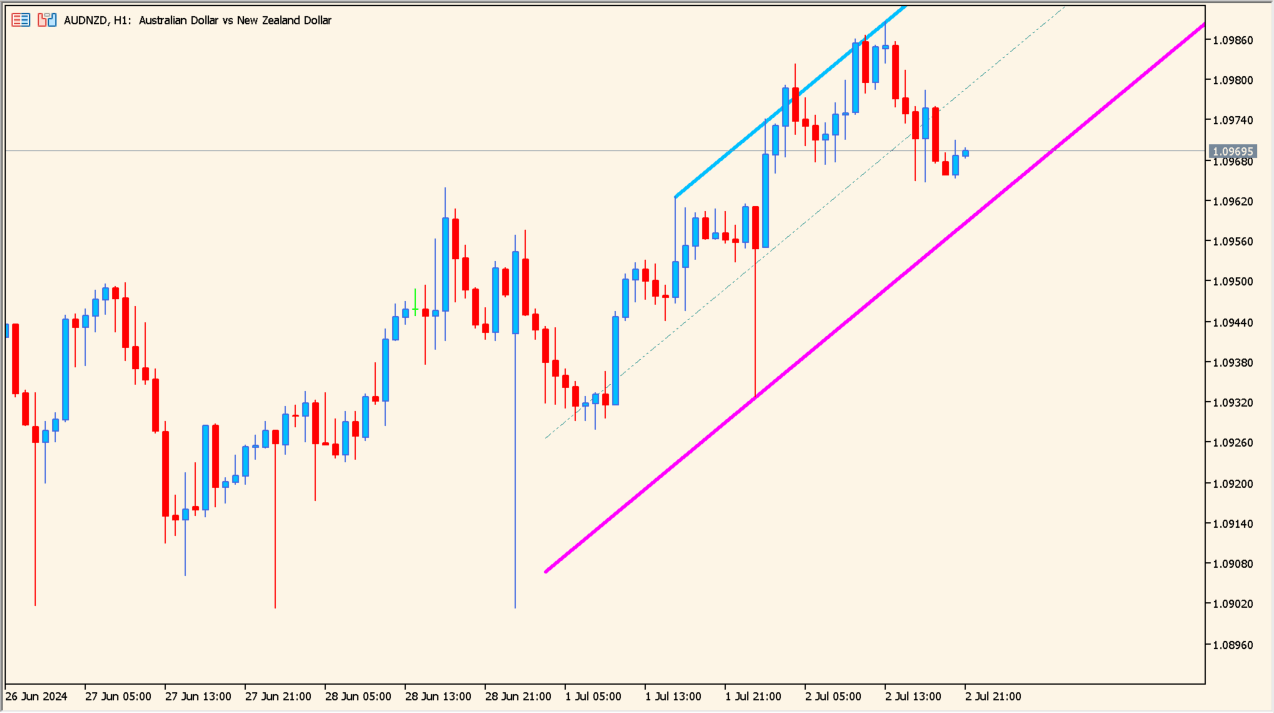
What is ZigZag NK Channel 1.00?
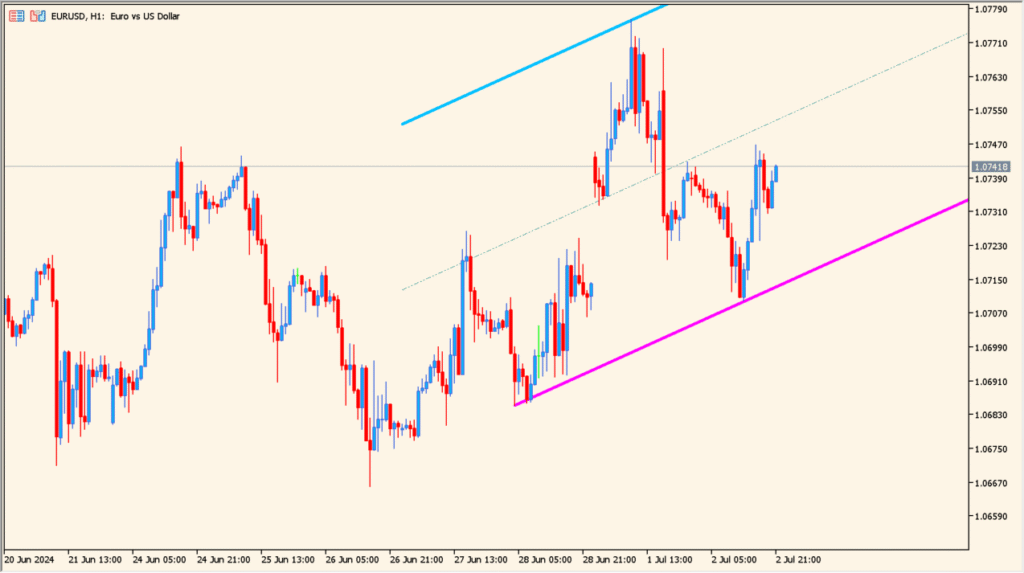
ZigZag NK Channel 1.00 is an MT5 indicator that automatically constructs trend channel boundaries based on identified ZigZag swing points.
It connects recent peaks and troughs with upper, middle, and lower lines to visualize the active trend slope.
How to use ZigZag NK Channel 1.00
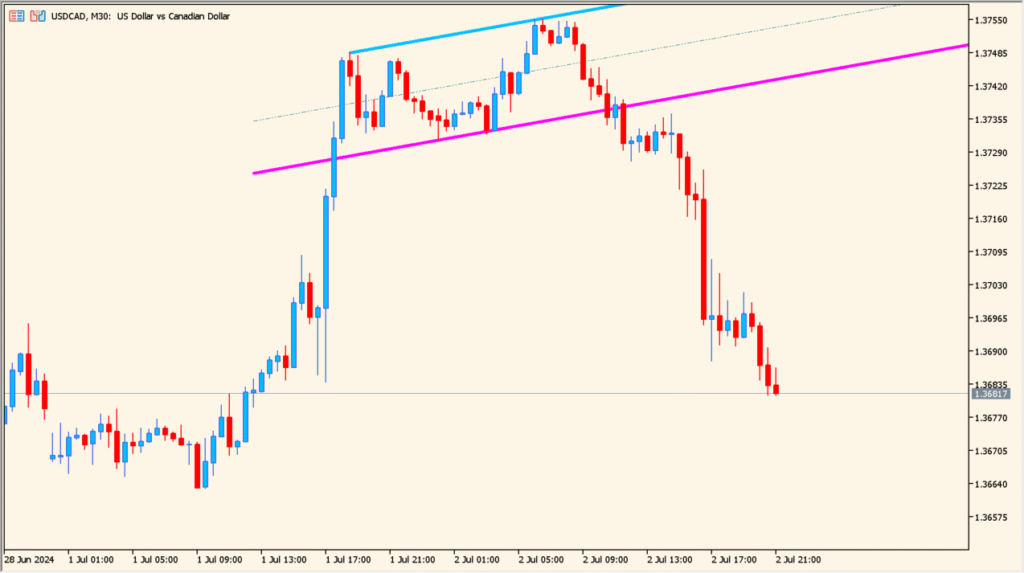
Review channel slope to confirm overall trend direction and structural boundaries.
Observe price reaction when candles approach upper or lower channel boundary lines.
Where it helps
Dynamically draws trend lines based on valid ZigZag swing points.
Allows independent color and line width settings for upper, middle, and lower channels.
MT5 Indicator Parameters
The table below lists the available MT5 indicator parameters. You can customize these options in the MetaTrader Inputs dialog to match your trading preferences.
| Parameter | Description |
|---|---|
| ExtDepth | Sets the depth calculation period for ZigZag peak identification. Default: 12. |
| ExtDeviation | Sets the minimum price deviation required to form a new swing point. Default: 5. |
| ExtBackstep | Sets the minimum bar backstep between consecutive swing points. Default: 3. |
| FirstExtrNumb | Selects which extreme peak index to start channel construction from. Default: 1. |
| Upper_color | Sets the color for the upper channel boundary line. Default: DeepSkyBlue. |
| Upper_style | Sets the line style for the upper channel boundary. Default: STYLE_SOLID. |
| Upper_width | Sets the line thickness for the upper channel boundary. Default: w_3. |
| Middle_color | Sets the color for the central median channel line. Default: Teal. |
| Middle_style | Sets the line style for the central median channel line. Default: STYLE_DASHDOTDOT. |
| Middle_width | Sets the line thickness for the central median channel line. Default: w_1. |
| Lower_color | Sets the color for the lower channel boundary line. Default: Magenta. |
| Lower_style | Sets the line style for the lower channel boundary. Default: STYLE_SOLID. |
| Lower_width | Sets the line thickness for the lower channel boundary. Default: w_3. |
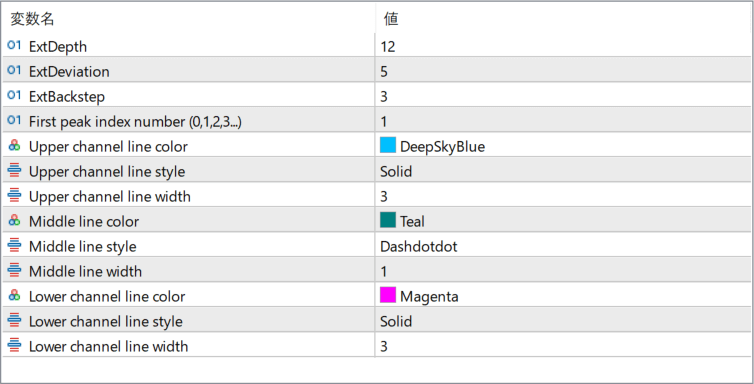
The screenshot above shows the default input parameters in the MT5 settings window.
How to Install .ex5 Indicator in MetaTrader 5
- Download the ZIP file and extract it.
- In MT5, select File → Open Data Folder.
- Open MQL5 → Indicators and copy the EX5 or MQ5 file into it.
- If the package includes library files, copy them to MQL5 → Libraries. Copy TPL files to the top-level templates folder.
- Restart MT5, find the indicator in the Navigator, and drag it onto a chart.
Test the tool on a demo account first. File contents and required folders can vary between packages.


